
- Age rating4+
- CategoryProductivity
- DeveloperAAYAN MAHMOOD
- LanguagesEnglish
- Size3.0 MB
Links to the official App Store page
Download.org hosts no file of Cadence - Task Planner. The button opens its official App Store page, published by AAYAN MAHMOOD. Listing last checked on Nov 23, 2026.
Screenshots

About
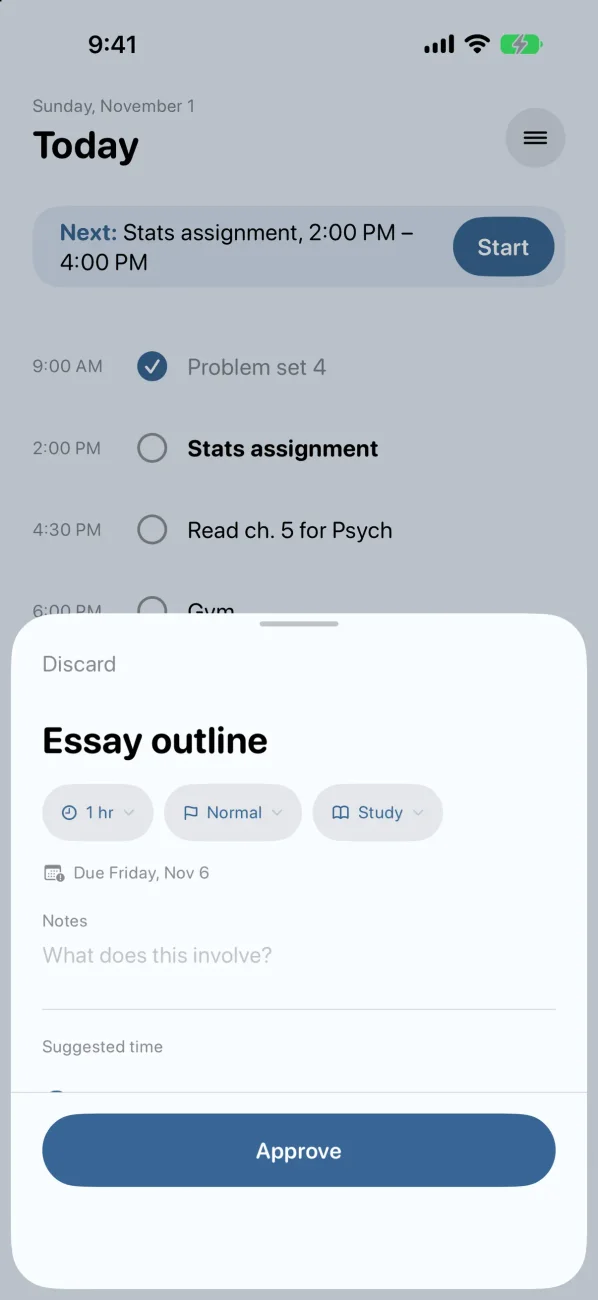
Cadence turns "stats assignment tomorrow, 2 hours" into a real plan. Type a task the way you'd say it, and Cadence finds a free slot around your calendar and working hours. You approve it before anything is added.
PLAN IN ONE SENTENCE
• Write tasks naturally: dates, times and durations are picked up for you
• See a suggested time before anything is saved, or pick your own
• Work around your calendar, or switch calendar events off entirely
SEE WHAT'S NEXT
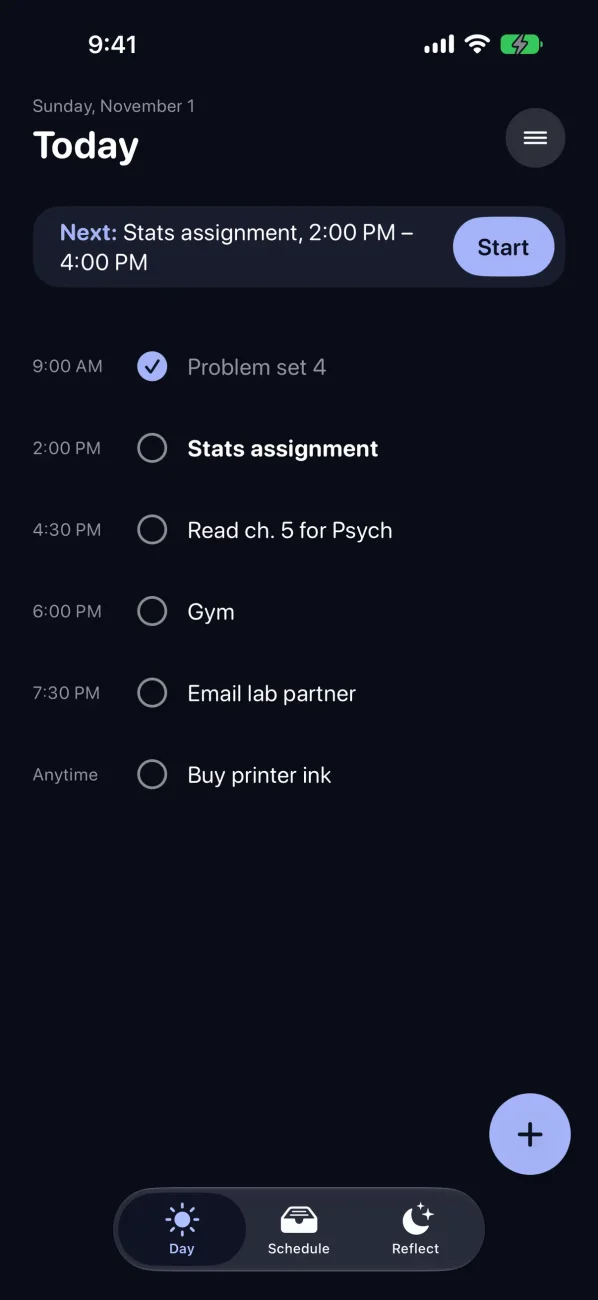
• The Day screen shows your next task with a Start button and a clean list
• Tap the circle to finish a task; tap anywhere else to open it
• Unfinished work carries over to the next day, quietly, with no red badges
PLAN YOUR WEEK
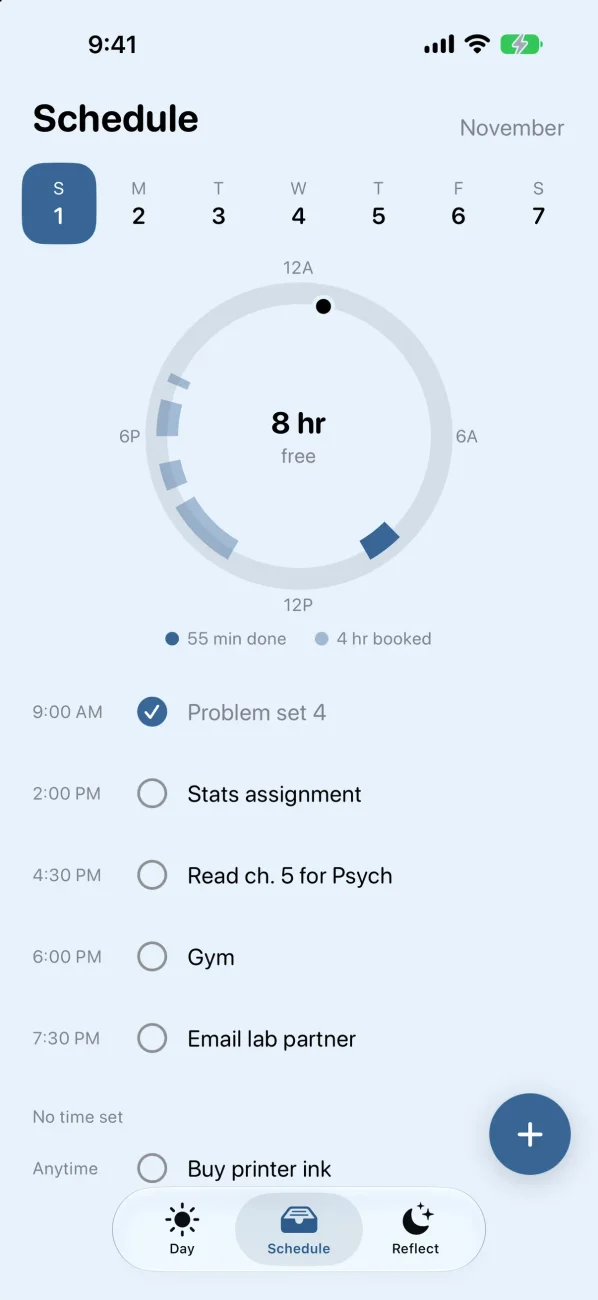
• Schedule shows each day as a 24-hour dial of done, booked and free time
• Swipe between weeks and tap a day to see its plan
FOCUS
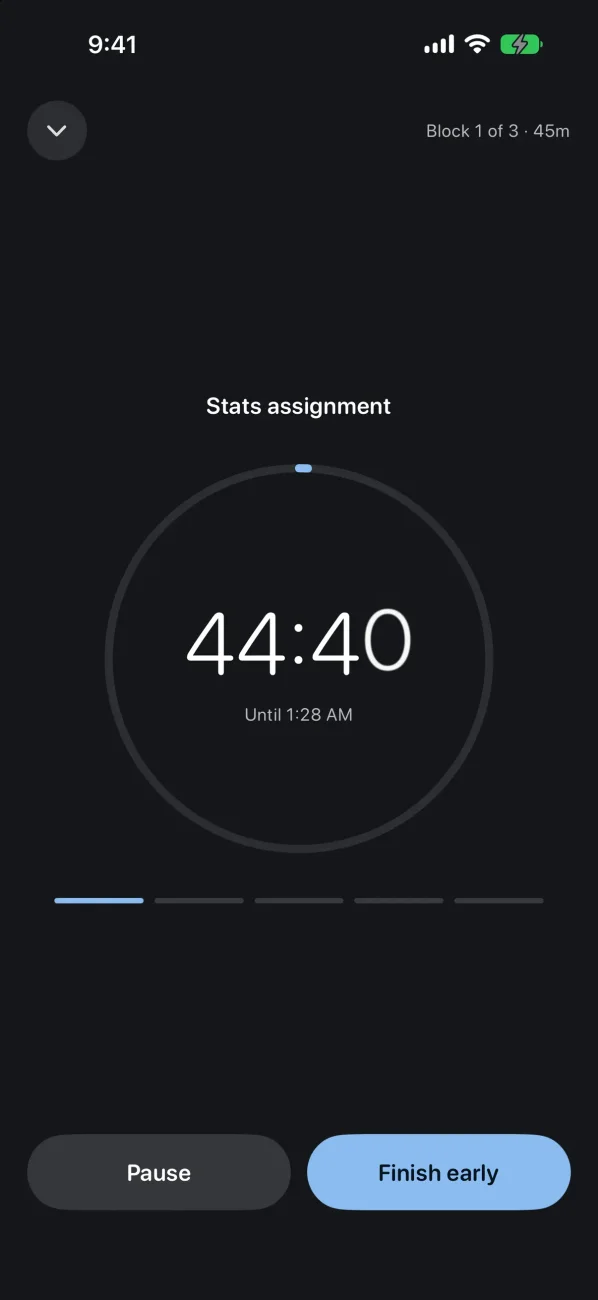
• Break work into focus blocks and breaks, from 25/5 to one long session
• The timer runs on your Lock Screen and in the Dynamic Island, with Pause and Finish right there
• Time you focus is saved, so you learn how long things really take
REFLECT
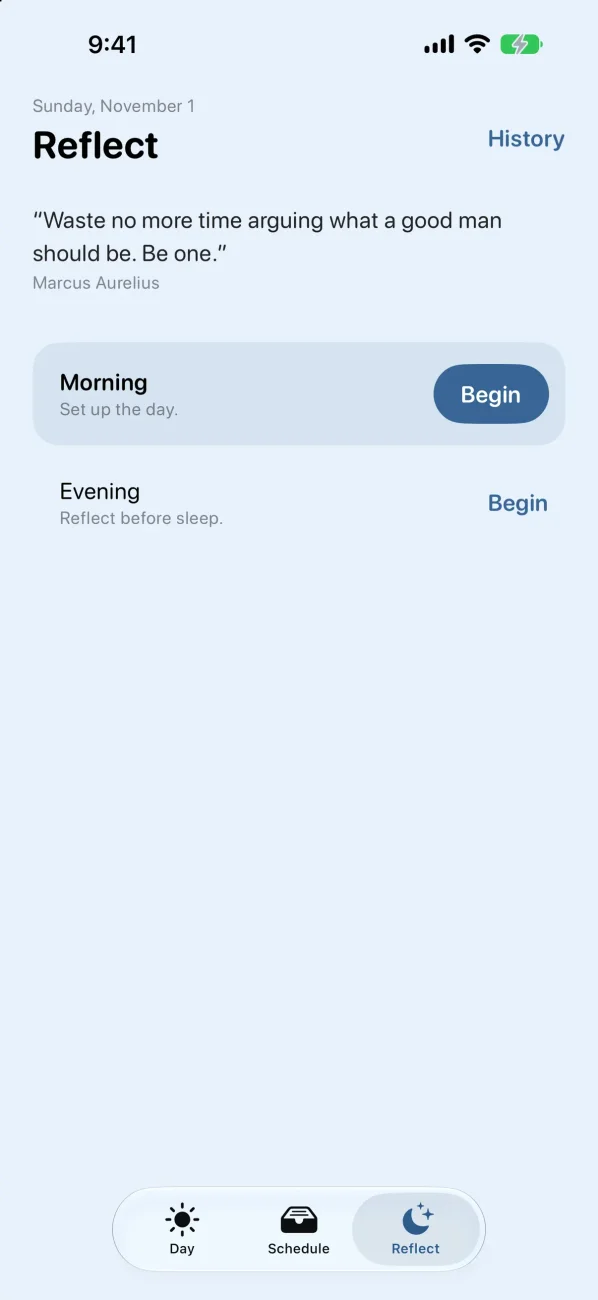
• A short morning and evening check-in, with a daily quote
• A gentle read of your day that never scolds you
• History keeps your past entries and trends
MAKE IT YOURS
• Eight themes that color the whole app, including Black & White
• Light and dark mode
• Home Screen and Lock Screen widgets for your next task and today's progress
PRIVATE BY DESIGN
• No account, no sign-up, no ads
• AI runs on your device using Apple Intelligence where available; nothing you type is sent to a server
• Works fully offline; syncs between your devices through your own iCloud, which you can turn off
What’s new
Version 1.2.4 · Nov 18, 2026
Add from anywhere: say "Add to Cadence" to Siri, or use it from Shortcuts, Spotlight or the Action button. You still approve the plan before anything is saved.
Bring in your reminders: on the Schedule tab, choose open reminders to turn into tasks. Your reminders stay exactly as they are.
New times for earlier work: tasks left over from an earlier day can get fresh slots in one go. Cadence suggests the times, and nothing moves until you tap Move.
Tick off from the widget: tap the circle next to a task on the Today widget to mark it done without opening the app.
App privacy
What AAYAN MAHMOOD declares on the App Store about how this app handles data.
-
Data not collected
The developer does not collect any data from this app.
Privacy practices may vary, for example with the features you use or your age.
Information
- Seller
- AAYAN MAHMOOD
- Category
- Productivity
- Version
- 1.2.4
- Updated
- Nov 18, 2026
- Released
- Sep 25, 2026
- Size
- 3.0 MB
- Requires
- iOS 26.0 or later
- Age rating
- 4+
- Price
- Free
- Languages
- English
- Copyright
- © 2026 Aayan Mahmood
You might also like
-
 FixLogYour Personal Fix Journal
-
 Burn List: To-Do & RemindersUp to 5 tasks. Repeated alerts
-
 TextMender: Clean Pasted TextFix AI, PDF & OCR text
-
 Easy Notes: Plain Text EditorSimple Notepad, Memo, Offline
-
 PDFSwiftAI PDF tools & CV Maker
-
 CleanStreak HomeA cleaner home every day.
-
 Universal Scanner - PDF ScansScan, crop and export PDFs
-
 Helix PlannerToDo Sync Phone and Watch
-
 ADHD Tool - Do ThisFocus on One Task
-
 SnipMark: Screenshot MarkupAnnotate, compress, rename