
Cadora: Subscription Tracker
Bills, trials & renewal alerts
Designed for iPhone, iPad
Free · In-app purchases
- Age rating4+
- CategoryFinance
- DeveloperKhai Do
- LanguagesEnglish+ 32 more
- Size27.7 MB
Links to the official App Store page
Download.org hosts no file of Cadora: Subscription Tracker. The button opens its official App Store page, published by Khai Do. Listing last checked on Nov 21, 2026.
Screenshots
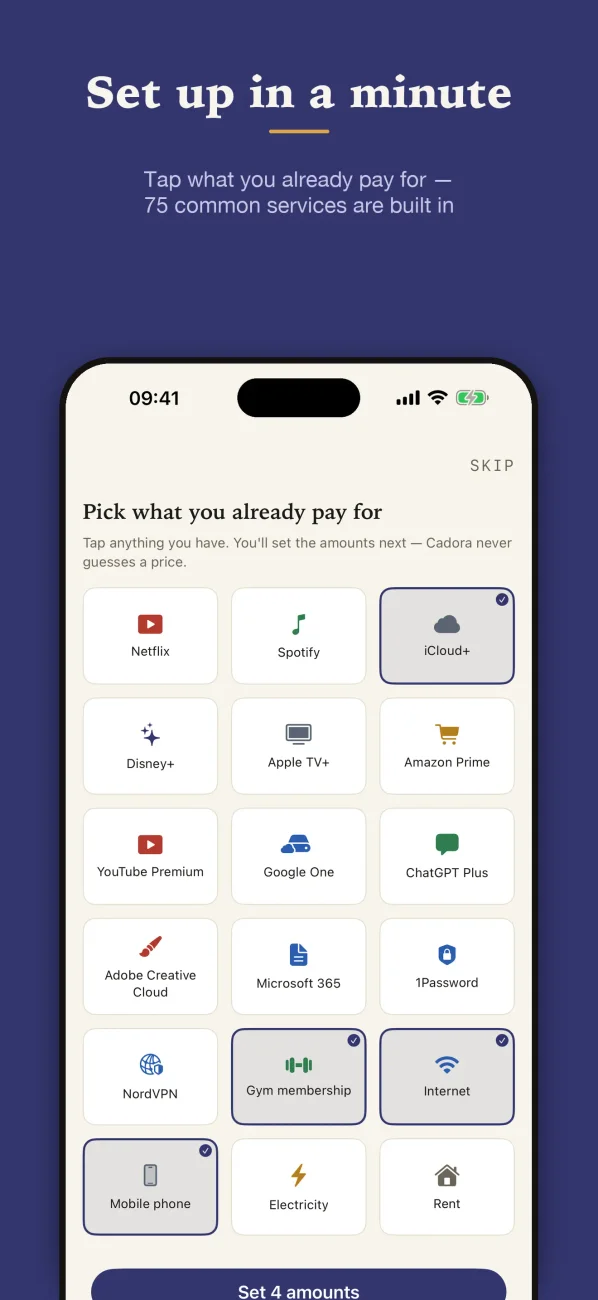
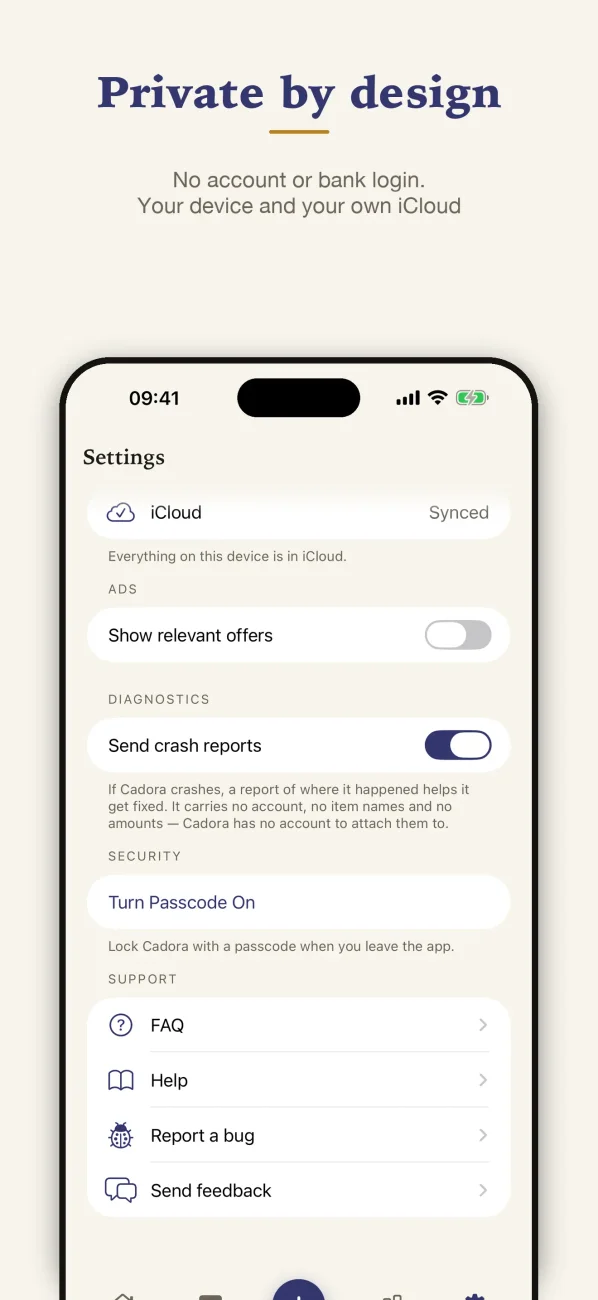
About
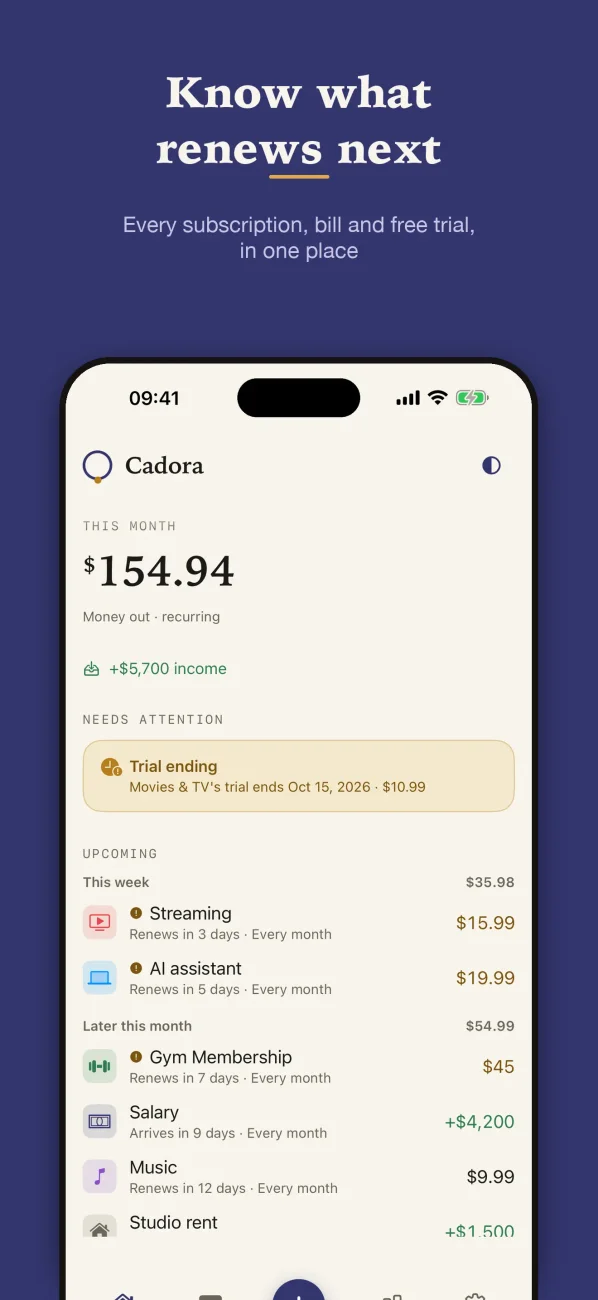
Cadora keeps your subscriptions, bills, memberships, and free trials in one place, reminds you before they renew, and shows what you really pay each month.
Cadora doesn't ask for a bank login, your email or an account. You add what you want to track, and it stays on your device — and in your own iCloud if you use it.
WHAT MAKES CADORA DIFFERENT
• Start in a minute — tap what you already pay for, then just fill in the amounts. 75 common services are built in, so the name, billing cycle and icon fill themselves. No bank login, no email scanning, and Cadora never invents a price.
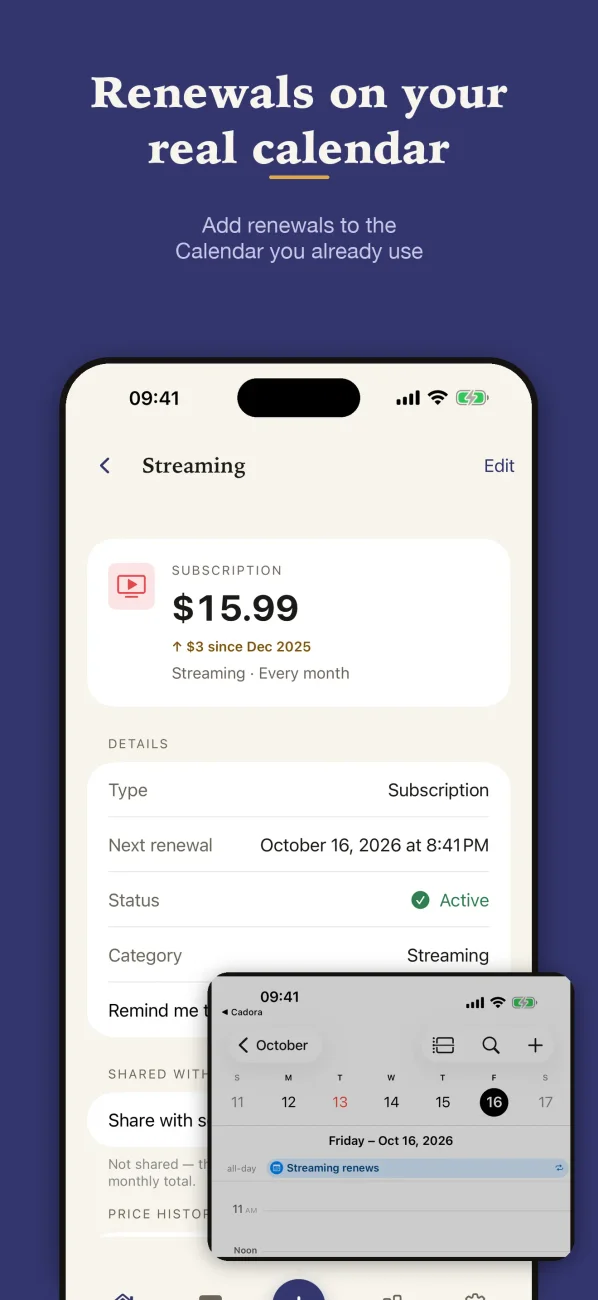
• Renewals on your real Calendar — not just an in-app view. Cadora can add each renewal to your system Calendar so it shows up next to your actual plans.
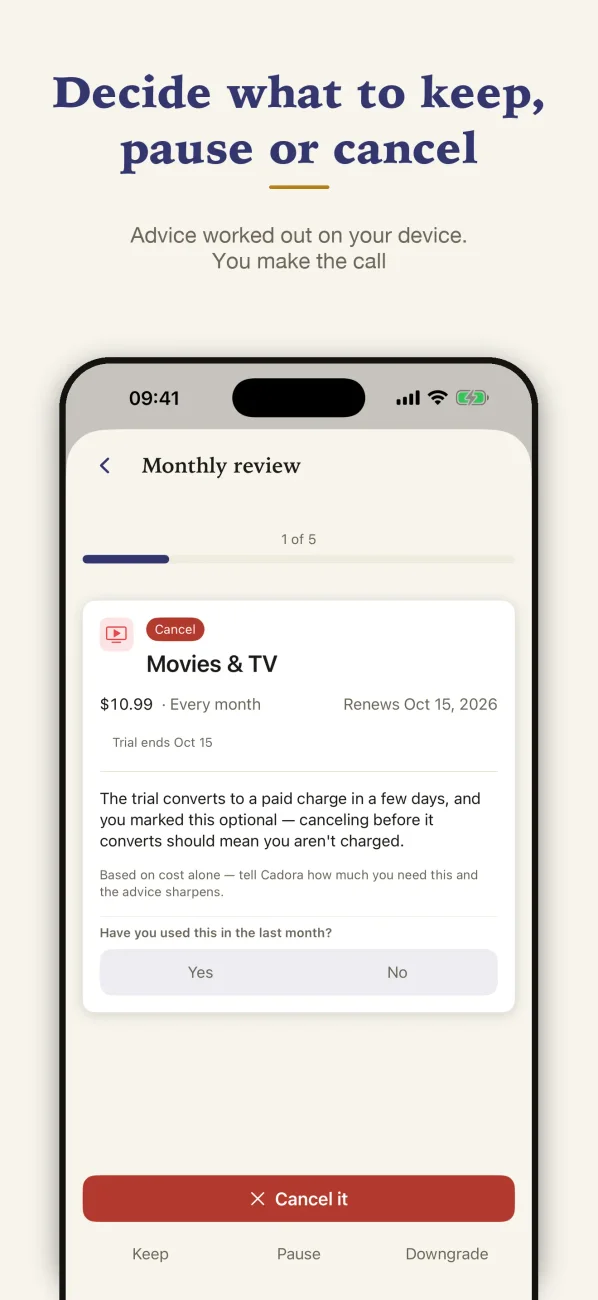
• Decide what to cancel — Cadora looks at what you pay and how you use it, and helps you decide what to keep, pause, downgrade, or cancel. When you decide to cancel, it shows you where to do it and can remind you before the next charge. No bank connection required.
• Private by design — no account, no sign-up, no bank linking. There's no Cadora server, and nothing you type is sold. The free plan shows Google AdMob banner ads, and crash reports go to Google Firebase unless you turn them off. The Privacy Policy lists every detail.
TRACK EVERYTHING
• Subscriptions, bills, memberships, installments, and free trials
• Income too — salary, rent received, retainers — and reminders with no money attached, like warranties and ID renewals
• Share an item with the people who use it, or split the cost — only your share counts toward your total
• Any billing cycle — weekly, monthly, yearly, or custom
• Multiple currencies
• Categories to organize what you pay for
• Folders to group items by who they're for — Work, Family, anything — each with its own monthly total
REMINDERS BEFORE YOU'RE CHARGED
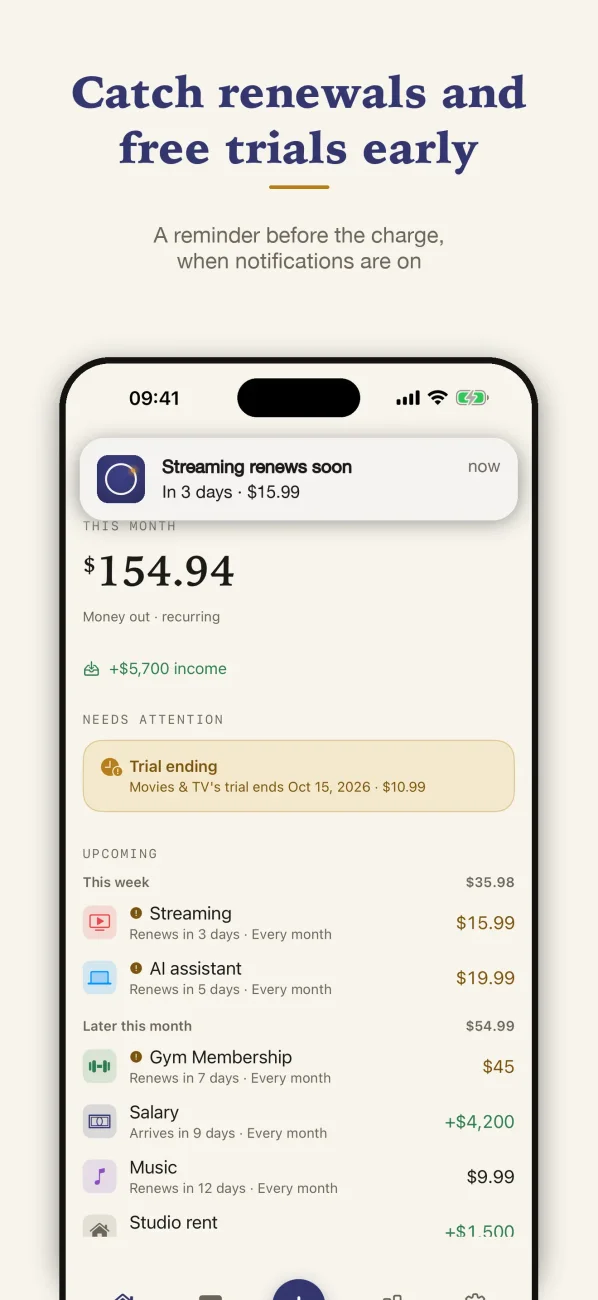
• Local reminders before renewals when notifications are on — they work offline, no server involved
• Catch free trials before they convert to paid
• Set how far ahead you want the heads-up
• A warning before a saved card expires, so a renewal doesn't fail
SEE YOUR MONEY CLEARLY
• Monthly spend at a glance
• Insights that turn a list of payments into decisions
QUICK & CONVENIENT
• Home-screen widgets for your monthly total and next renewals
• "Add Subscription" Siri & Spotlight shortcut
• Passcode lock, with Face ID or Touch ID
• Import your list from a CSV file
• Sync across your devices with iCloud (same Apple Account)
• Available on iPhone and iPad, in 36 languages
PREMIUM
The free plan tracks up to 10 active items — paused and canceled ones don't count.
Premium unlocks unlimited items, multiple reminders per item, advanced insights (charts, a six-month forecast, and your biggest price increases), exports, and an ad-free experience.
Already tracking more than 10? Nothing is removed. Your items stay visible and editable; only adding a new one asks you to upgrade.
No bank login. Just a clear view of what you pay for.
Terms of Use (EULA): https://www.apple.com/legal/internet-services/itunes/dev/stdeula/
What’s new
Version 1.2.1 · Oct 28, 2026
• New: a Lock Screen widget shows what renews this week and what it adds up to
• Ask Siri “What's renewing in Cadora”, or find Cadora in the Shortcuts app
• A shorter Add screen: the optional fields now fold away under More details
• Long-press any item to move it to a folder, now on the Dashboard and inside folders too
• A quicker start: tap what you already pay for and see your monthly total add up as you go
App privacy
What Khai Do declares on the App Store about how this app handles data.
-
Data used to track you
May be used to track you across apps and websites owned by other companies.
- Identifiers
- Usage data
-
Data not linked to you
May be collected but is not linked to your identity.
- Identifiers
- Usage data
- Diagnostics
Privacy practices may vary, for example with the features you use or your age.
Information
- Seller
- Khai Do
- Category
- Finance
- Version
- 1.2.1
- Updated
- Oct 28, 2026
- Released
- Aug 21, 2026
- Size
- 27.7 MB
- Requires
- iOS 18.0 or later
- Age rating
- 4+
- Price
- Free
- In-app purchases
- Yes
- Languages
- English, Arabic, Catalan, Croatian, Czech, Danish, Dutch, Finnish, French, German, Greek, Hebrew + 21 more
- Copyright
- © 2026 Do Huynh Tuan Khai
You might also like
-
 Subscription Tracker: KeloraStop paying forgotten fees
-
 Subsum: Subscription TrackerTrack recurring bills & costs
-
 Subscription Manager AppCancel Subscriptions: Calendar
-
 Cancel Subscriptions - SubliSubscription Manager & Tracker
-
 Charge for Stripe Card PaymentMobile Payments. Credit Reader
-
 Diamond Credit Union MobileFinance
-
 ProPay PaymentsAccept Credit Cards
-
 Axal: High Yield SavingsEarn 7.6% Interest on Cash
-
 SunoFinance
-
 Nursa DirectFaster pay for Nursa users