
Subscription Manager App
Cancel Subscriptions: Calendar
Designed for iPhone
Free · In-app purchases
- Age rating4+
- CategoryFinance
- DeveloperMaxim Melnik
- LanguagesEnglish+ 13 more
- Size18.2 MB
Links to the official App Store page
Download.org hosts no file of Subscription Manager App. The button opens its official App Store page, published by Maxim Melnik. Listing last checked on Nov 17, 2026.
Screenshots




About
Subscription Manager is a subscription tracker for iPhone that keeps all your subscriptions and recurring bills in one list. You see what you spend per month and per year and when the next charge is due, and you get a reminder the day before every payment and before a free trial turns paid. No bank login, no account. Pick from 270+ services or add your own, in any of 50 currencies.
KEY FEATURES
EVERY SUBSCRIPTION IN ONE LIST
Streaming, music, cloud storage, AI tools, your gym, rent or insurance. Pick from 270+ popular services, most with their logos, or type in your own. Weekly, monthly, every 3 or 6 months, yearly, a custom number of days, or a one-time payment. Add the card you pay with and a note if you need one.
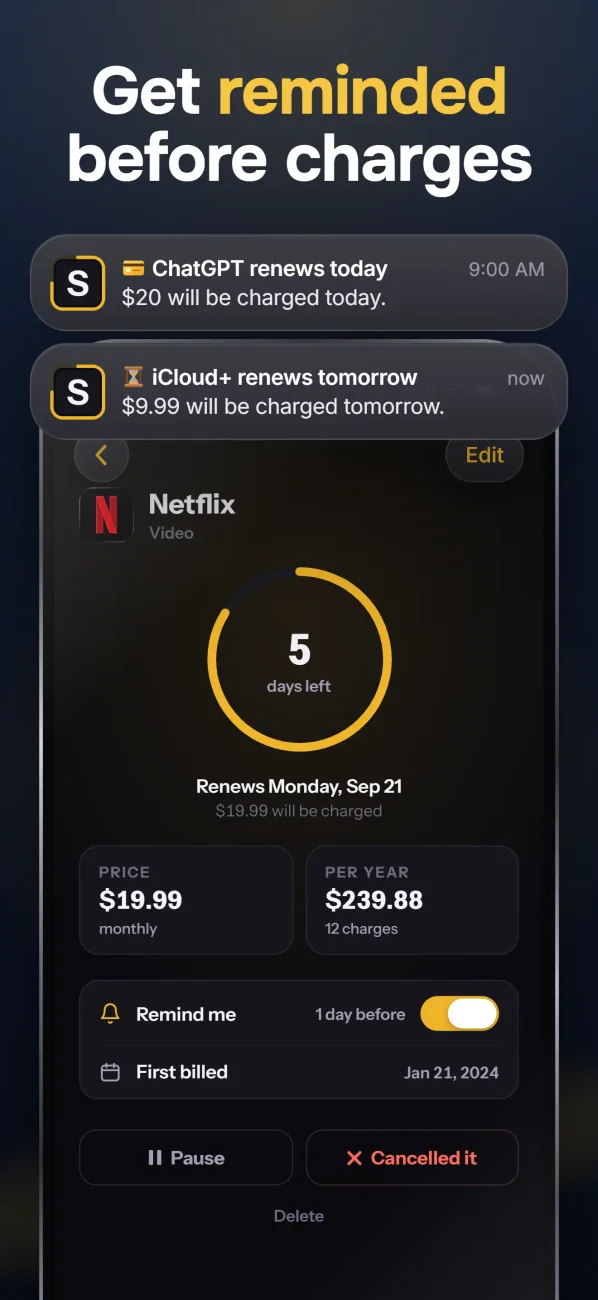
REMINDERS BEFORE EVERY CHARGE
Notifications come at 10 in the morning, never at night:
• The day before a payment and on the day itself
• Before a free trial turns paid
• A week ahead of big yearly renewals
• On the 1st, with what last month cost
You can switch reminders off for any subscription.
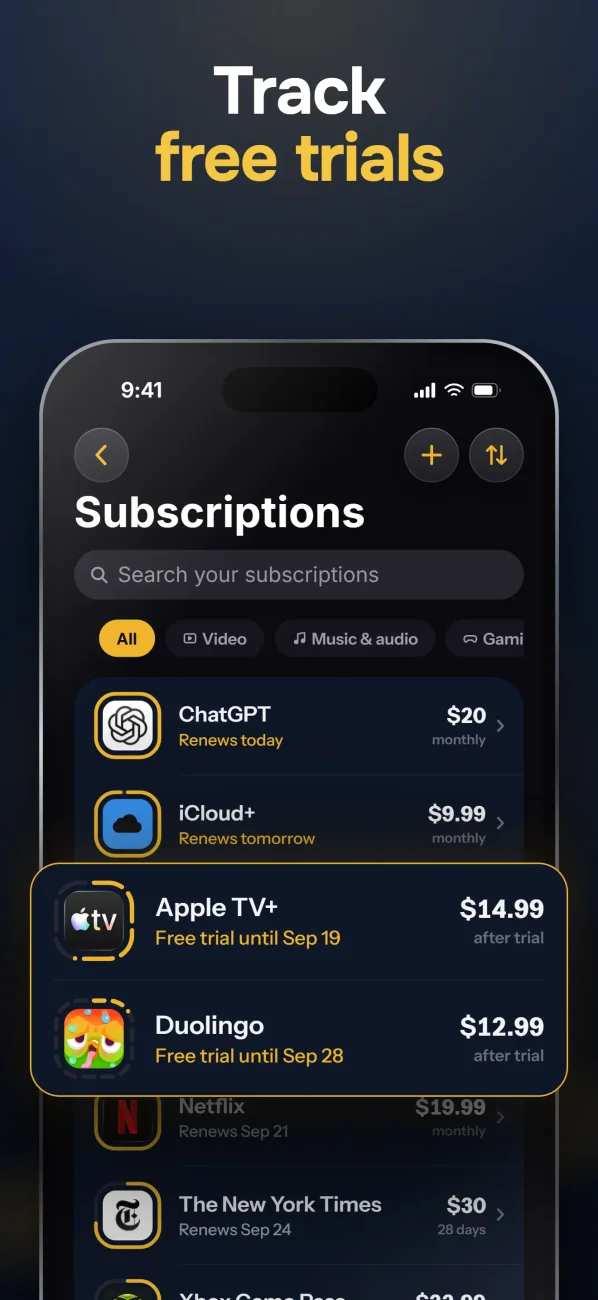
FREE TRIALS
Enter when the trial ends and what it will cost after. The app counts down the days, so you decide in time whether to keep it.
REAL MONTHLY AND YEARLY TOTALS
Trials are counted at the price you'll pay after them. Paused and cancelled subscriptions drop out, so the number on the screen is what you really pay.
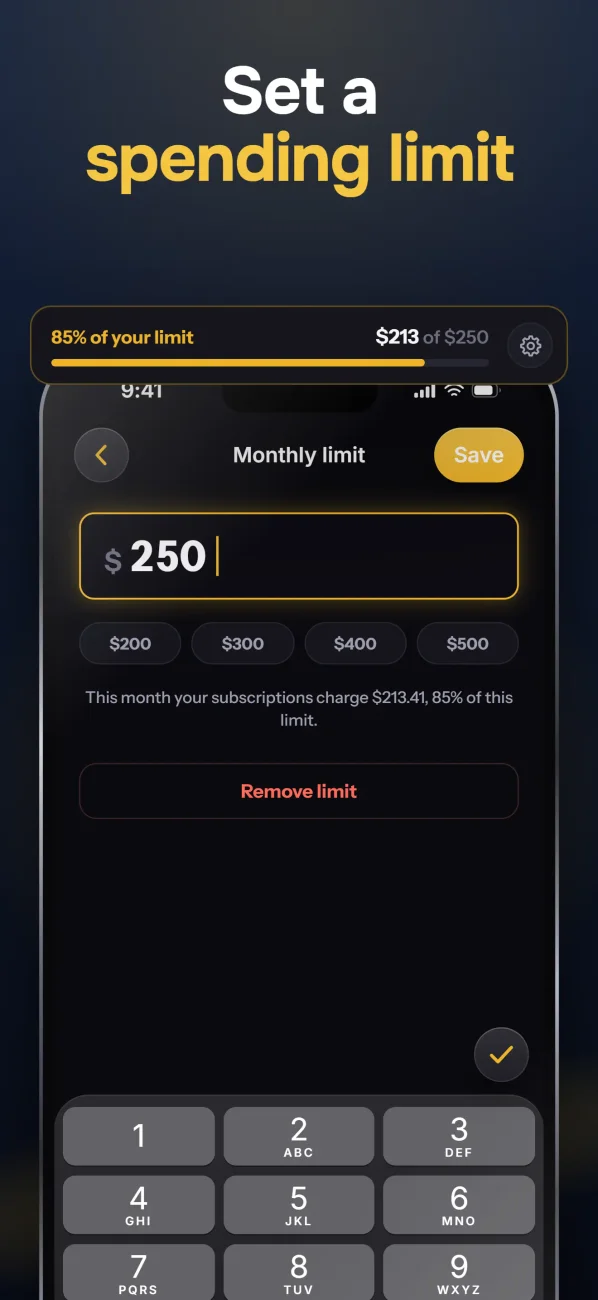
MONTHLY SPENDING LIMIT
Set a limit and see how much of it this month already takes. If the coming month will go over it, the app warns you on the 1st.
PAYMENT CALENDAR
The next charge, the week ahead, what's left to pay this month, and a month view with logos on billing days. Tap a day to see what's due. The app icon shows how many charges are due today.
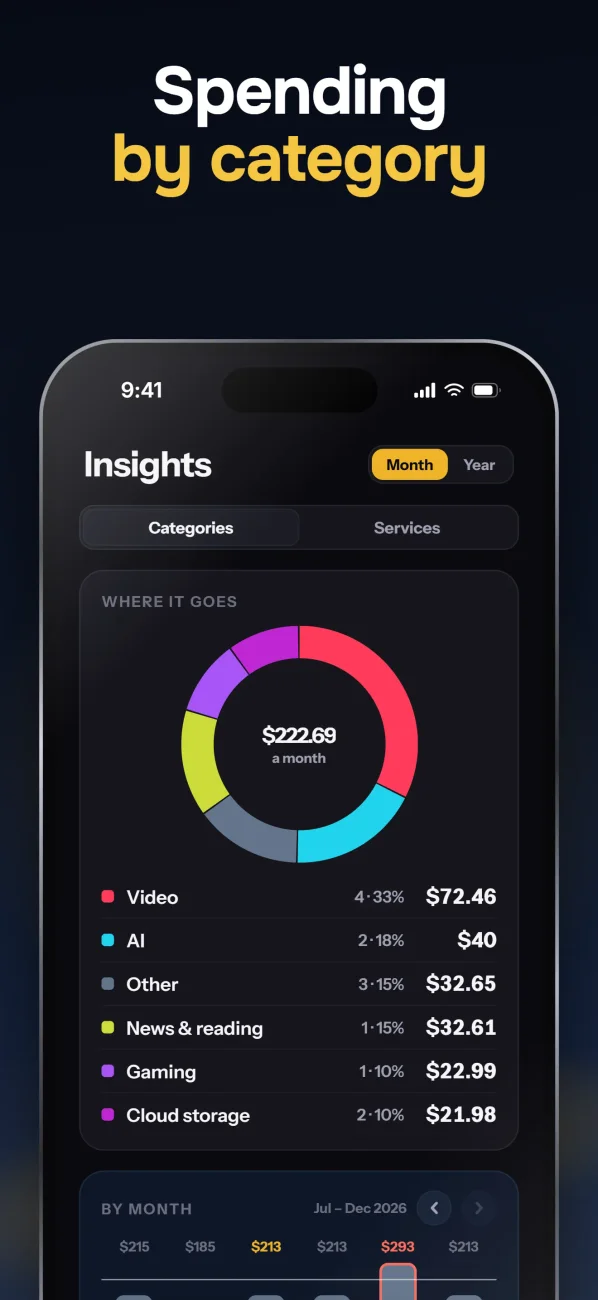
INSIGHTS (PRO)
See where the money goes by category or by service, with charts by month and by week, including the months ahead.
50 CURRENCIES
Keep each subscription in the currency you actually pay in. Totals are converted into one currency of your choice, with exchange rates updated weekly.
CANCEL WHAT YOU DON'T USE
Sort by price to see what costs the most. Once you cancel with the provider, mark it as cancelled: the app shows when it ends and leaves it out of your totals. Taking a break? Pause a subscription and resume it later.
WIDGET, ICLOUD, BACKUP
An Up Next widget for your home screen in three sizes (Pro). Your list syncs across your devices through iCloud and comes back after a reinstall. Export everything to a file and import it back whenever you like.
PRIVATE BY DESIGN
No account, no sign-in, no bank connection, no ads. Your subscriptions stay on your iPhone and in your own iCloud. Anonymous usage statistics never include the names, amounts or notes you enter.
FREE AND PRO
Free: up to 5 subscriptions with reminders, the calendar and the spending limit. Pro: unlimited subscriptions, Insights and the widget. Pro is a yearly subscription with a 3-day free trial or a one-time Lifetime purchase.
Add your first subscription and see your real monthly total in under a minute.
Terms of Use: https://app.notion.com/p/Terms-of-Use-Subscription-Manager-3ec4b0f1513d80108f19d17d9105fe9c
Privacy Policy: https://app.notion.com/p/Privacy-Policy-Subscription-Manager-3ec4b0f1513d80d9b22ad5f6cf16b5dc
What’s new
Version 1.2 · Nov 14, 2026
WHAT'S NEW
• ADD FROM A SCREENSHOT — snap your Apple subscriptions and they're all in, prices and dates included.
• ADD MANY AT ONCE — tick your services, check the prices, done.
• MULTI-ACCOUNT — same service, two accounts? See WHO pays for WHAT.
• Plus bug fixes.
App privacy
What Maxim Melnik declares on the App Store about how this app handles data.
-
Data not linked to you
May be collected but is not linked to your identity.
- Purchases
- Financial info
- Location
- Search history
- Identifiers
- Usage data
Privacy practices may vary, for example with the features you use or your age.
Information
- Seller
- Maxim Melnik
- Category
- Finance
- Version
- 1.2
- Updated
- Nov 14, 2026
- Released
- Oct 30, 2026
- Size
- 18.2 MB
- Requires
- iOS 18.0 or later
- Age rating
- 4+
- Price
- Free
- In-app purchases
- Yes
- Languages
- English, Arabic, Catalan, French, German, Italian, Japanese, Korean, Portuguese, Russian, Simplified Chinese, Spanish + 2 more
- Copyright
- © Maxim Melnik
You might also like
-
 SubsDashSubscription Tracker & AI
-
 Cadora: Subscription TrackerBills, trials & renewal alerts
-
 Subscription Manager — KyroTrack Spending, Cancel Bills
-
 Subscription & Bills TrackerSpending & renewal reminders
-
 Abonelik: Üyelik YönetimiFatura Hatırlatıcı ve Bütçe
-
 Subscription Tracker: SubVaultBudget, Loans & Card Reminders
-
 Subscription Tracker°Cancel Trials · Bill Reminder
-
 Purser · Budget & ExpensesSubscription & Money Tracker
-
 Subscription Tracker: SubzlyManager, Stopper, Save, Cancel
-
 Penny: Expense Tracker, BudgetMoney Manager, Bills & Wealth