CalCal|Simple Calendar
See every plan as you scroll
Designed for iPhone, iPad, iPod touch
Free · In-app purchases
- Age rating4+
- CategoryProductivity
- DeveloperTeruto Yamasaki
- LanguagesEnglish+ 11 more
- Size61.0 MB
Links to the official App Store page
Download.org hosts no file of CalCal|Simple Calendar. The button opens its official App Store page, published by Teruto Yamasaki. Listing last checked on Nov 25, 2026.
Screenshots



About
Tapping through a busy week one day at a time?
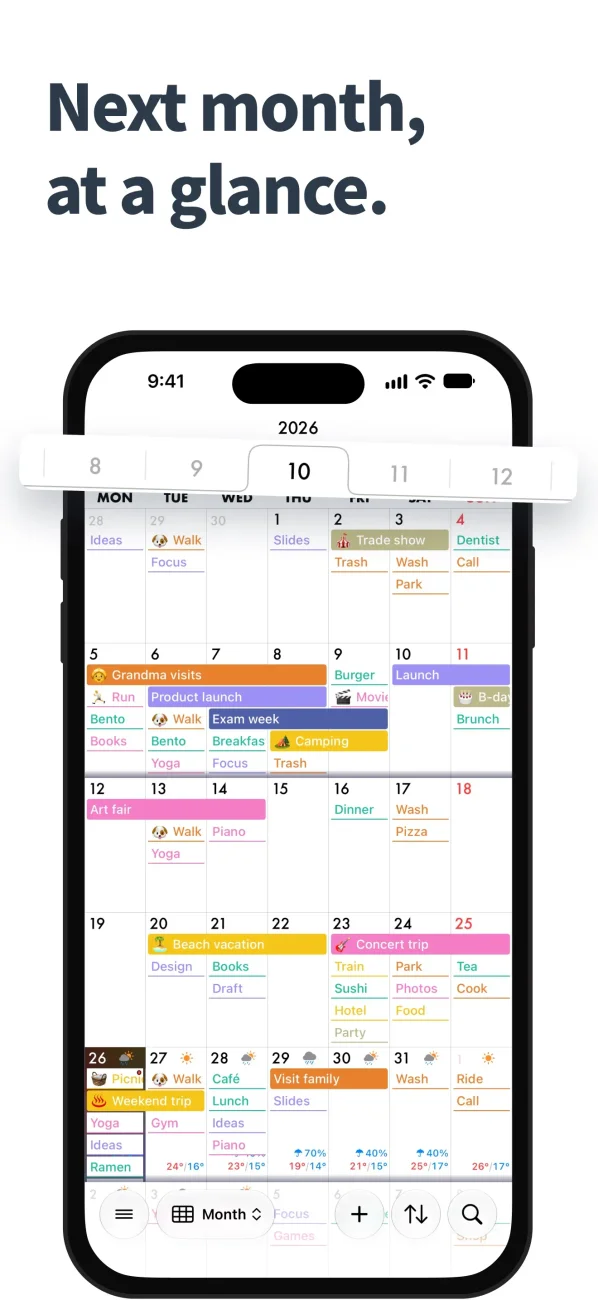
In CalCal, keep scrolling a week
and it pops open right inside the month view.
■ A calendar built around scrolling
Scroll the tabs at the top, scroll between months, and scroll each week in the month view. You can see all your plans just by scrolling, without jumping between screens.
■ Pop-open UI
Reach the last event in a week and just keep scrolling. That week opens right up inside the month calendar, so you can see the whole week at once. Scroll the same way to close it.
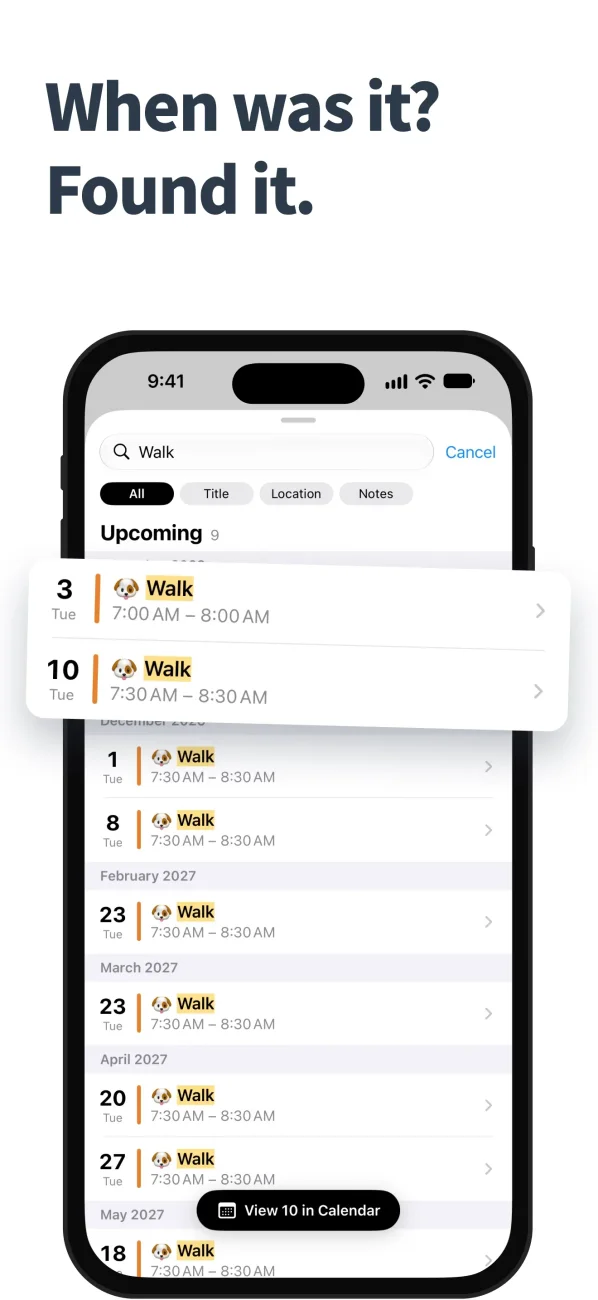
■ Instant search
Search your events by keyword. See the matches in a list, or highlighted on the month calendar.
■ Works with your iPhone calendar
CalCal uses the calendars already on your iPhone, so you can start right away.
■ Quick entry
Type an event name to see suggestions for events you use often. One tap, and you're done.
■ Drag & drop (free)
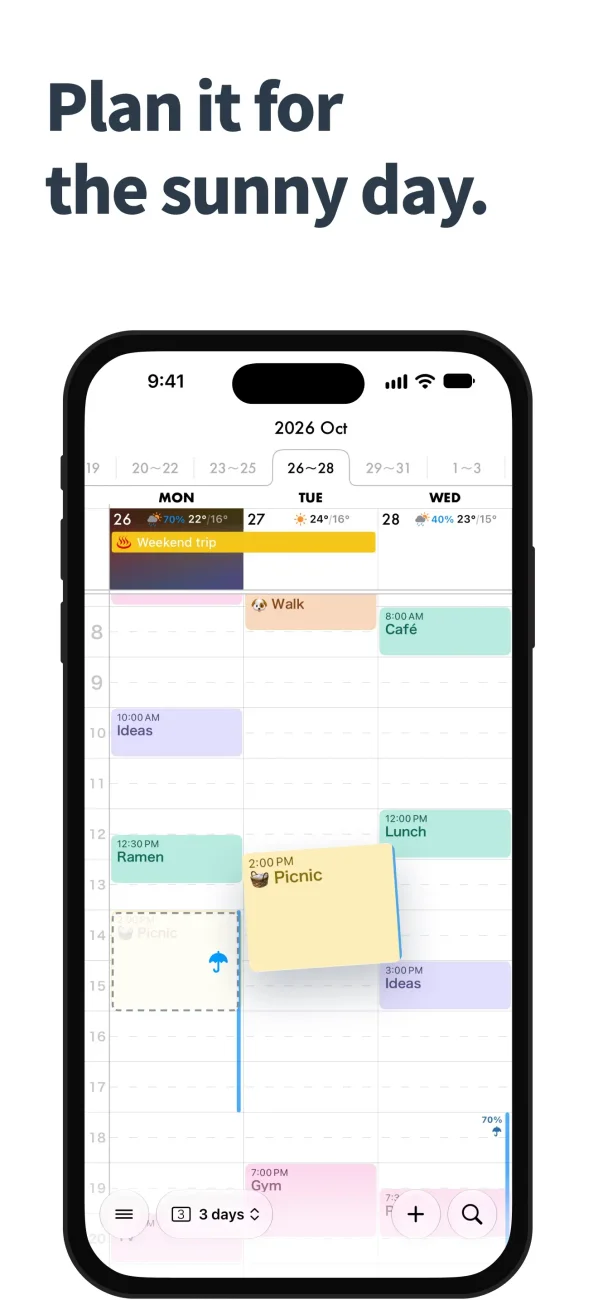
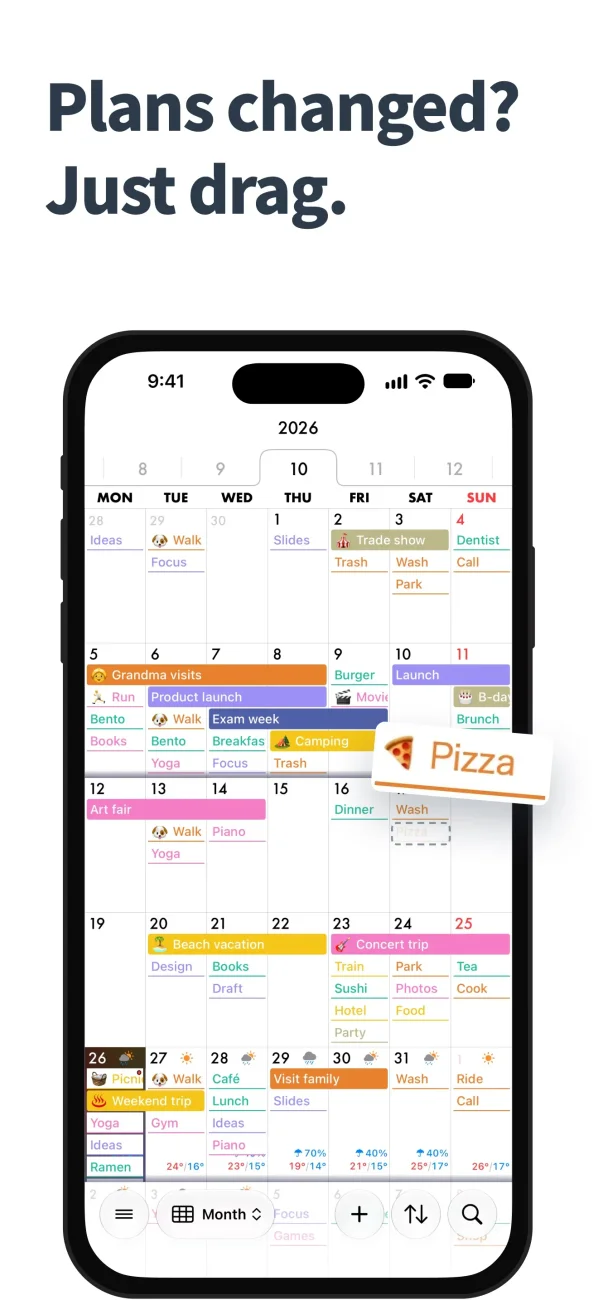
In the month view, use drag & drop or copy & paste. In the week, 3-day, and day views, pick up an event and move it to another day or time. All free.
■ One tap to events and days
Tap any event bar on the month calendar to open it directly.
Tap a date to see that day's events in a list.
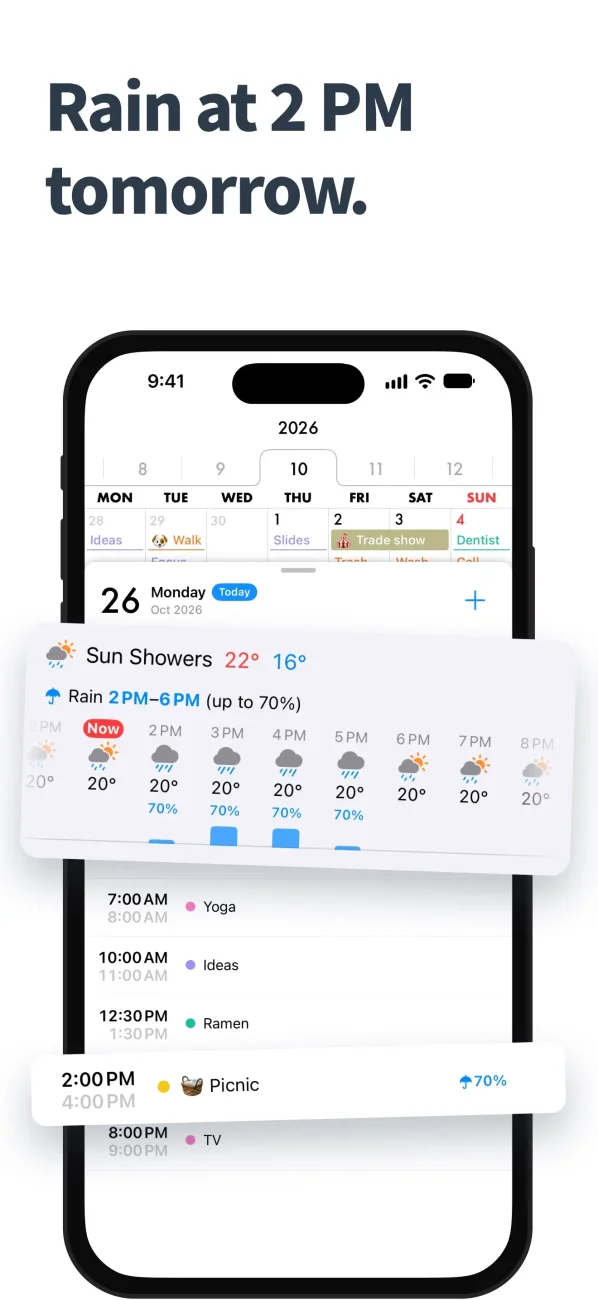
■ Smart weather
See the weather and temperature next to your events.
Also shows when rain is expected, plus sunrise and sunset. You can choose the location for the forecast.
■ Pinch between month, week & day (PRO)
Pinch out or in with two fingers to move between the month, week, and day views.
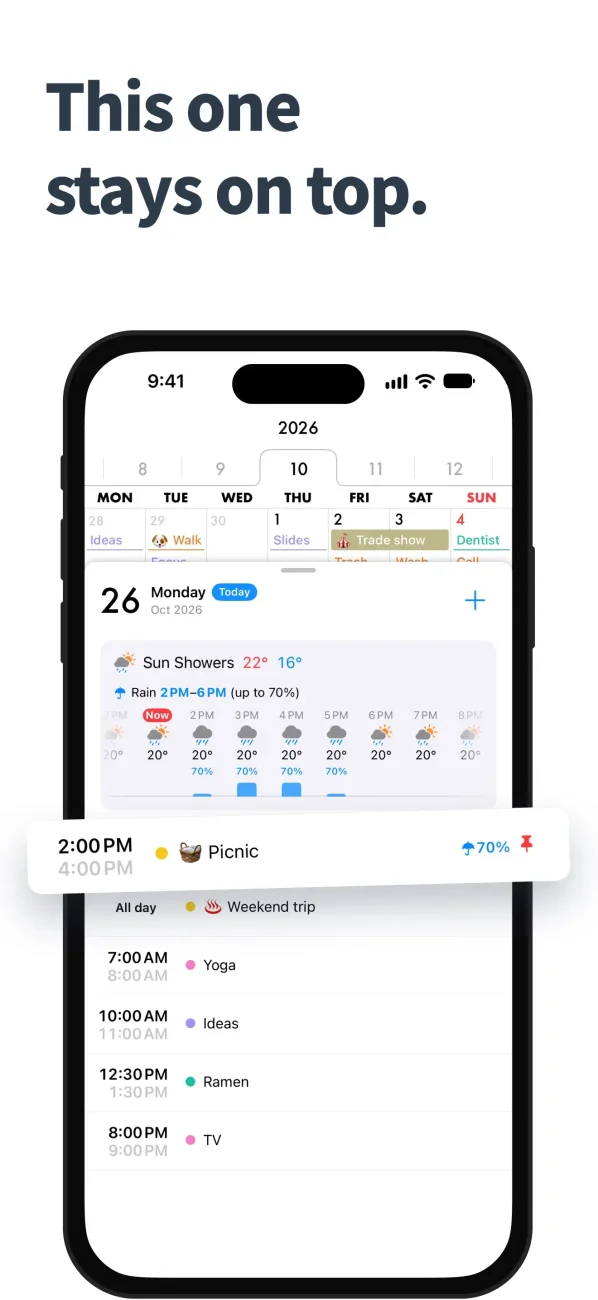
■ Event order & pins (PRO)
Some days, timed events matter more than all-day ones.
Switch the order with a single tap.
Pin a key event to keep it at the top of its day.
■ Notifications
Get a daily summary of your events at a time you choose, plus alerts for each event, all set up in detail.
■ Make it yours
Change the text size and colors while watching a live preview.
■ Siri and Shortcuts
Open today's events, search, or a new event right from Siri and Shortcuts.
■ iPad and iPhone Duo
CalCal also works on iPad. On iPhone Duo, it fits each pose: closed, open, or partly folded.
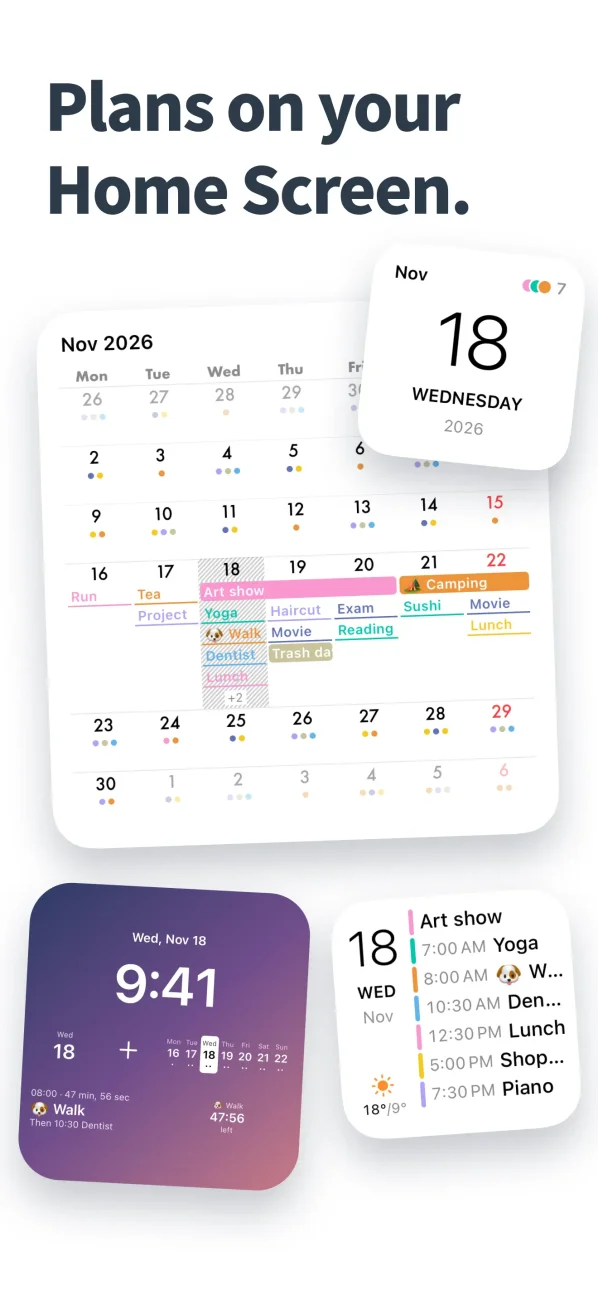
■ Widgets
Add Daily, Today, Week, and Month widgets in the size you like.
Check today's events right from your Home Screen or Lock Screen.
■ Repeating events
"Every 3 days," "Every Mon, Wed & Fri," "2nd Tuesday of each month," "Last Friday of each month."
Set up any repeat the way you want.
■ Dark mode
A calm look that's easy on the eyes at night.
■ Holidays
The holiday calendar you choose appears right in the month calendar.
■ Rokuyo (PRO)
Shows Rokuyo, the traditional Japanese six-day cycle of lucky and unlucky days (such as Taian).
■ CalCal PRO (one-time purchase)
One purchase unlocks these features for good:
・10-day forecast, sunrise and sunset
・Custom repeat rules
・Event bar styles and text colors
・Event order
・Pinch between month, week & day
・Rokuyo
・Pin key events to the top
・No ads
・PRO features added in future updates
The calendar that shows your plans.
Make your days lighter with CalCal.
【Blog】: https://calcal-app.blogspot.com
【X】: https://twitter.com/calcal_app
What’s new
Version 3.4.1 · Nov 24, 2026
(๑・◡・๑) Thank you for using CalCal.
This update includes:
- Fixed issues with widget display.
- Other bug fixes.
If you have any suggestions, please feel free to contact us from the "Settings > Requests/Contact" page of the app.
If you like the app, it would be greatly appreciated if you could send us a rating and a message. (๑・◡・๑)
App privacy
What Teruto Yamasaki declares on the App Store about how this app handles data.
-
Data used to track you
May be used to track you across apps and websites owned by other companies.
- Usage data
-
Data not linked to you
May be collected but is not linked to your identity.
- Location
- Identifiers
- Usage data
- Diagnostics
Privacy practices may vary, for example with the features you use or your age.
Information
- Seller
- Teruto Yamasaki
- Category
- Productivity
- Version
- 3.4.1
- Updated
- Nov 24, 2026
- Released
- Oct 13, 2020
- Size
- 61.0 MB
- Requires
- iOS 15.0 or later
- Age rating
- 4+
- Price
- Free
- In-app purchases
- Yes
- Languages
- English, Arabic, French, German, Hindi, Japanese, Korean, Portuguese, Russian, Simplified Chinese, Spanish, Traditional Chinese
- Copyright
- © 2020-2026 Teruto Yamasaki
You might also like
-
 Linear Calendar - ChronosSee Your Whole Year at Once
-
 minical — Minimal CalendarWidgets · Wallpaper
-
 Tempo Calendar: Daily PlannerSchedule organizer & reminders
-
 Monthly Grid CalendarPlanner with Photo Backgrounds
-
 Basic CalendarPlan, decorate, and look back
-
 Supercal CalendarClear and easy to navigate
- Glance: Calendar & Day PlannerSchedule & Event Countdown
-
 Easy and Simple CalendarSimple and stylish Calendar
-
 Simple Calendar: Widget Calmonthly schedule glance
-
 Vertical Calendar - PlannerCreate events! Multiple tabs!