Supercal Calendar
Clear and easy to navigate
Designed for iPhone, iPad
Free · In-app purchases
- Age rating4+
- CategoryProductivity
- DeveloperDevart B.V.
- LanguagesEnglish+ 7 more
- Size9.0 MB
Links to the official App Store page
Download.org hosts no file of Supercal Calendar. The button opens its official App Store page, published by Devart B.V. Listing last checked on Nov 23, 2026.
Screenshots




About
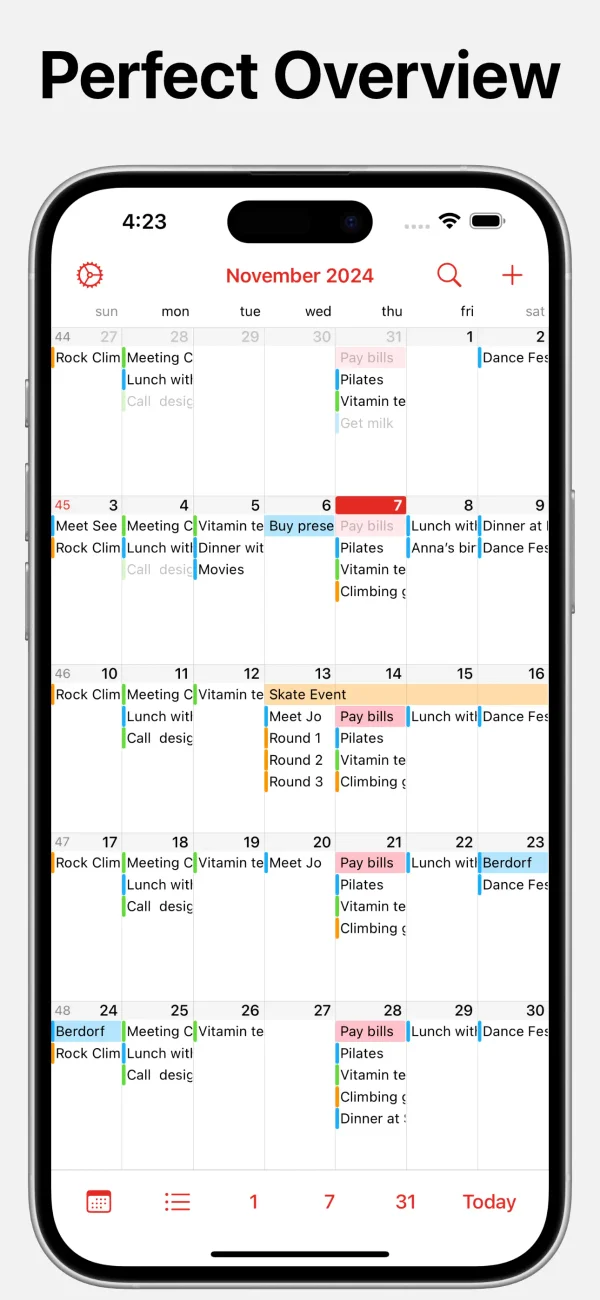
The user friendly Calendar app that shows your events in a beautiful interface. Easy and fast to navigate and create events. Perfect overview through List, Day, Week and Month views.
7 BEAUTIFUL VIEWS
• List, Day 2x, Week 2x, Month 2x.
• Landscape mode for all views.
• Supports Larger Accessibility Sizes.
EASY TO USE
• Shows same events as the built-in calendar.
• Syncs with iCloud, Exchange, Google calendar, Outlook, Yahoo, etc.
• Move, copy, duplicate, check off, share and delete events with Quick actions.
USEFUL FEATURES
• Search that supports multiple words (Dinner Anne celebrate)
• Timezone support.
• Lock- and Home Screen Widgets.
• Invites contacts and shows attendees.
• Extensive recurrence options (1st Monday every month or every May, June and July on the 3rd and 22nd).
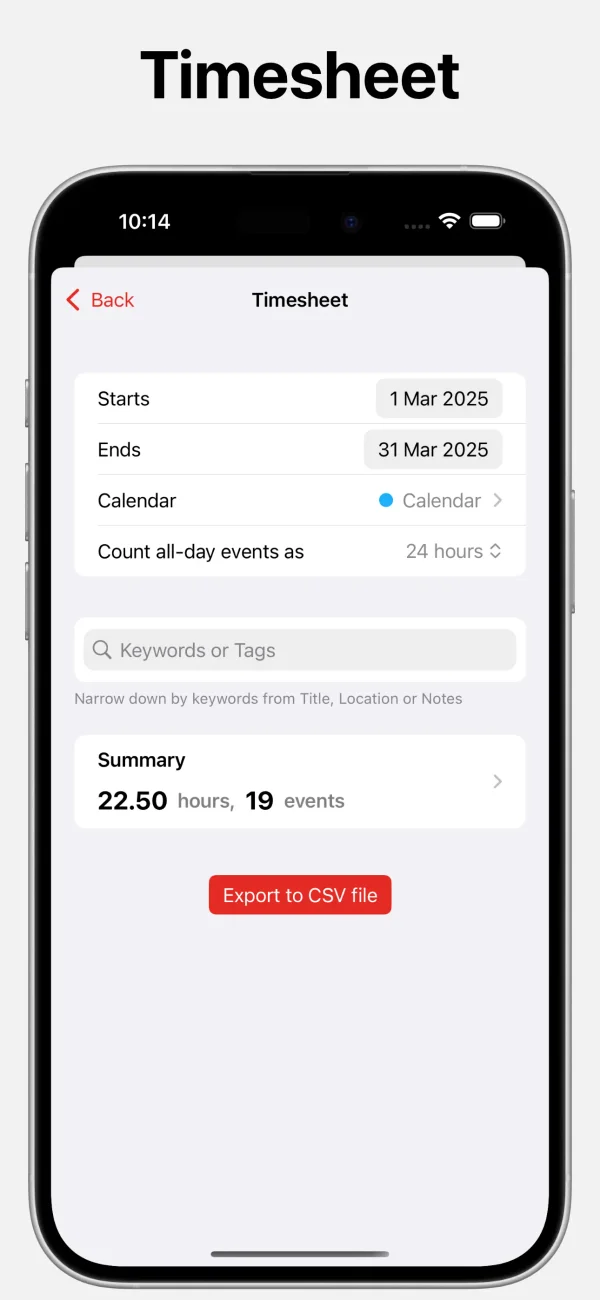
TIMESHEET
Keep track of hours in calendar entries. Count hours by date interval, calendar, keywords, tags and export to CSV file.
LOTS OF OPTIONS
• Week starts any day of the week.
• Week numbers (ISO / European, US and Middle East).
• Agenda reads left-right or top-down.
• Defaults for new events.
• Choice of 15 colours themes.
BIRTHDAYS FROM CONTACTS
• Birthdays show age and contact information.
• Tap on a birthday to phone/email/sms the contact.
Try the app for free for a limited time. No subscriptions, you buy the “Full app” once.
Privacy Policy: https://devart.nl/supercal/privacy.html
Terms of Use (EULA): https://apple.com/legal/internet-services/itunes/dev/stdeula/
What’s new
Version 2.3.2 · Nov 19, 2026
UI enhancements:
- Agenda option: weekend days full size.
- Search range extended to 5 years back and 5 years forward.
- When the iPhone is set to Display Default: option to customize the bottom toolbar to compact.
- When the iPhone is set to Display Zoom the bottom toolbar now uses a picker to change views. (iOS27)
App privacy
What Devart B.V. declares on the App Store about how this app handles data.
-
Data not collected
The developer does not collect any data from this app.
Privacy practices may vary, for example with the features you use or your age.
Information
- Seller
- Devart B.V.
- Category
- Productivity
- Version
- 2.3.2
- Updated
- Nov 19, 2026
- Released
- Apr 26, 2023
- Size
- 9.0 MB
- Requires
- iOS 26.0 or later
- Age rating
- 4+
- Price
- Free
- In-app purchases
- Yes
- Languages
- English, Dutch, French, German, Italian, Japanese, Portuguese, Spanish
- Copyright
- © 2013 - 2026 Devart B.V.
You might also like
-
 CalCal|Simple CalendarSee every plan as you scroll
-
 Basic CalendarPlan, decorate, and look back
-
 Week Plan CalendarKeep track of events & todos!
-
 CalendarLifeClassic Style Calendar & Tasks
-
 Calendar Vertical & MonthlySimple Multiple Calendar
-
 The Grid - CalendarDesigner Daily Planner & Tasks
-
 365 Calendar & TasksCalendar with Tasks
-
 Linear Calendar - ChronosSee Your Whole Year at Once
-
 Calendar Organization EventStructured & Reminders To do
-
 Easy and Simple CalendarSimple and stylish Calendar