
- Age rating4+
- CategoryProductivity
- DeveloperRuslan Trischenkov
- LanguagesSpanish+ 5 more
- Size105.0 MB
Links to the official App Store page
Download.org hosts no file of Calendar & Planner - Modo. The button opens its official App Store page, published by Ruslan Trischenkov. Listing last checked on Nov 12, 2026.
Screenshots

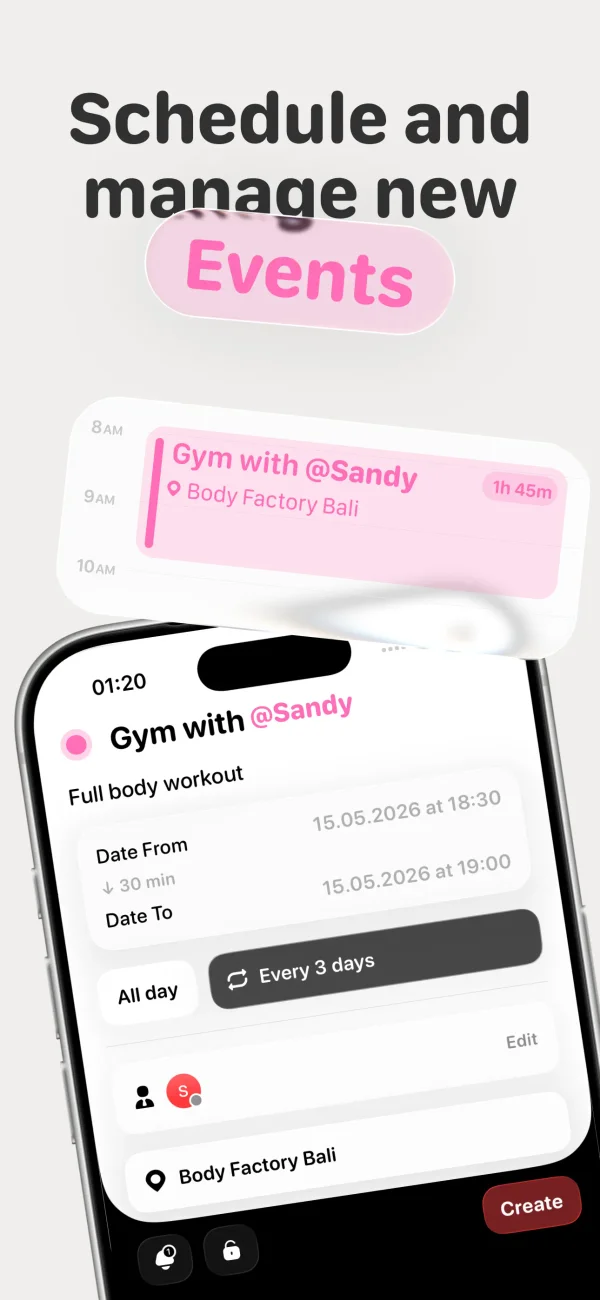
About
PLAN YOUR TASKS WHERE YOUR TIME ACTUALLY LIVES
Most productivity apps force you to choose between a task list and a calendar.
You capture tasks in one place, schedule them somewhere else, and spend your day constantly switching between tools.
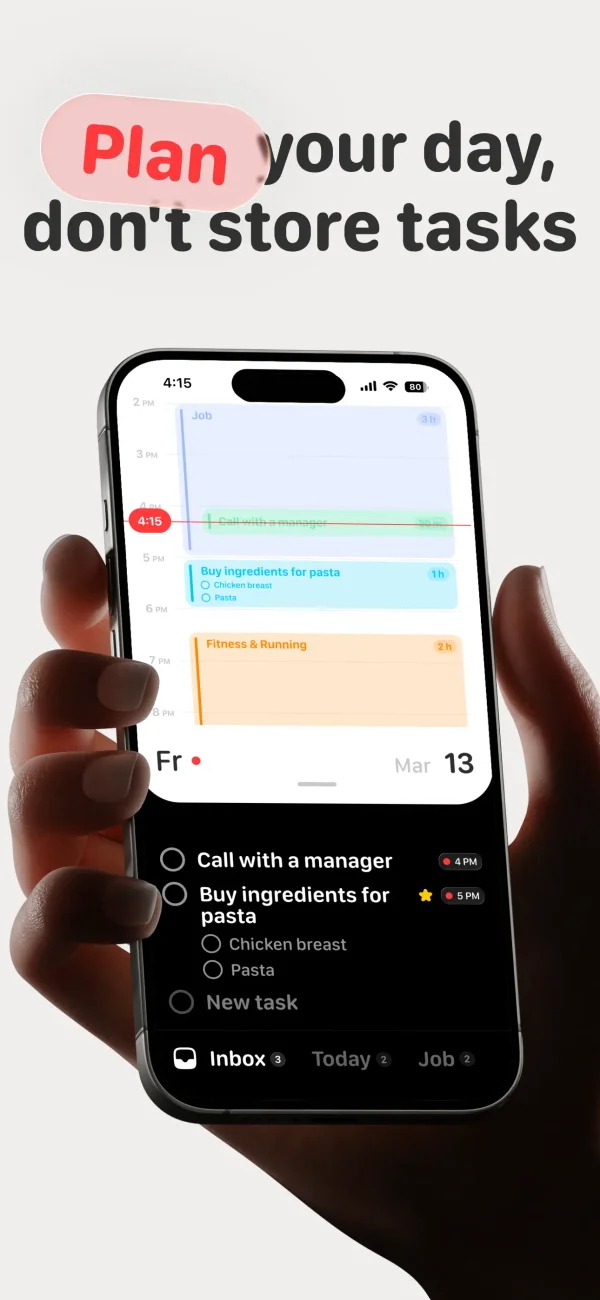
Modo brings tasks and calendar together in a single workspace.
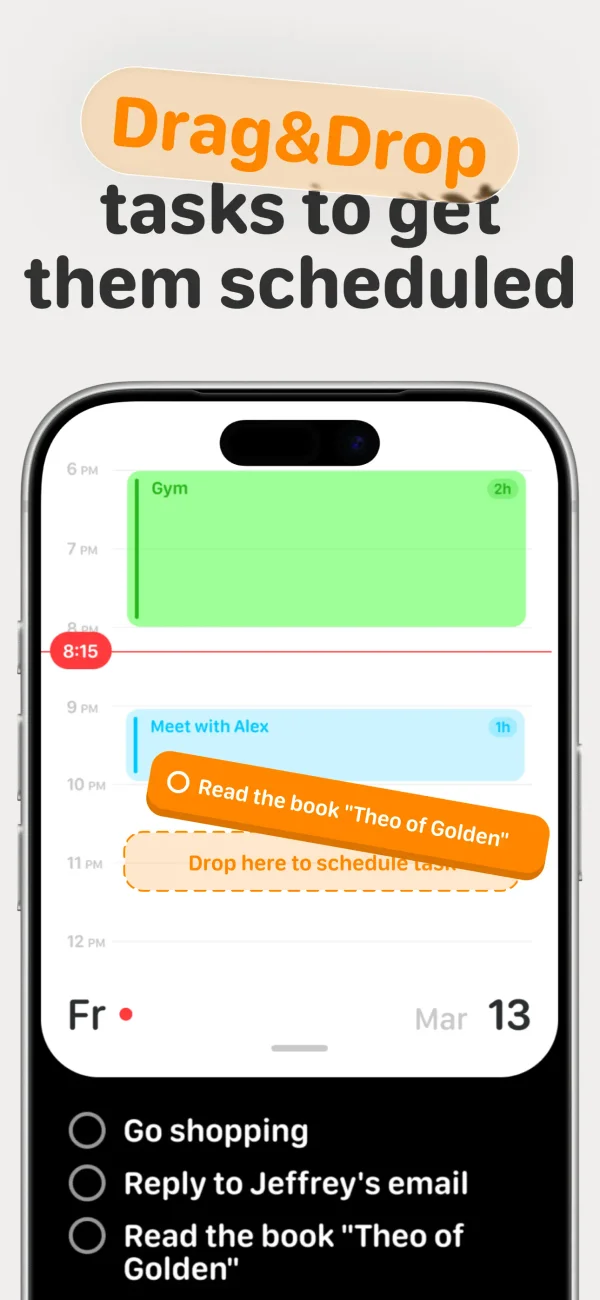
A resizable calendar lives at the top. Your tasks stay below. When you're ready to plan your day, simply drag a task onto your calendar and instantly turn it into a scheduled event.
No copy-pasting.
No duplicate planning.
No switching between apps.
Whether you're managing work projects, planning your weekly schedule, keeping up with classes and homework, building habits, or staying on top of appointments, Modo keeps everything in one clear plan.
WHY PEOPLE USE MODO
• Plan your day faster
• Turn tasks into calendar events instantly
• Stay focused on your priorities
• Keep tasks and schedule in one place
• Build a realistic plan you can actually follow
• Reduce overwhelm and decision fatigue
ONE PLAN FOR WORK, SCHOOL, AND LIFE
Plan the things that compete for your time in one place.
• Work shifts and project tasks
• Classes, homework, and study sessions
• Events, appointments, and personal routines
• Your own calendar and shared calendars
DRAG-AND-DROP SCHEDULING
Scheduling should be simple.
Drag any task directly onto your calendar to create a time block in seconds. Move plans around as priorities change and keep your schedule flexible throughout the day.
• Drag tasks onto your calendar
• Create time blocks instantly
• Reschedule with simple gestures
• Keep tasks and events connected
GOOGLE & APPLE CALENDAR SYNC
Modo works with the calendars you already use.
Connect Google Calendar or Apple Calendar to see your own and shared calendars alongside your tasks. Everything stays in sync as your plans change.
• Two-way Google Calendar sync
• Two-way Apple Calendar sync
• Real-time updates
• Automatic event import
• Recurring events
• Custom reminders
• Google Meet support
• Participants and locations
TASKS BUILT FOR REAL PLANNING
Tasks are more than simple checklists.
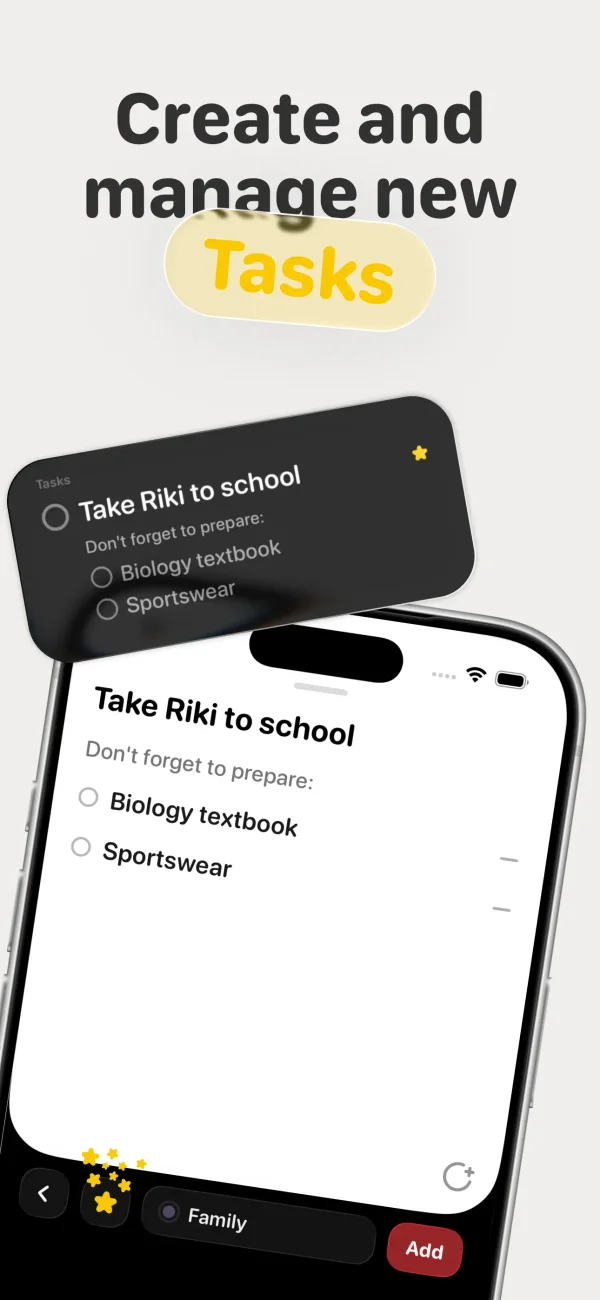
Every task can include subtasks, a scheduled date and time, estimated duration, priority status, and project assignment.
• Subtasks
• Due dates and scheduled times
• Estimated duration
• Priority stars
• Project organization
PROJECTS THAT MATCH HOW YOU THINK
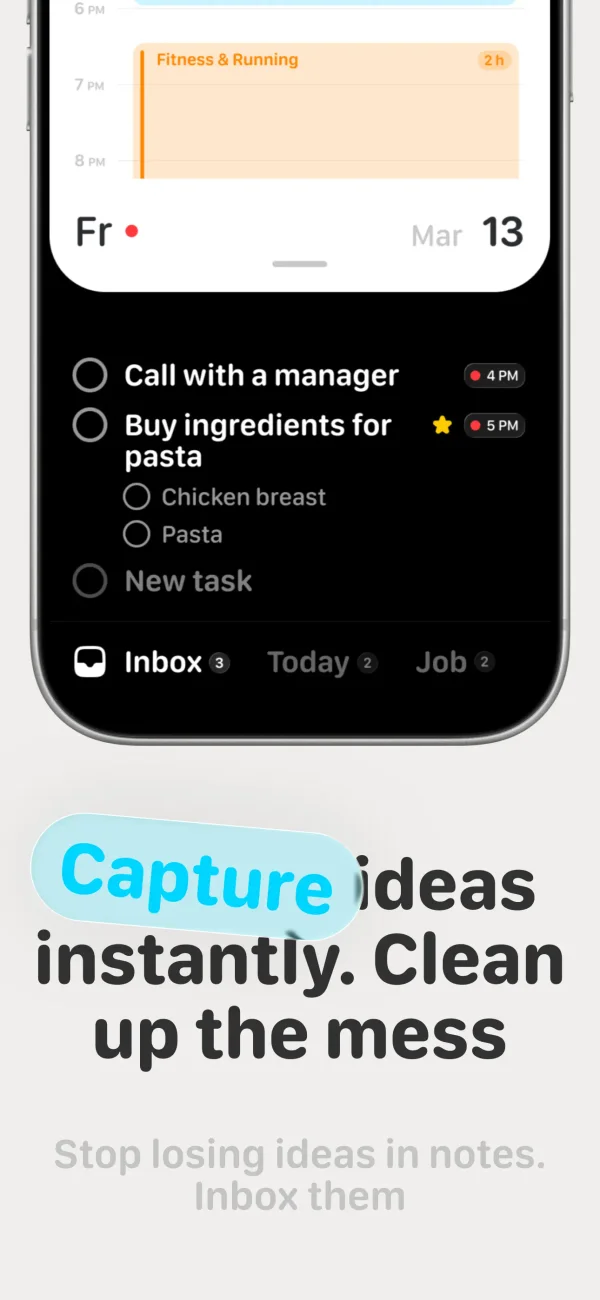
Capture ideas quickly and organize them later.
Modo includes two smart default projects:
Inbox — for collecting tasks and ideas quickly.
Today — for everything scheduled or due today.
You can also create your own projects, customize colors, choose sorting options, and organize them however you like.
DESIGNED FOR SPEED
Modo is built around gestures and fast interactions.
Less tapping.
Less friction.
More planning.
• Drag to schedule
• Swipe to organize
• Fast navigation
• Clean and focused interface
STOP MANAGING TASKS AND CALENDARS SEPARATELY
Download Modo and plan your day the way it actually works.
Terms of Use: https://modoplanner.com//terms
What’s new
Version 1.2.0 · Sep 11, 2026
Modo just got more you
This update makes planning feel lighter, faster, and a little more magical.
New & Improved
• Start your Modo journey with a playful new interactive onboarding
• Shape your day faster with a refreshed task board and smarter task creation
• Make events and tasks exactly how you want — more options, less tapping around
• See your week in a fresh new timeline view
• Bring your day together with Apple Health and Apple Reminders
• Add Modo widgets, Lock Screen controls, and Control Centre shortcuts
• Create tasks with Apple Intelligence when inspiration strikes
• Jump straight into action with Quick Actions and smarter notifications
Little Things, Better
• Added habits to your planning flow
• Made calendar, task, and event screens smoother and clearer
• Polished the little details all around Modo
• Fixed bugs and improved stability — the boring stuff that makes everything feel nicer
Have an idea?
Settings → Request a Feature
Found a bug?
Settings → Report a Bug
Thanks for using Modo
App privacy
What Ruslan Trischenkov declares on the App Store about how this app handles data.
-
Data linked to you
May be collected and linked to your identity.
- Purchases
- Contact info
-
Data not linked to you
May be collected but is not linked to your identity.
- Identifiers
- Usage data
- Diagnostics
Privacy practices may vary, for example with the features you use or your age.
Information
- Seller
- Ruslan Trischenkov
- Category
- Productivity
- Version
- 1.2.0
- Updated
- Sep 11, 2026
- Released
- May 23, 2026
- Size
- 105.0 MB
- Requires
- iOS 17.0 or later
- Age rating
- 4+
- In-app purchases
- Yes
- Languages
- Spanish, German, French, English, Portuguese, Russian
- Copyright
- © 2026 Ruslan Trischenkov
You might also like
-
 TimeBoxer Daily PlannerAI time blocks, lists & notes
-
 DayBox: Time Blocking PlannerDaily Schedule & Focus Timer
-
 Catalist: Tame the chaosIt's giving organized
-
 Inkly PlannerDaily Planner & Habit Tracker
-
 Diluta:To do List & CalendarTask remind, planner, pomodoro
-
 Elegant Tasks: To-Do ListTask Manager App for iPhone
-
 Tasker: Tasks, Plans, AI, DocsTasks, plans, and AI - private
-
 Calendar & Tasks: CalityHabit Tracker & Time Blocking
-
 FlowSpace: Daily PlannerCalendar, Tasks, Habits, Notes
-
 Simple Block Planner: TimeToneADHD-Friendly Time Blocking