DayBox: Time Blocking Planner
Daily Schedule & Focus Timer
Designed for iPhone, iPad
Free · In-app purchases
- Age rating4+
- CategoryProductivity
- DeveloperRene Fandida
- Size38.2 MB
Links to the official App Store page
Download.org hosts no file of DayBox: Time Blocking Planner. The button opens its official App Store page, published by Rene Fandida. Listing last checked on Nov 12, 2026.
Screenshots


About
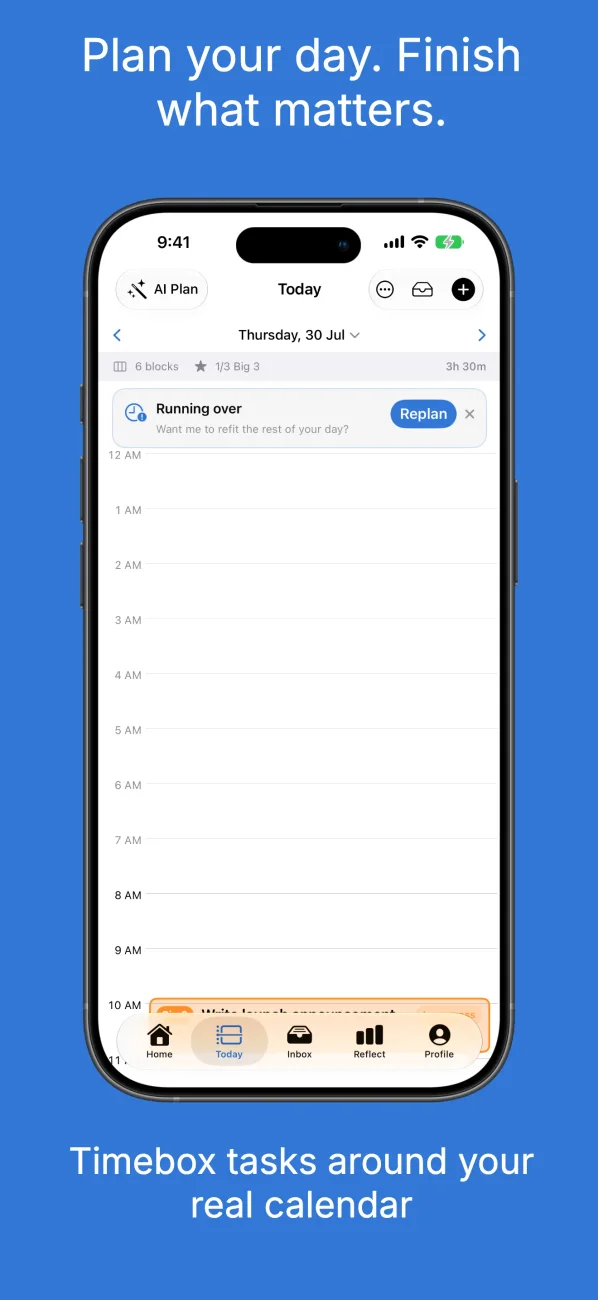
DayBox turns a chaotic to-do list into a clear daily plan you can actually finish. Drag tasks onto a visual timeline around your real calendar, protect time for deep work, focus one block at a time, and end the day knowing what you got done.
NEW IN 1.2
- Made for iPhone Duo and iPad: on the big screen, your timeline and Inbox sit side by side — drag tasks straight onto your day.
- Desk Mode on iPhone Duo: prop it up mid-block and the timer sits on the top half, every control on the bottom, and the screen stays on until the block ends.
- Visual Countdown: a color disk that shrinks as time runs out, so you can see how long you have at a glance.
- Wrap-Up Heads-Up: a nudge 5 minutes before a block ends.
THE DAYBOX METHOD - 5 STEPS, EVERY DAY
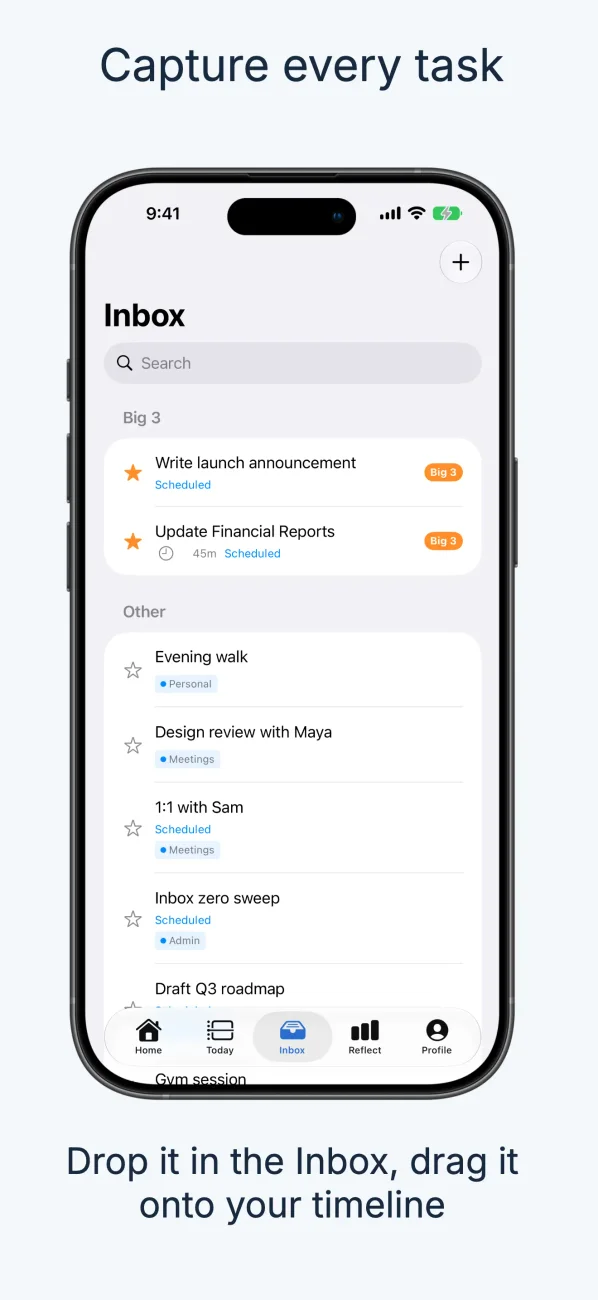
1. Capture tasks into your Inbox
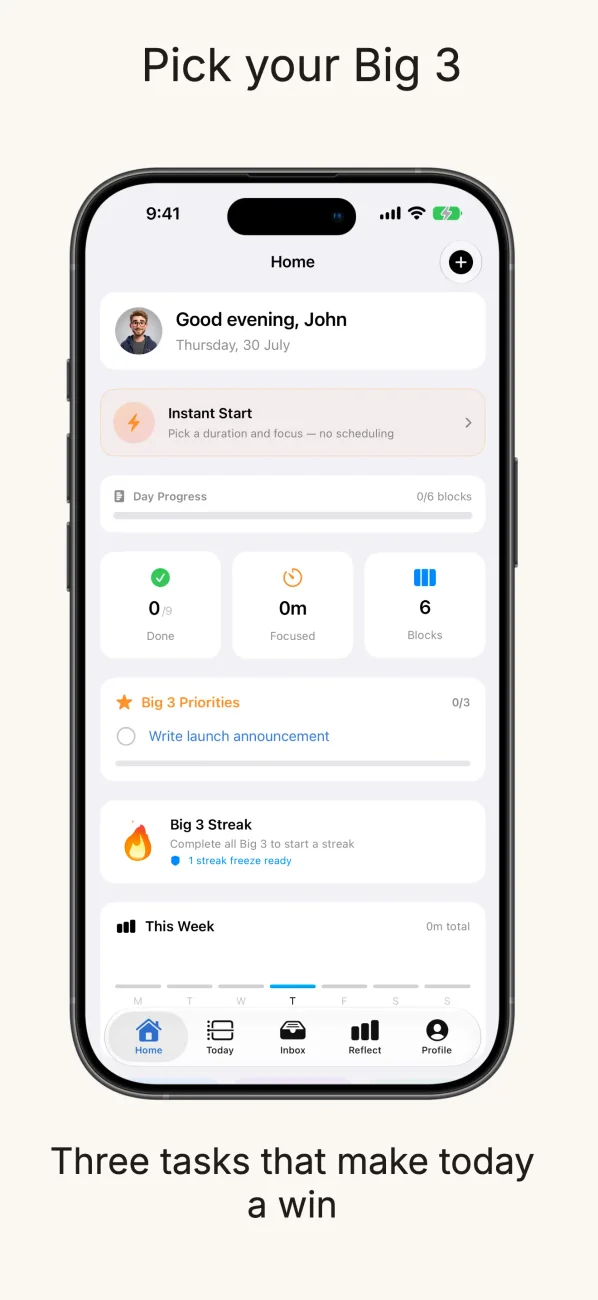
2. Pick your Big 3 priorities for the day
3. Drag tasks onto your daily timeline
4. Start a focus timer for each block
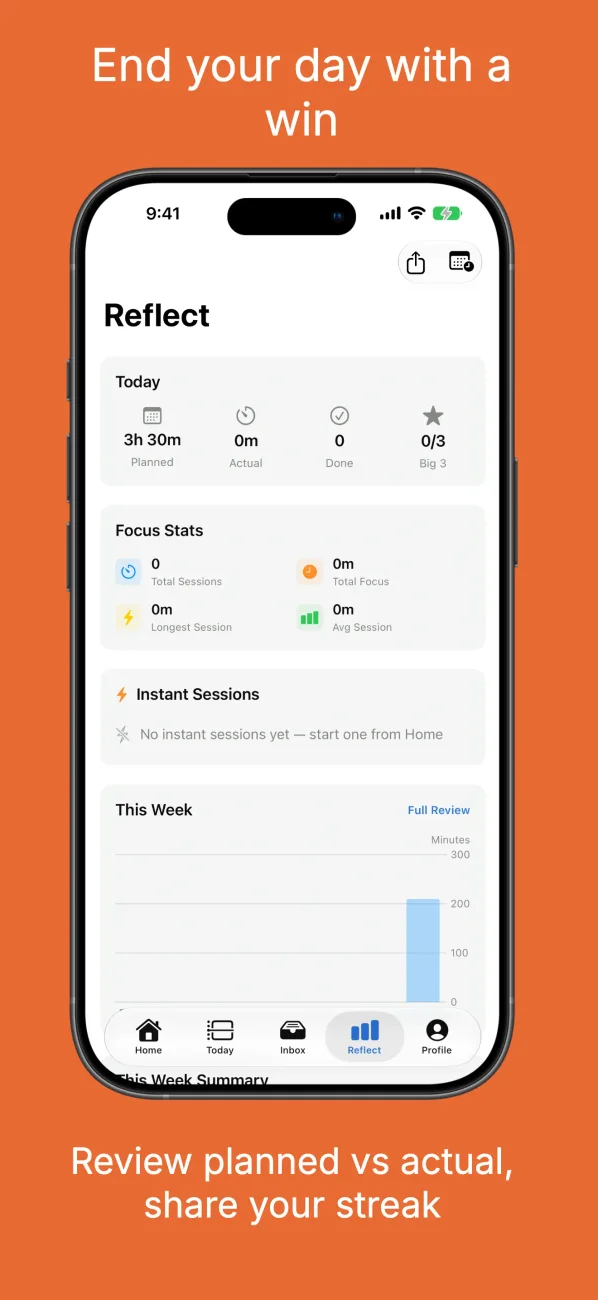
5. Review your wins at the end of the day
That's it. Simple enough to actually stick with.
PLAN YOUR DAY
- Visual daily timeline with drag-and-drop time blocks
- Big 3 priorities - anchor your day to what matters most
- Calendar integration - see events beside your blocks, with optional two-way Apple Calendar sync
- Natural language input - type "Meeting 2pm 30min #work"
- Recurring tasks and day templates for your routines
- Checklists inside every task
- Tags to organize by project or life area
- A warning before you overcommit your day
- Siri & Shortcuts - add tasks hands-free
FOCUS DEEPLY
- A focus timer for every block - classic ring or the new Visual Countdown
- Live Activity on the Lock Screen and Dynamic Island
- Your task's checklist right on the focus screen
- Ambient sounds: rain, forest, ocean waves, coffee shop, fireplace, white noise
- Pomodoro mode with automatic breaks
- Log interruptions without losing your place
- Apple Watch app and Home Screen widgets
FOCUS-FRIENDLY BY DESIGN
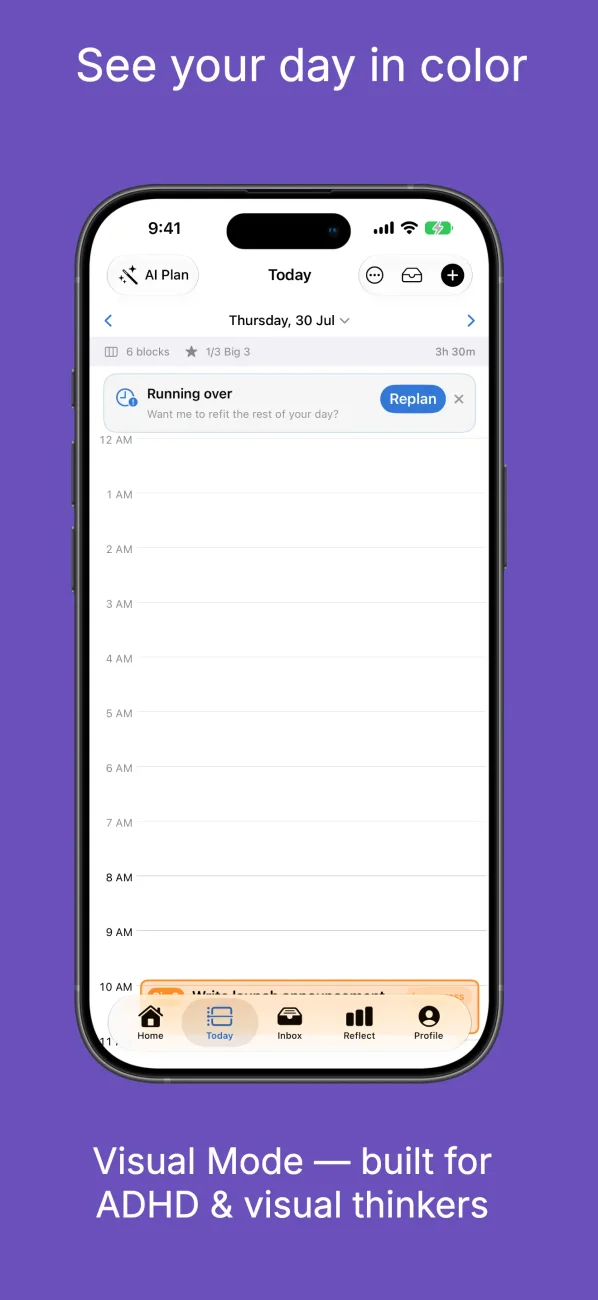
Built with ADHD and visual thinkers in mind:
- Visual Timeline colors your blocks by tag
- Gentle Reminders swap pressure for kind wording
- Visual Countdown shows time left as a shrinking disk
- Wrap-Up Heads-Up, so a block never ends by surprise
REFLECT & GROW
- Planned vs. actual focus, tasks done, and Big 3 progress
- Weekly review with charts and trends
- Streaks for planning, Big 3, and focus
- 20 achievement badges
- Share your day as a summary card
DAYBOX PRO
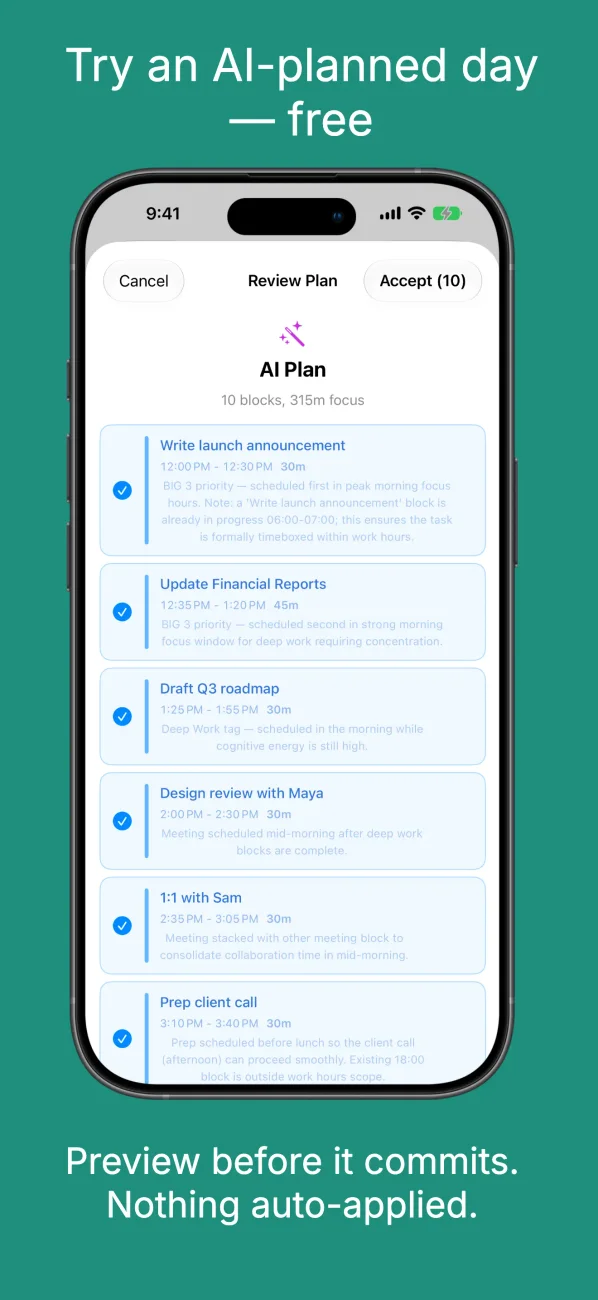
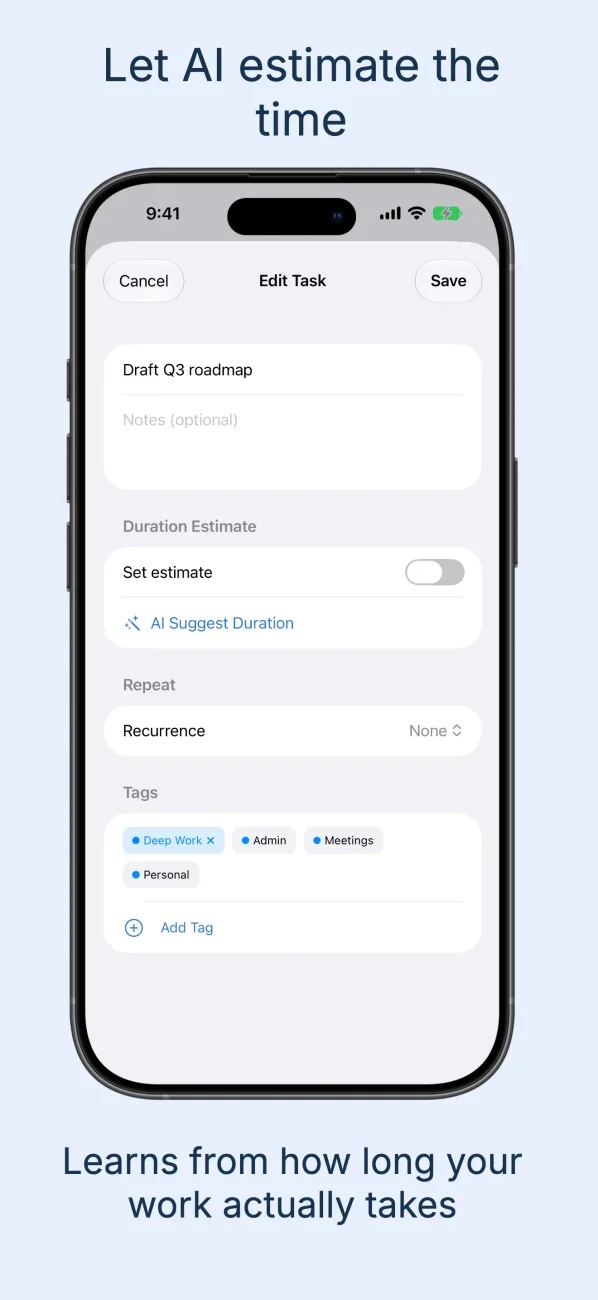
- AI daily planning around your real calendar - always previewed, never auto-applied (try an AI-planned day free)
- Adaptive replanning when your day changes
- AI time estimates for your tasks
- Time Insights: where your time goes by tag, and your best focus hours
- CSV time-log export for invoicing and timesheets
Choose monthly, yearly (free trial available), or a one-time lifetime purchase. Prices are shown in the app before you buy.
Payment is charged to your Apple ID at confirmation of purchase. Subscriptions auto-renew unless cancelled at least 24 hours before the end of the current period. Manage or cancel in Settings > Apple ID > Subscriptions.
Terms of Use (EULA): https://www.apple.com/legal/internet-services/itunes/dev/stdeula/
Privacy Policy: https://culi.app/apps/daybox/privacy-policy
What’s new
Version 1.2.0 · Oct 20, 2026
NEW: Made for iPhone Duo and iPad. On the big screen your timeline and Inbox sit side by side — drag tasks straight onto your day.
• Desk Mode (iPhone Duo): prop it up mid-block. The timer sits on the top half, every control is on the bottom half, and the screen stays on until the block ends.
• Visual Countdown: switch the focus timer to a color disk that shrinks as time runs out — see how long you have without reading numbers.
• Wrap-Up Heads-Up: a nudge 5 minutes before a block ends, so a session never ends by surprise. Turn it off any time in Settings → Focus-Friendly.
• Bigger screens, better layouts: Home in two columns, and Reflect beside Time Insights.
• Fixed: pausing a session no longer sends a "time's up" alert at the original end time.
App privacy
What Rene Fandida declares on the App Store about how this app handles data.
-
Data not collected
The developer does not collect any data from this app.
Privacy practices may vary, for example with the features you use or your age.
Information
- Seller
- Rene Fandida
- Category
- Productivity
- Version
- 1.2.0
- Updated
- Oct 20, 2026
- Released
- Apr 5, 2026
- Size
- 38.2 MB
- Requires
- iOS 17.0 or later
- Age rating
- 4+
- Price
- Free
- In-app purchases
- Yes
- Copyright
- © 2026 Culi App
You might also like
-
 Focura: ADHD Time BlockingFocus Timer & Daily Planner
-
 Thalam - Plan & TrackPlan, track & compare your day
-
 ThruFlowTasks, Focus & Time Insights
-
 Time Block Planner - DayBlockPlan your day with blocks
-
 The timebox plannerMaster Your Day with Timebox
-
 24 Hours: Time BudgetDaily planner, hours per goal
-
 Daybox - Task TimerTimeboxing & ADHD Timer
-
 ToBlock: Time Block PlannerTo-Dos, Calendar & Habits
-
 Simple Block Planner: TimeToneADHD-Friendly Time Blocking
-
 Unfreeze: ADHD Micro PlannerSingle-Task Focus & AI Timer