
Calendar Pro+
Planner, Widgets & Year View
Designed for iPhone, iPad
Free · In-app purchases
- Age rating4+
- CategoryProductivity
- Developerjohnhair.com
- LanguagesEnglish+ 5 more
- Size48.6 MB
Links to the official App Store page
Download.org hosts no file of Calendar Pro+. The button opens its official App Store page, published by johnhair.com. Listing last checked on Nov 23, 2026.
Screenshots




About
Calendar Pro+ is the smarter, cleaner, more intuitive way to take control of your time. Whether you're juggling work, family, travel, or personal goals, Calendar Pro+ helps you stay organized with clarity and confidence.
Why You'll Love It
Beautiful, streamlined design that makes your schedule feel lighter, not louder
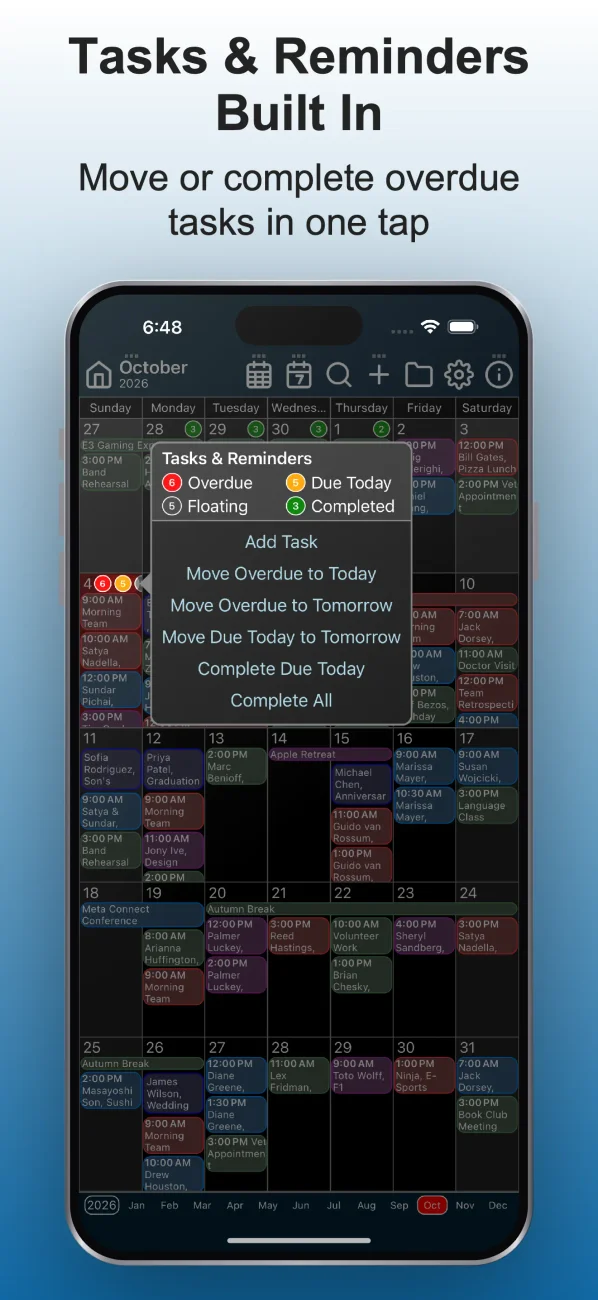
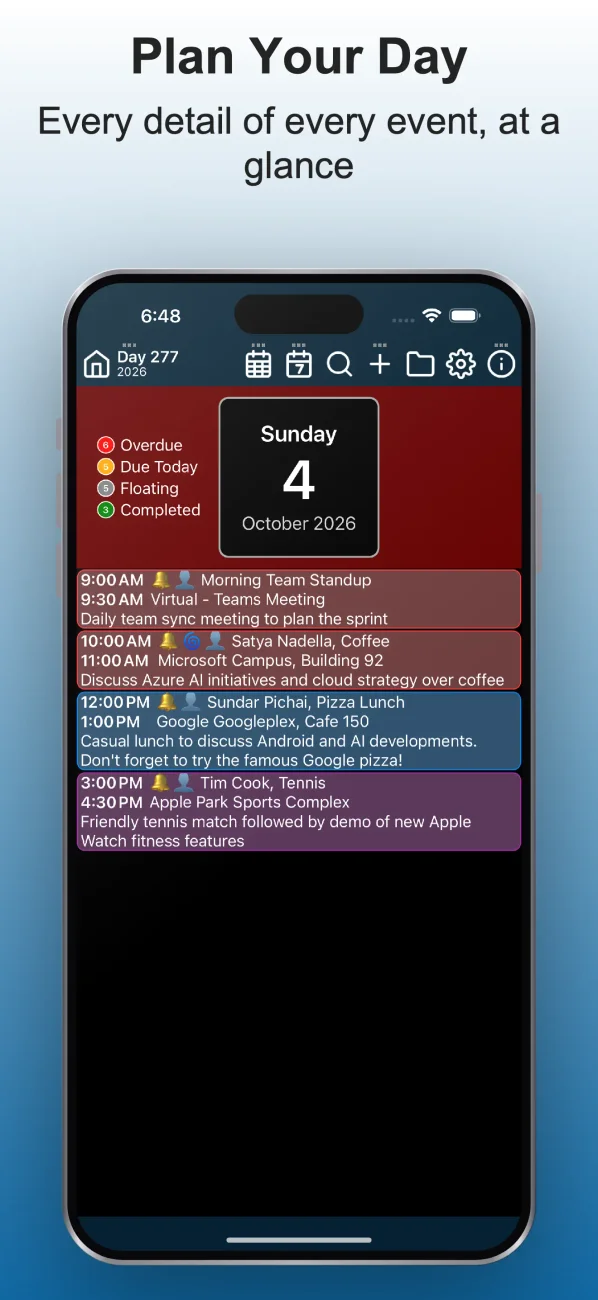
Day, Event and Task long press menus that are context aware. Gives you the information and actions you need at your fingertips
Smart reminders that keep you ahead of deadlines without overwhelming you
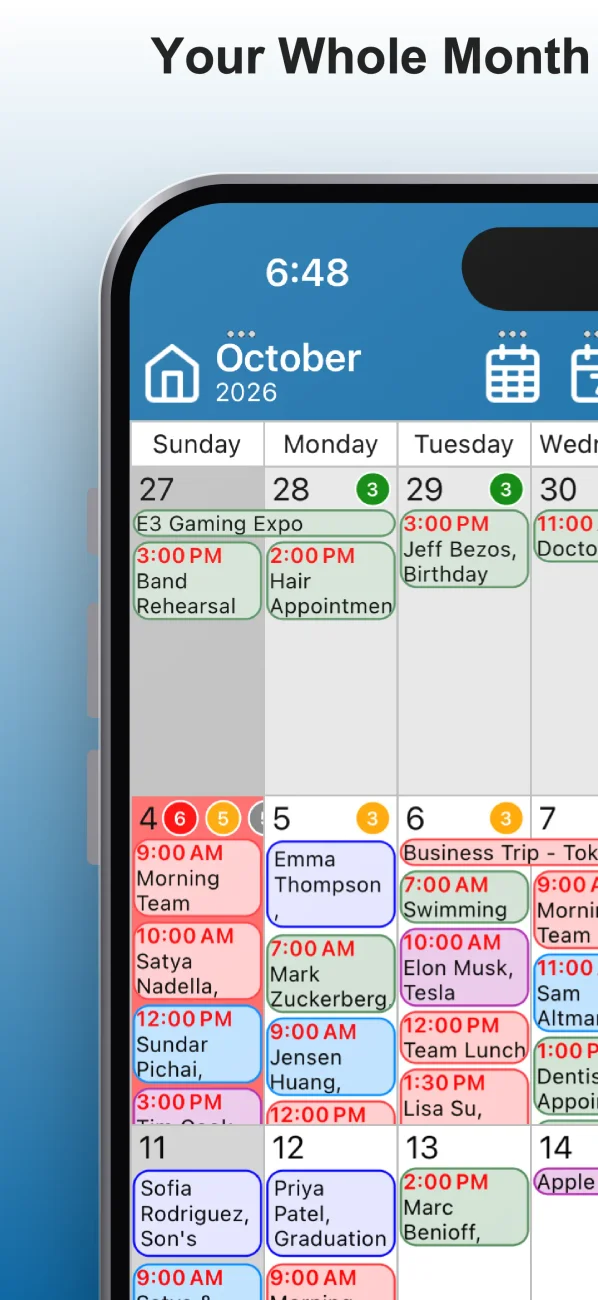
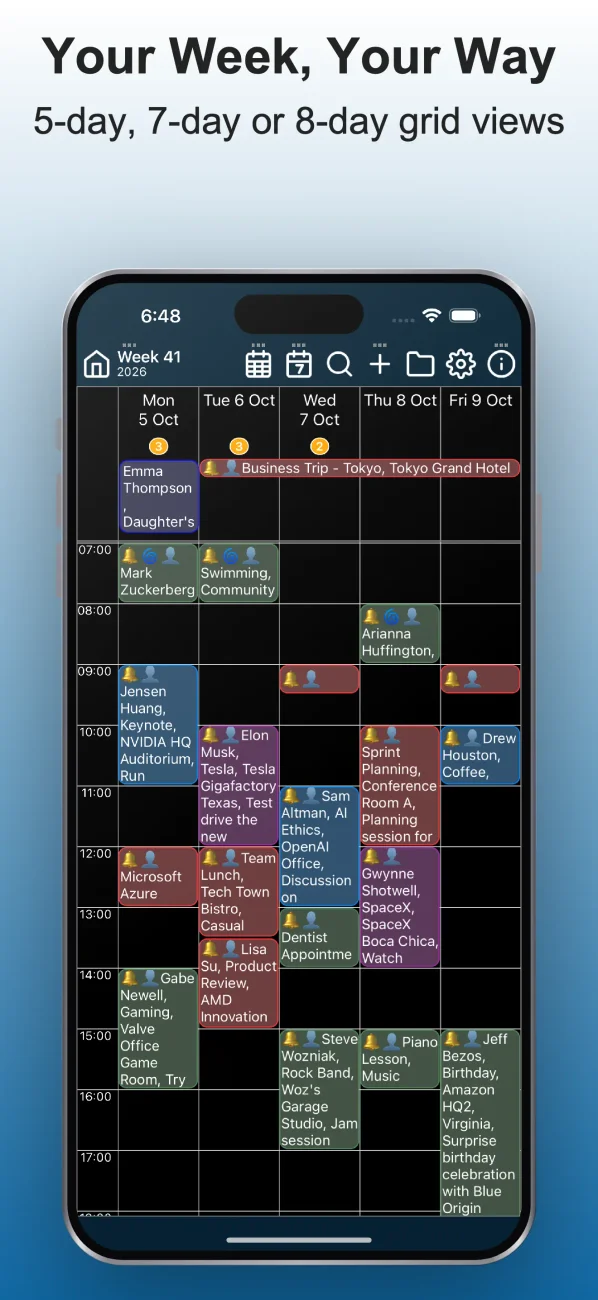
Powerful views — Day, Week, Month, List AND a full calendar year*! — all crafted for quick scanning
Now & Next and Today & Beyond widgets for your Home Screen
Color-coded calendars for effortless separation of work, personal, and shared plans
Time-zone aware scheduling for travelers and remote teams
Built for Real Life
From planning your week to tracking birthdays, appointments, workouts, and everything in between, Calendar Pro+ adapts to your rhythm. It's fast, reliable, and thoughtfully designed to help you focus on what matters.
* Year view is available on iPad, Mac and iPhone Duo.
End User Licence Agreement
https://www.apple.com/legal/internet-services/itunes/dev/stdeula/
What’s new
Version 1.20.0 · Nov 20, 2026
Here's what's new in Calendar Pro+
NEW: Added event availability and optional travel times
NEW: Widget font size is now configurable via the widget's long press 'Edit Widget' option
NEW: Added Portuguese, olá!
NEW: Event long press menu now allows you to share event details with others
NEW: Can now change the event text color
NEW: When searching for a location, real locations as well as contacts are included in the results
UPDATED: Improved memory usage and performance
UPDATED: Contact photos can now be shown or hidden in the Day, Week and List View settings
FIXED: Memory leak when navigating the Week View
FIXED: A few layout glitches in iPhone Duo
FIXED: Month view could display wrong events in specific scenarios
FIXED: Various annoying little bugs have been squished.
We welcome your feedback. Let us know what improvements you'd like to see in the future!
App privacy
What johnhair.com declares on the App Store about how this app handles data.
-
Data not collected
The developer does not collect any data from this app.
Privacy practices may vary, for example with the features you use or your age.
Information
- Seller
- John Hair
- Category
- Productivity
- Version
- 1.20.0
- Updated
- Nov 20, 2026
- Released
- Mar 28, 2026
- Size
- 48.6 MB
- Requires
- iOS 16.0 or later
- Age rating
- 4+
- Price
- Free
- In-app purchases
- Yes
- Languages
- English, French, German, Portuguese, Simplified Chinese, Spanish
- Copyright
- © 2025, 2026 johnhair.com
You might also like
-
 Calendar 2026 & ToDo PlannerToDo & Tasks for your schedule
-
 Calendar+ 2: Planner WidgetAI Day Schedule & Agenda
-
 Pulse Calendar: Daily PlannerAppointments & Smart Reminders
-
 DayDo CalendarCalendar, reminders and tasks
-
 PearCal: P2P CalendarNo servers. No accounts.
-
 Linear Calendar - ChronosSee Your Whole Year at Once
-
 Matí - CalendarBeautiful, smarter calendar
-
 Calendar app *DeepBlackBlack design Simple Organizer
-
 Tempo Calendar: Daily PlannerSchedule organizer & reminders
-
 Glance: Calendar & Day PlannerSchedule & Event Countdown