Calendar+ 2: Planner Widget
AI Day Schedule & Agenda
Designed for iPhone, iPad
Free · In-app purchases
- Age rating4+
- CategoryProductivity
- DeveloperJoshua & Company Inc.
- LanguagesEnglish+ 26 more
- Size46.7 MB
Links to the official App Store page
Download.org hosts no file of Calendar+ 2: Planner Widget. The button opens its official App Store page, published by Joshua & Company Inc. Listing last checked on Nov 28, 2026.
Screenshots


About
Brain-dump your whole day in plain words. Calendar+ 2 reads it and builds a color-blocked, time-scheduled day on your real calendar — in seconds.
Not a timeline sidebar. Not a planner that fakes a calendar. A full, syncing calendar that also plans your day with AI — the only app that does all three.
COLOR RULES: AUTOMATIC COLOR CODING
Stop recoloring events by hand. Set up a rule once — title contains "Gym", a location, notes, an attendee, or a time of day — and every matching event takes that color automatically, across all your calendars, in every view and widget. Rules apply from the top down, and a live preview shows which events each rule colors as you edit. Your whole week, readable at a glance. Included in Premium.
PLAN YOUR DAY WITH AI
Type or speak everything on your plate: "gym 7am, deep work 9–12, lunch with Maya, call dentist, finish Q3 report." Tap Plan. Calendar+ 2 parses natural language, checks your live calendar for conflicts, and returns a color-blocked schedule you confirm with one tap. No templates. No slot-hunting.
MANUAL TIME-BLOCKING CANVAS
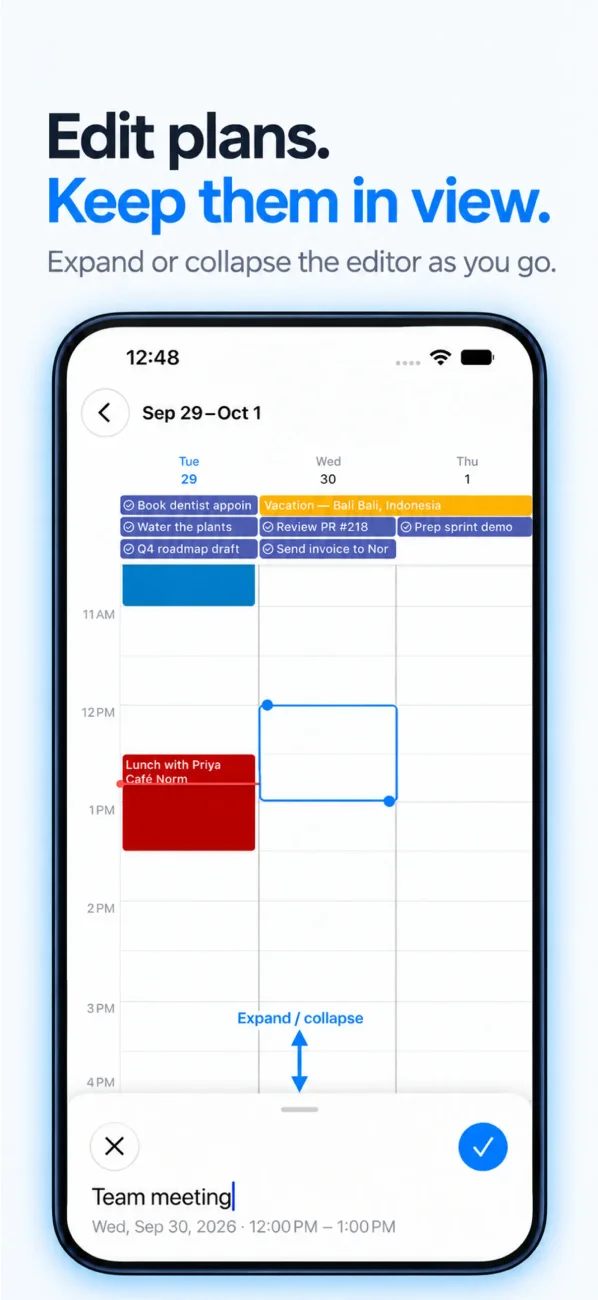
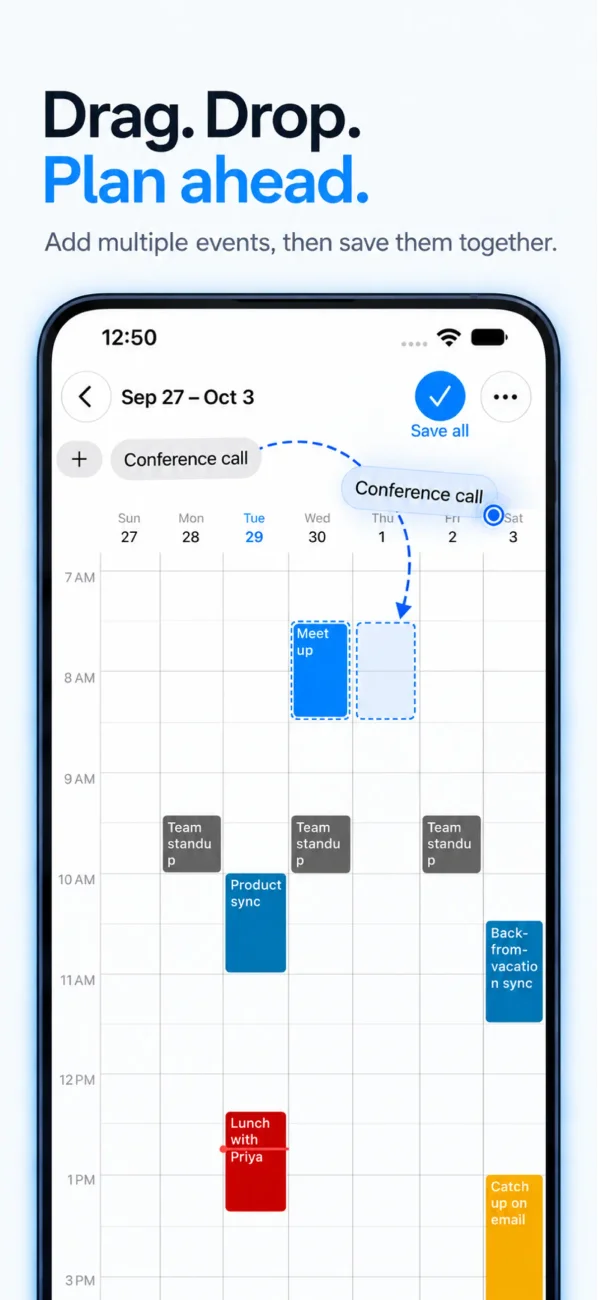
Brain-dump tasks into the inbox as quick chips. Drag them onto your day or week canvas — blocks snap to real time slots alongside your live events. Rearrange in seconds.
AI ASSISTANT
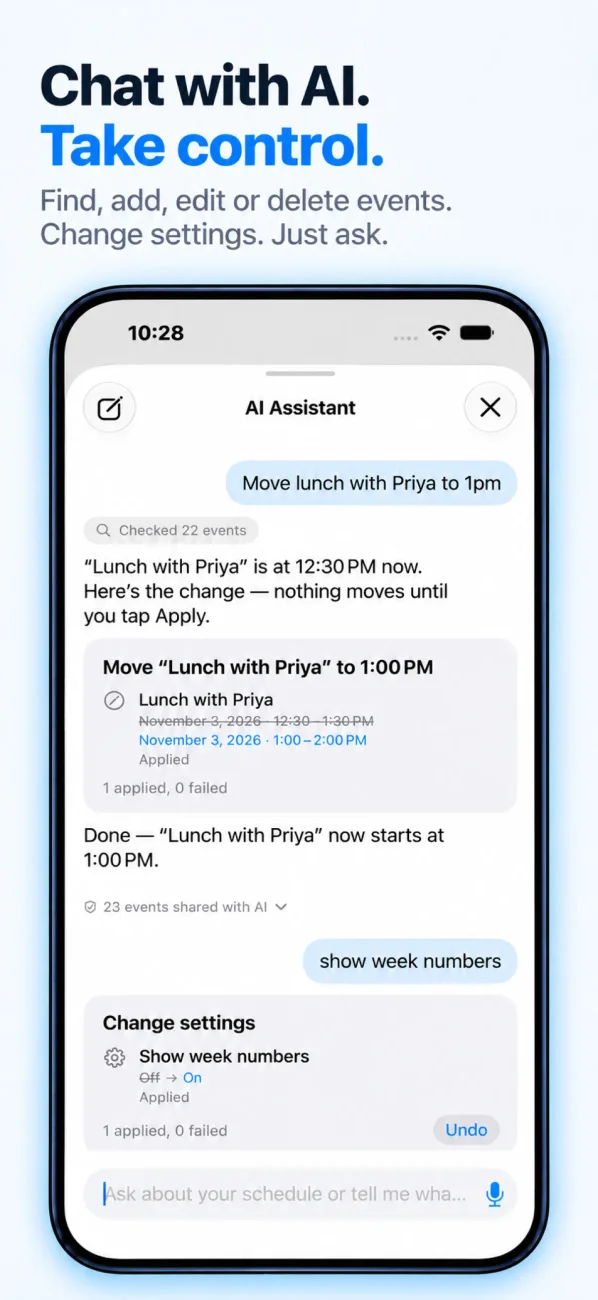
Just chat. "Move my Tuesday standup to Thursday at 2pm." "What do I have on Friday?" "Remind me to call the dentist tomorrow." "Show week numbers." The assistant finds, creates, edits, and reschedules events and Apple Reminders, and changes app settings for you — across Google Calendar, iCloud, and device calendars. Every change is shown for your approval before it's applied, and under each reply you can see exactly what information was shared with the AI.
A FULL CALENDAR, EVERY VIEW
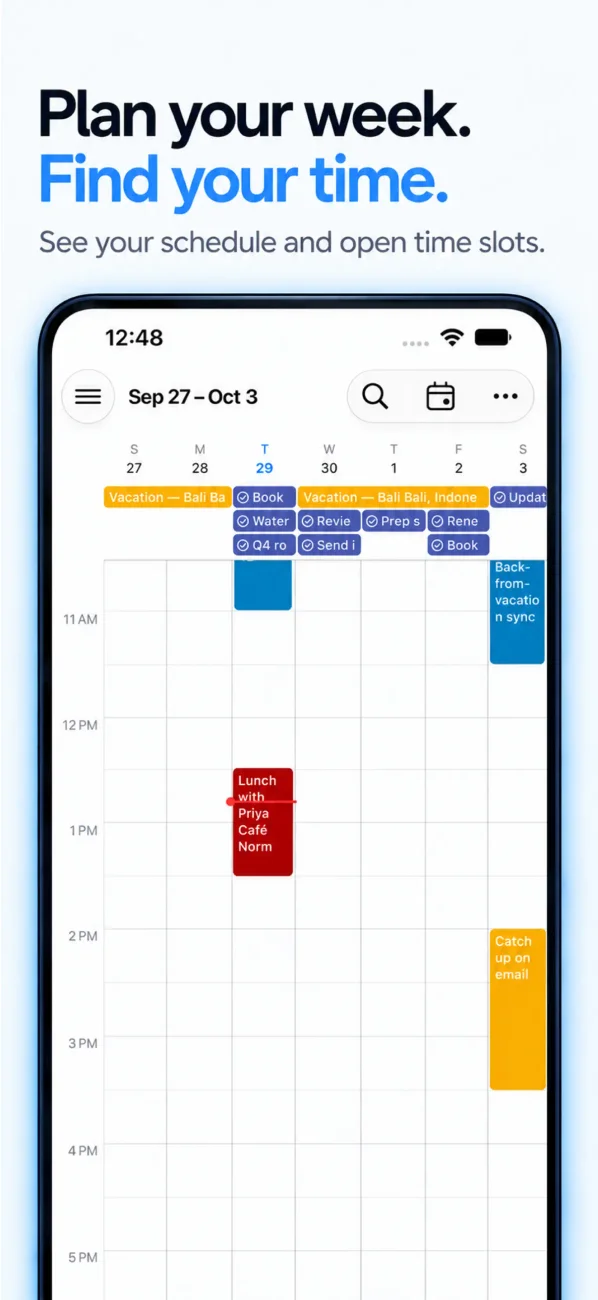
Day, week, month, multi-week grids, and custom multi-day views. Swipe to navigate, tap to create. Multi-account color coding. Two-way sync with Google Calendar, Apple iCloud, and device calendars.
BEST-IN-CLASS WIDGET SUITE
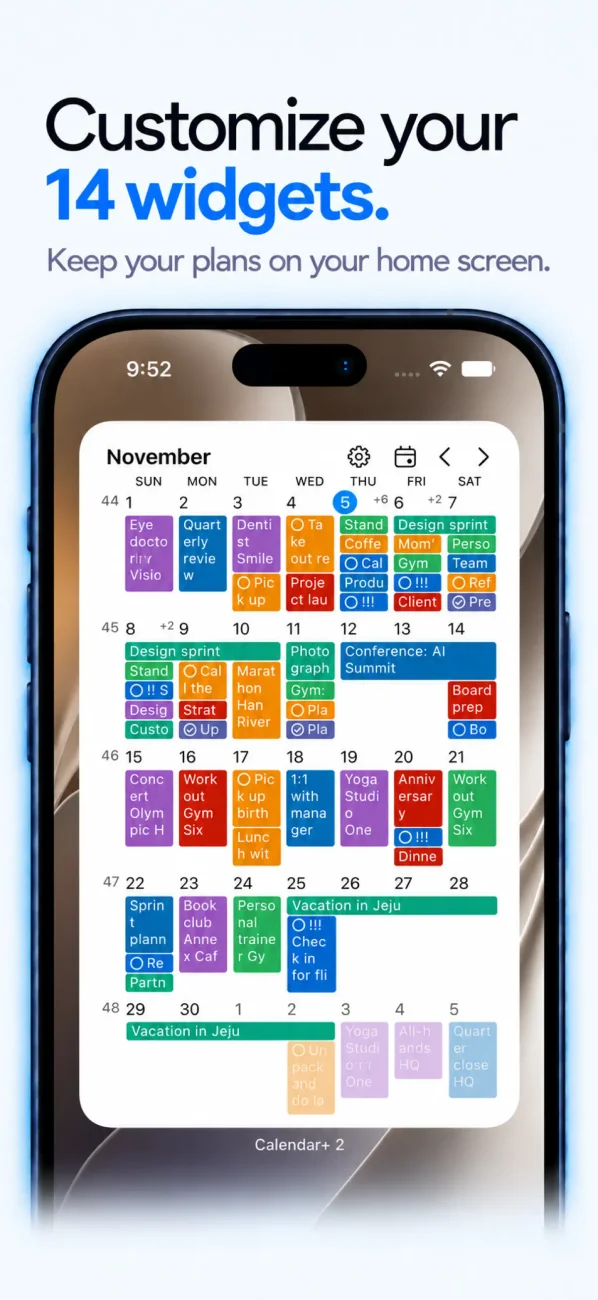
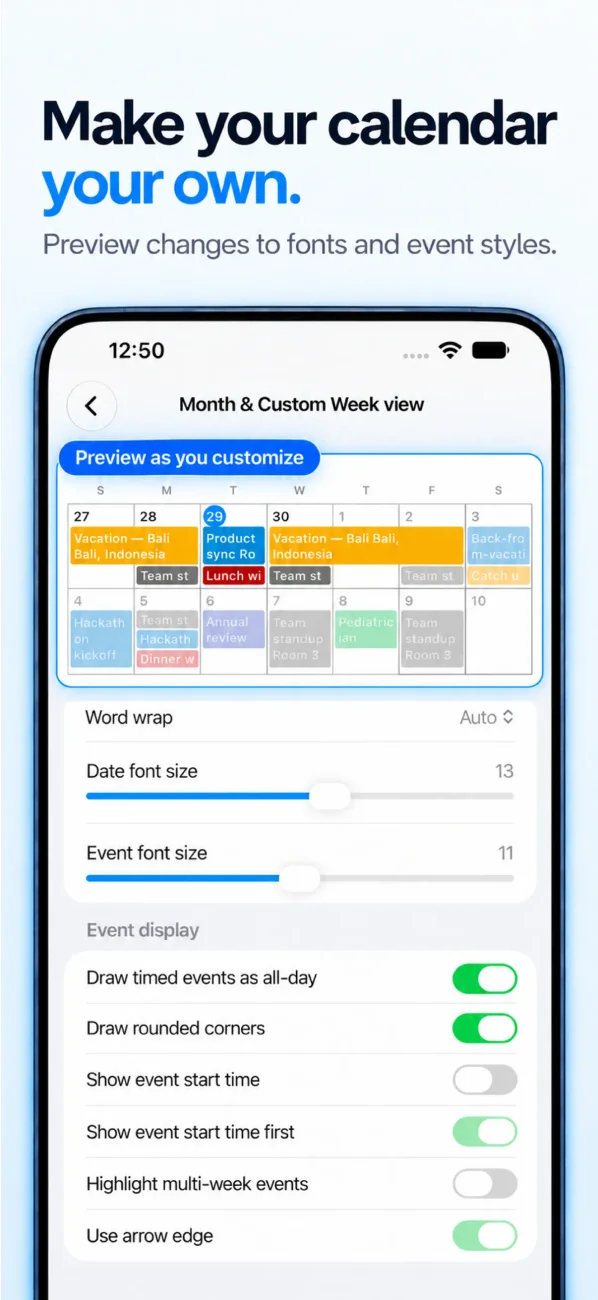
14 widgets: Month, 1–4 weeks, Week Timeline, Week Grid, Week Agenda, List, Today, Today with mini month, Up Next, Agenda + Upcoming weeks, and the new "Days + Weeks". Full skin, font-size, and dark-mode customization per widget. The most powerful calendar widget suite on iOS.
BUILT FOR BUSY BRAINS
ADHD, time-blindness, packed student schedules, or professional overload — Calendar+ 2 gives structure without requiring you to be organized first. Brain-dump, let AI sort it out.
26 LANGUAGES
Fully localized in 26 languages.
PREMIUM SUBSCRIPTION
Includes AI planning, all views, and the full widget suite. Current pricing shown at purchase.
Download Calendar+ 2. Spend 60 seconds planning your day, not all morning.
SUBSCRIPTION TERMS
Calendar+ 2 Premium is available as a monthly or yearly subscription, or as a one-time lifetime purchase.
Subscriptions auto-renew unless canceled at least 24 hours before the end of the current period. Payment will be charged to your Apple ID account at confirmation of purchase.
Manage or cancel your subscription in Settings > Apple ID > Subscriptions.
Privacy Policy: https://calendarplus2.joshuanco.com/privacy-policy
Terms of Service: https://calendarplus2.joshuanco.com/terms-of-service
What’s new
Version 1.1.13 · Nov 27, 2026
• AI Assistant: now works with Google Tasks too. Just chat to see, add, edit, complete, and delete your tasks, and AI Briefing now includes today's tasks. Choose whether to share Google Tasks with the AI in the AI Assistant settings.
• Premium now comes with a weekly plan option.
• Added a FAQ entry on how to hide holidays.
• Bug fixes and performance improvements.
App privacy
What Joshua & Company Inc. declares on the App Store about how this app handles data.
-
Data linked to you
May be collected and linked to your identity.
- Purchases
- Location
- User content
- Identifiers
-
Data not linked to you
May be collected but is not linked to your identity.
- Identifiers
- Usage data
Privacy practices may vary, for example with the features you use or your age.
Information
- Seller
- Joshua & Company Inc.
- Category
- Productivity
- Version
- 1.1.13
- Updated
- Nov 27, 2026
- Released
- Jun 22, 2026
- Size
- 46.7 MB
- Requires
- iOS 18.2 or later
- Age rating
- 4+
- Price
- Free
- In-app purchases
- Yes
- Languages
- English, Arabic, Czech, Danish, Dutch, Finnish, French, German, Hebrew, Hindi, Indonesian, Italian + 15 more
- Copyright
- © 2026 Joshua & Company Inc.
You might also like
-
 Pulse Calendar: Daily PlannerAppointments, none forgotten
-
 Calendar Pro+Planner, Widgets & Year View
-
 TickbaseEverything to get things done
-
 Roomy Calendar: Simple PlannerSimple, Clean & Easy Calendar
-
 Tempo Calendar: Daily PlannerSchedule organizer & reminders
-
 Glance: Calendar & Day PlannerSchedule & Event Countdown
-
 Calendar Pro - Daily PlannerAgenda, Events & Reminders
-
 Classycal – Calendar & TasksAgenda, reminders, with style
-
 CalCal|Simple CalendarSee every plan as you scroll
-
 Calendar Widget: Day & MonthEvents on Home & Lock Screen