Calendar ToDo - Progress Log
Track calendar progress
Designed for iPhone, iPad
In-app purchases
- Age rating4+
- CategoryProductivity
- DeveloperYugo Okugawa
- LanguagesJapanese+ 1 more
- Size26.2 MB
Links to the official App Store page
Download.org hosts no file of Calendar ToDo - Progress Log. The button opens its official App Store page, published by Yugo Okugawa. Listing last checked on Nov 24, 2026.
Screenshots

About
Turn your calendar events into a progress log you can review later.
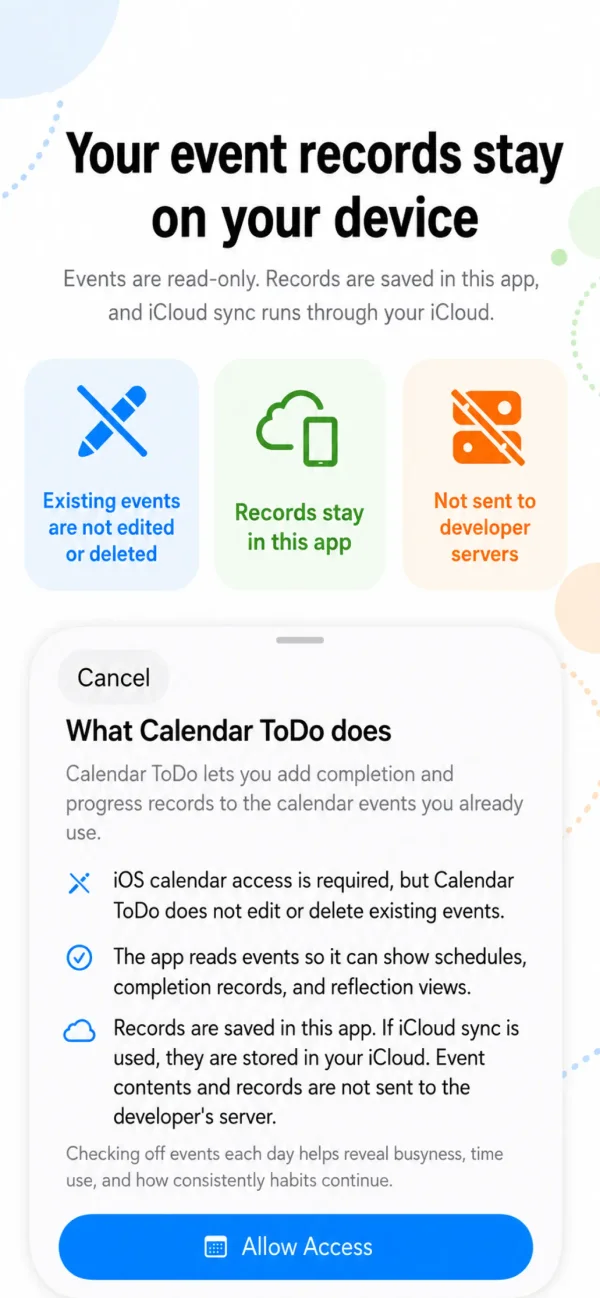
Calendar ToDo reads your calendar events and lets you record completion, progress, and reflection inside the app—without creating, editing, or deleting your calendar events.
Because Calendar ToDo works with events shown in Apple’s Calendar app, you can use calendars from iCloud, Google Calendar, Outlook, and other accounts synced to your iPhone.
Tap the Done button on the right to record completion immediately. Touch and hold an event to open the progress card and choose a percentage from 0% to 100% in 1% increments. Changing and saving the percentage also records Done and the first reflection suggestion shown. This updates any previous reflection selection. You can choose a different suggestion from the same card.
Done records that you carried out the plan; it does not necessarily mean you completed a larger goal. If you worked on a plan but felt no progress, you can record 0%. Opening the card alone does not save a record, and clearing progress keeps Done. Your saved records appear in completion history, graphs, and reports for later review.
On supported devices and languages, Apple Intelligence assists on-device event classification and Weekly Report insights. When Apple Intelligence is unavailable, completion, reflection, and category review and correction remain available.
Key Features
- On supported devices, Apple Intelligence assists event classification
- View events from Apple Calendar, iCloud, Google Calendar, and Outlook without editing them
- Check events and progress from the Monthly Calendar
- See recorded progress in the background of each event row
- View the month calendar and the selected day’s events side by side on an unfolded iPhone Duo
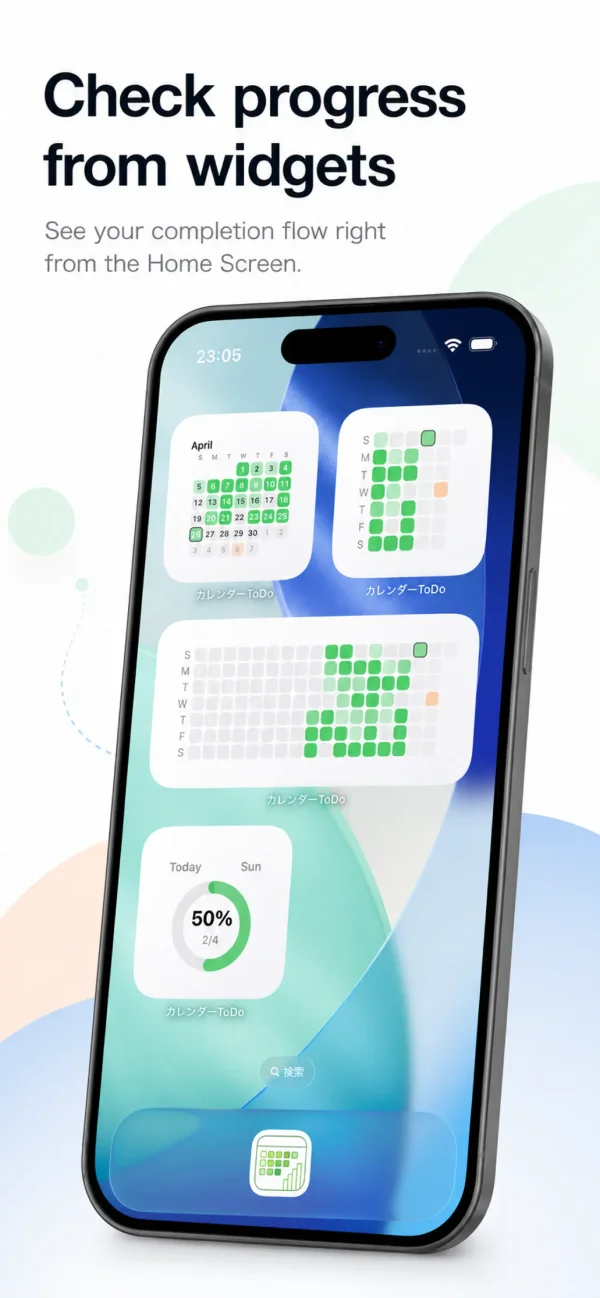
- Browse months and expand a week in a larger Home Screen calendar widget to see events and completion status, then open a selected day in the app
- See adjacent completed dates in multi-day events as a continuous completion band
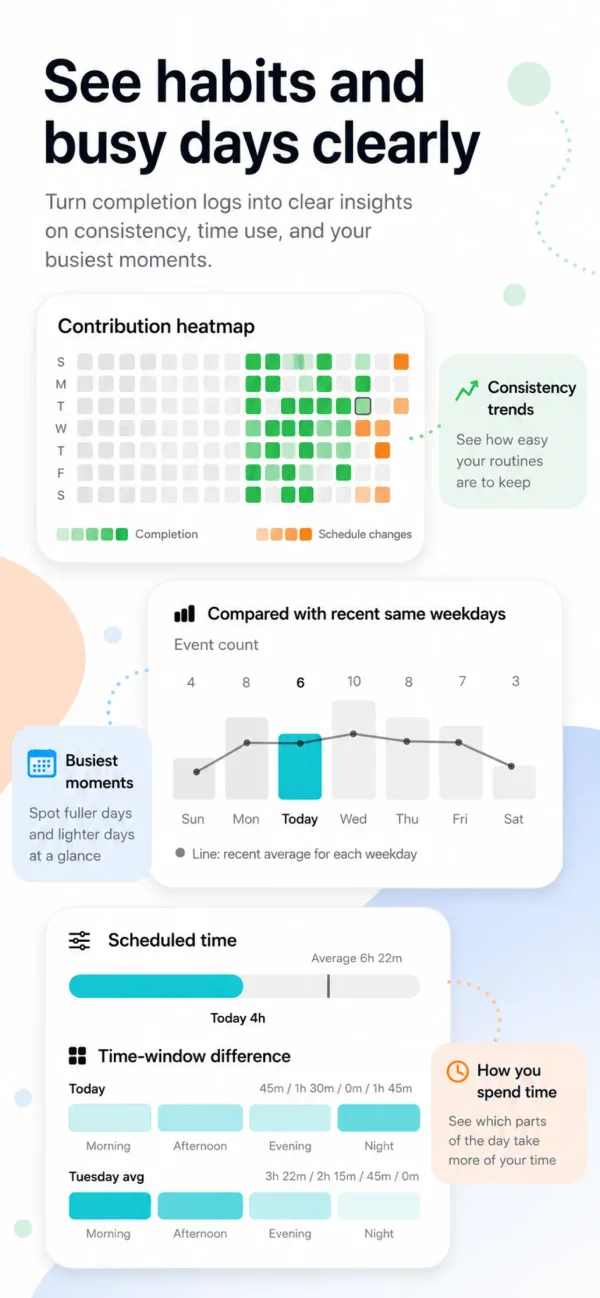
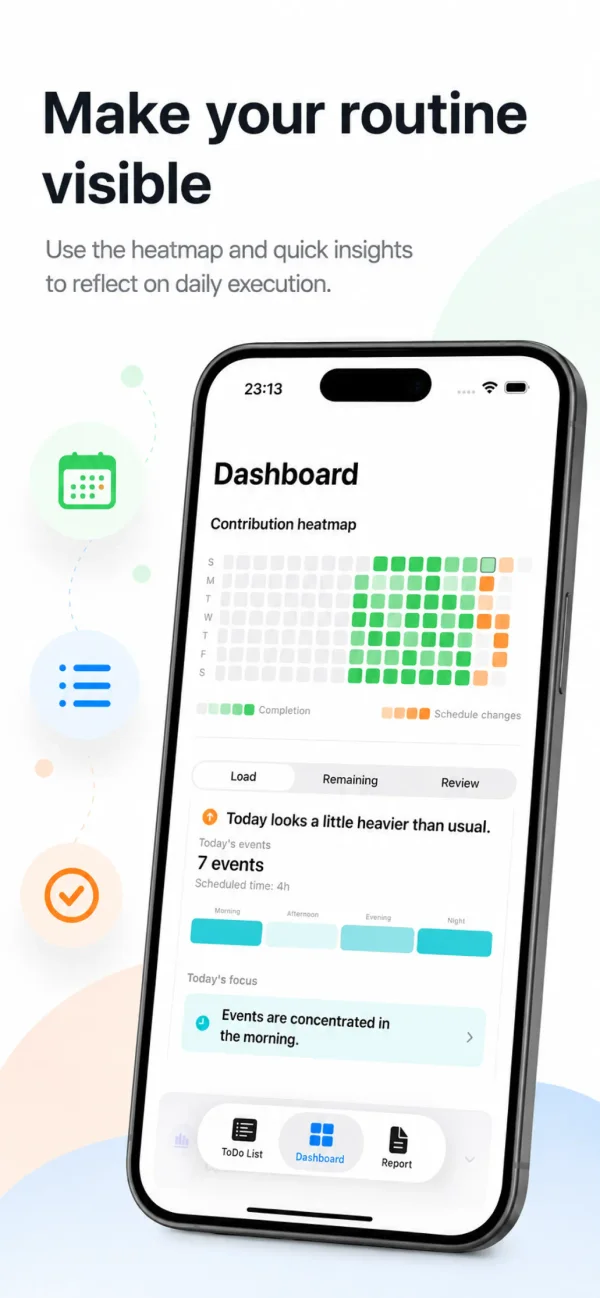
- Review completion history and the next two weeks of schedule changes with a small or medium Home Screen Heatmap widget
- Browse today's events and mark them Done with one tap
- Touch and hold an event to record progress and reflection
- Review and correct each event's category from event details
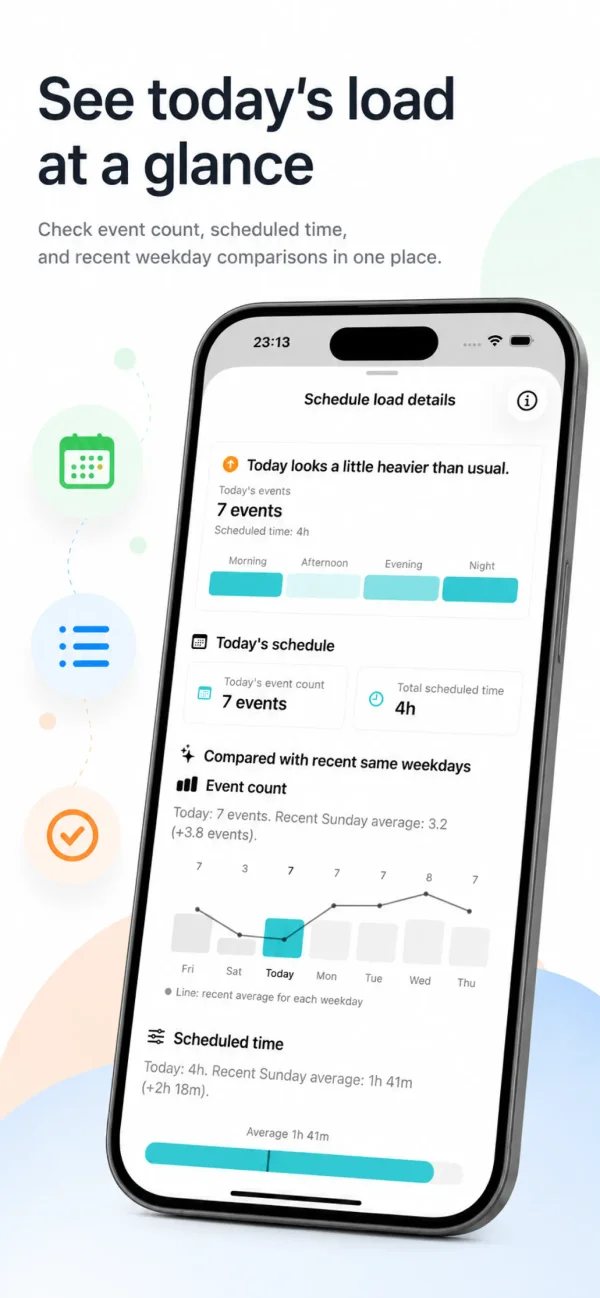
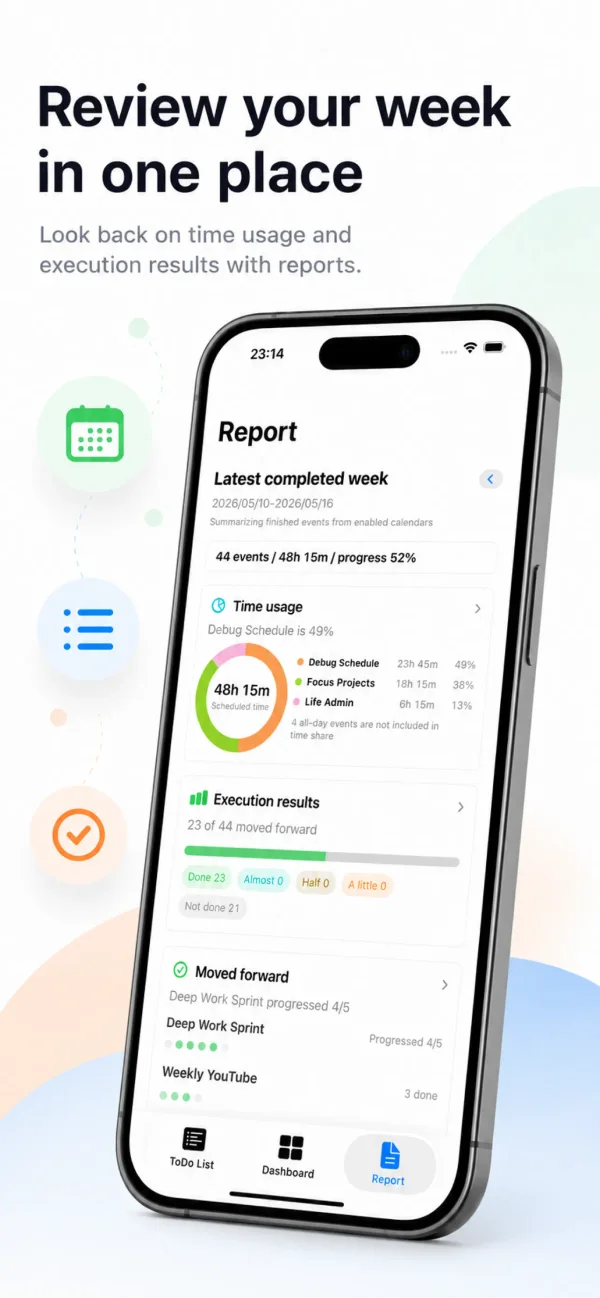
- Review schedule load, outcomes, progress, and reflections in the Report section of Analytics
- Get end-of-event reminders with Done and 1-hour snooze actions
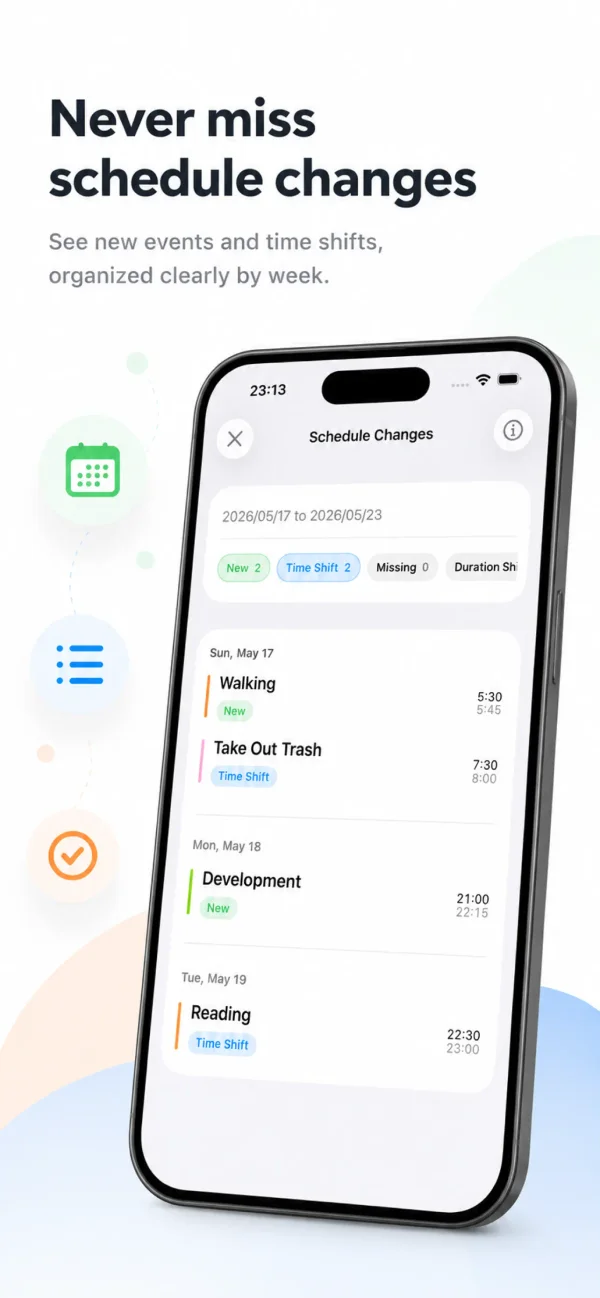
- Notice schedule changes such as new events, time shifts, and missing routines
- Sync completion and progress records across devices with iCloud
Calendar ToDo is for people who already plan with a calendar and want a simple way to look back on what they completed, how far they progressed, and how the week went.
Some features, including detailed reviews of past weeks, are available with Calendar ToDo Plus (monthly or yearly). Eligible subscribers may receive a 1-month free trial with the monthly plan.
Official Website:
https://calendartodo.app/en/
Terms of Use:
https://calendartodo.app/en/terms/
Privacy Policy:
https://calendartodo.app/en/privacy/
What’s new
Version 3.4.3 · Nov 23, 2026
We've made the new analytics beta and calendar views easier to read.
- See how many records are saved on this device and how many are marked Done, by day, month, or year.
- Improved how Analytics keeps your chart and scroll position when you return.
- The heatmap makes it easier to tell which days have no records and which days haven't been confirmed yet.
- White and near-white events are easier to read in the monthly calendar and its widget. Progress is easier to see in the event list.
- Improved how widgets and end-of-event reminders open the selected day or event.
Turn on New analytics in Settings > Labs to try it.
App privacy
What Yugo Okugawa declares on the App Store about how this app handles data.
-
Data not collected
The developer does not collect any data from this app.
Privacy practices may vary, for example with the features you use or your age.
Information
- Seller
- Yugo Okugawa
- Category
- Productivity
- Version
- 3.4.3
- Updated
- Nov 23, 2026
- Released
- Feb 1, 2026
- Size
- 26.2 MB
- Requires
- iOS 26.0 or later
- Age rating
- 4+
- In-app purchases
- Yes
- Languages
- Japanese, English
- Copyright
- © 2026 Yugo Okugawa
You might also like
-
 作業時間記録/勉強時間記録アプリ&ポモドーロ:つづろくProductivity
-
 FlickTask思いついたらかく。今日が見える。
-
 HabitSpark – Reflect & GrowActionable habit reflection
-
 Kanso - Zen FocusProductivity
-
 Fullcale - Smart CalendarAll-in-One Smart Calendar
-
 PicCue - Photo Cue ReminderReminders with your photos
-
 Due Pal: ADHD Visual TimerTime Blindness Countdown Clock
-
 Already Done - Task LogRecord done, not to-do
-
 Meno - Calendar, To-Do & NotesAll in one, at your own pace