Fullcale - Smart Calendar
All-in-One Smart Calendar
Designed for iPhone, iPad, iPod touch
In-app purchases
- Age rating4+
- CategoryProductivity
- DeveloperKoki Fujimoto
- LanguagesJapanese+ 1 more
- Size82.4 MB
Links to the official App Store page
Download.org hosts no file of Fullcale - Smart Calendar. The button opens its official App Store page, published by Koki Fujimoto. Listing last checked on Nov 12, 2026.
Screenshots

About
The calendar that ends "adding events is such a hassle" — just say it.
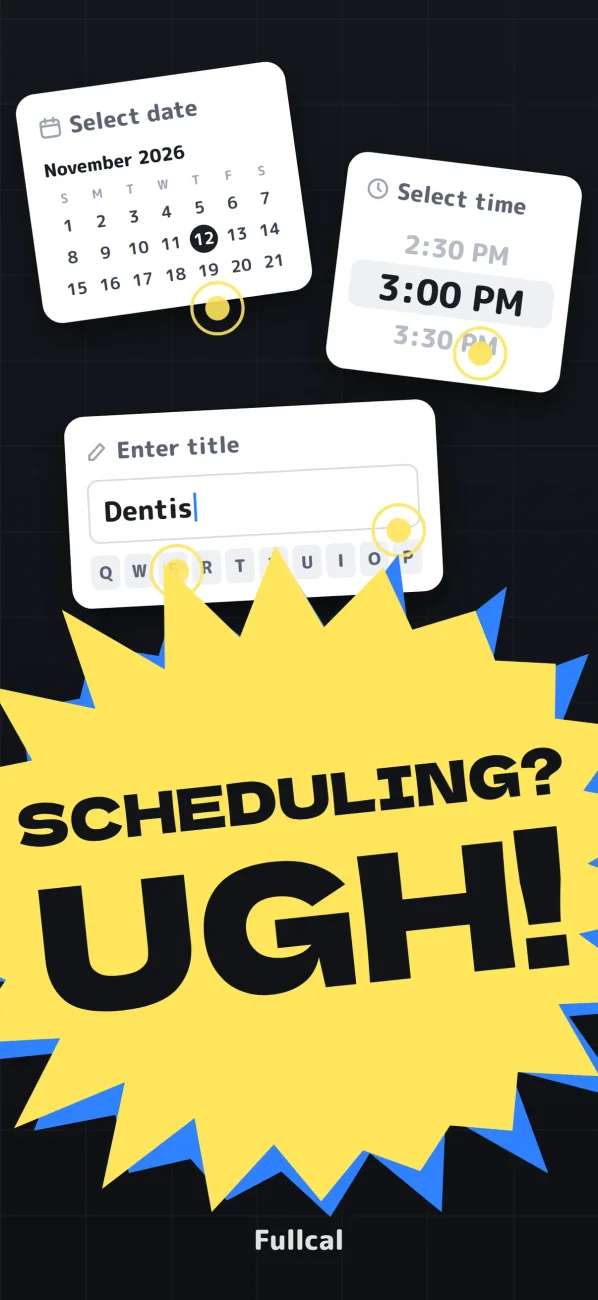
Pick a date. Pick a time. Type a title… We turned all that into your voice.
Events, tasks, memos, budget. Your daily records, all in Fullcal.
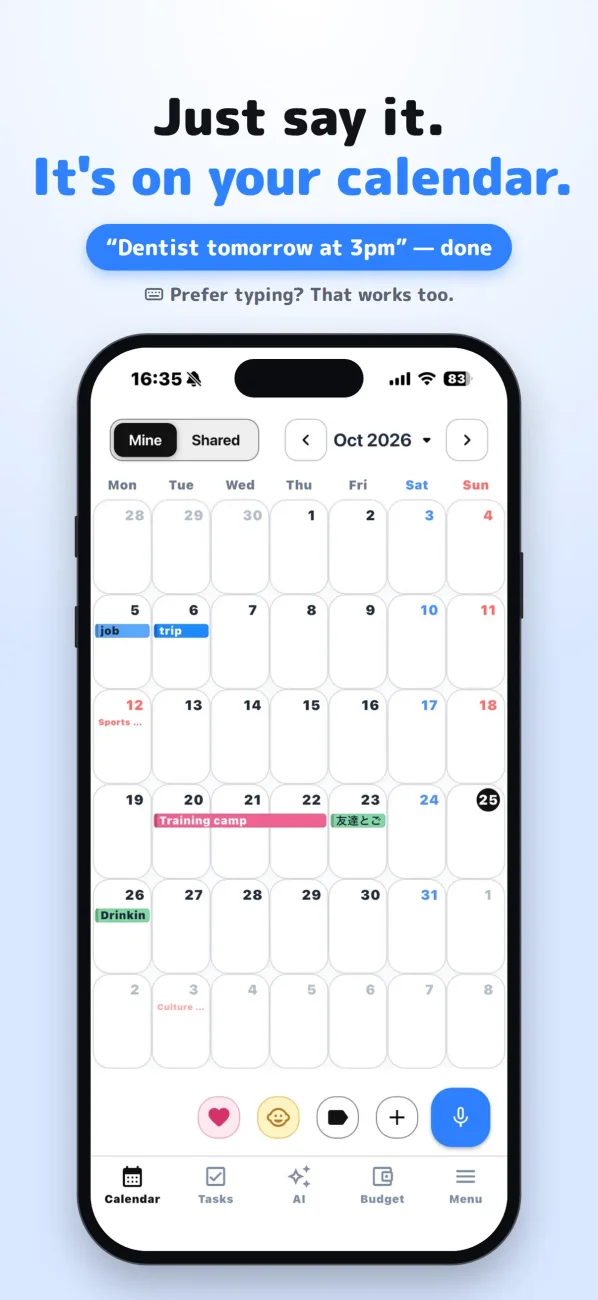
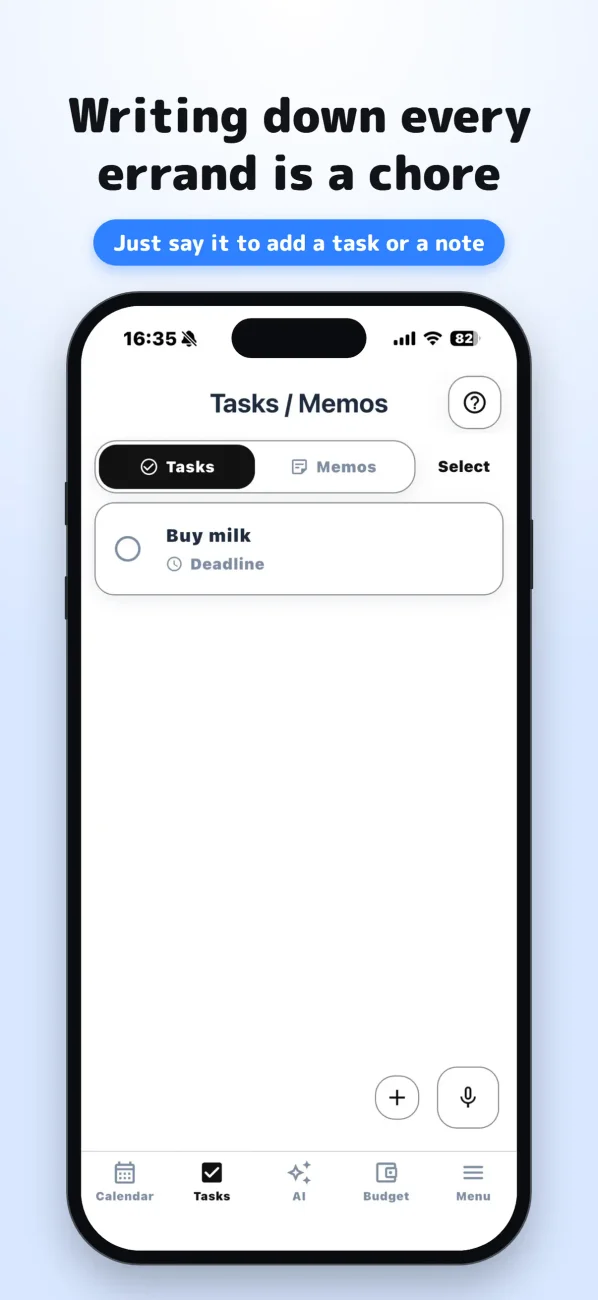
■ Just say it — it's on your calendar
Say "Dentist tomorrow at 3pm" and it's added.
Natural phrasing works: "next Monday", "Oct 10 to 12", "until noon". If you don't say a time, it becomes an all-day event.
Each phrase becomes one thing — an event, a task or a memo. Say "Add buy milk to my tasks" or "Memo: ..." to choose.
And of course, you can type it in by hand too.
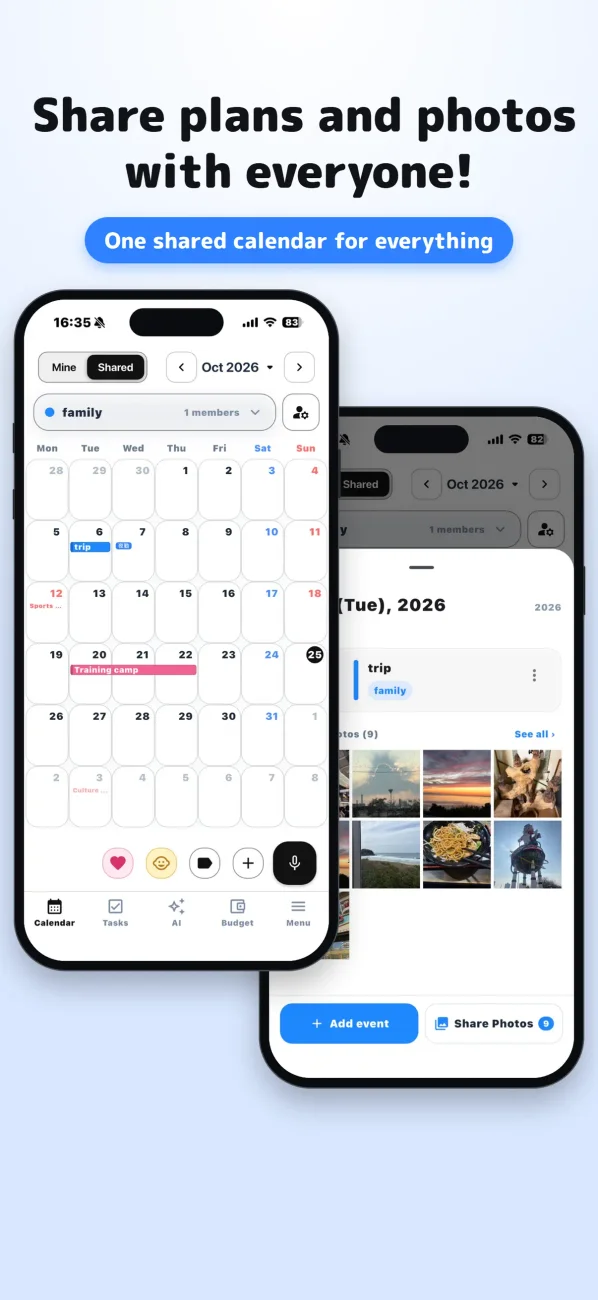
■ Share plans and photos with everyone
Share a calendar with family or your partner just by sending an invite code. Members get a push notification when an event is added.
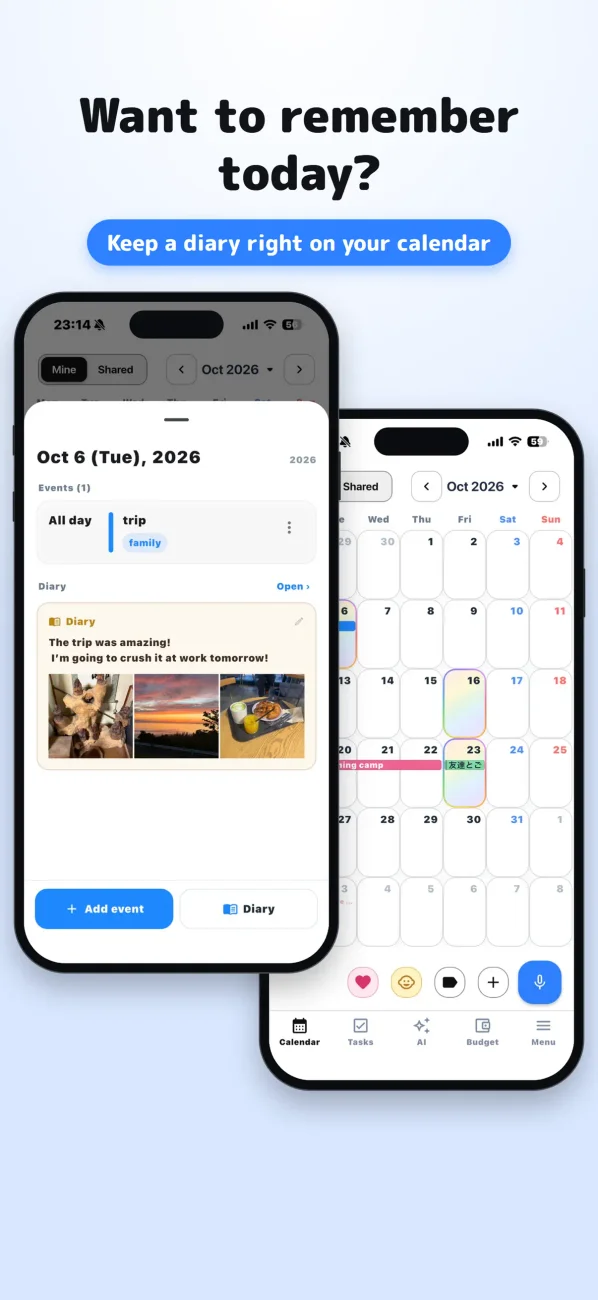
Share photos by date too, so memories don't get buried in group chats.
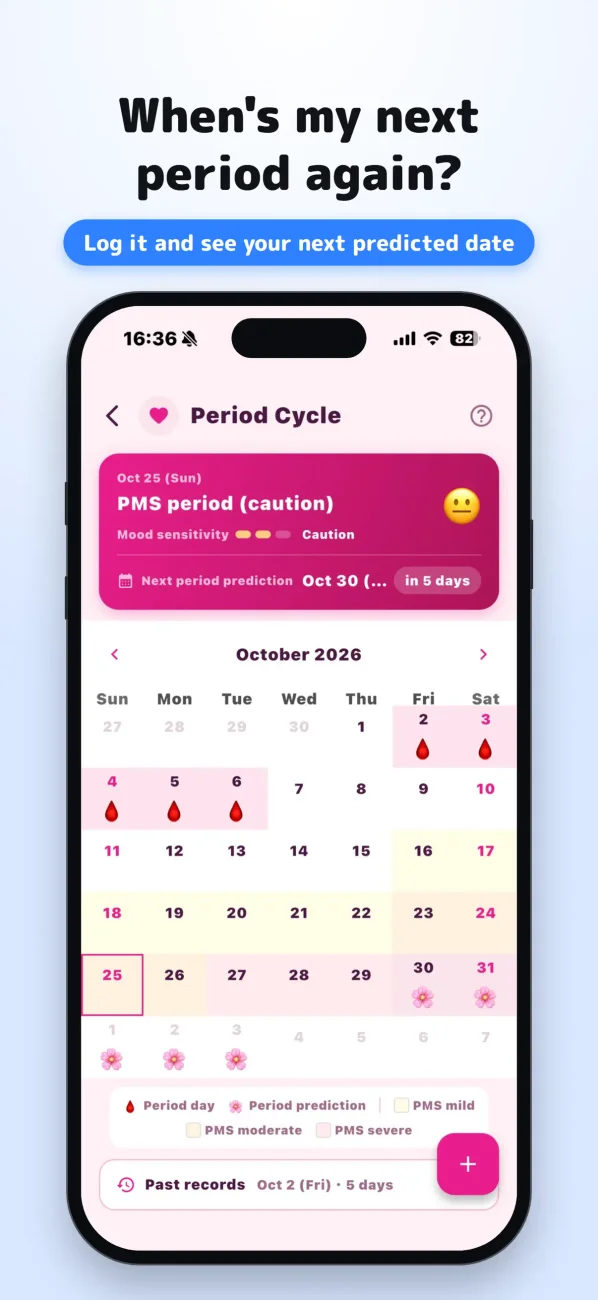
■ Period tracking and prediction
Log your period and the next one is predicted and shown on your calendar, with PMS days marked.
Predictions are only estimates. Do not use them for medical decisions.
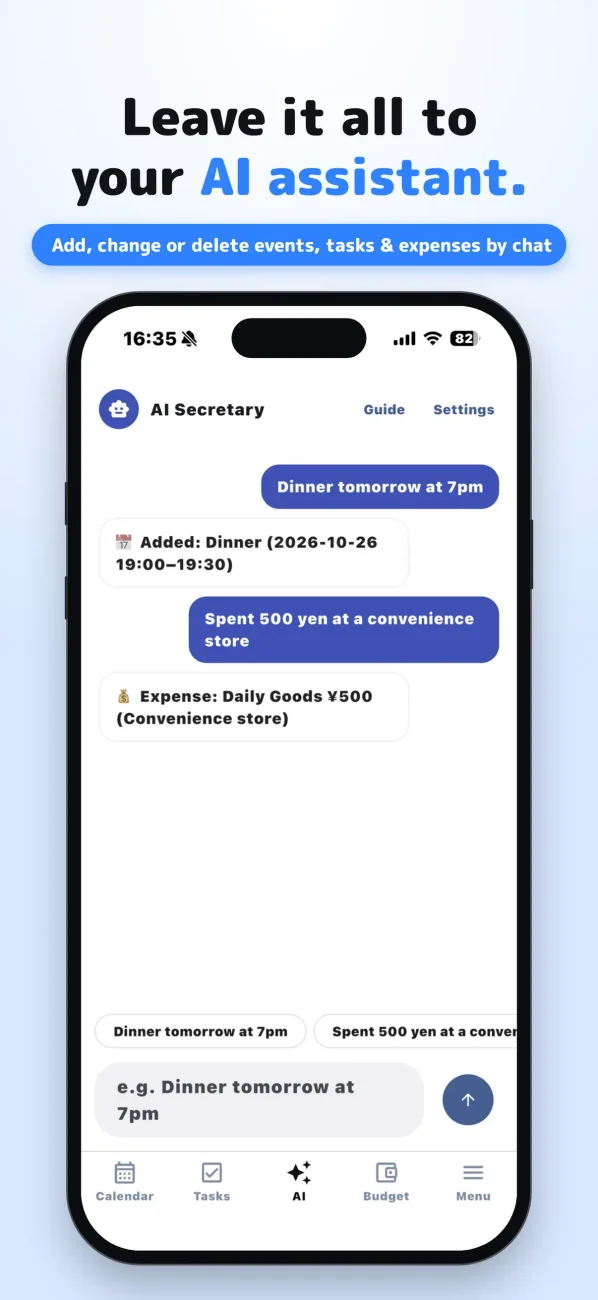
■ Leave it all to the AI Secretary
Just ask in chat and the AI adds, changes or deletes events, tasks and budget entries for you.
"Move the dentist to 4pm." "Delete the gym task." "Add dinner tomorrow at 7pm to the Family calendar."
When several items match you can pick from a list, and deleting always asks for confirmation first.
Note: the AI Secretary is only for managing events, tasks and your budget. It does not do chit-chat or give advice.
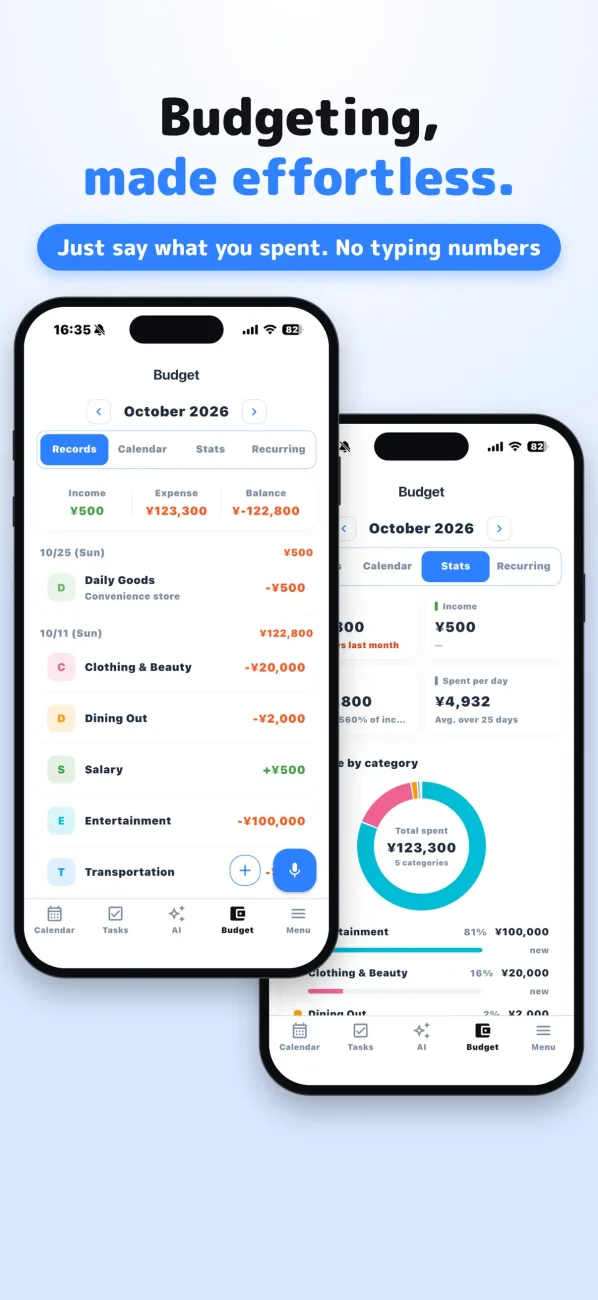
■ Budgeting, made effortless
Record expenses and income by voice or by hand — just say "Lunch 800 yen."
See your money flow with this month's balance, comparison with last month, category ranking, daily and monthly trends and your top 5 expenses.
Register recurring payments (subscriptions and more) and they're added to your budget automatically on payment day.
Note: the budget is personal and can't be shared.
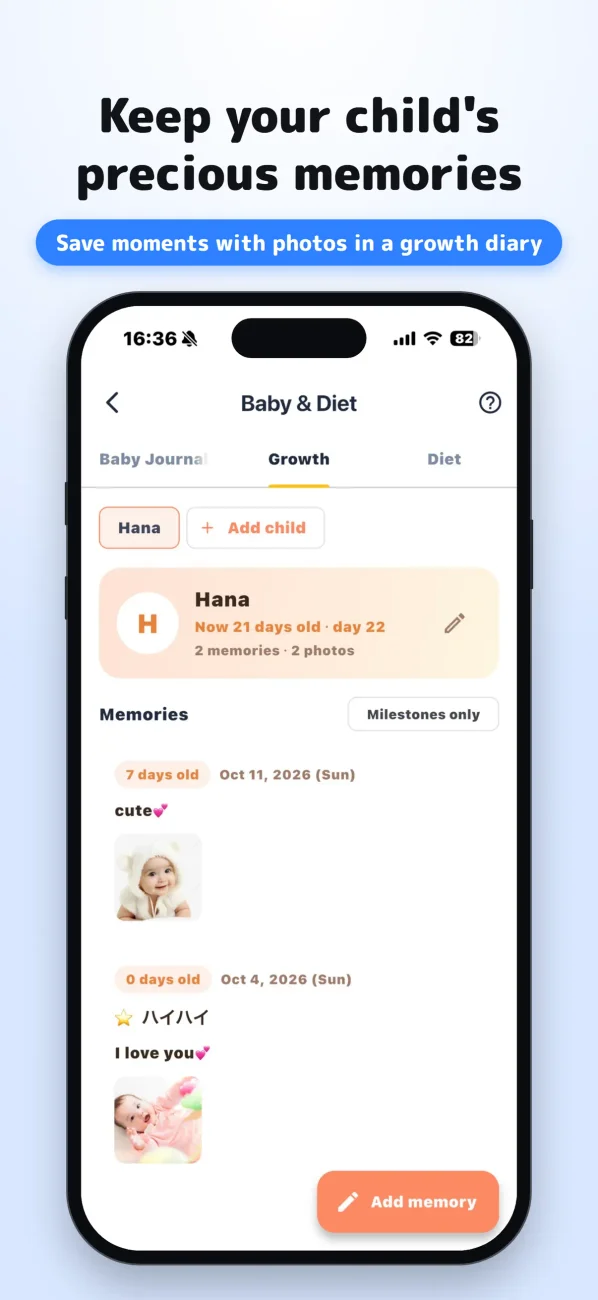
■ Keep your child's precious memories
Log milk, diapers, sleep, weight and temperature, with a reminder for the next feeding.
In the Growth Diary, save what your child learned to do, with photos (age in months shown automatically).
■ Home screen & lock screen widgets
See today's and tomorrow's events, tasks, memos and a month calendar without opening the app. Colors follow your theme. On iPhone, a "Next event" widget is available on the lock screen too.
■ And more
・Diary with text and photos, event stamps, colors, repeating events, reminders and holidays
・Diet tracking (weight, BMI, monthly graph)
・Theme colors
・Available in Japanese and English
■ Plans
・Free: all the main features (with ads; 20 AI Secretary uses in total; up to 10 photos a day)
・Pro (monthly subscription): no ads, unlimited AI Secretary, up to 100 photos a day, up to 20 shared calendars
Pro is an auto-renewing subscription. Payment is charged to your store account and renews automatically unless canceled at least 24 hours before the end of the period. You can cancel anytime in your store account settings.
Bring your scattered daily records together in Fullcal.
Terms of use: https://shabekare.github.io/shabekare-public/terms.html
What’s new
Version 2.3.0 · Oct 27, 2026
What's new in v2.3.0
Days with a diary, photos or a memory glow rainbow on the calendar!
"One-line memories" for shared calendars
Swipe to change months
Repeating events by voice! Say "Payday on the 25th of every month"
Smarter English voice input — delete, change and check events too
More Growth diary photos (Free 5 / Pro 50 a day)
New widgets, plus an iPhone lock screen widget
AI Secretary: add, edit and delete — shared calendars too
New First-time guide
App privacy
What Koki Fujimoto declares on the App Store about how this app handles data.
-
Data linked to you
May be collected and linked to your identity.
- Health and fitness
- User content
- Identifiers
Privacy practices may vary, for example with the features you use or your age.
Information
- Seller
- Koki Fujimoto
- Category
- Productivity
- Version
- 2.3.0
- Updated
- Oct 27, 2026
- Released
- May 23, 2026
- Size
- 82.4 MB
- Requires
- iOS 15.0 or later
- Age rating
- 4+
- In-app purchases
- Yes
- Languages
- Japanese, English
- Copyright
- © 2026 Koki Fujimoto
You might also like
-
 UniCal - カレンダー・ToDo・家計簿Productivity
-
 WAKER.Productivity
-
 VoiceCalendarProductivity
-
 uuniカレンダーProductivity
-
 俺のカレンダーアプリ - 予定と家計簿Productivity
-
 KomaRep: Pomodoro Day PlannerPlan your day, focus in blocks
-
 LumiCal: Family CalendarShared Planner for Couples
-
 Syn9Shared calendar, notes & chat
-
 Chrono Spark: AI PlannerPlan your goals, not your days
-
 Decoy: Hidden Lock Screen NoteNotes nobody else can see