
- Age rating4+
- CategoryProductivity
- DeveloperJorge Cohen
- LanguagesEnglish+ 15 more
- Size101.1 MB
Links to the official App Store page
Download.org hosts no file of Calendaria. The button opens its official App Store page, published by Jorge Cohen. Listing last checked on Nov 12, 2026.
Screenshots



About
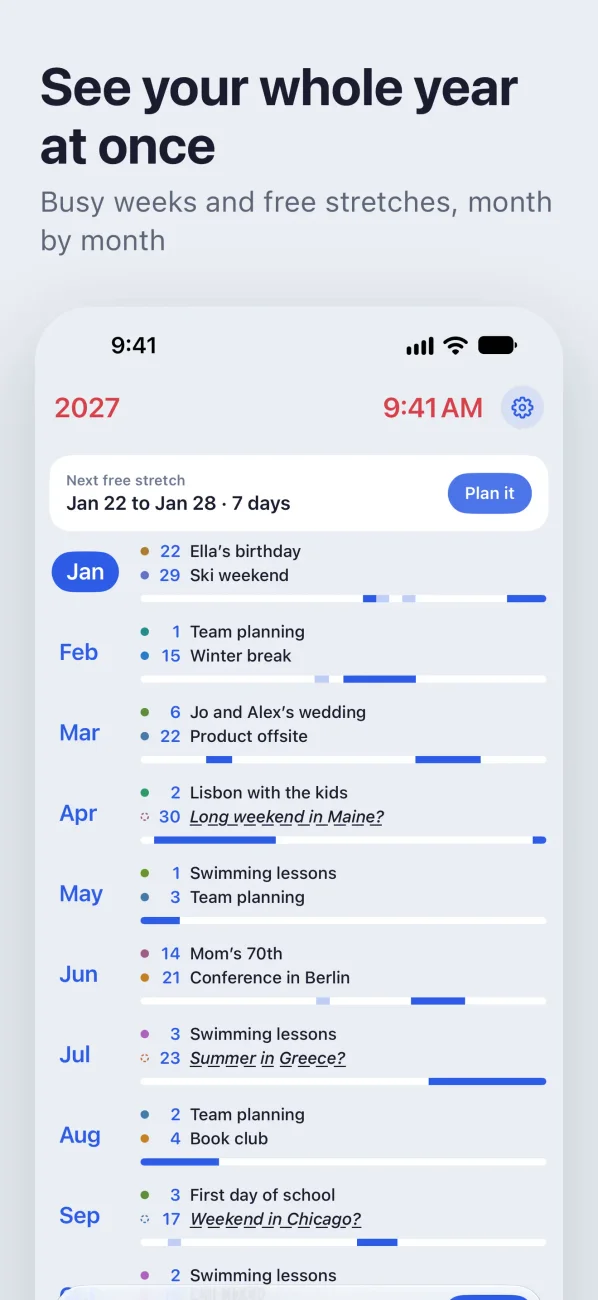
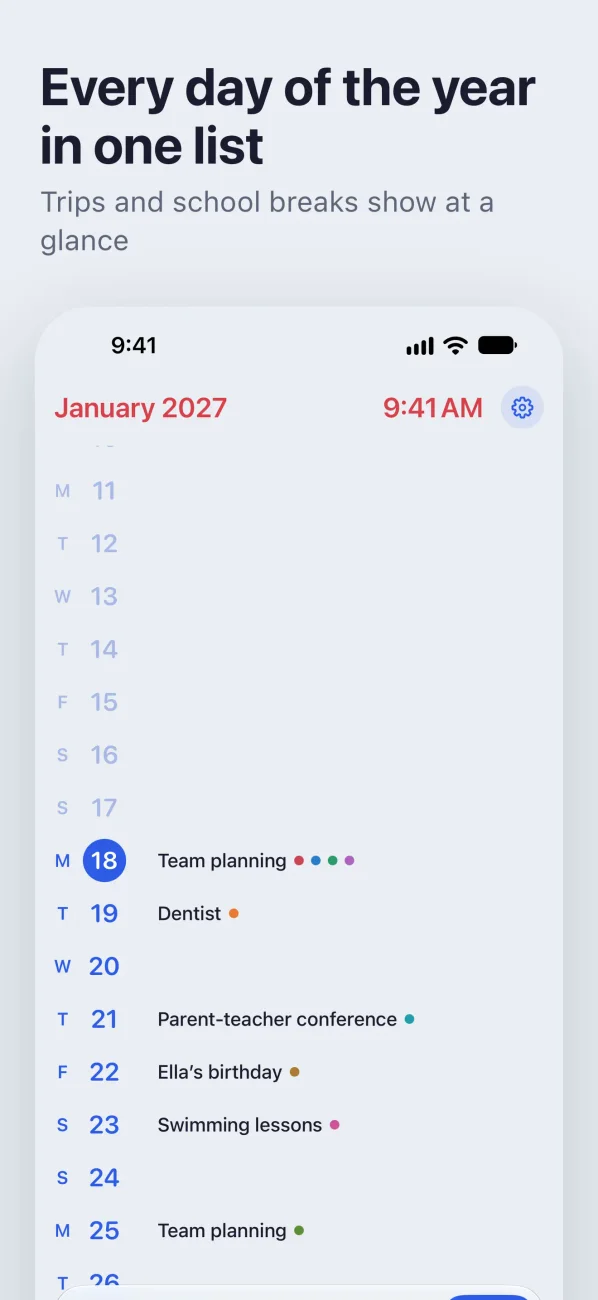
Calendaria shows your calendar as one continuous list, from January to December, and helps you plan it. Scroll through the year and the days that matter stand out, each with its most notable event next to the date.
SEE THE YEAR
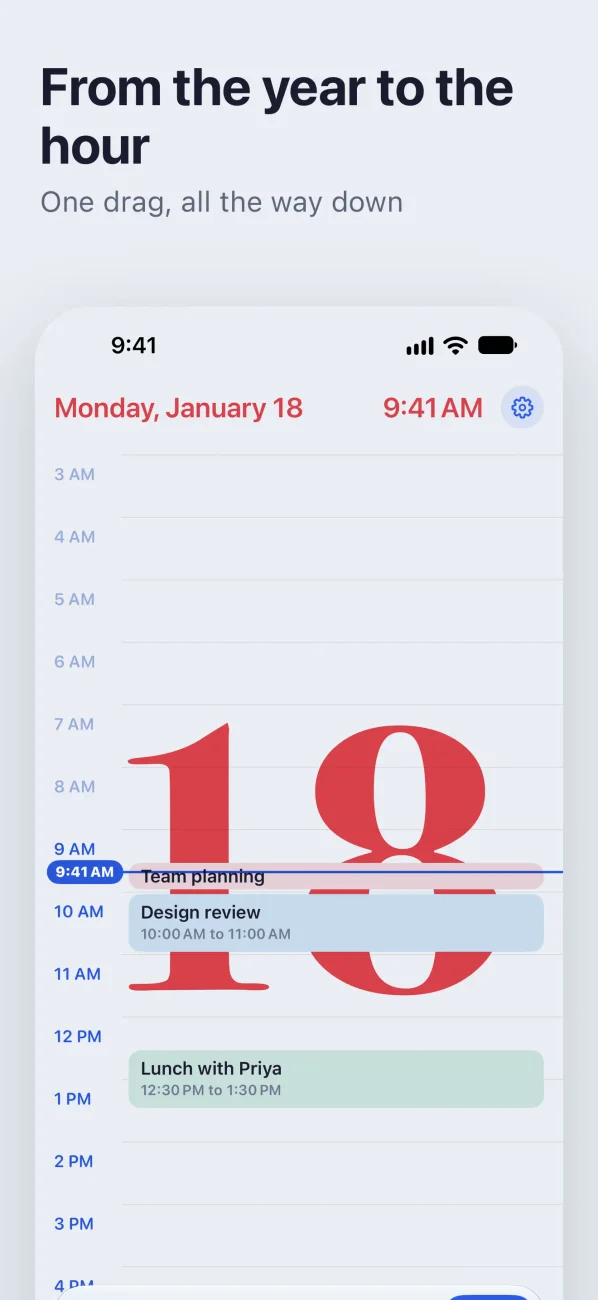
Drag across the screen or tap the tabs to move between three levels. Months shows the highlights of each month and a bar for every week, so busy weeks and free ones stand out. Days shows every date and what's on it. Hours shows each day in full, with longer events drawn as a single block. Pull past the end of the year to go to the next.
PLAN IT YOUR WAY
• Write plans the way you'd say them: "Lisbon with the kids April 2 to 10, then pizza night every third Wednesday". With Apple Intelligence, Calendaria reads whole paragraphs in any of its languages, right on your iPhone.
• Pencil in the maybes. They show dashed in your year until you confirm them, even from a widget.
• Find your free weeks. Calendaria shows the longest free stretch ahead; hold and drag across days to plan a trip and see what's already on.
• Add a set in one go: bank holidays for England and Wales, new and full moons, birthdays from Contacts, or school term dates pasted from your school's website.
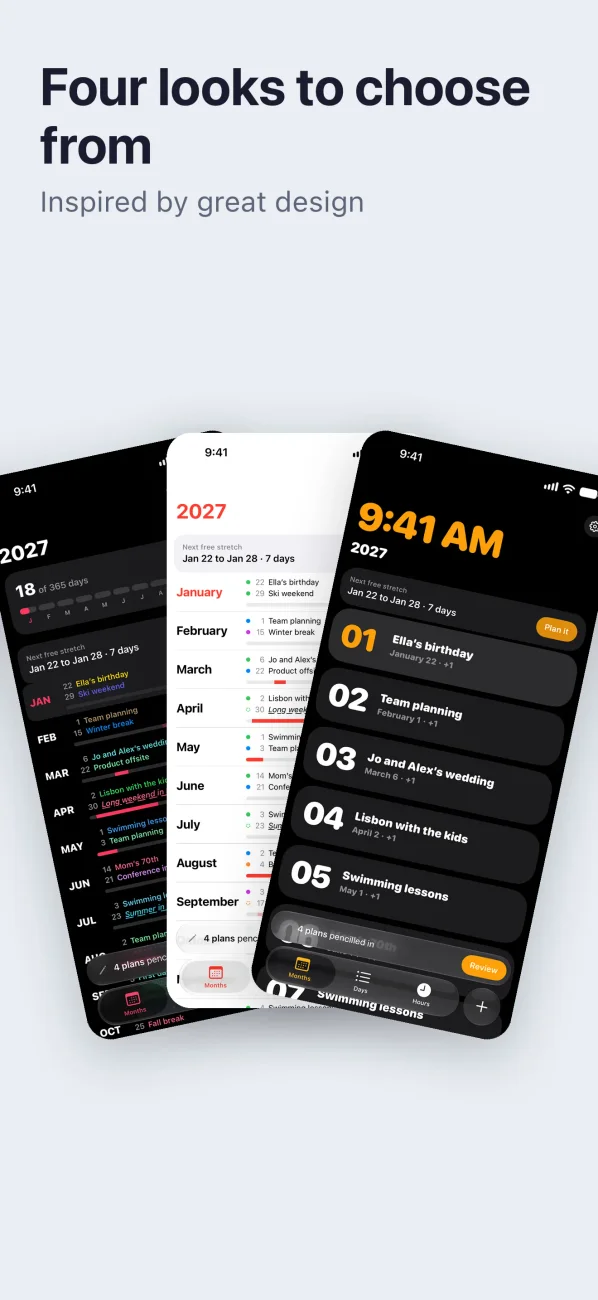
CHOOSE YOUR LOOK
• Lume: bright color on black, inspired by the Apple Watch.
• StandBy: big, easy-to-read type, with a red night mode after dark.
• Duet: soft paper tones with a large numeral of the day you're looking at.
• Battersea: clean and familiar, in light and dark.
Each look has its own options, and Calendaria can switch between two of them to follow your iPhone's light and dark setting.
WIDGETS
See today, your year in dots, what's coming up or your next free stretch on the Home Screen and Lock Screen, and add a plan from Control Center.
MADE FOR IPHONE DUO
Open it like a book: your days on one page, the hours of whichever day you pick on the other. See which weeks are filling up, and exactly when, without switching views. Fold it shut and the whole year is still there on the cover screen.
PRIVATE BY DESIGN
Calendaria reads the calendars you already use, including iCloud, Google and Exchange accounts added in Settings, and you choose which ones appear. Your events stay on your iPhone, and reading your plans happens on your iPhone too. No accounts, no tracking.
What’s new
Version 1.1.4 · Nov 9, 2026
See the year a season at a time. Turn on Quarters, and Months gathers your plans into four, with the free weekends left in each and room for more of what's coming.
Months and Days now each choose their own highlights. Color events by their calendar, pick a softer accent, and keep your next plan in the line above the Lock Screen clock. Penciling in works with Google calendars too.
App privacy
What Jorge Cohen declares on the App Store about how this app handles data.
-
Data not collected
The developer does not collect any data from this app.
Privacy practices may vary, for example with the features you use or your age.
Information
- Seller
- Jorge Cohen
- Category
- Productivity
- Version
- 1.1.4
- Updated
- Nov 9, 2026
- Released
- Oct 15, 2026
- Size
- 101.1 MB
- Requires
- iOS 27.0 or later
- Age rating
- 4+
- Price
- $4.99
- Languages
- English, Danish, Dutch, French, German, Italian, Japanese, Korean, Norwegian Bokmål, Portuguese, Simplified Chinese, Spanish + 4 more
- Copyright
- © 2026 Jorge Cohen
You might also like
-
 Marko: Markdown ViewerFast, native offline reader
-
 Pelican: AI Chat AssistantAsk anything. Get it done.
-
 DropTaskDistraction-Free Task Entry
-
 TypeDrawYour new Notebook
-
 Parchment: Agenda & Daily NoteStay Organized Stay Productive
-
 Monologue: Smart DictationVoice notes & meetings too
-
 Unforgetful: Never Lose a TaskTo-do reminders app for ADHD
-
 Open MinisYour Private On-Device Agent
-
 Finalist: Daily PlannerYour Whole Day on One Page
-
 Notion AgentsChat and search with Notion AI