Calendoc: Parallel Calendars
Calendar in up to 4 columns
Designed for iPhone, iPad
Free · In-app purchases
- Age rating4+
- CategoryProductivity
- DeveloperToshiki Izumi
- LanguagesEnglish+ 59 more
- Size29.9 MB
Links to the official App Store page
Download.org hosts no file of Calendoc: Parallel Calendars. The button opens its official App Store page, published by Toshiki Izumi. Listing last checked on Nov 27, 2026.
Screenshots

About
■ Don't merge. Line them up.
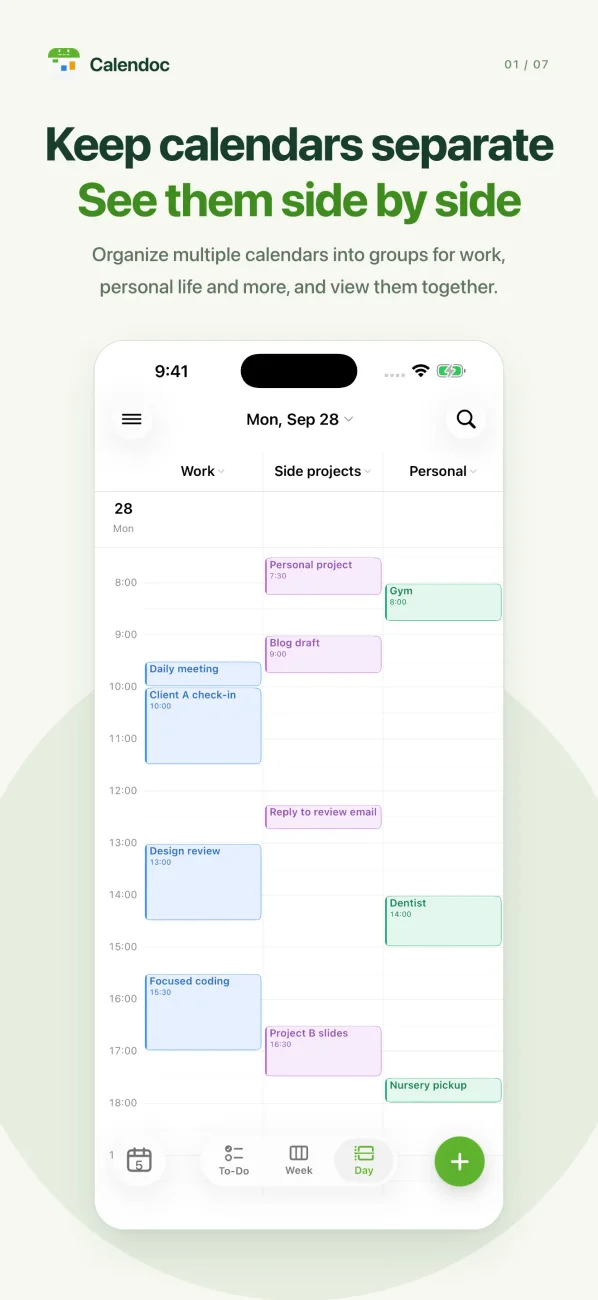
Work, side gigs, family, fandom. The more calendars you keep, the harder they are to read when everything is mixed into one timeline. You end up chasing colors and working out which event belongs to which role. Switching calendars hides conflicts on the side you cannot see.
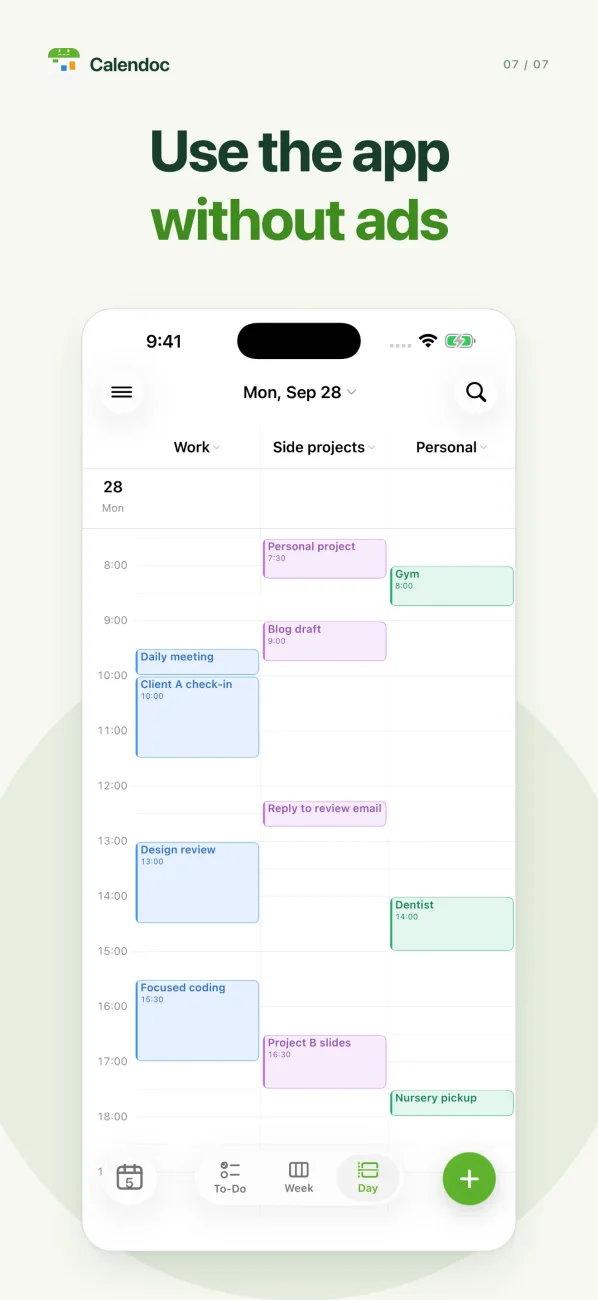
Calendoc gives each role its own vertical column. The free version lets you compare up to four columns on one screen, keeping work and personal schedules separate while making double-bookings easy to spot.
■ Built for
• Using both work and personal calendars
• Moving between several schedules for side gigs or multiple jobs
• Freelancing with a separate calendar for each client
• Keeping concerts, events, and livestreams in a dedicated fan calendar
• Wanting work and private life unmixed, but visible at the same time
■ Included for free
UP TO FOUR PARALLEL COLUMNS
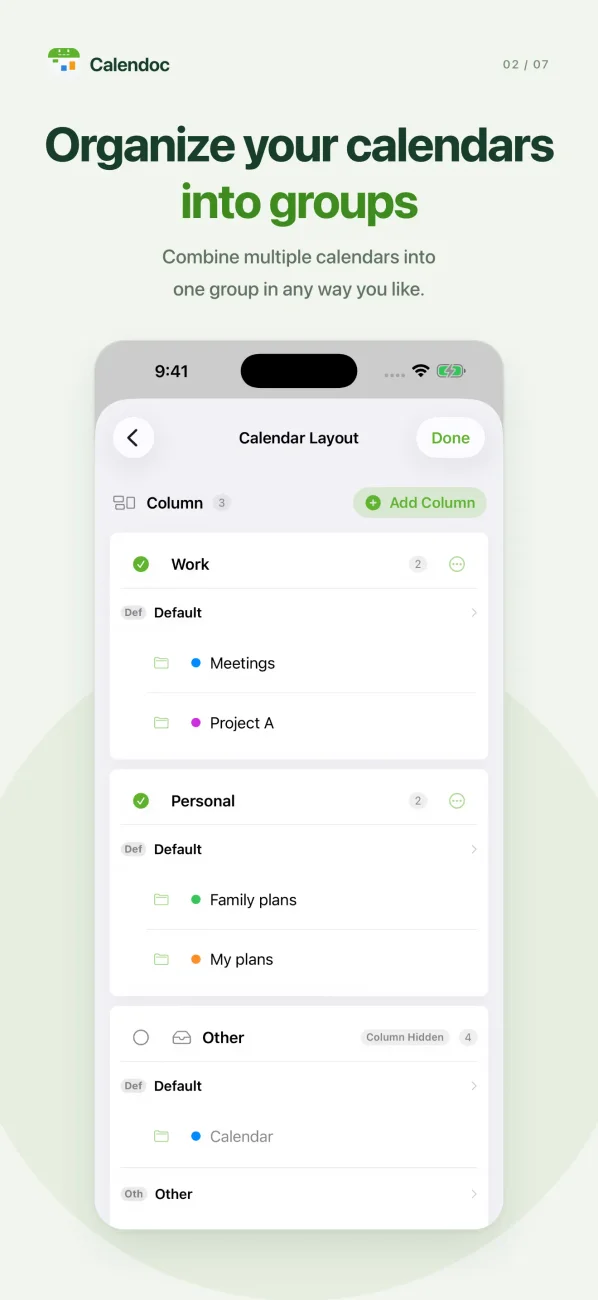
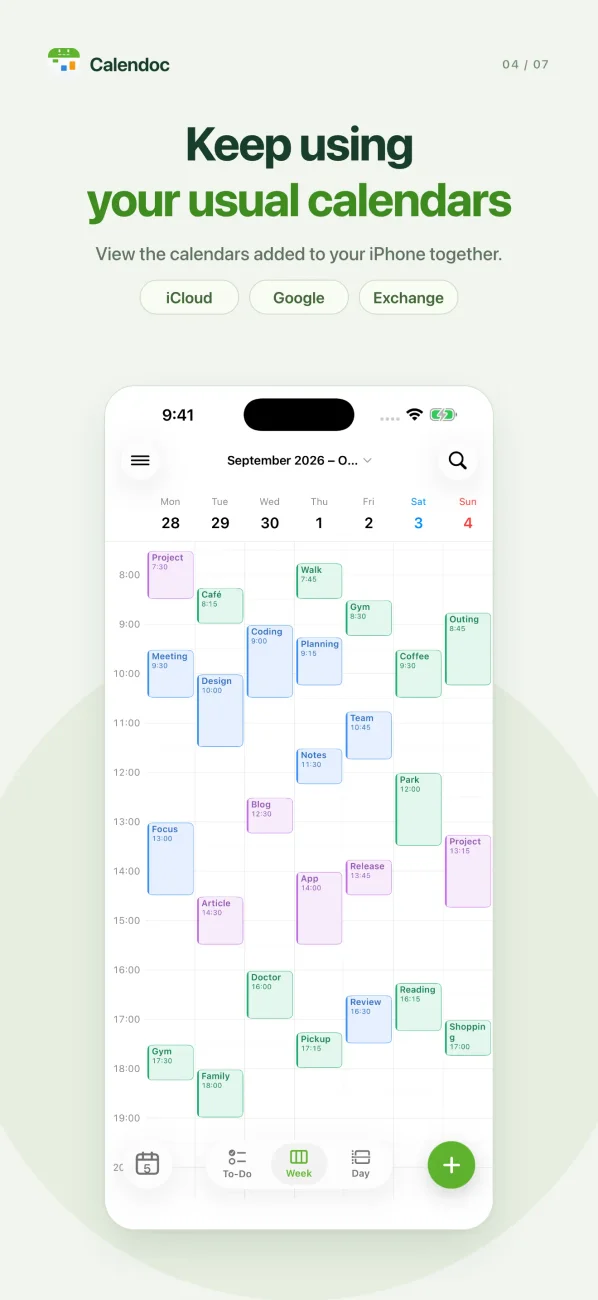
• Show calendars registered on your iPhone, including iCloud, Google, and Exchange, as side-by-side columns
• Day and week views with visibility controls for each group
• Arrange column order and choose which calendars appear in each group
CORE CALENDAR TOOLS
• Create, edit, and delete events, including recurring events
• Drag to move events or change their duration
• Copy and paste, plus Undo
• Search across multiple calendars
PLAN YOUR DAY
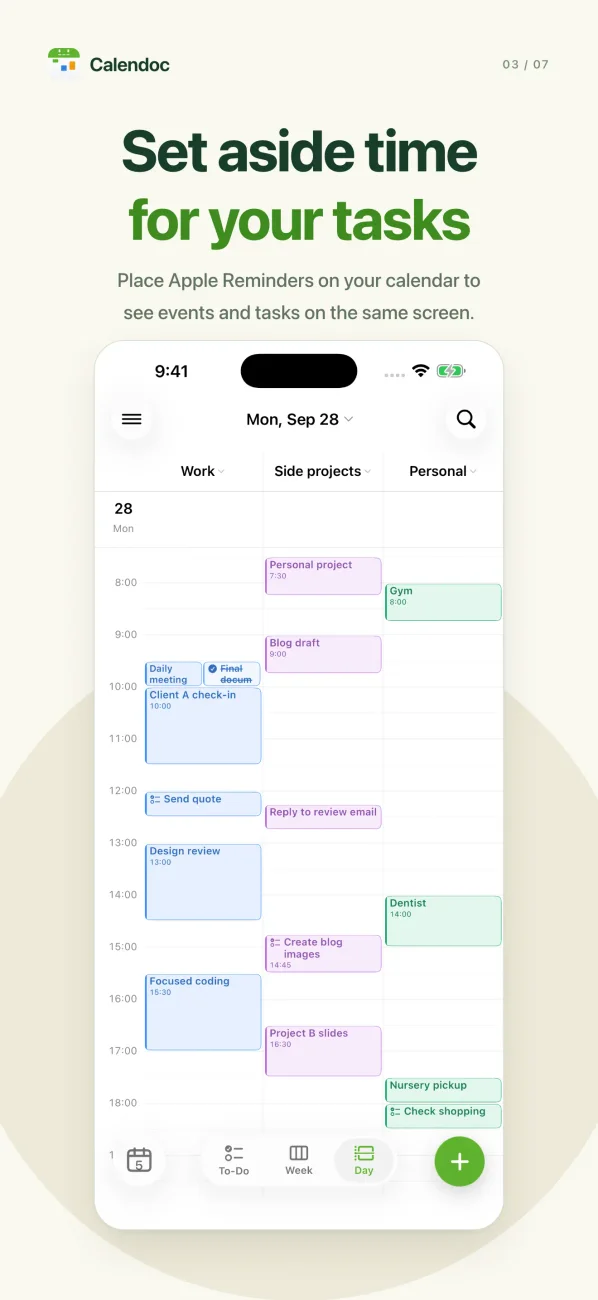
• Place Reminders on your timeline as time blocks
• See travel time
• Home Screen widgets
• Dark mode and multiple languages
Core calendar features and up to four parallel columns stay free. There are no ads.
■ When you need more
A one-time upgrade within this free app unlocks Pro features: five or more columns, Google working locations, RSVP and Google Tasks actions, event templates, and natural-language entry. There is no subscription, and a 14-day free trial is available.
■ Privacy
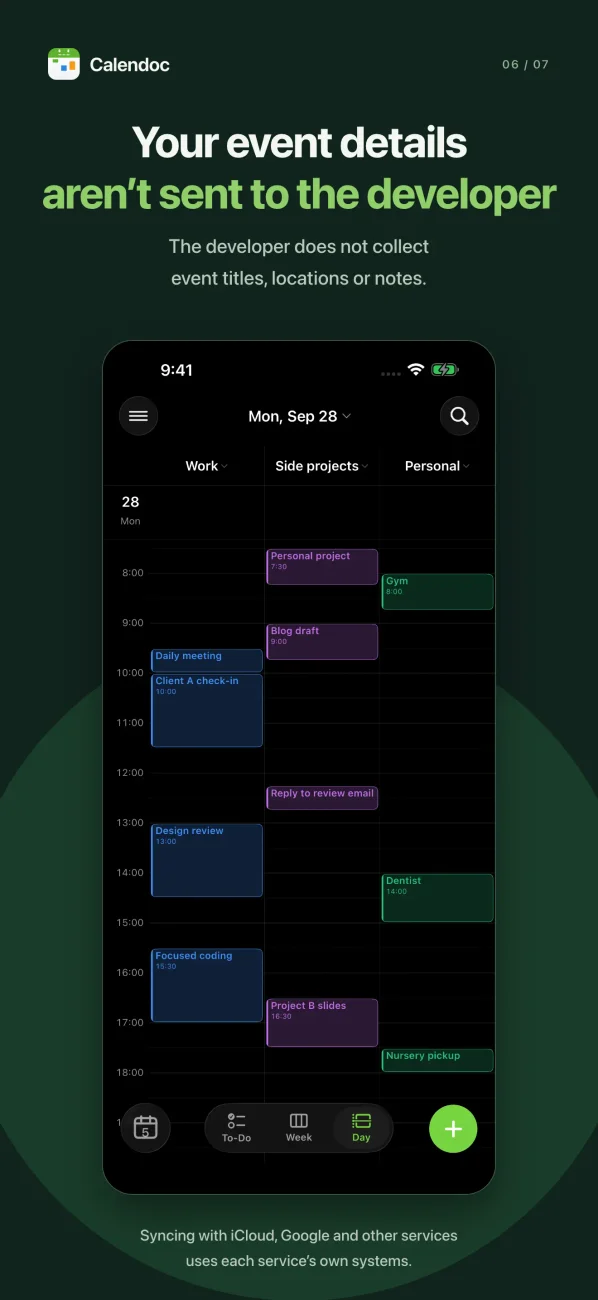
Your event details are not sent to the developer. Connections to external calendar services go directly from your device to the provider.
Questions or ideas? Reach out any time through the support page. Calendoc is built by one person, and every message gets read.
What’s new
Version 1.6.2 · Nov 26, 2026
Calendoc 1.6.2
• Added support for Japanese holidays.
• Tapping the current tab again now takes you to today's position.
• Fixed an issue where the date and scroll position could shift when switching between Day and Week view.
App privacy
What Toshiki Izumi declares on the App Store about how this app handles data.
-
Data not linked to you
May be collected but is not linked to your identity.
- Identifiers
- Usage data
Privacy practices may vary, for example with the features you use or your age.
Information
- Seller
- Toshiki Izumi
- Category
- Productivity
- Version
- 1.6.2
- Updated
- Nov 26, 2026
- Released
- Jul 29, 2026
- Size
- 29.9 MB
- Requires
- iOS 18.0 or later
- Age rating
- 4+
- Price
- Free
- In-app purchases
- Yes
- Languages
- English, Albanian, Arabic, Armenian, Azerbaijani, Bengali, Bulgarian, Burmese, Cambodian, Catalan, Croatian, Czech + 48 more
- Copyright
- © 2026 イズミアプリケーション
You might also like
-
 Routine Planner - Time BlockWeekly Schedule & Time Blocks
-
 Habit Maker & Weekly PlannerHabit Tracker for work & life
-
 Piece DayPaper-style habit tracker
-
 Famnly: Shared Family CalendarKids, chores & school planner
-
 Roomy Calendar: Simple PlannerSimple, Clean & Easy Calendar
-
 GIORNO DiaryCalendar, Planner,Shifts, Task
-
 TaskFlow - タスク&タイムラインProductivity
-
 My Routine SchedulerChart & Timeline Daily Planner
-
 カレタス - 予定もタスクも管理できるカレンダーProductivity
-
 Calendar+ 2: Planner WidgetAI Day Schedule & Agenda