Cam Screen Cast
Facecam & Dual Recorder
Designed for iPhone
Free · In-app purchases
- Age rating4+
- CategoryPhoto & Video
- DeveloperNataliia Kovryzhenko
- LanguagesEnglish+ 4 more
- Size6.9 MB
Links to the official App Store page
Download.org hosts no file of Cam Screen Cast. The button opens its official App Store page, published by Nataliia Kovryzhenko. Listing last checked on Nov 15, 2026.
Screenshots


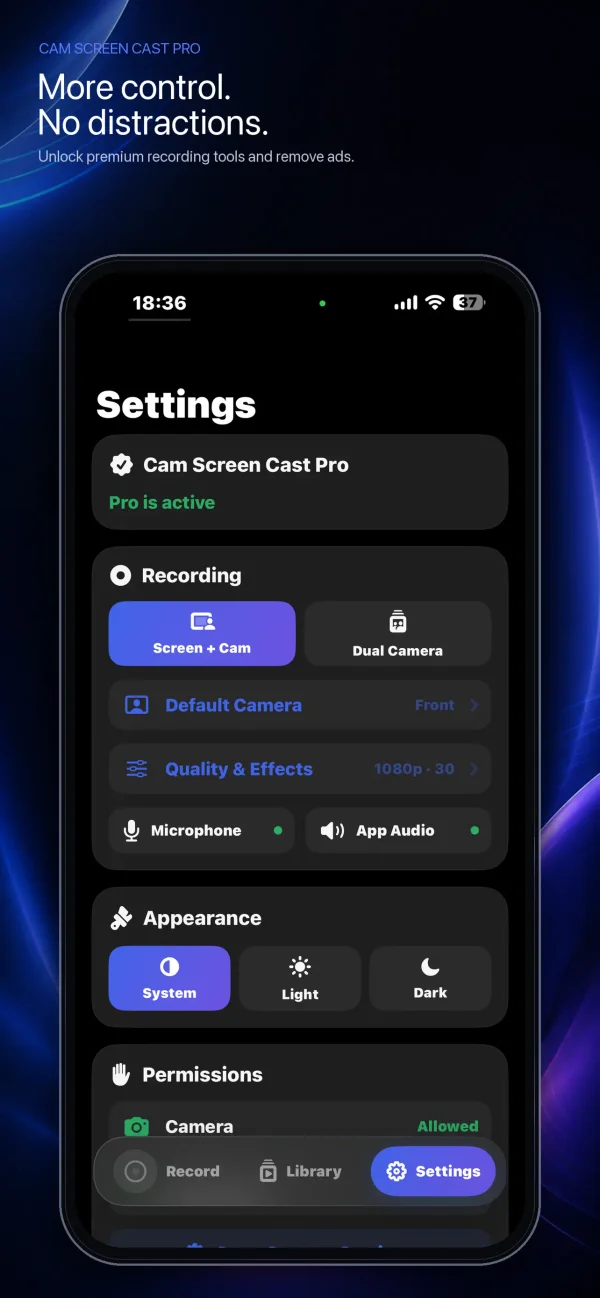
About
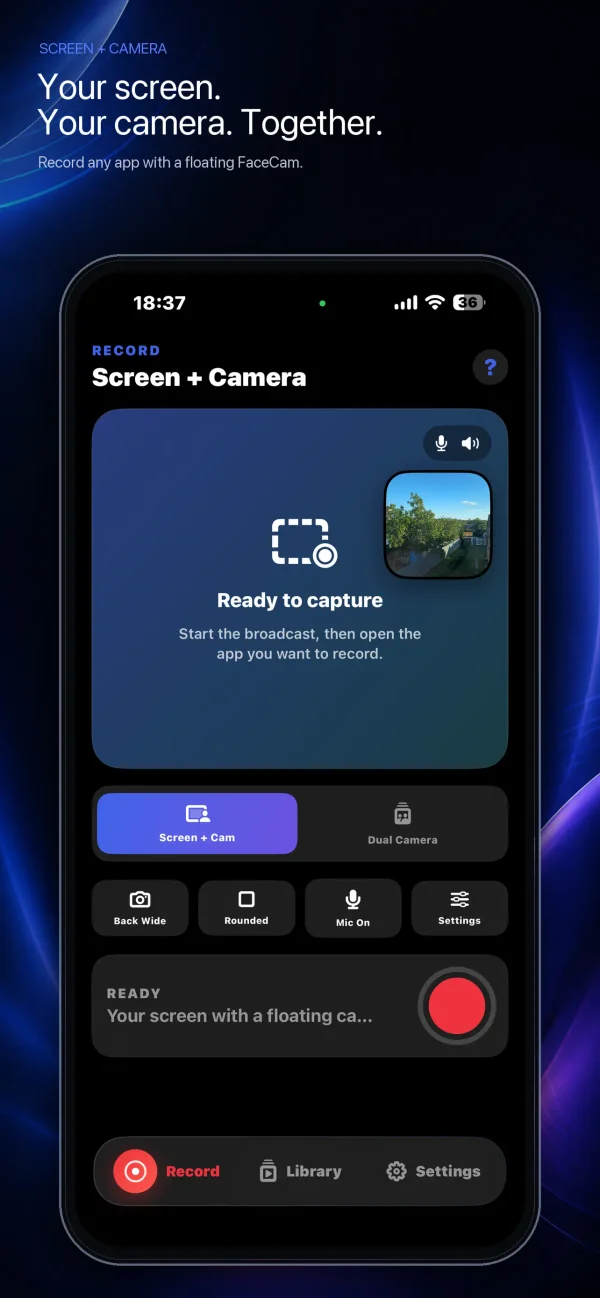
Record your screen and camera together with Cam Screen Cast — a flexible recording tool built for tutorials, gameplay, reactions, demonstrations, presentations and creative videos.
SCREEN + CAMERA
Capture your iPhone screen while keeping a floating FaceCam visible as you move between supported apps. Choose the front or rear camera, record your voice and app audio, and customize the camera window to match your content.
DUAL CAMERA
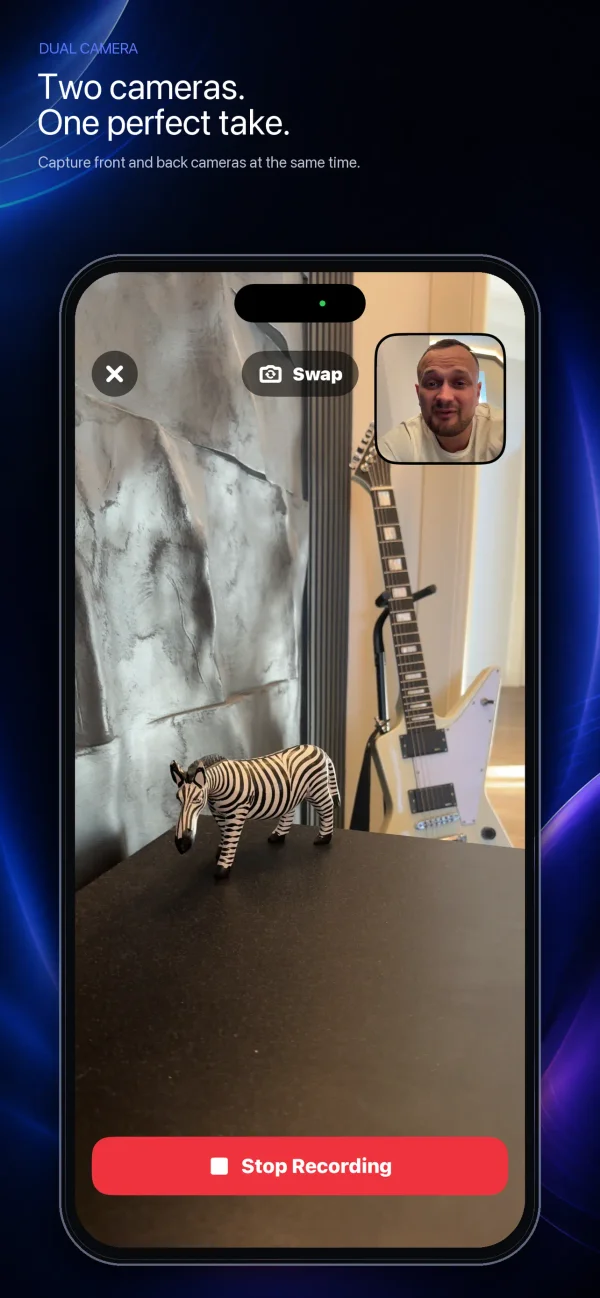
Record the front and back cameras at the same time on supported iPhones. Use one camera as the main view and display the other as a customizable inset. Swap the primary camera whenever you need a different perspective.
MAKE EVERY RECORDING YOURS
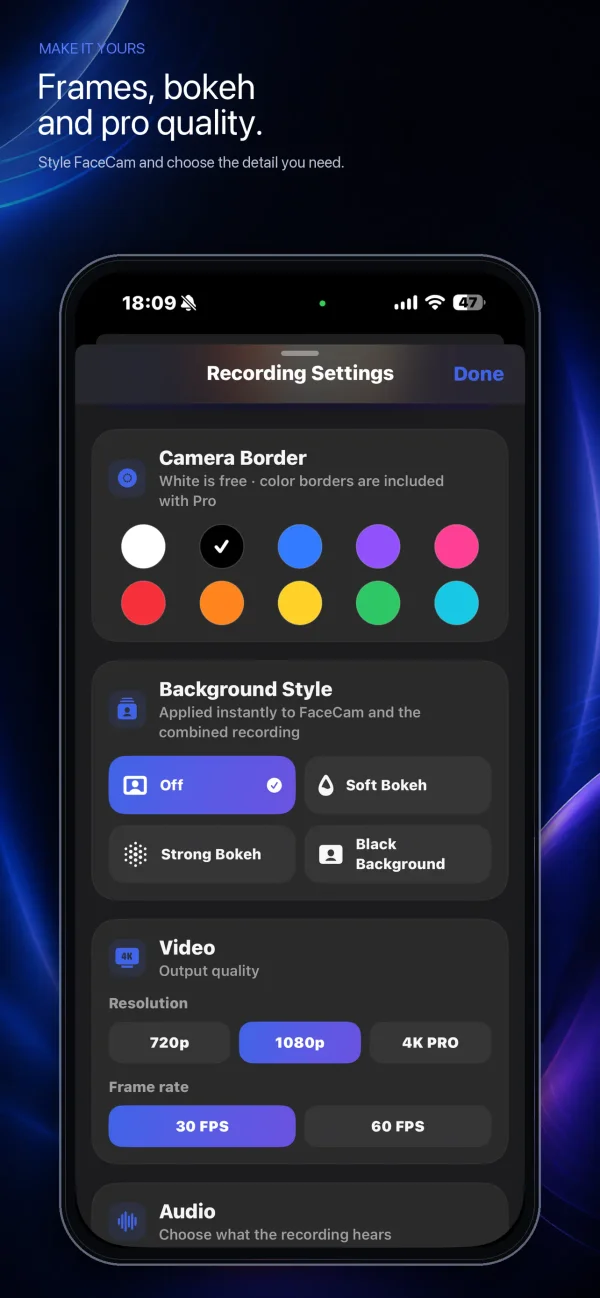
• Choose rounded, portrait or landscape camera frames
• Customize the FaceCam border color
• Reposition and resize the camera window
• Add Soft Bokeh, Strong Bokeh or a black camera background
• Select 720p, 1080p or up to 4K where supported
• Choose 30 or 60 FPS for supported recording modes
• Record microphone and app audio
• Use an audible 3, 5 or 10-second countdown
• Save one combined video or keep separate camera sources
• Automatically export completed recordings to Photos
• Organize, preview, rename, share and delete recordings in the Library
CAM SCREEN CAST PRO
Upgrade with a single, non-consumable purchase to unlock:
• Unlimited recording duration
• Up to 4K recording where supported
• Combined and separate source files
• Additional camera border colors
• No advertising
• No watermark
The free version includes recordings up to one minute with advertising and a Cam Screen Cast watermark.
IMPORTANT
Dual Camera requires an iPhone that supports simultaneous MultiCam capture. Floating FaceCam over other apps uses Apple Picture in Picture and depends on camera multitasking support available on the device and iOS version.
Recordings are stored locally on your device unless you choose to save or share them.
What’s new
Version 1.1 · Aug 30, 2026
-Added localization
-Bugs fixed
App privacy
What Nataliia Kovryzhenko declares on the App Store about how this app handles data.
-
Data used to track you
May be used to track you across apps and websites owned by other companies.
- Identifiers
-
Data linked to you
May be collected and linked to your identity.
- Location
- Identifiers
- Usage data
-
Data not linked to you
May be collected but is not linked to your identity.
- Diagnostics
Privacy practices may vary, for example with the features you use or your age.
Information
- Seller
- Nataliia Kovryzhenko
- Category
- Photo & Video
- Version
- 1.1
- Updated
- Aug 30, 2026
- Released
- Aug 20, 2026
- Size
- 6.9 MB
- Requires
- iOS 17.0 or later
- Age rating
- 4+
- Price
- Free
- In-app purchases
- Yes
- Languages
- English, German, Russian, Spanish, Ukrainian
- Copyright
- © 2026 MYHVN
You might also like
-
 Sidekick: Dual Camera RecorderRecord Front & back video Vlog
-
 BRAIQ CamScreen record + face cam
-
 Reel: Screen Recorder Face CamCamera Overlay, No Watermark
-
 IllusionCamLive camera illusion effects
-
 Swipely: Carousel & Photo DumpCollage Maker & Seamless Posts
-
 ScreenDuo: Screen RecorderScreencast & Camera Editor
-
 Doble Cam: Dual Camera VideoRecord front and back at once
-
 FaceCam: Face + ScreenRecord your screen and face
-
 CamScreen: Photo MonitorRear Camera Selfie&Pose Helper
-
 BlurClip - Blur VideoHide faces and license plates