Camera M - Pro Manual Camera
RAW, ProRAW, Bracket, & Macro
Designed for iPhone, iPad, iPod touch
$8.99
- Age rating4+
- CategoryPhoto & Video
- Developerbxb
- LanguagesEnglish+ 4 more
- Size31.6 MB
Links to the official App Store page
Download.org hosts no file of Camera M - Pro Manual Camera. The button opens its official App Store page, published by bxb. Listing last checked on Nov 26, 2026.
Screenshots





About
Camera M is a professional manual camera app designed to do one thing exceptionally well — help you capture beautiful photos at the highest possible quality with powerful, precise manual controls akin to a DSLR.
HIGHLIGHTS
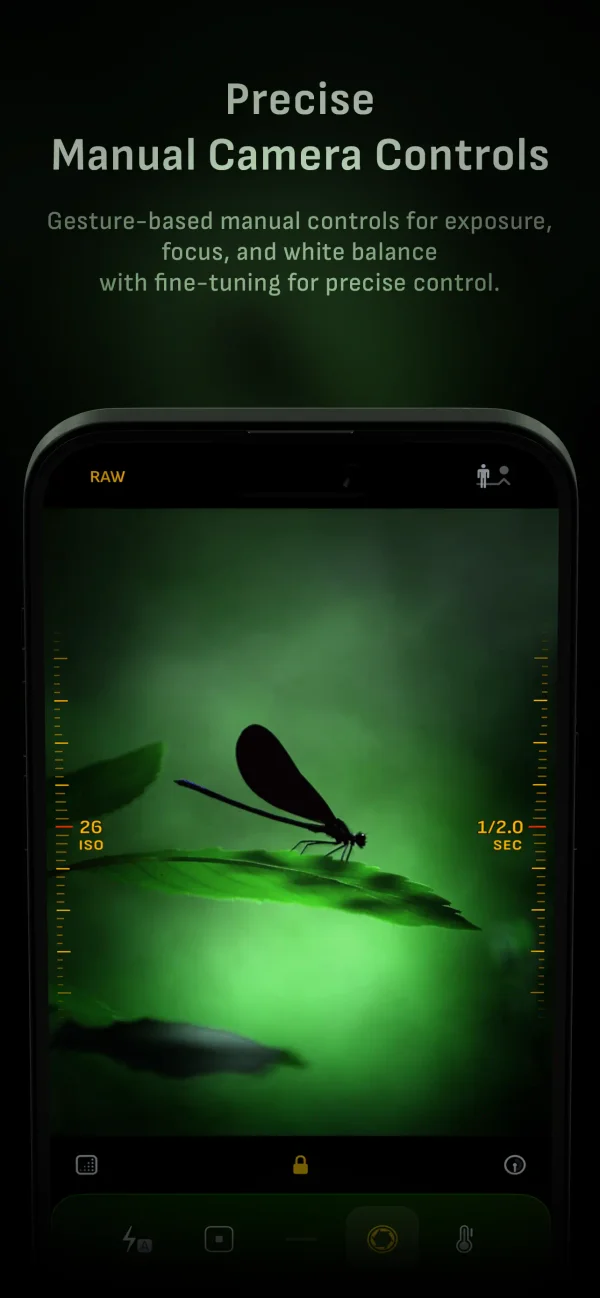
• Fluid gesture-based native manual controls with Fine-Tuning feature
• iOS 27 optimization with Liquid Glass design
• Optimized for iPhone 18 Pro, with aperture control
• Zero-process RAW support for the most natural look
• Max Image Processing to ensure the absolute best image quality
• ProRAW*, RAW, HEIF, JPEG, TIFF, and PNG image formats
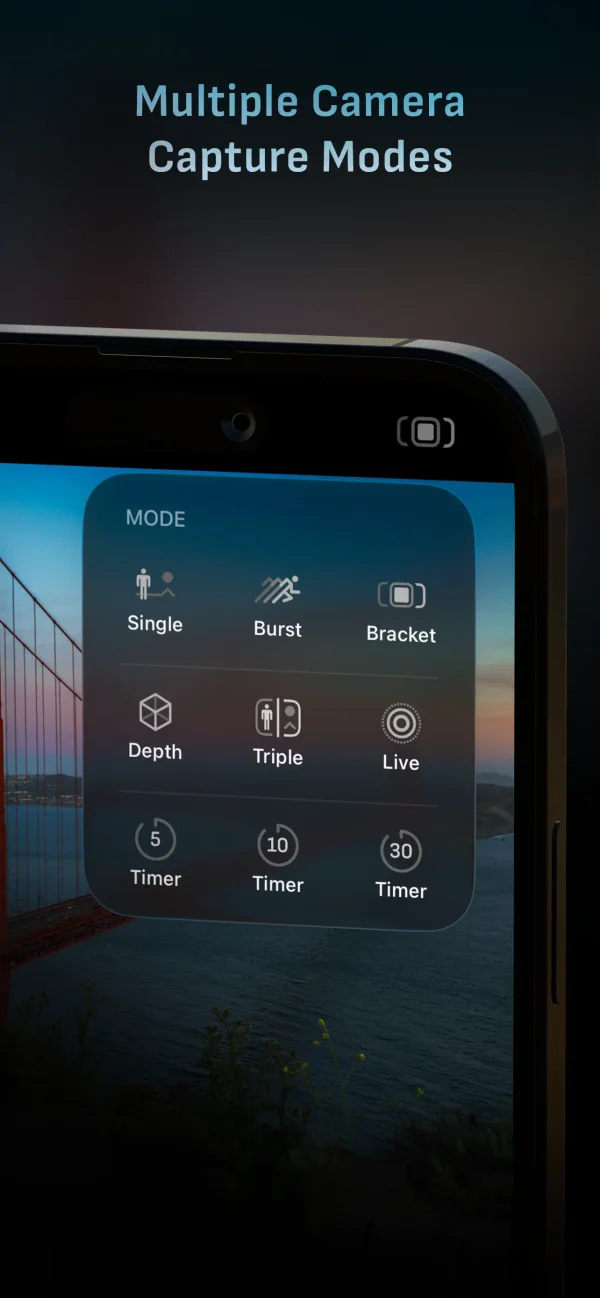
• Single, Burst, Timer, Live, Depth*, Dual Photo*, and Bracket shooting modes
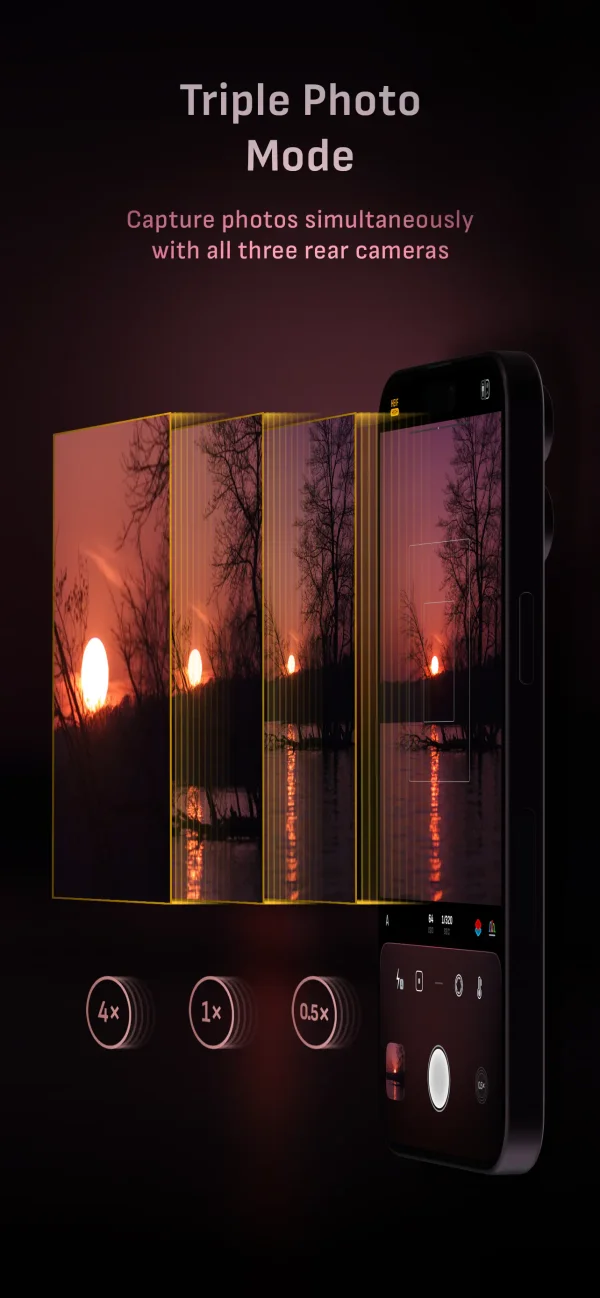
• Triple Photo mode with simultaneous ultra-wide, wide-angle, and telephoto camera capture*
• Minimum focus distance display for macro photography
• Intelligent Focus Tracking
• Focus Peaking and 4x magnifier loupe with panning function
• Live RGB and RGB luminance histograms
• Manual gray card calibration
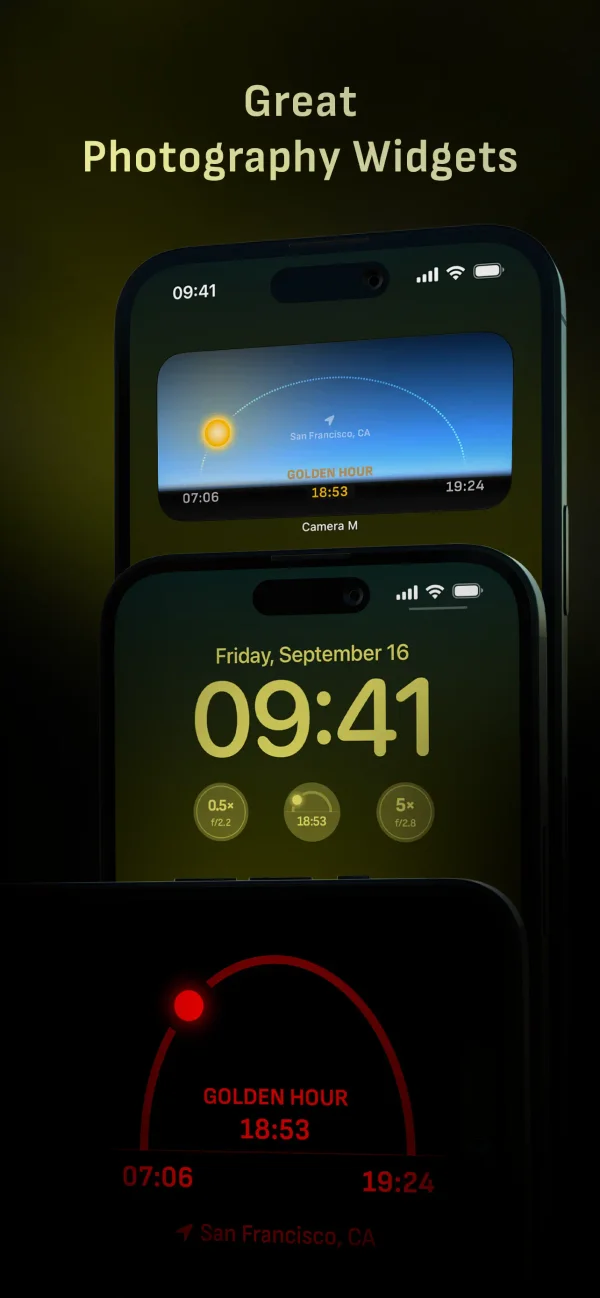
• Great widgets for photography
• Darkroom integration
CAMERA CONTROLS
– Manual focus
– Macro and Scene focus presets
– Exposure bias
– Manual ISO & exposure duration adjustments
– ISO & exposure duration semi-priority modes
– Manual white balance temperature and tint
– White balance presets
– Gray card white balance calibration
– Auto, on, and off flash modes
– Manual torch brightness level
– Manual switching between Ultra Wide, Wide, and Telephoto cameras*
– Digital pinch zoom with 10x range
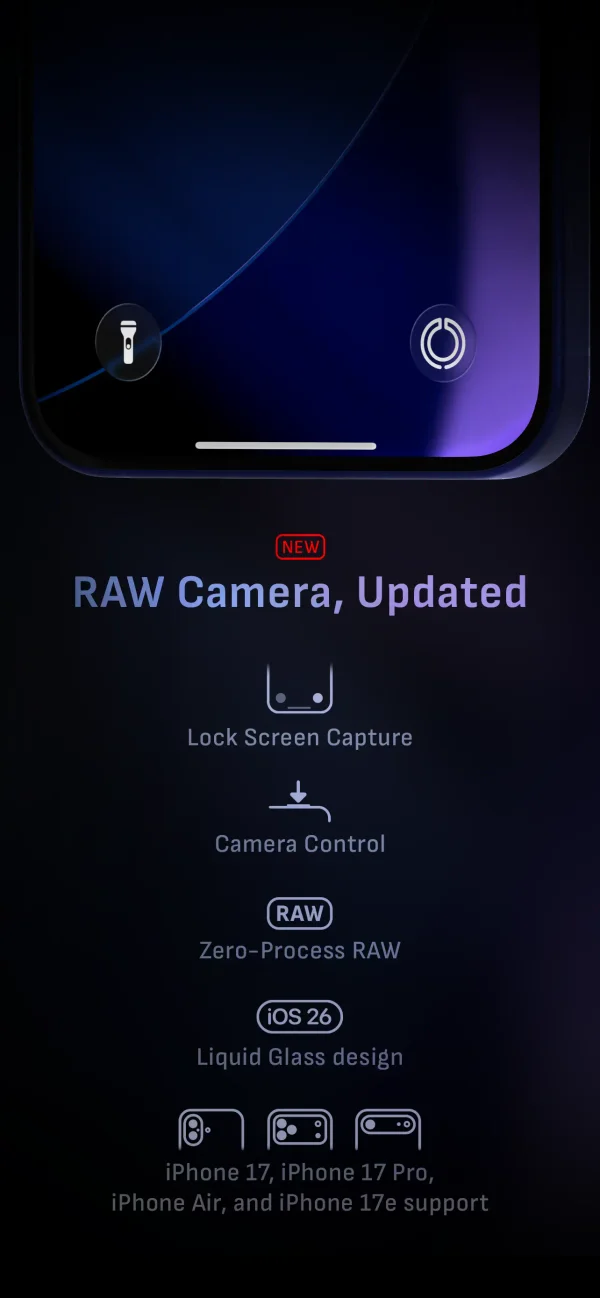
– Camera Control support for all manual controls
– Lock Screen camera capture support
IMAGE FORMATS
– Apple ProRAW*
– RAW with stabilization
– HEIF with optional minimum compression
– JPEG with optional minimum compression
– TIFF
– PNG
– Live Photo
– P3 wide color support*
SHOOTING MODES
– Single
– Burst
– Timer
– Depth*
– Dual/Triple Photo*
– Live Photo*
– Bracket
TOOLS
– Exposure offset gauge
– Intelligent Focus Tracking
– Live focus peaking assistant
– 4x magnifier loupe with panning function
– Minimum focus distance display
– Live RGB and RGB luminance histograms
– Highlight & shadow alert display
– Horizon level with available pitch tracking and flat options
– Rule of Thirds, Golden Ratio, Quadrant, and Square grids
– Siri Shortcuts and App Shortcuts
– Detailed camera specifications display with PDF export
MAX IMAGE PROCESSING
– Deep Fusion and Smart HDR support for iPhone 11 and later.
– Ensures maximum image quality with better noise reduction, image stabilization, and additional processing for all other iPhones and iPads
ZERO-PROCESS RAW
– Capture standard RAW files with no extra processing
PHOTO LIBRARY
– Summarized and full EXIF metadata display
– Location data display with compass and elevation
– RGB and RGB luminance histogram displays
– Access to all photo albums and folders
WIDGETS
– Home Screen: Golden Hour, EXIF, and Cameras
– Lock Screen: Cameras and Golden Hour
– Control Center: Focus, exposure, and white balance
APPLE WATCH SUPPORT
– Shutter button control
– Sunrise, sunset, and Golden Hour display with sun position indicator
ERGONOMICS
– True one-handed control on all iPhones
– An uncompromising approach to user experience in landscape orientation
ACCESSIBILITY
– Dynamic Type support
– Bold Text support
– Increase Contrast support
TECHNOLOGY
Camera M is powered exclusively by native APIs and frameworks. There are absolutely no dependencies on any outside sources. This makes it responsive and efficient — from its small download size to its quick app launch times.
We hope you enjoy taking amazing photos with Camera M!
Website: www.camera-m.com
User manual: www.camera-m.com/manual
Get in touch: contact@camera-m.com
Follow us: @CameraMApp
#CameraM
* These features are available on supported devices only.
* Depth capture for selfies requires an iPhone or an iPad with a TrueDepth camera system.
* Apple ProRAW capture requires iPhone 12 Pro or later.
* For more information on device and feature compatibility: www.camera-m.com/compatibility
What’s new
Version 10.0 · Oct 19, 2026
Welcome to Camera M 10!
As Camera M celebrates its ninth year, we’re excited to introduce version 10 — featuring aperture control and exposure priority modes.
• iPhone 18 Pro Aperture Control
Camera M has always been about camera controls. This year, we complete the exposure triangle by bringing aperture control to the exposure screen. Drag left or right on the exposure screen to adjust the aperture from f/1.48 to f/4.0, including any value in between. For slower, more precise adjustments, drag farther from the gauge as usual. You can also turn on presets and let Camera M choose the recommended aperture value closest to your selection. Available only the 1× and 2× cameras on iPhone 18 Pro.
You can even adjust the aperture with Camera Control!
• iPhone 18 Pro Exposure Priority Modes
We’ve been eagerly awaiting exposure priority modes, and they’re finally here: Aperture Priority and Shutter Priority. In Aperture Priority, you set the aperture while the auto-exposure system adjusts ISO and shutter speed as needed. In Shutter Priority, you set the shutter speed while the system adjusts ISO and aperture.
We’ve kept the familiar exposure screen, with ISO on the left and shutter speed on the right, and added horizontal aperture control. Rather than requiring dedicated priority modes, you can choose which settings to lock and which to leave on Auto: ISO, aperture, and shutter speed. Values that are locked are shown in orange - simple.
These modes also support 48 MP capture with ProRAW, HEIF, and JPEG.
Following combinations are supported on iPhone 18 Pro:
ISO auto | Aperture auto | Shutter auto
ISO auto | Aperture auto | Shutter locked
ISO auto | Aperture locked | Shutter auto
ISO auto | Aperture locked | Shutter locked
ISO locked | Aperture locked | Shutter locked
• More for iPhone 18 Pro
Some of these new controls extend to other capture modes: Depth and Triple Photo now support Aperture Priority, Shutter Priority, and manual focus in some situations.
OTHER IMPROVEMENTS
Aperture Value Display — On iPhones, you can now see all three exposure settings at a glance on the main camera screen: ISO, aperture, and shutter speed.
ProRAW — ProRAW now uses the JPEG XL codec on supported devices.
Exposure Offset Gauge — The exposure offset gauge shows how the camera’s automatic exposure system views the current exposure, helping guide your manual adjustments. On modern iPhones, it now sits at the top of the screen, leaving more of the camera preview unobstructed.
Histogram — Our beautifully animated histogram is both useful and easy to read. You can now drag it to the top or bottom of the screen, and Camera M will remember its position next time.
App Launch — We’re committed to keeping Camera M fast and lightweight as we add new features. In version 10, we’ve improved launch times so the camera preview appears sooner, while also reducing energy use compared with previous versions.
Accessibility — Camera M is designed to make manual photography accessible on iPhone and iPad, and we’re continually working to improve the experience. When Increase Contrast setting is enabled, semi-transparent backgrounds now appear behind labels for all manual controls, making them easier to read. You can also configure accessibility options separately for each app, if needed.
Other — We’ve made several small updates across the app to improve the user interface as part of our ongoing efforts to make your experience better.
Please check www.camera-m.com/updates for more comprehensive details.
We're a small, two-person developer team. If you're enjoying Camera M, we'd truly appreciate you spreading the word on social media - your support genuinely helps us continue building and improving the app.
We hope you capture incredible photos with Camera M!
More information: www.camera-m.com
User manual: www.camera-m.com/manual
Get in touch: contact@camera-m.com
Follow us: @CameraMApp
#CameraM
App privacy
What bxb declares on the App Store about how this app handles data.
-
Data not collected
The developer does not collect any data from this app.
Privacy practices may vary, for example with the features you use or your age.
Information
- Seller
- bxb, LLC
- Category
- Photo & Video
- Version
- 10.0
- Updated
- Oct 19, 2026
- Released
- Aug 3, 2017
- Size
- 31.6 MB
- Requires
- iOS 16 or later
- Age rating
- 4+
- Price
- $8.99
- Languages
- English, German, Japanese, Simplified Chinese, Spanish
- Copyright
- © bxb, LLC
You might also like
-
 CameraPixels PROUnique photo and video camera
-
 ProShotDSLR Camera: ProRAW & ProRes
-
 Macro ModeMacro Photography Camera
-
 DSLR CameraThe complete photo & video app
-
 RAW PowerJPEG / RAW Editor & Manager
-
 AuraHDR CameraRAW Brackets & Focus Stacking
-
 Light Stack CameraAI-Stabilized Long Exposures
-
 Pro Camera - ReeflexLong Exposure & DSLR Controls
-
 Camac16EV HDR, SuperRes, JPEG XL
-
 LuwianPro camera, photo,video,editor