
Luwian
Pro camera, photo,video,editor
Designed for iPhone, iPad
Free · In-app purchases
- Age rating4+
- CategoryPhoto & Video
- DeveloperErkan SIRIN
- LanguagesEnglish+ 18 more
- Size210.6 MB
Links to the official App Store page
Download.org hosts no file of Luwian. The button opens its official App Store page, published by Erkan SIRIN. Listing last checked on Nov 22, 2026.
Screenshots



About
Luwian & Raw Magic Pro: Capture, Control, and Create Your Masterpiece
Transform your mobile device into a professional photography. Luwian delivers complete manual control to capture your vision with DSLR-level precision, while Raw Magic Pro provides the all-in-one editing suite to turn every shot into a professional masterpiece. Designed for enthusiasts and experts alike, this is the ultimate toolkit to unleash your creative power.
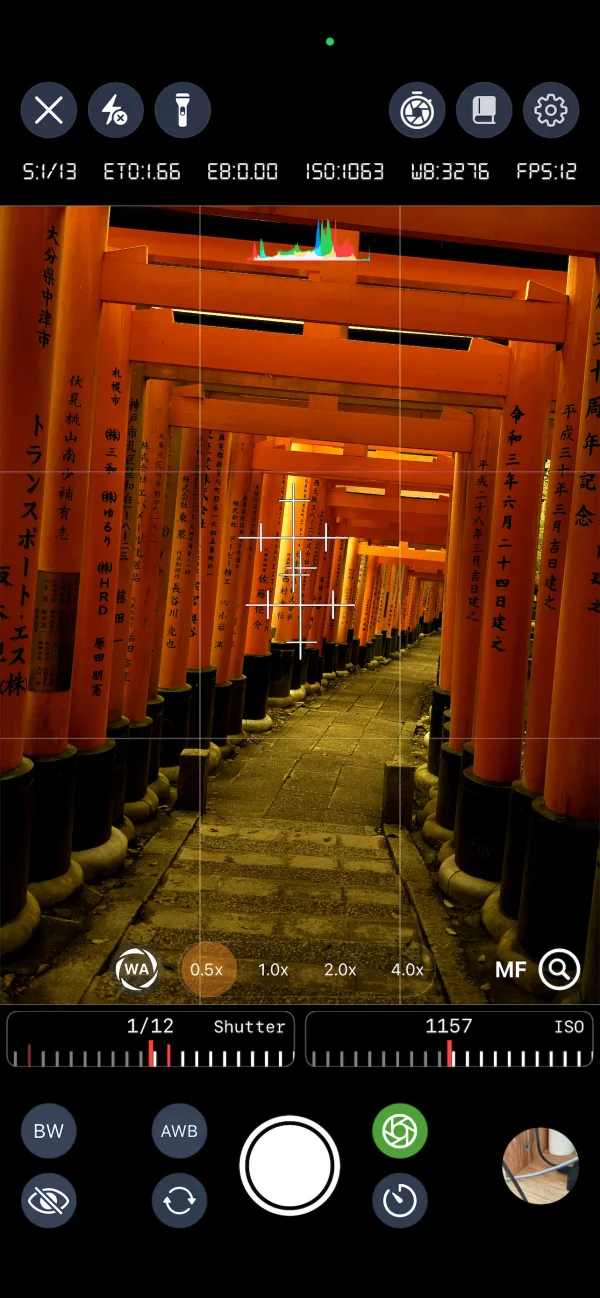
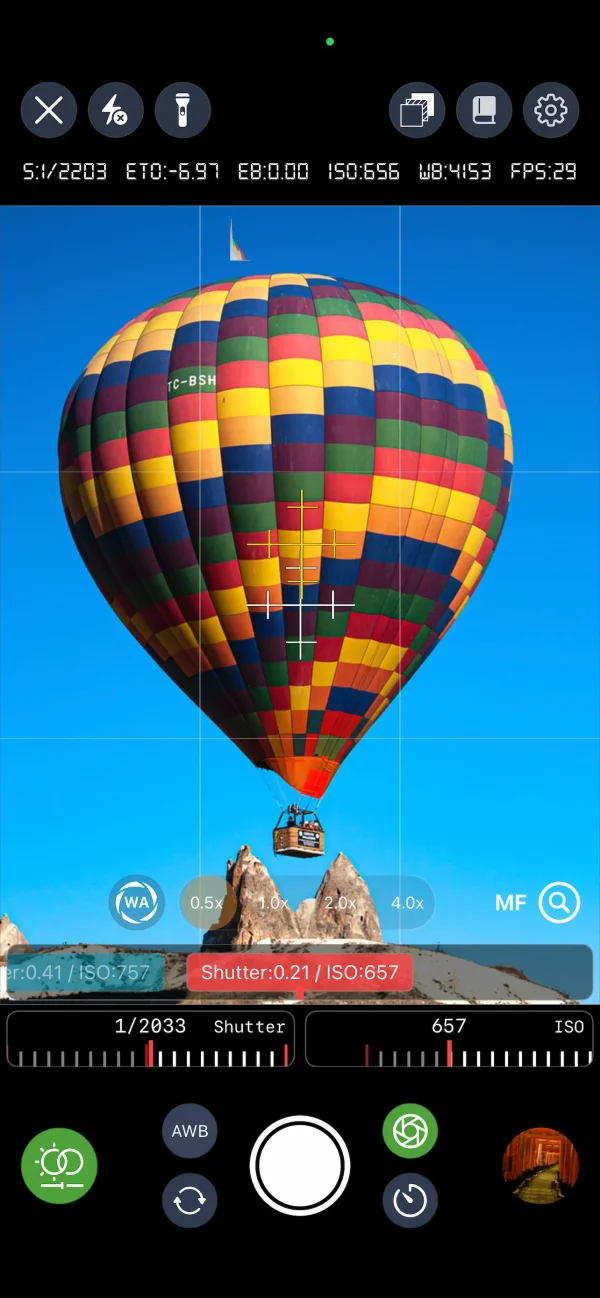
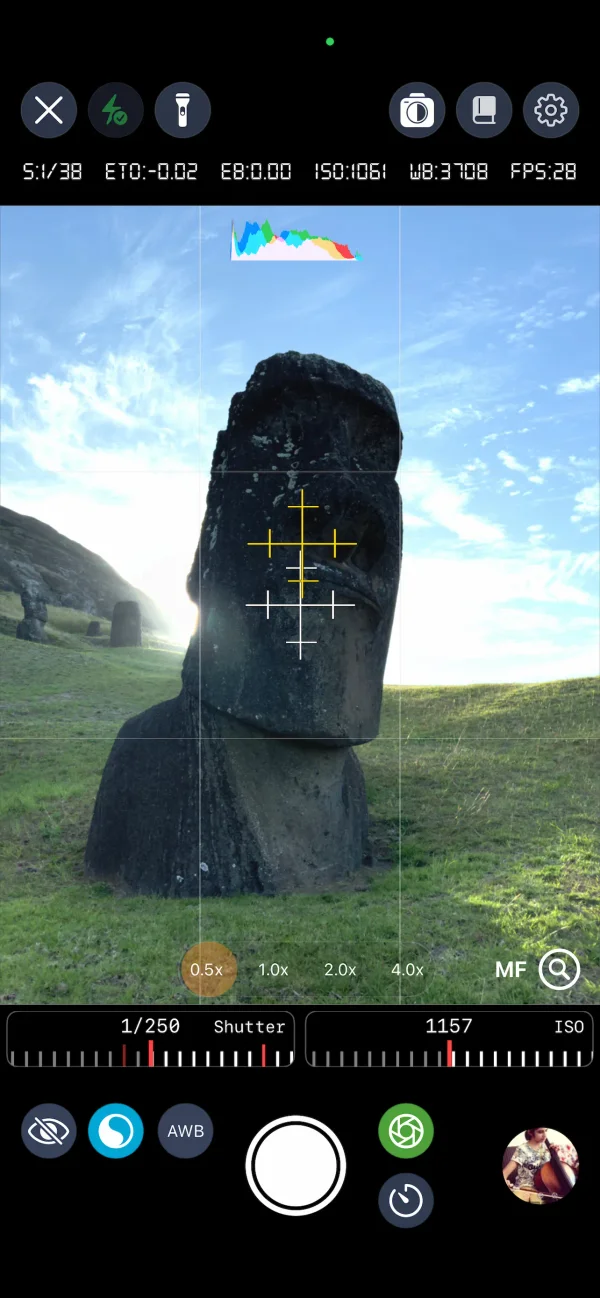
Take command of your camera with a sophisticated, intuitive interface that gives you precise, real-time manual control over every photographic element.Core Manual Controls
Exposure Triangle: Full manual control over ISO, Shutter Speed, and Exposure.
Focus Mastery: Precise Focus Control and Focus Lock
White Balance: Both preset and custom adjustment options
Zoom Control: Fine-tune your framing with smooth zoom
Modes & Features
Full Mode Suite: Includes Manual, Auto, Portrait Mode, and a Shutter Timer (3 to 15 seconds setup).
Creative Optics: Analog Film Mode, Cinetone Filter Mode, and a huge selection of 40 Filters, 29 Virtual FX, 17 Analog Films, and 36 Classic Movie Tones.
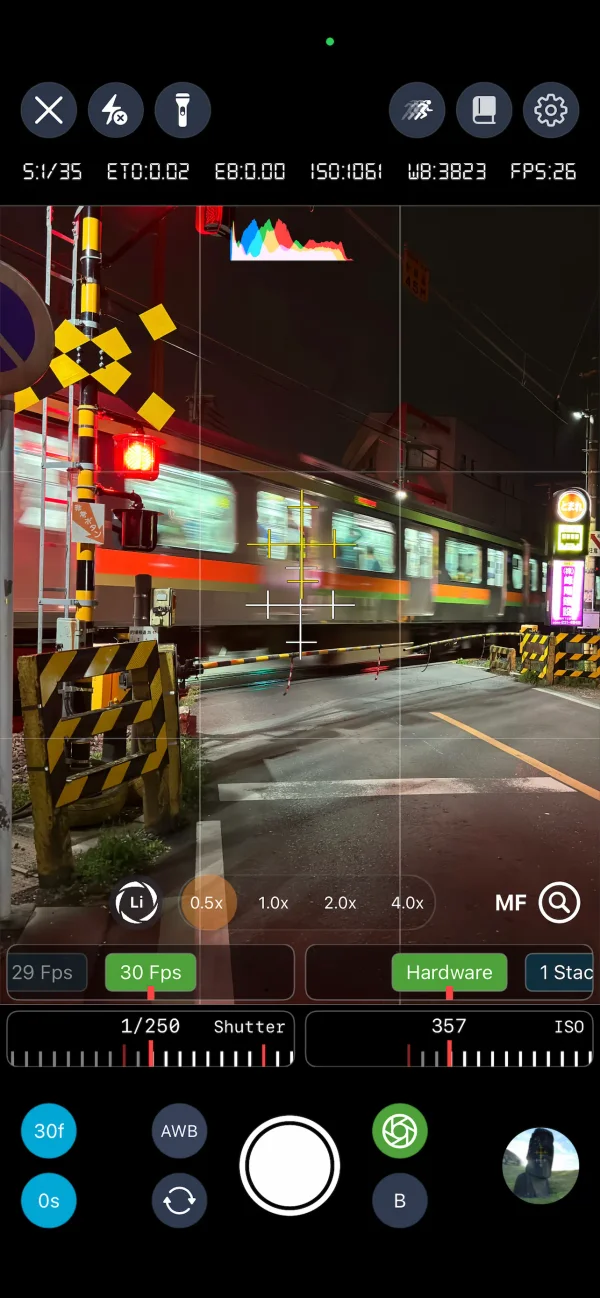
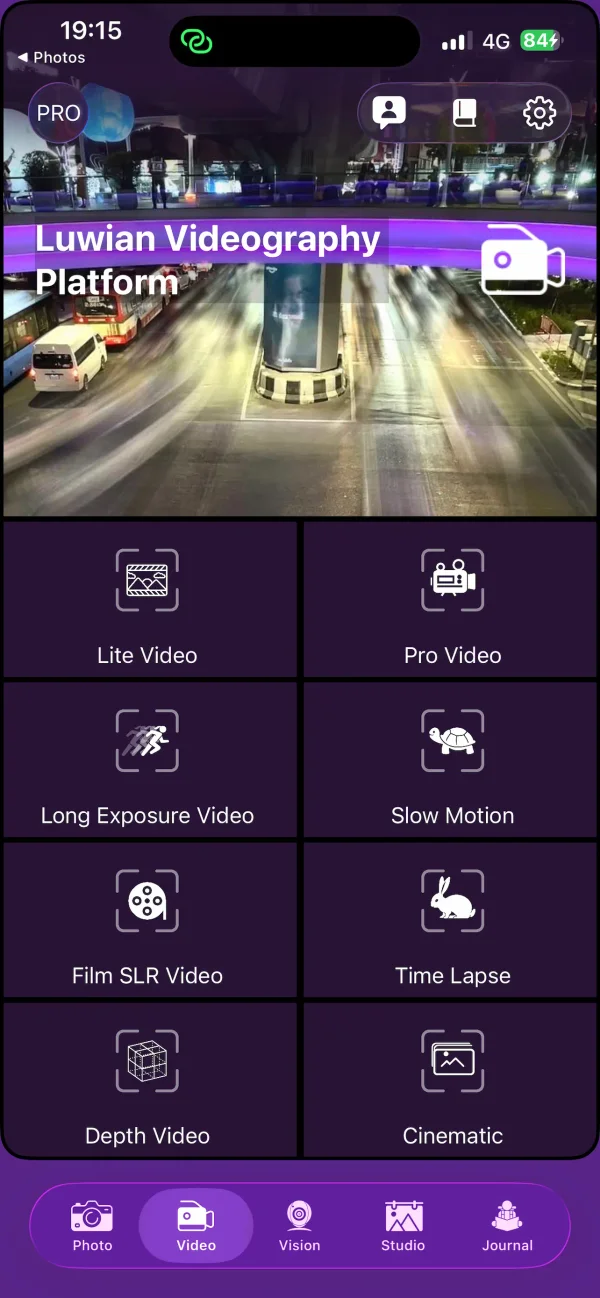
Professional Video: Switch between Normal, Slow Motion, and Time-lapse video recording (with speed adjustable from 2x to 10x).
Advanced:
Mega-lapse: Capture stunning 8K time-lapse videos.
Long Exposure: Dedicated modes for Day and Night long exposure photography and videography.
HDRi: Classical High Dynamic Range Imaging photography.
Cinematic Capture: Cinematic video capture and editing.
Specialty Modes: Traditional Panoramic Capture (three photo sequence),
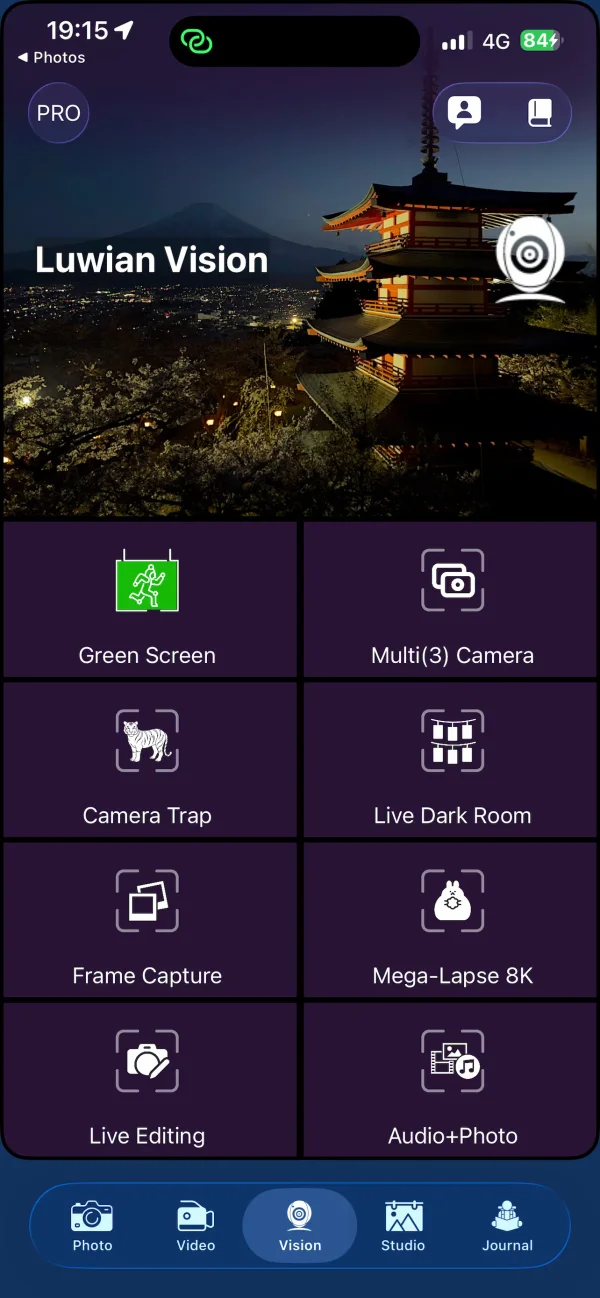
Green Screen Video Recorder, and Camera Trap for animal and person detection.
Workflow Tools: Frame Capture (with automatic perspective adjustment),
Consistent Color Photography for low-light environments.
Multi-Camera Recording: Multi camera recording mode using all three cameras at the same time.
Depth & Backdrop: True Depth Backdrop Camera.
Raw Magic Pro: The Ultimate Editing Suite
Go beyond basic filters. Raw Magic Pro provides the professional tools you need to refine, restore, and transform your images with unparalleled fidelity and artistic freedom.Core Editing & Precision
RAW & Color Control: Dive deep into your RAW files for advanced color, contrast, and exposure precision. Complete control over every color channel with RGB Color Adjustment.
Structural Integrity: Effortlessly perfect your composition with Photo Crop & Perspective Correction.
Detailed Adjustment: Utilize Advanced Detailed Photo Adjustment to manipulate specific areas of your image.
Cinematic & Artistic Flair
Authentic Film Looks: Apply the nostalgic aesthetic of classic film stocks with a diverse library of Analog Films and Filters.
Hollywood Mood: Instantly add the drama and style of blockbusters with Cinematic Filter Effects inspired by iconic classic movies.
Restoration & Enhancement
Digital Darkroom: A dedicated space for film photographers, allowing you to easily convert negative film photos to positive photos digitally.
Clarity: Restore detail in high-ISO shots with the Noise Reduction Tool and recover underexposed images with Low Light Enhancement.
Seamless Fixes: The Image Healer Tool lets you flawlessly remove unwanted objects, blemishes, or distractions.
Image Quality: Image Super Resolution upscales your photos with incredible fidelity.
Dynamic Range: Create stunning images with enhanced highlights and shadows using HDRI Imaging Algorithms.
Colorize History: Breathe new life into black-and-white photos by intelligently adding realistic color with the Image Colorizer.
Modern Tools & Workflow
Instant Bokeh: Effortlessly apply a professional depth of field (bokeh) effect to any photo, giving your images a stunning, portrait-quality look.
Background Control: Instantly and accurately isolate your subject and Remove the Background with a single tap, or use the Green Screen Editor for precision chroma keying.
Terms of Use: https://www.apple.com/legal/internet-services/itunes/dev/stdeula/
What’s new
Version 4.1.8 · Nov 21, 2026
- New feature Video or Live Photo to Animated Gif converter
- Performance improvements and bug fixes
*Previously
- Auto save
- Native raw filter is now part of the main render pipeline
- Luwian now supports any depth to all kinds of images
- Using front and background depth to adjust different light and color setup to an image
- HDRi is now part of the main render pipeline
- New low-light series that uses the Luwian HQ-HDRI engine
- Rich bokeh & blur effect engine
- Now Luwian supports endless history
- UI/UX Updates.
- Performance improvements.
- Bug and UI fixes
- Any to Depth video converter, which adds cinematic depth of field to any video, is here.
- Traditional HDR rendering algorithms are here for Standard Dynamic Range (SDR) video rendering.
- Unlock professional-grade storytelling with the Cinematic Video Editor.
- Thanks to your valuable feedback, this version features improved stability and addresses the areas you highlighted.
- Introducing the Base Pro Video Editor, equipped with a wide selection of film and filters, plus essential crop and trim functions.
- Introducing the Green Screen Video Recorder: Experience studio-grade quality with virtually no crop loss, advanced controls, and support for both portrait and landscape orientations.
- Introducing Mega-lapse 8K time-lapse video recording from 48mp image data.
- Luwian V4.0 is a platform equipped with cutting-edge computer vision and image processing features.
App privacy
What Erkan SIRIN declares on the App Store about how this app handles data.
-
Data used to track you
May be used to track you across apps and websites owned by other companies.
- Purchases
-
Data not linked to you
May be collected but is not linked to your identity.
- Diagnostics
Privacy practices may vary, for example with the features you use or your age.
Information
- Seller
- Erkan SIRIN
- Category
- Photo & Video
- Version
- 4.1.8
- Updated
- Nov 21, 2026
- Released
- Sep 3, 2020
- Size
- 210.6 MB
- Requires
- iOS 26.0 or later
- Age rating
- 4+
- Price
- Free
- In-app purchases
- Yes
- Languages
- English, Arabic, Dutch, French, German, Hebrew, Indonesian, Italian, Japanese, Korean, Malay, Polish + 7 more
- Copyright
- © Erkan Şirin
You might also like
-
 Dramatic Black & WhiteIncredible B&W Photos
-
 Pro Camera - ReeflexLong Exposure & DSLR Controls
-
 CameraPixels PROUnique photo and video camera
-
 Camera M - Pro Manual CameraRAW, ProRAW, Bracket, & Macro
-
 ReeXpose - RAW Long ExposureSlow Shutter Camera for Pros
-
 Distressed FX : PlusPhoto Editor Filters & Texture
-
 Light Stack CameraAI-Stabilized Long Exposures
-
 Skymera - Aerial Video MakerCreate flight paths on 3D maps
-
 Analogue - BW DarkroomDevelop Black and White film
-
 Cobalt ImagePhoto & Video