Camera Tools for DJI®
Remote control for DJI cameras
Designed for iPhone, iPad, Mac
$7.99
- Age rating4+
- CategoryPhoto & Video
- DeveloperHarald Meyer
- LanguagesEnglish+ 15 more
- Size86.5 MB
Links to the official App Store page
Download.org hosts no file of Camera Tools for DJI®. The button opens its official App Store page, published by Harald Meyer. Listing last checked on Nov 23, 2026.
Screenshots
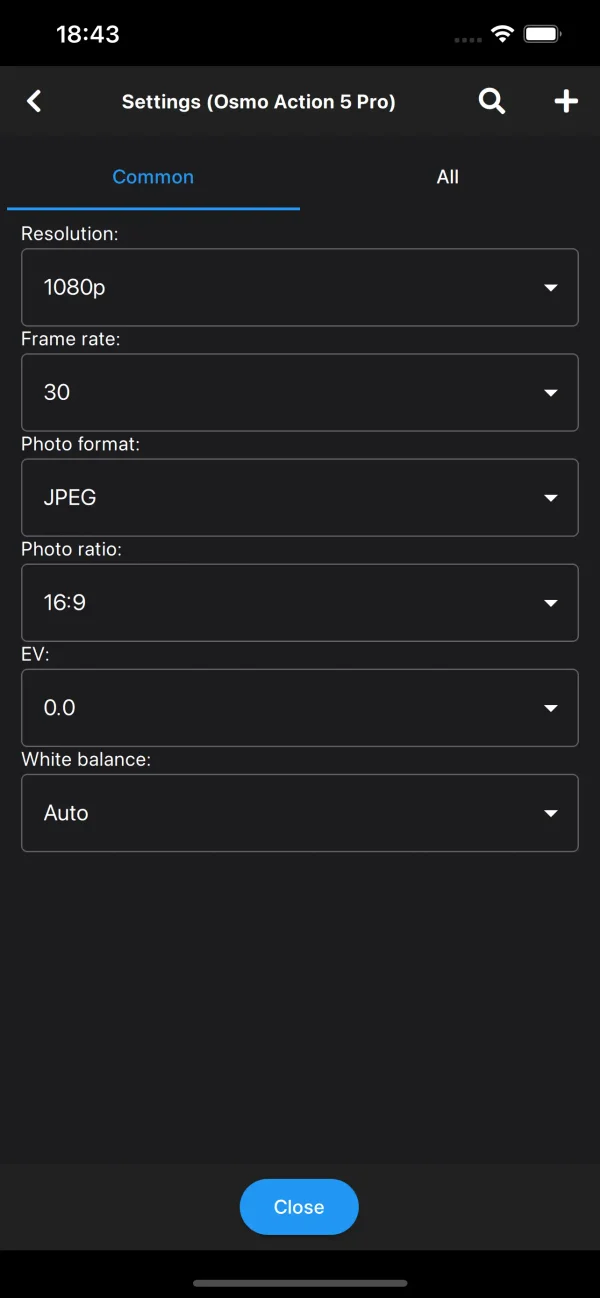
About
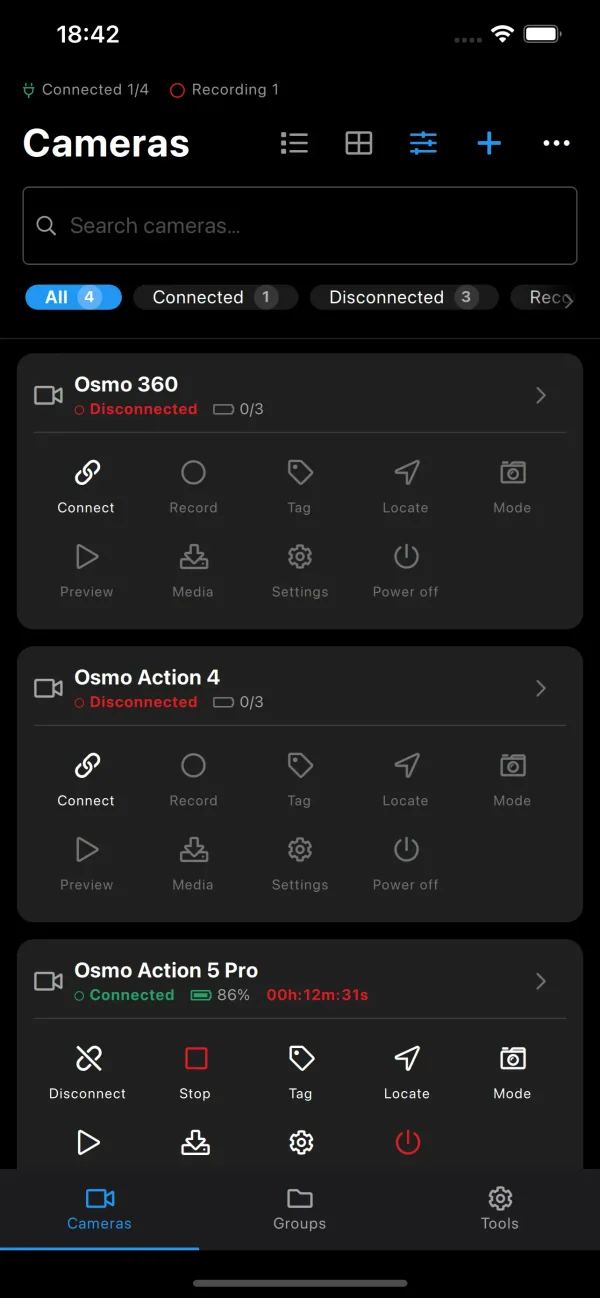
Turn your iPhone or iPad into a wireless monitor and remote control for your DJI® camera. Camera Tools for DJI connects directly to your camera, with no account, no cloud and no subscription, and shows the live view and the important settings on your screen.
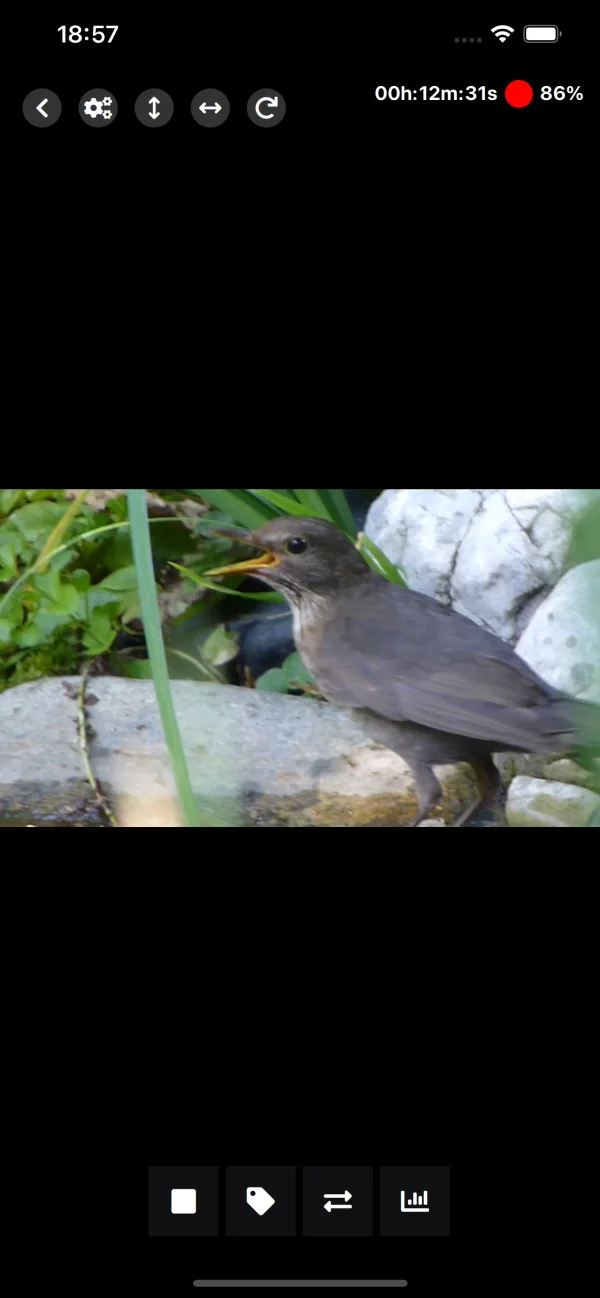
LIVE PREVIEW
See what your camera sees, in real time. Frame the shot, check focus and exposure, and keep an eye on the recording from a distance.
REMOTE CONTROL
Change resolution, frame rate, field of view, stabilization, ISO, shutter, exposure and white balance, and switch between photo and video modes. Start and stop recording and take photos from the app.
GIMBAL CONTROL
Pan and tilt the gimbal of the Osmo Pocket 2 and Osmo Pocket 3 from the app.
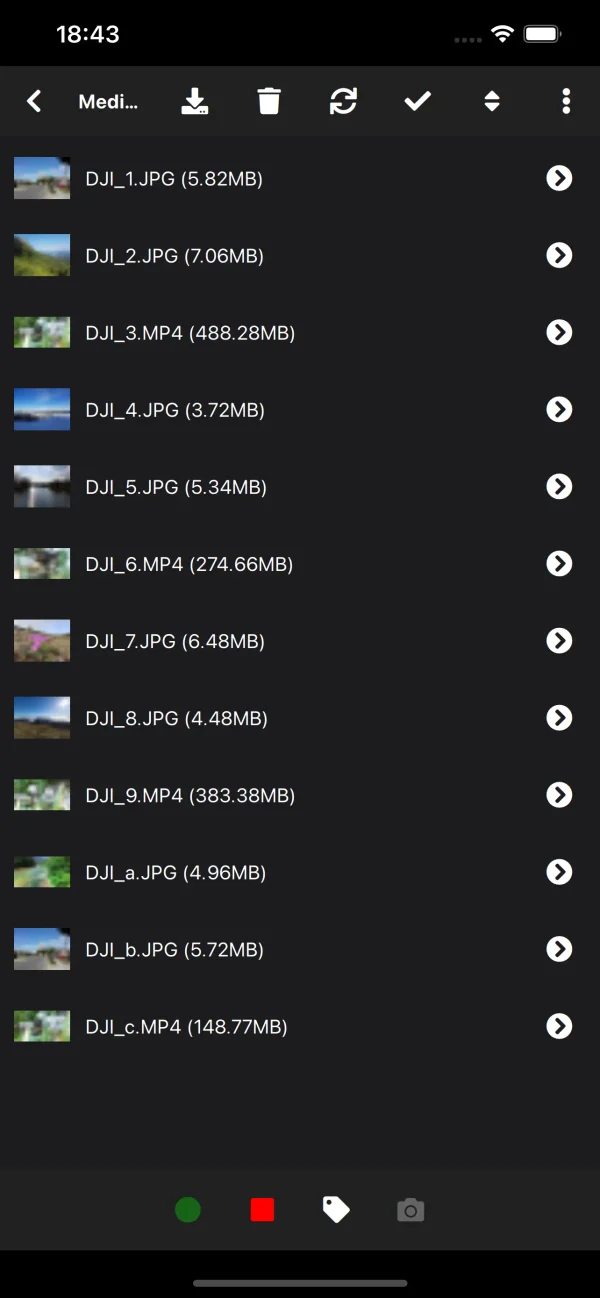
MEDIA BROWSER
Browse the photos and videos on your camera, preview them, download them to your device and delete the ones you no longer need.
SEVERAL CAMERAS OVER BLUETOOTH
Connect and control several cameras at once over Bluetooth: Osmo Action 4, Osmo Action 5 Pro, Osmo Action 6 and Osmo 360.
DIRECT AND PRIVATE
Camera Tools talks to your camera over a direct Bluetooth and Wi-Fi connection. Nothing is sent through the internet: no sign-in, no tracking.
16 LANGUAGES
Available in 16 languages. The app follows the language of your device, and you can choose the language in the app settings.
SUPPORTED CAMERAS
• DJI Action 1
• DJI Action 2
• DJI Osmo Action 3
• DJI Osmo Action 4
• DJI Osmo Action 5 Pro
• DJI Osmo Action 6
• DJI Osmo Pocket 2 (full-resolution downloads are experimental)
• DJI Osmo Pocket 3
• DJI Osmo 360
Most models connect one camera at a time over the camera's Wi-Fi. Several cameras at once over Bluetooth work with the Osmo Action 4, Osmo Action 5 Pro, Osmo Action 6 and Osmo 360.
LEGAL
Camera Tools for DJI is an independent app and is not affiliated with, endorsed or sponsored by DJI or SZ DJI Technology Co., Ltd. DJI and Osmo are trademarks of SZ DJI Technology Co., Ltd.
Questions or ideas? We are happy to help: https://www.toolsforgopro.com/contact
Privacy Policy: https://www.toolsforgopro.com/privacy
Website: https://www.toolsforgopro.com/cameratools_dji
What’s new
Version 1.0.8 · Nov 21, 2026
Camera Tools for DJI now speaks 16 languages: Arabic, Chinese (Simplified and Traditional), French, German, Hungarian, Italian, Japanese, Korean, Polish, Portuguese, Russian, Slovak, Spanish and Ukrainian are new. The app follows the language of your device, and you can choose the language in the app settings.
App privacy
What Harald Meyer declares on the App Store about how this app handles data.
-
Data not collected
The developer does not collect any data from this app.
Privacy practices may vary, for example with the features you use or your age.
Information
- Seller
- Harald Meyer
- Category
- Photo & Video
- Version
- 1.0.8
- Updated
- Nov 21, 2026
- Released
- Aug 3, 2026
- Size
- 86.5 MB
- Requires
- iOS 16.2 or later
- Age rating
- 4+
- Price
- $7.99
- Languages
- English, Arabic, French, German, Hungarian, Italian, Japanese, Korean, Polish, Portuguese, Russian, Simplified Chinese + 4 more
- Copyright
- © (C) Harald Meyer 2026
You might also like
-
 MP AR - Motion ControlDesign | Upload | Shoot
-
 ShutterFinder: Flicker MeterScan light, get shutter speed
-
 FlickerMeter Pro: Film & VideoFlicker Meter & Banding Test
-
 Multicam: Action Cam RemoteGoPro, DJI & Insta360
-
 RED control proAdvanced RED camera control
-
 Scout Cam ControlControl your Cognisys Scout
-
 Camerama: Open Gate Multi-CamPro Camera & Creator Tools
-
 It's my LiveLive RTMP SRT
-
 Camera ReportTool for camera assistants
-
 reduce video size - resizerBulk resize videos (offline)