ShutterFinder: Flicker Meter
Scan light, get shutter speed
Designed for iPhone
$2.99
- Age rating4+
- CategoryPhoto & Video
- DeveloperNuncha
- LanguagesEnglish
- Size11.9 MB
Links to the official App Store page
Download.org hosts no file of ShutterFinder: Flicker Meter. The button opens its official App Store page, published by Nuncha. Listing last checked on Nov 18, 2026.
Screenshots
About
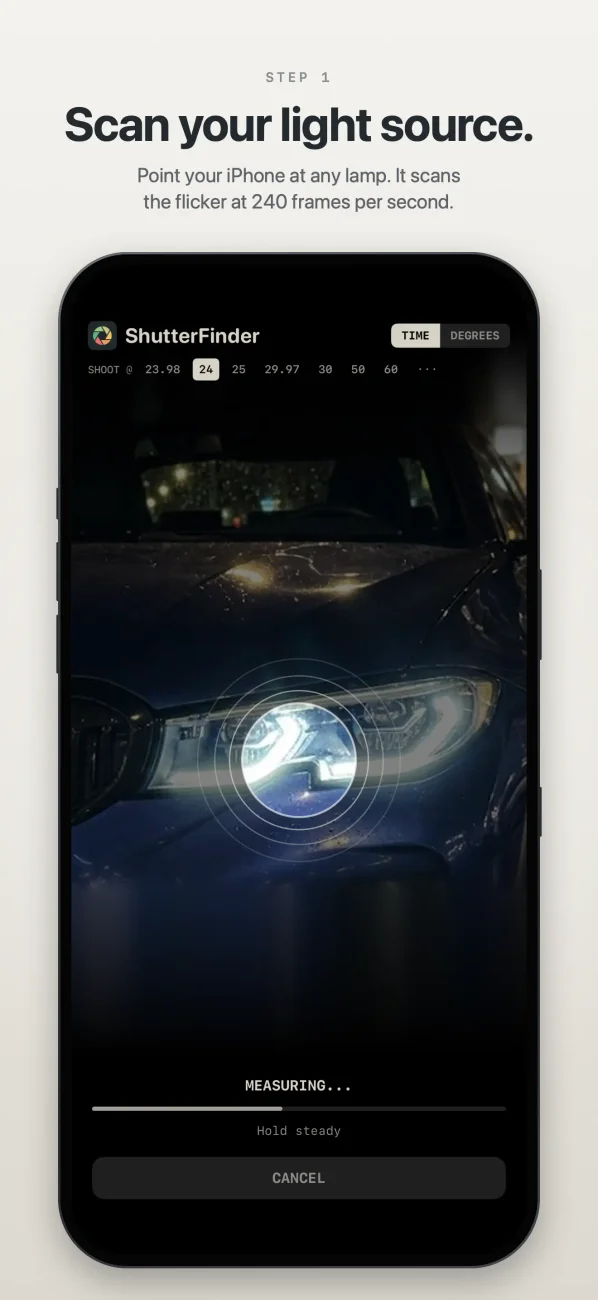
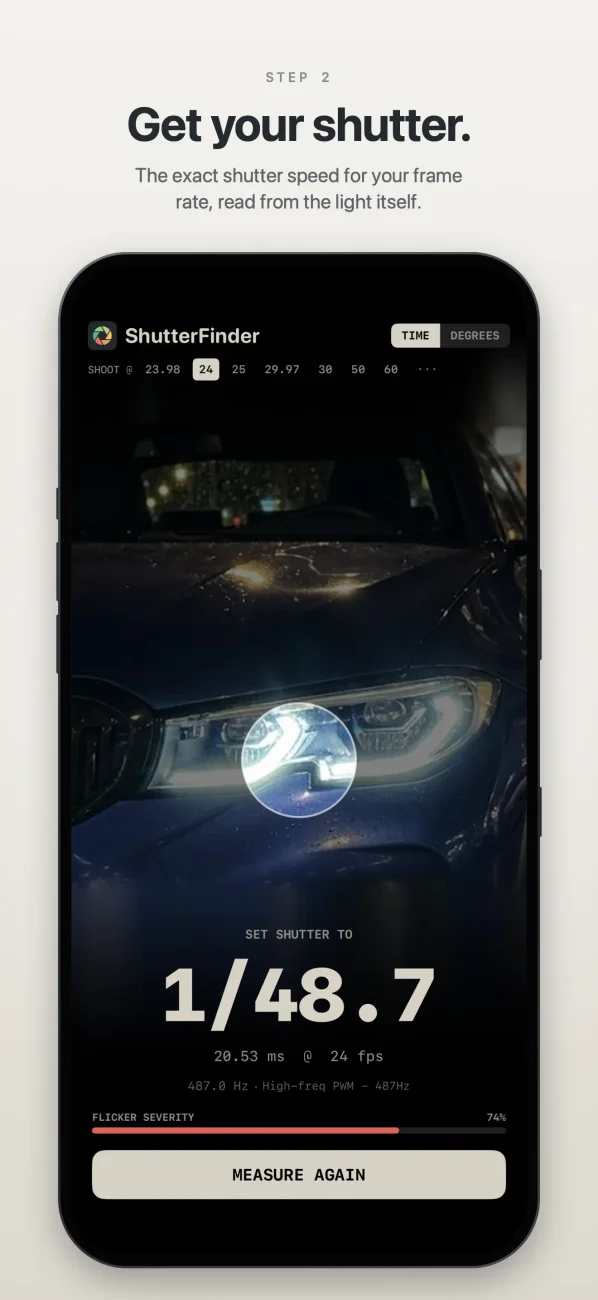
Stop guessing your shutter speed on set. Point your iPhone at a flickering light, tap Measure, and ShutterFinder tells you the exact shutter speed that makes the flicker disappear in your footage.
HOW IT WORKS
ShutterFinder films the light at 240 frames per second, finds the flicker frequency with spectral analysis and turns it into a shutter speed for the frame rate you shoot at. It then checks the result at a second frame rate, which unmasks fast LED dimmers that would otherwise look like ordinary mains flicker. Within seconds you know what to set.
WHAT IT MEASURES
• LED panels and practicals, tube lights, HMIs, neon, monitors and TVs
• LED dimmers (PWM) and OLED screens, including many that flicker too fast for the camera to see directly
• 50 Hz and 60 Hz mains, anywhere in the world
• Mixed lighting: when two lights flicker at different rates, the advice takes both into account and shows the alternative
BUILT FOR THE SET
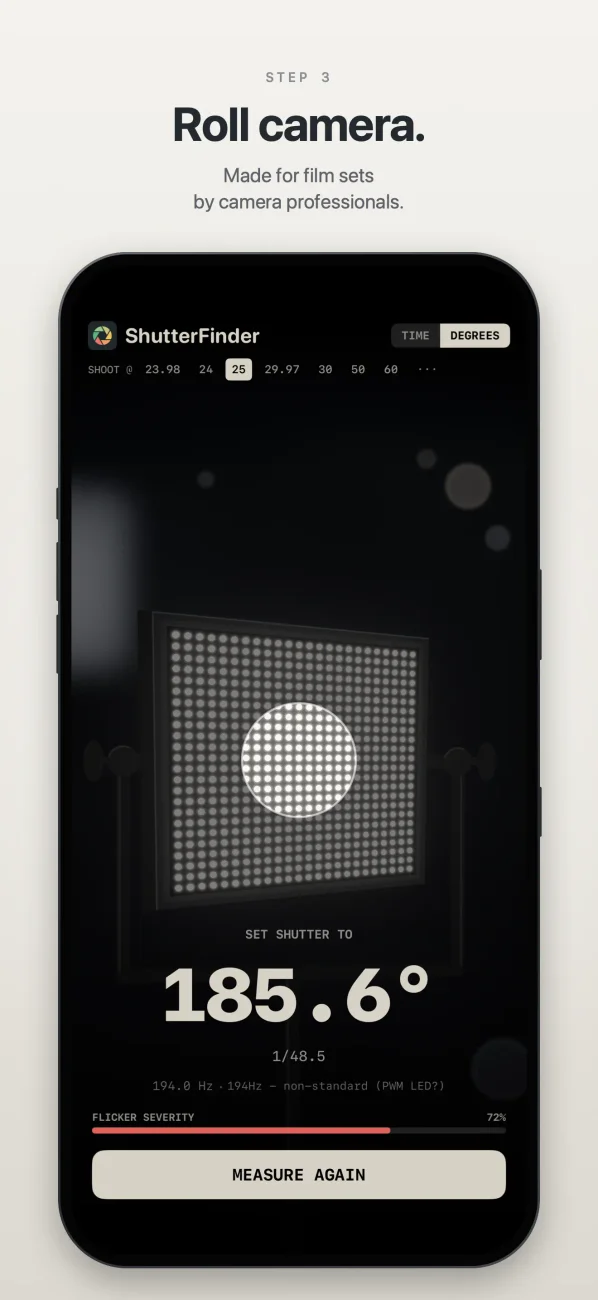
• Shutter as time (1/50) or angle (180°), one tap to switch
• 23.98, 24, 25, 29.97, 30, 50 and 60 fps, plus any custom frame rate
• Change the frame rate after measuring and the advice updates instantly
• When no flicker-free shutter exists at your frame rate, such as some tube lights at 60 fps, ShutterFinder says so and gives the setting that leaves the least flicker
• Honest results: too dark, too shaky or no flicker at all is reported as exactly that, never as a guess
• The circle marks exactly what is measured; tap anywhere to focus
• Measuring stops by itself as soon as the reading is solid
UNDER THE HOOD
• 240 fps high-speed capture with automatic exposure bracketing for dark scenes
• Verification at a second, and when needed a third, frame rate to resolve frequencies above what the camera sees directly
• FFT analysis with Apple's Accelerate framework and sub-Hz precision
• Mains frequencies locked to their exact values, so 100 Hz gives an exact 1/50
PRIVACY
Everything is measured on your iPhone. No images or video are ever stored or sent. Anonymous usage statistics (no personal data, no tracking) help us improve the measurements.
Requires iPhone XS or later with iOS 17 or later.
What’s new
Version 1.6.1 · Nov 16, 2026
Minor bug fixes.
App privacy
What Nuncha declares on the App Store about how this app handles data.
-
Data linked to you
May be collected and linked to your identity.
- Identifiers
-
Data not linked to you
May be collected but is not linked to your identity.
- Usage data
- Diagnostics
- Other data
Privacy practices may vary, for example with the features you use or your age.
Information
- Seller
- Netfox Media
- Category
- Photo & Video
- Version
- 1.6.1
- Updated
- Nov 16, 2026
- Released
- Mar 20, 2026
- Size
- 11.9 MB
- Requires
- iOS 17.0 or later
- Age rating
- 4+
- Price
- $2.99
- Languages
- English
- Copyright
- © 2026 Netfox Media
You might also like
-
 FlickerMeter Pro: Film & VideoFlicker Meter & Banding Test
-
 Flicker Safe: Test LightLED Flicker & Banding
-
 FlickerFinderSpot flicker, fast.
-
 Camera Tools for DJI®Remote control for DJI cameras
-
 Dual Camera ShotRecord Portrait & Landscape
-
 Timelapse MaestroDynamic Perception NMX control
-
 Pontus ViewfinderFeat. Shotlists & AR Suntrack
-
 oktakeTimecode Marking & Sync
-
 LookPocketColor grade cameras live
-
 CineStagerThe modern viewfinder app