
CamScan: Translator & Scanner
Text to PDF,Speak & Translate
Designed for iPhone, iPad, iPod touch
Free · In-app purchases
- Age rating17+
- CategoryProductivity
- DeveloperMobimartech SARL
- LanguagesEnglish
- Size96.8 MB
Links to the official App Store page
Download.org hosts no file of CamScan: Translator & Scanner. The button opens its official App Store page, published by Mobimartech SARL. Listing last checked on Nov 15, 2026.
Screenshots
About
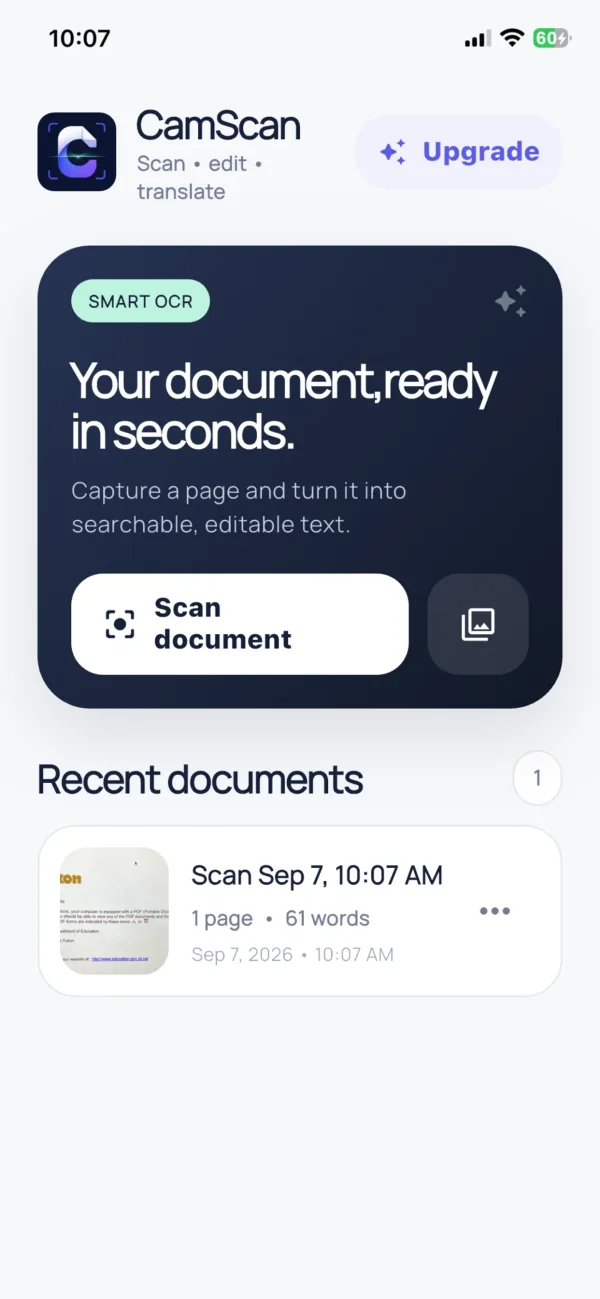
Turn documents, notes, receipts, and printed pages into useful digital content with CamScan.
CamScan is a simple document scanning and OCR app designed to help you capture documents, extract text, translate content, edit recognized text, and export your work in convenient formats.
Whether you need to digitize a printed document, copy text from a page, understand content in another language, or create a digital copy of your documents, CamScan brings the essential tools together in one easy-to-use app.
KEY FEATURES
DOCUMENT SCANNER
Use your device camera to capture documents and printed pages directly from the app. CamScan provides a clean scanning experience designed to make document capture quick and convenient.
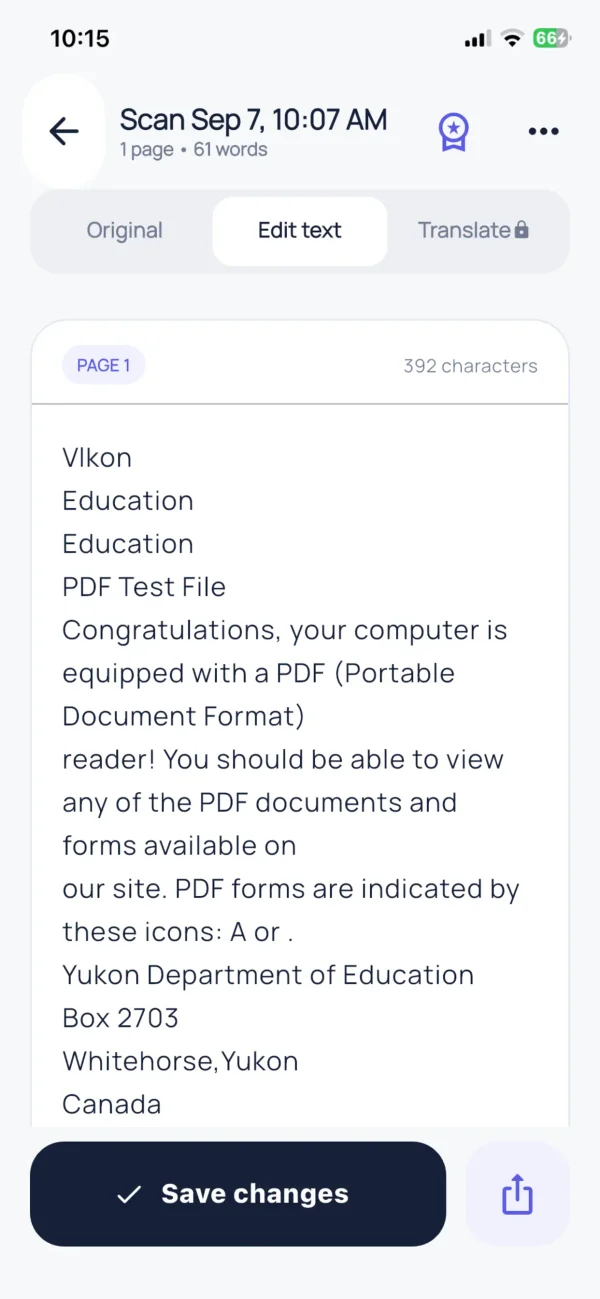
OCR TEXT RECOGNITION
Extract text from scanned documents and images using Optical Character Recognition (OCR). Recognized text can be reviewed and edited directly inside the app.
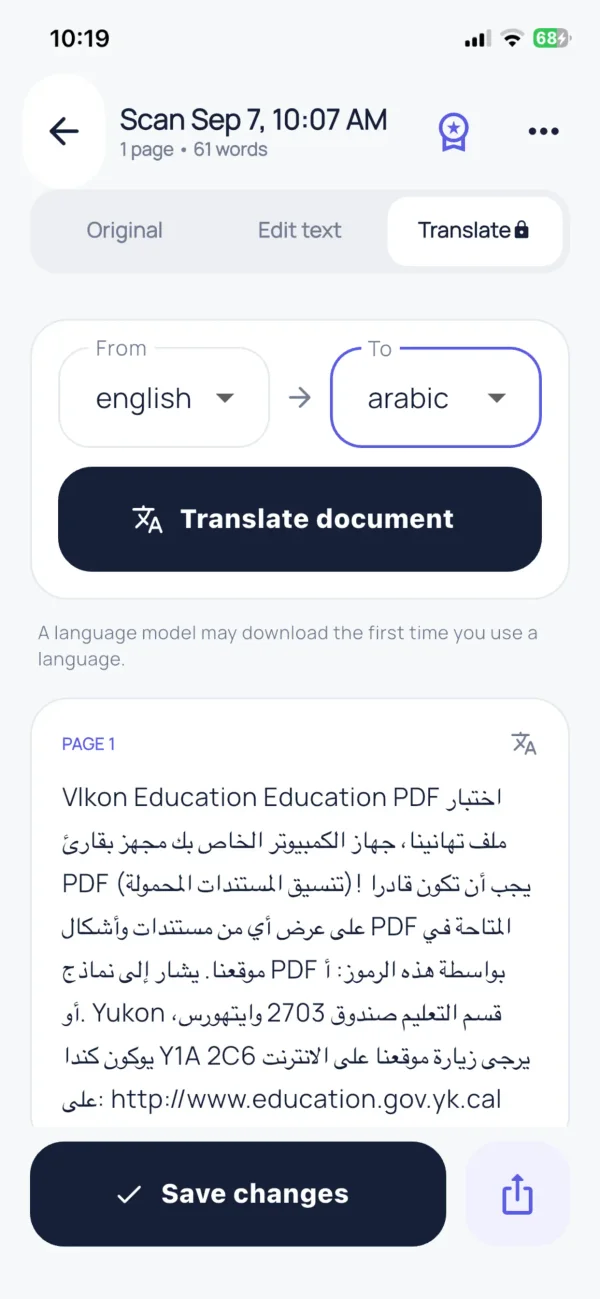
TRANSLATE EXTRACTED TEXT
Translate recognized document text into supported languages without having to manually copy your content into another application.
EDIT YOUR DOCUMENTS
Review and edit extracted text before saving or exporting it. This makes it easy to correct recognition results, update content, or prepare text for later use.
PDF EXPORT
Convert your documents into PDF files for convenient storage and sharing.
You can create digital documents from recognized text or preserve scanned pages as a PDF when you want to keep the appearance of the original document.
WORD EXPORT
Eligible users can export recognized and edited document content to Word-compatible DOCX files for additional editing and use in other applications.
MULTI-PAGE DOCUMENTS
Import multiple supported images to create and work with larger documents instead of processing every page separately.
DOCUMENT LIBRARY
Keep your scanned documents organized inside the app so you can quickly return to previously captured content.
DESIGNED FOR A SIMPLE WORKFLOW
CamScan combines scanning and document tools into a straightforward process:
• Scan or import a document
• Extract text using OCR
• Review and edit the recognized content
• Translate text when needed
• Save your document
• Export it to a supported format
PREMIUM FEATURES
Some features require Premium access. Depending on availability and your region, Premium access may be provided through an eligible subscription or other supported access method.
Premium features may include document translation, multi-page processing, Word export, and other enhanced functionality identified within the app.
Available plans, prices, billing periods, renewal terms, and applicable subscription information are displayed before purchase or activation.
Subscription availability and features may vary by platform, country, or region.
IMPORTANT INFORMATION
OCR and translation results may vary depending on image quality, document layout, language, handwriting, fonts, lighting conditions, and other factors. Always review important information before relying on extracted or translated content.
CamScan is a productivity tool and is not intended to provide legal, medical, financial, or other professional advice.
Make documents easier to capture, understand, edit, and use with CamScan.
Terms: https://gymnslim.org/scanntranslate/terms.html
Privacy Policy : https://gymnslim.org/scanntranslate/privacy.html
What’s new
Version 5.6.4 · Sep 10, 2026
Bugs Fixed
App privacy
What Mobimartech SARL declares on the App Store about how this app handles data.
-
Data not collected
The developer does not collect any data from this app.
Privacy practices may vary, for example with the features you use or your age.
Information
- Seller
- Mobimartech SARL
- Category
- Productivity
- Version
- 5.6.4
- Updated
- Sep 10, 2026
- Released
- Jun 17, 2023
- Size
- 96.8 MB
- Requires
- iOS 15.0 or later
- Age rating
- 17+
- Price
- Free
- In-app purchases
- Yes
- Languages
- English
- Copyright
- Copyright © 2026 MMT. All Rights Reserved.
You might also like
-
 Photo Translator-Cam TranslateCamera and Picture Translation
-
 Photo Translator: Camera ScanSpeak, Type & Save Notes
-
 AI Translator: Live TalkVoice, Photo & Offline
-
 Photo Translator AR Camera OCRscan & translate+ text grabber
-
 PDF Translator: Document & OCRTranslate Word, Excel & Scans
-
 Translate - Camera TranslatorRecognize Picture & Translate
-
 Air Translate Photo TranslatorText Scan - Easy Translation
-
 Scan & Translate+ Text GrabberCamera & Photo Translator
-
 Text Scanner OCR App: OCR ScanImage to Text - Word Scan Text
-
 Copy Text On ScreenScreen Text Copy, OCR