
CapDrive: Driving Dashboard
Custom Gauges, HUD & OBD
Designed for iPhone
Free · In-app purchases
- Age rating4+
- CategoryUtilities
- DeveloperChengdu Binfen Creation Software Co., Ltd.
- LanguagesEnglish+ 15 more
- Size48.4 MB
Links to the official App Store page
Download.org hosts no file of CapDrive: Driving Dashboard. The button opens its official App Store page, published by Chengdu Binfen Creation Software Co., Ltd. Listing last checked on Nov 26, 2026.
Screenshots



About
Turn your iPhone into a customizable driving dashboard. View driving and vehicle data in one place, record trips automatically, and review routes and driving performance after parking.
Live driving instruments
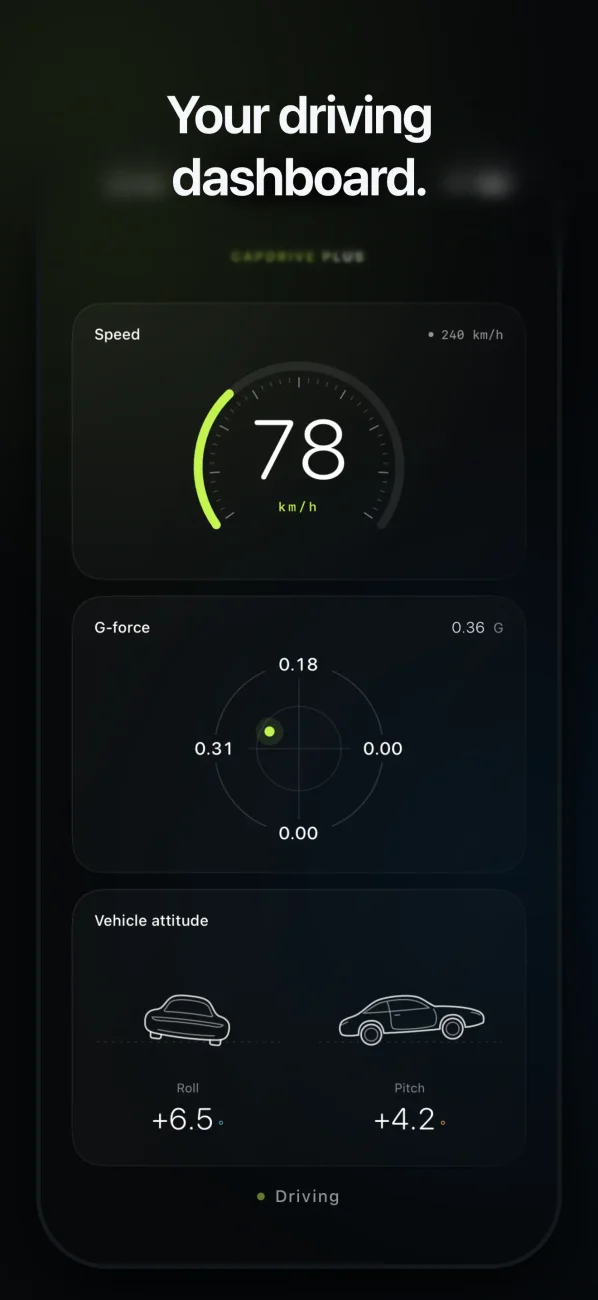
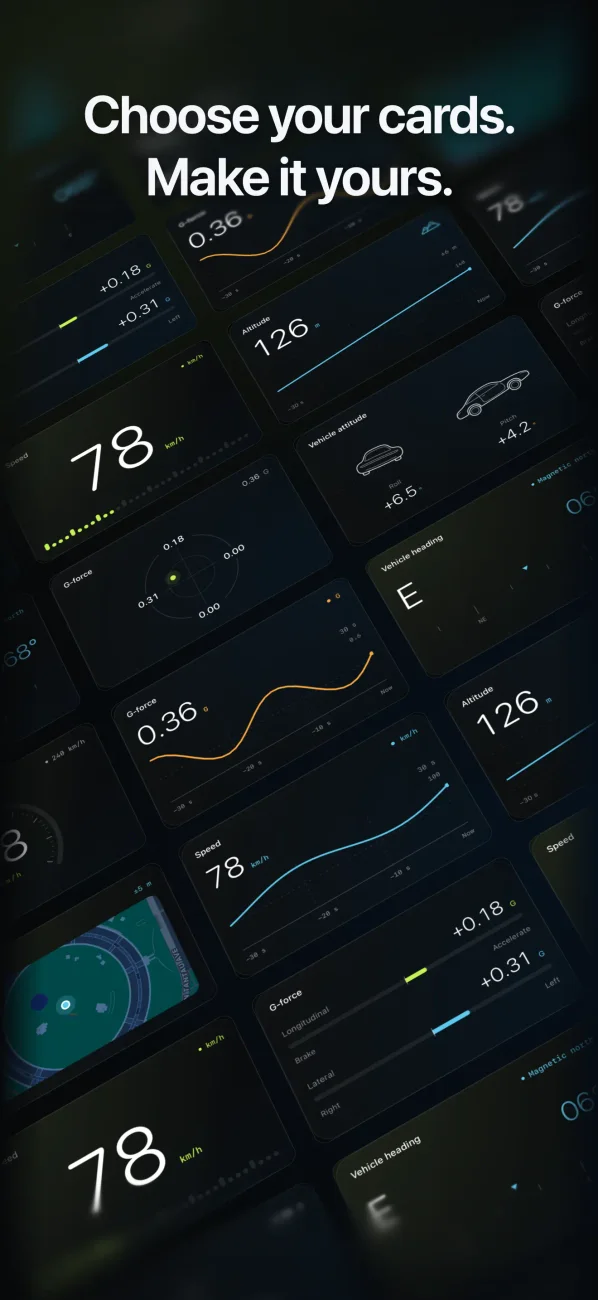
View speed, G-force, vehicle attitude, heading, location and altitude. Choose instrument styles, press and hold to rearrange them, and add pages in portrait or landscape. Unavailable data is clearly indicated rather than treated as zero.
HUD on your windshield
Use HUD mirror mode to reflect your configured instrument readings onto the windshield. In Settings, choose whether HUD automatically increases screen brightness. Visibility depends on ambient light, glass and device.
Custom instruments
Build instruments with JavaScript and JSX and preview them in the app. Combine driving and OBD data, and import, export or share instruments as .instrument files.
BLE OBD vehicle connection
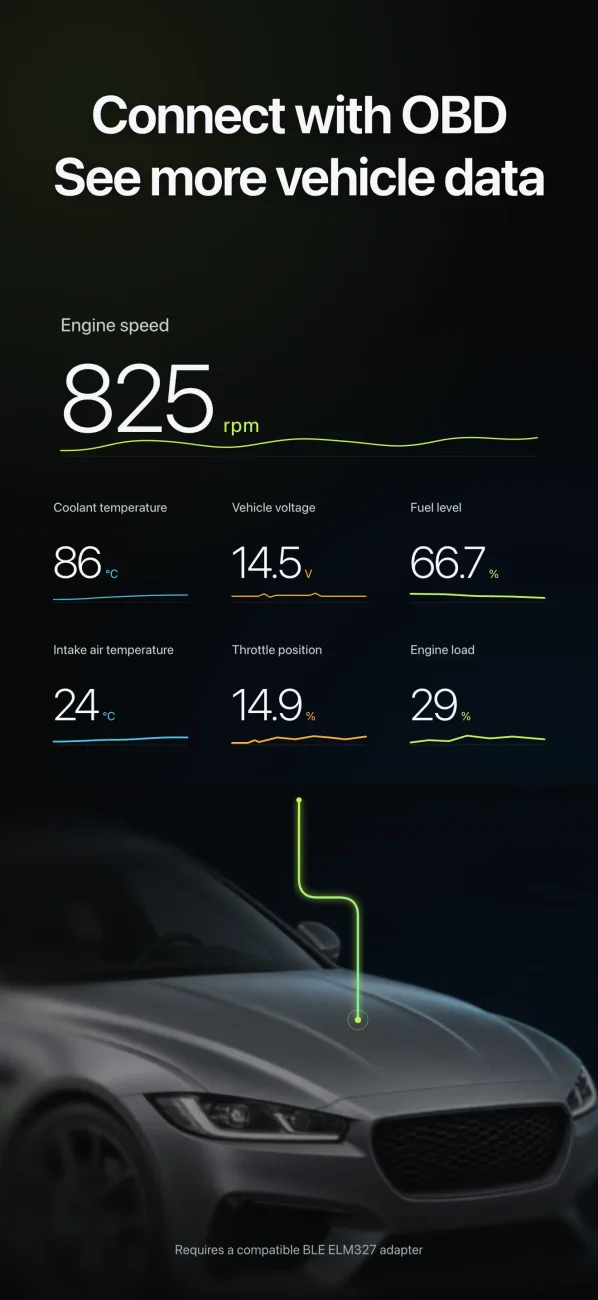
Connect a compatible ELM327 BLE adapter to read supported parameters such as engine RPM and coolant temperature. Browse parameter presets and use OBD readings in your instruments.
You will need to provide a compatible adapter. Available parameters depend on the vehicle and adapter. Wi-Fi and classic Bluetooth adapters are not supported.
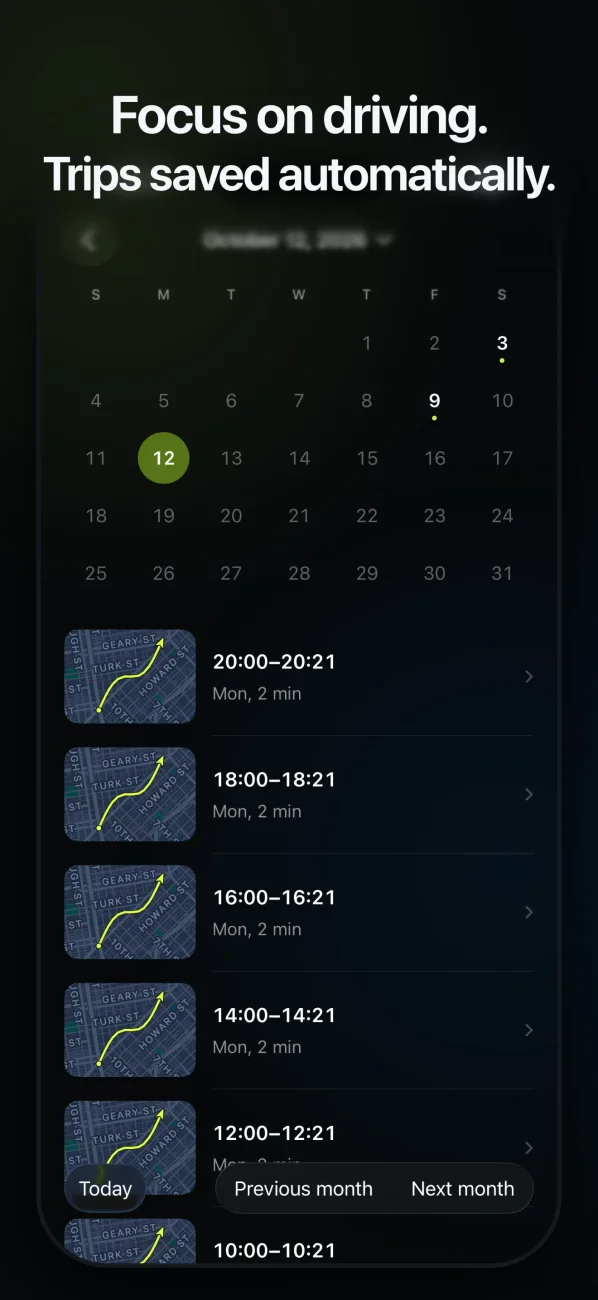
Automatic trip recording and review
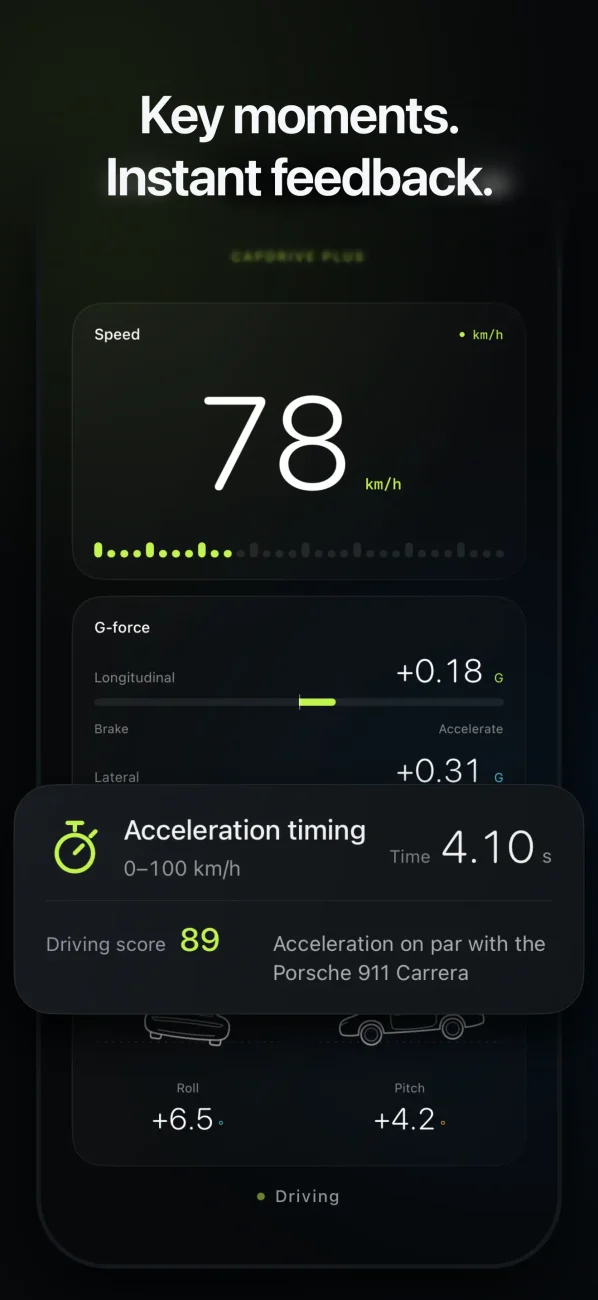
CapDrive uses your iPhone's location and motion sensors to recognize driving and record trips. Find trips by date in the calendar, then explore a full-screen route map, summaries, timelines and readings after parking. Trip records stay on your device and are not uploaded automatically.
Route export and sharing
Export routes as GPX, KML or GeoJSON for storage or use in other tools. You can also share trip images.
CapDrive Plus
Basic instruments and trip review are free. Upgrade to CapDrive Plus to connect OBD adapters, display custom instruments on the dashboard, use more instrument styles, and view detailed G-force, attitude and driving-event data in recorded trips.
Choose a monthly auto-renewing subscription or a one-time lifetime unlock. See in-app pricing.
No manual account registration is required. Purchases and restoration require internet access; restoring purchases does not restore local trip records.
Before you drive
Secure your phone and finish setup before driving, and stay focused on the road. Readings depend on the device, mounting, GPS reception and system conditions. They are for reference and do not replace vehicle instruments, professional measurement equipment or safe judgment. Background location may increase battery use.
Subscription information
Payment is charged to your Apple account when you confirm your purchase. The monthly subscription renews automatically unless auto-renewal is turned off at least 24 hours before the current period ends. Manage or cancel your subscription in your Apple account settings.
Privacy Policy: https://legal.capdrive.app/privacy/
Terms of Use: https://www.apple.com/legal/internet-services/itunes/dev/stdeula/
What’s new
Version 1.3.5 · Nov 25, 2026
Drive reviews now show local time in 24-hour format. Custom instruments flag OBD parameters that still need to be linked. You can copy your user ID from the CapDrive Plus page for support.
App privacy
What Chengdu Binfen Creation Software Co., Ltd. declares on the App Store about how this app handles data.
-
Data used to track you
May be used to track you across apps and websites owned by other companies.
- Purchases
- Identifiers
- Usage data
-
Data linked to you
May be collected and linked to your identity.
- Purchases
- Location
- Identifiers
- Usage data
- Diagnostics
-
Data not linked to you
May be collected but is not linked to your identity.
- Other data
Privacy practices may vary, for example with the features you use or your age.
Information
- Seller
- Chengdu Binfen Creation Software Co., Ltd.
- Category
- Utilities
- Version
- 1.3.5
- Updated
- Nov 25, 2026
- Released
- Oct 2, 2026
- Size
- 48.4 MB
- Requires
- iOS 17.0 or later
- Age rating
- 4+
- Price
- Free
- In-app purchases
- Yes
- Languages
- English, Arabic, French, German, Indonesian, Italian, Japanese, Korean, Portuguese, Russian, Simplified Chinese, Spanish + 4 more
- Copyright
- © 2026 Chengdu Binfen Creation Software Co., Ltd.
You might also like
-
 VGC Battle LensBattle Tracker & Analytics
-
 TideHook: Fishing TidesSolunar Bite Times, Bait & Map
-
 Mr. Solar DocIndependent solar calculator
-
 Hourline: World Clock WidgetsCity Wallpaper & Local Weather
-
 Puzzle Alarm Clock, Wake Me UpPhoto App Task To Snooze Sleep
-
 TV Remote - ClickerUniversal Remote TV Control
-
 Device Status⁺ CPU x Monitor zSystem|Widgets|Activity|Memory
-
 WorkBuddy - AI Work AgentFrom Chat to Deliverables
-
 SystemBatteryAnalysisBattery Health & HardWarecheck
-
 途播-APTV播放器Utilities