Hourline: World Clock Widgets
City Wallpaper & Local Weather
Designed for iPhone, iPad
Free · In-app purchases
- Age rating4+
- CategoryUtilities
- Developer成琦 李
- LanguagesEnglish+ 19 more
- Size293.1 MB
Links to the official App Store page
Download.org hosts no file of Hourline: World Clock Widgets. The button opens its official App Store page, published by 成琦 李. Listing last checked on Nov 25, 2026.
Screenshots

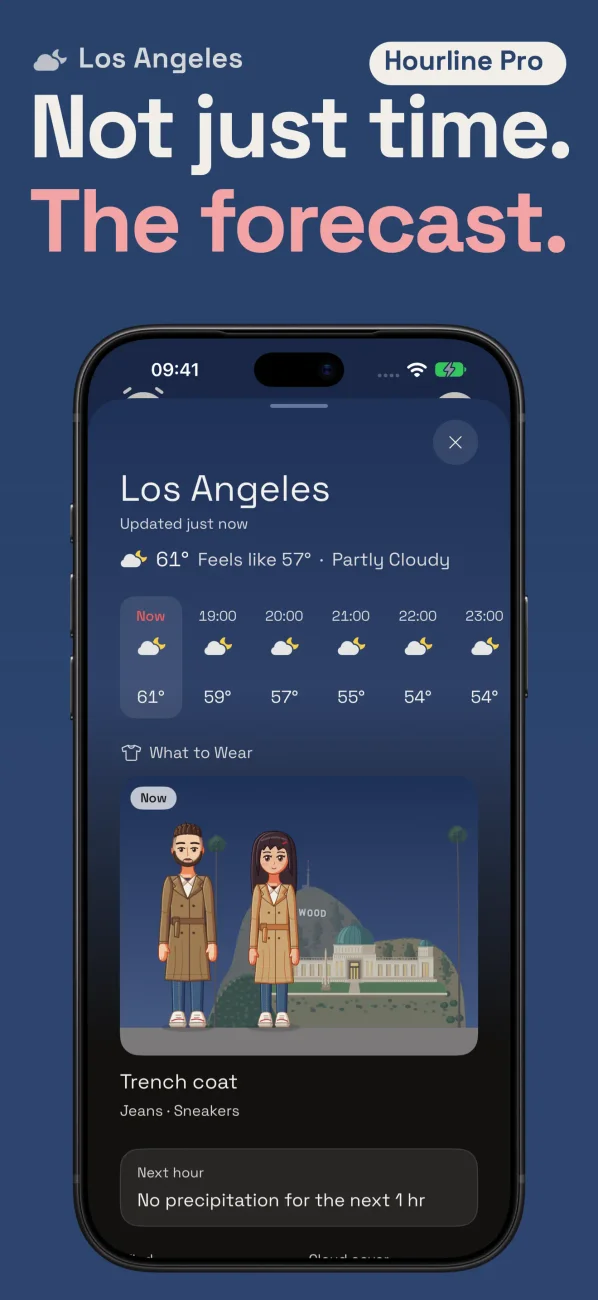
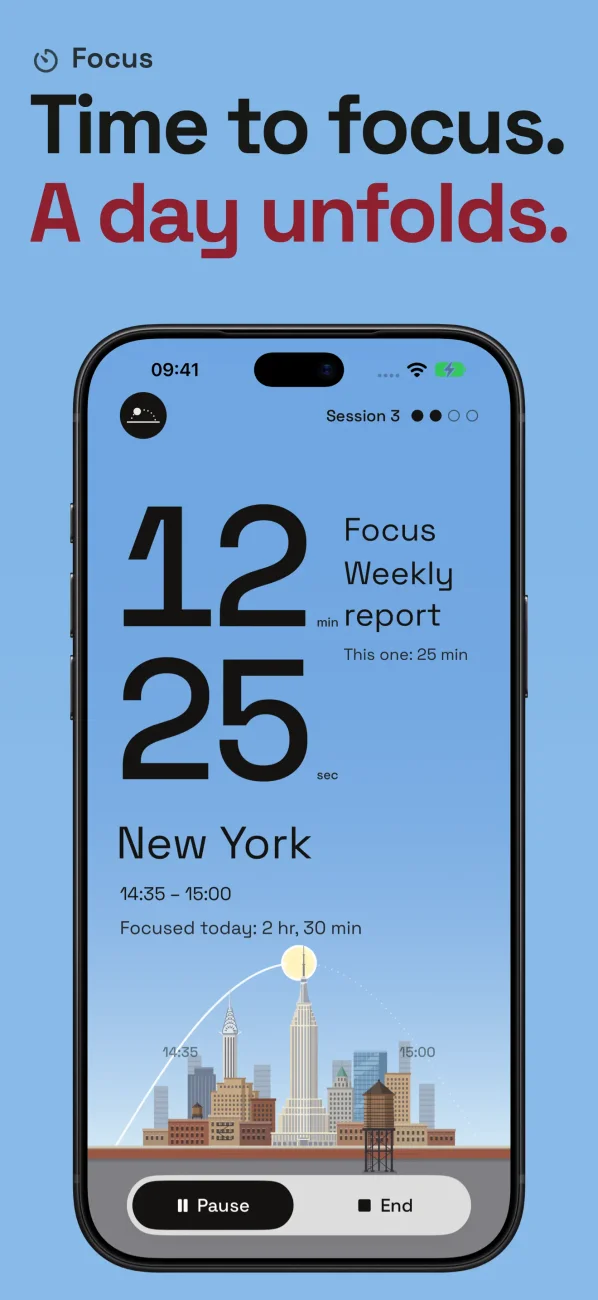
About
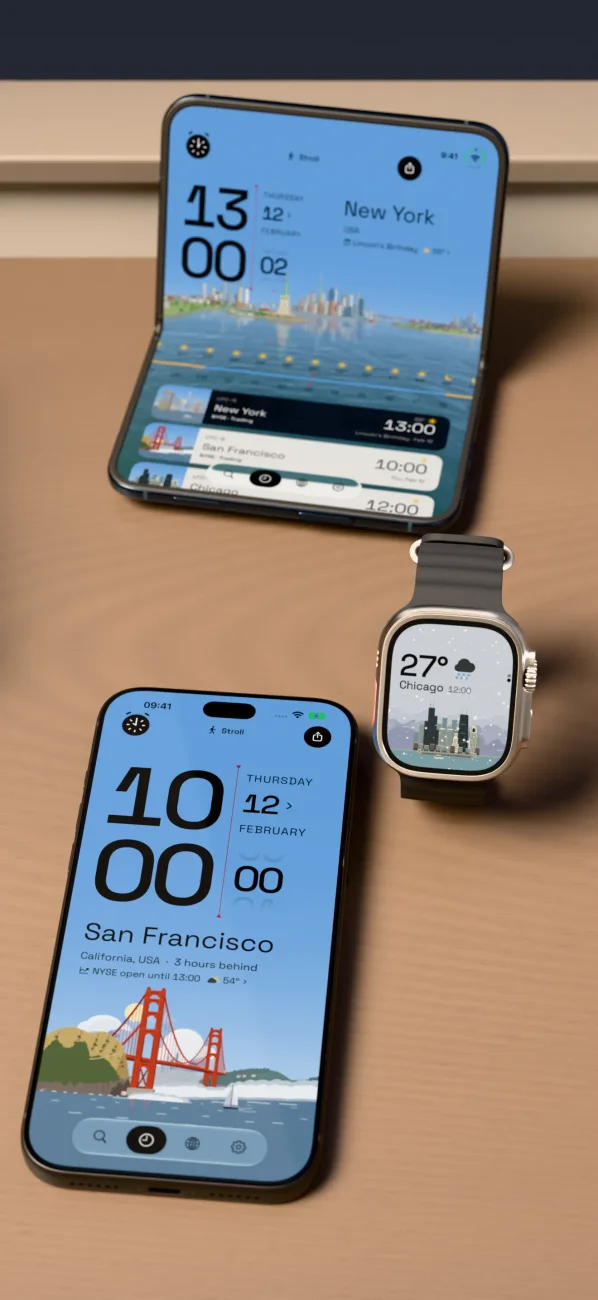
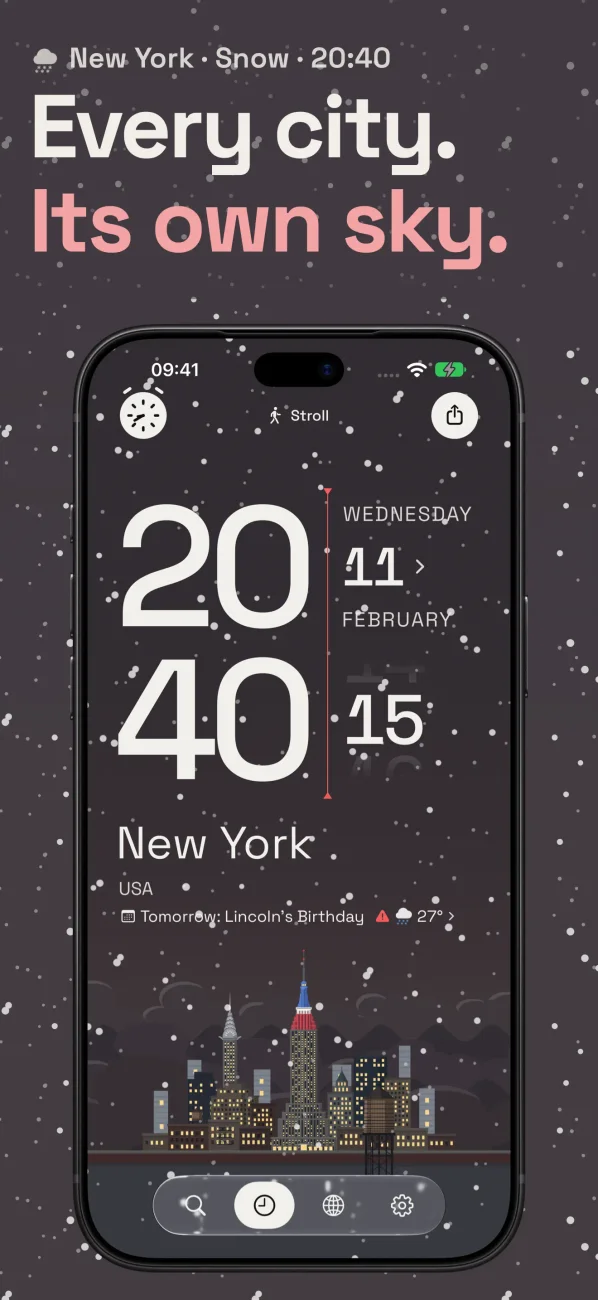
Hourline is a world clock where every city has its own landmark, sky and weather. Compare time zones at a glance on iPhone, iPad and Apple Watch, and keep your cities on your Home Screen and Lock Screen.
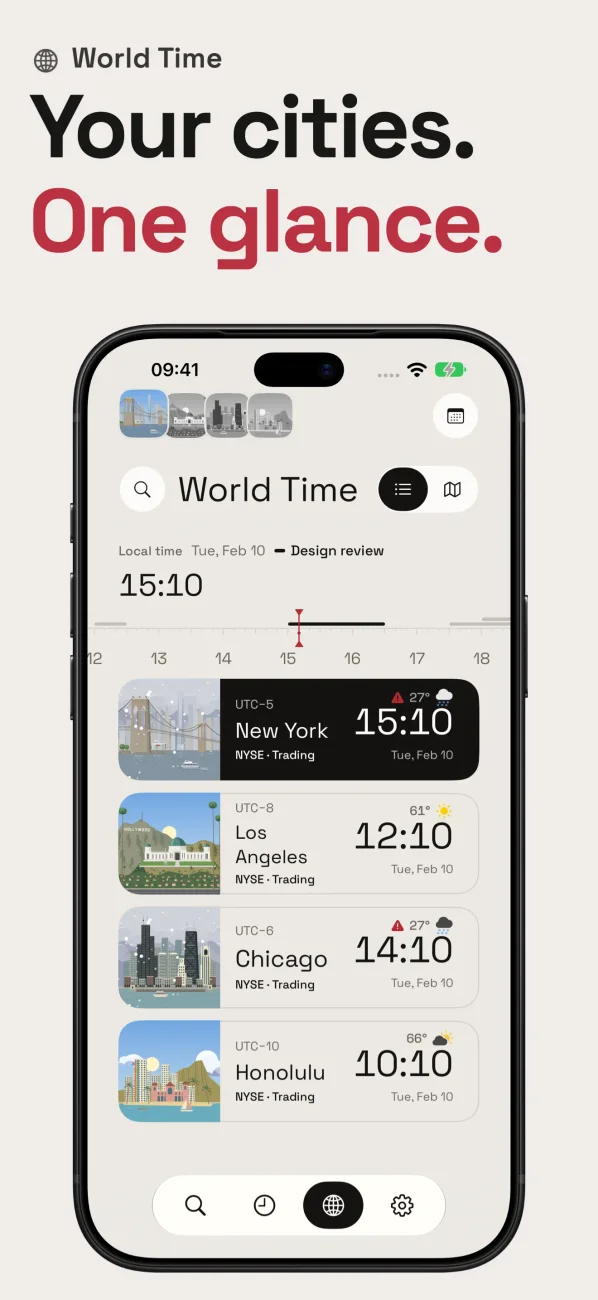
WORLD CLOCK AND TIME ZONE RULER
Drag the hour line to see the time in all your cities at once. The ruler and the day–night map make calls and meetings across time zones easy to plan. Choose from more than 570 cities, scenic places and universities.
A LANDMARK FOR EVERY CITY
Each place is drawn around its landmark under its real sky: the sun and moon where they are now, the night's real stars, decorations for local holidays, and towers that light up on the hour in Paris, Tokyo and Toronto.
LOCAL WEATHER
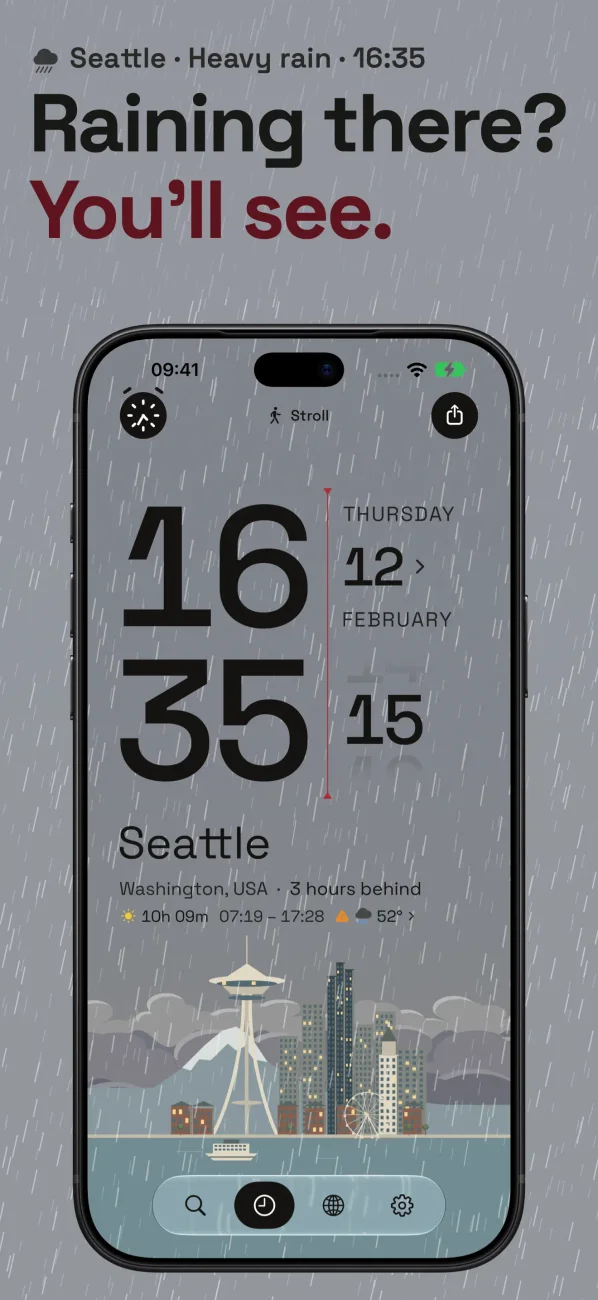
Hourly and 10-day forecasts and weather alerts from Apple Weather, with rain and snow on the glass. Free for the hours around now; Pro shows every city's full forecast.
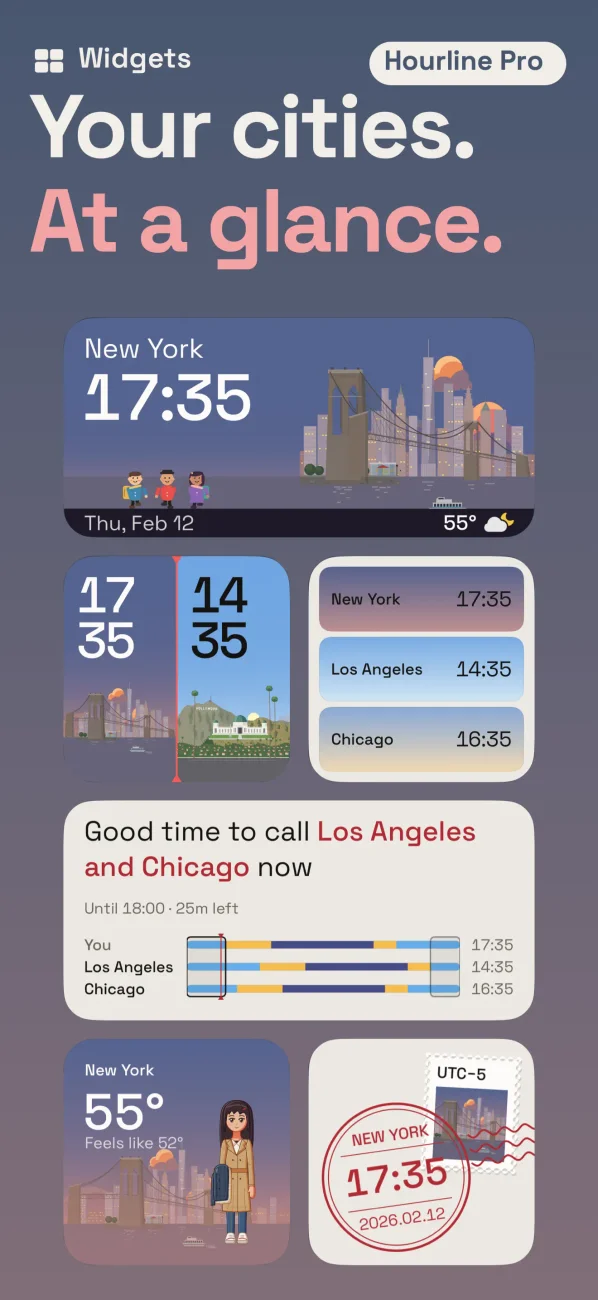
WIDGETS
Dozens of Home Screen and Lock Screen widgets for time, landmarks, weather and your calendar, with transparent and Liquid Glass backgrounds. Design your own in the Widget Studio. Countdowns, anniversaries and premium widgets need Pro.
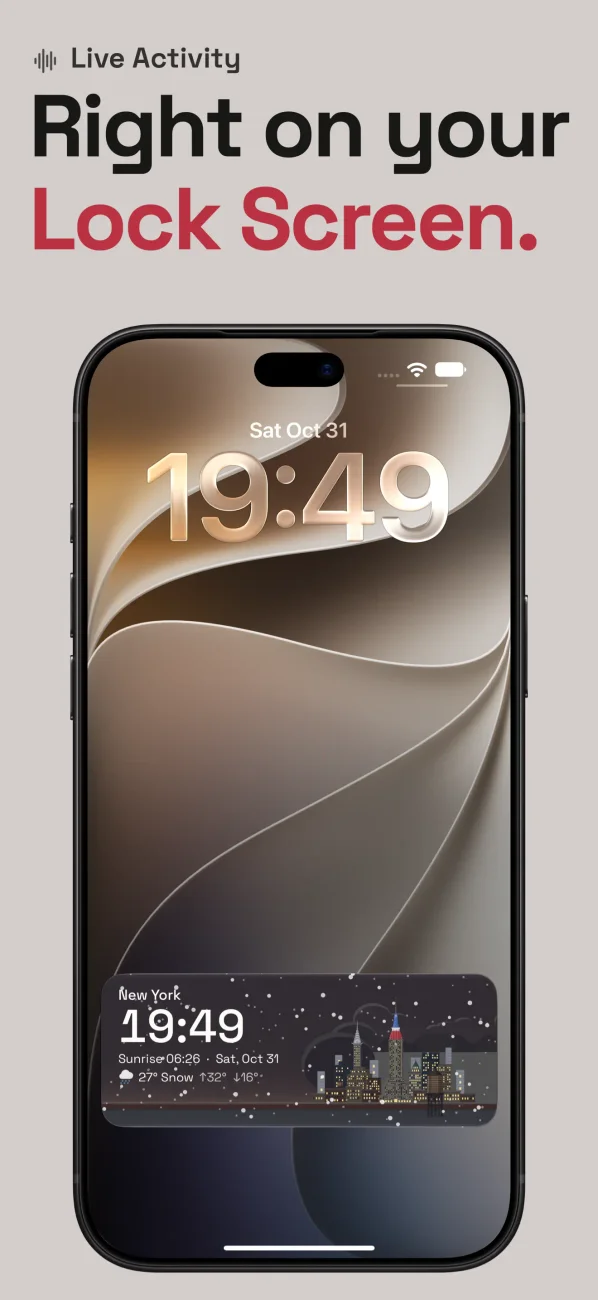
LOCK SCREEN CLOCK AND DYNAMIC ISLAND
A Live Activity keeps another city's time on your Lock Screen and in the Dynamic Island. With Pro, choose its style and let it start when you open Hourline and rain, snow or fog is on the way.
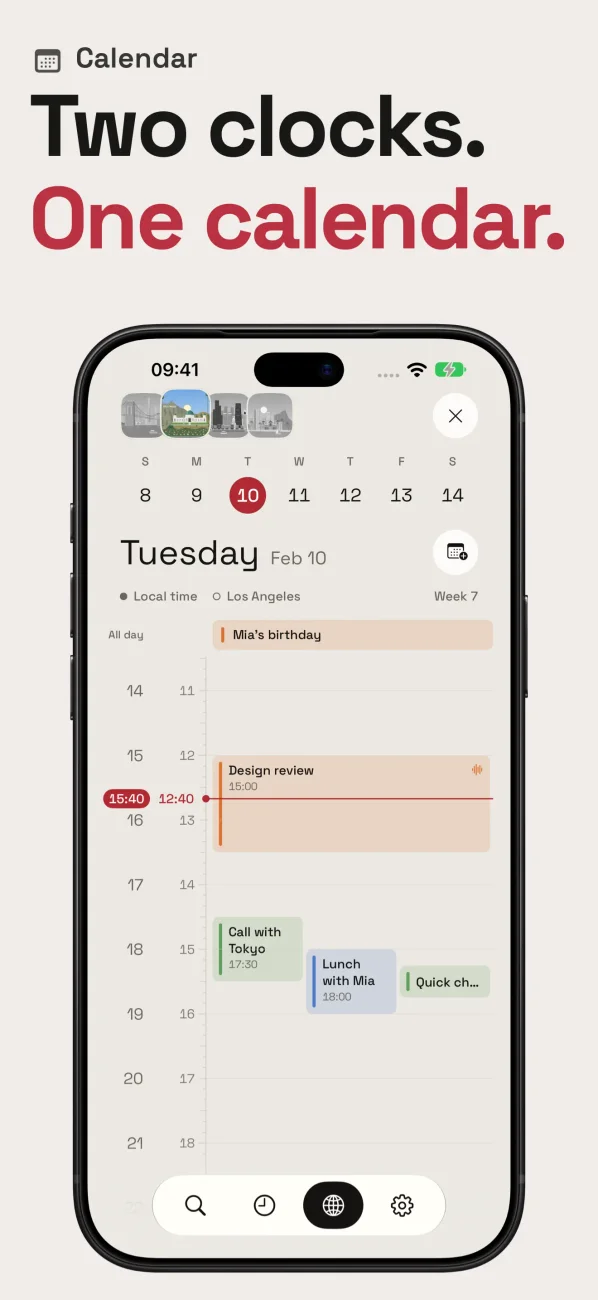
CALENDAR ACROSS TIME ZONES
Your events in your time and theirs, side by side; join a call from its alert. Pro adds the weather for every outing and the sky's colors.
ALARMS AND TIMERS IN ANY CITY'S TIME
Wake at 7 a.m. Tokyo time and watch timers count down on your Lock Screen. iOS 26 or later; new alarms need Pro.
FOCUS AND BLOCK APPS
Pomodoro rounds as a city's day goes by, with the countdown on your Lock Screen. Block the apps you choose while you focus: Hourline uses Screen Time, reads no usage data, and your choices stay on your device.
APPLE WATCH
Your cities' scenes, time and weather on your wrist, with complications and faces from the Watch Face Studio.
CITY WALLPAPER
Make a city your wallpaper, with its scenery or your own photo, kept up to date by a shortcut. Weather wallpapers and 3D need Pro.
IMESSAGE STICKERS AND POSTCARDS
Send a postcard of any place as it looks right now, or its landmark as a sticker.
3D CITIES (PRO)
New York, London, Paris, Tokyo, Shanghai and more stand in 3D under the real sky and weather.
CITY STROLL (PRO)
A walk through the city with three friends, written by Apple Intelligence or a model you choose. The first exchange is free. iOS 26 or later; availability depends on device, language and region.
HOURLINE PRO
Six saved cities are free. Pro adds unlimited cities, full forecasts, 3D cities, premium widgets, new alarms, weather wallpapers, holidays and market hours, iCloud Sync, app icons and Pro watch complications.
Choose Yearly, an auto-renewing subscription, or Lifetime, a one-time purchase. Yearly renews at the price shown in the app unless cancelled at least 24 hours before the period ends. Payment is charged to your Apple Account; manage subscriptions in your Apple Account settings.
Terms of Use: https://www.apple.com/legal/internet-services/itunes/dev/stdeula/
Privacy Policy: https://hourline.app/privacy
What’s new
Version 1.1.3 · Nov 24, 2026
• 118 New Cities and Universities
• The Real Night Sky
• 10 New Widgets
• Countdown and Anniversary Widgets
• Block Apps During Focus
• Optimized for iPhone Duo
• City Wallpaper With Your Own Photos
• Transparent and Glass Widgets
• 6 More Cities in 3D
• Lights on the Hour
• Dynamic Island Styles and Controls
• Widget Studio and Watch Face Studio
• Weather and Sky in the Calendar
• iMessage Stickers and Postcards
• Bug Fixes and Smoother Performance
App privacy
What 成琦 李 declares on the App Store about how this app handles data.
-
Data linked to you
May be collected and linked to your identity.
- Purchases
- Location
- Identifiers
- Usage data
- Diagnostics
- Other data
Privacy practices may vary, for example with the features you use or your age.
Information
- Seller
- 成琦 李
- Category
- Utilities
- Version
- 1.1.3
- Updated
- Nov 24, 2026
- Released
- Oct 2, 2026
- Size
- 293.1 MB
- Requires
- iOS 18.0 or later
- Age rating
- 4+
- Price
- Free
- In-app purchases
- Yes
- Languages
- English, Arabic, Dutch, French, German, Hindi, Indonesian, Italian, Japanese, Korean, Polish, Portuguese + 8 more
- Copyright
- © 2026 William Li
You might also like
-
 Brutal Time: Typographic ClockDesk clock & StandBy widgets
-
 Split Flap: Display BoardAirport-style signage displays
-
 LutraTallyExpenses, Budgets & Reminders
-
 CapDrive: Driving DashboardCustom Gauges, HUD & OBD
-
 TiYiAll-Protocol VPN Client
-
 影转工坊Utilities
-
 QuickPaste - Quick ClipboardClipboard History · Quick Copy
-
 TV Remote - ClickerUniversal Remote TV Control
-
 API WalletAI API Balance and Usage
-
 Glassiu Browser: Video SnifferUserscripts & Ad Blocker