
CaptionStudio: Local Captions
Transcribe, Translate, Export
Designed for iPhone, iPad
In-app purchases
- Age rating4+
- CategoryProductivity
- Developer夏骏 倪
- LanguagesKorean+ 11 more
- Size20.2 MB
Links to the official App Store page
Download.org hosts no file of CaptionStudio: Local Captions. The button opens its official App Store page, published by 夏骏 倪. Listing last checked on Nov 12, 2026.
Screenshots



About
Turn audio and video into editable, translatable, export-ready timed captions—and keep meetings and conversations on your device.
CaptionStudio brings media captions, meeting notes, floating captions, and conversation translation into one app. No account is required. Media, recordings, captions, and saved translation history are processed and stored on device by default.
AUDIO & VIDEO CAPTIONS
• Import MOV, MP4, M4V, M4A, MP3, WAV, or AAC files, or choose a video from Photos
• Generate timed captions with native speech recognition
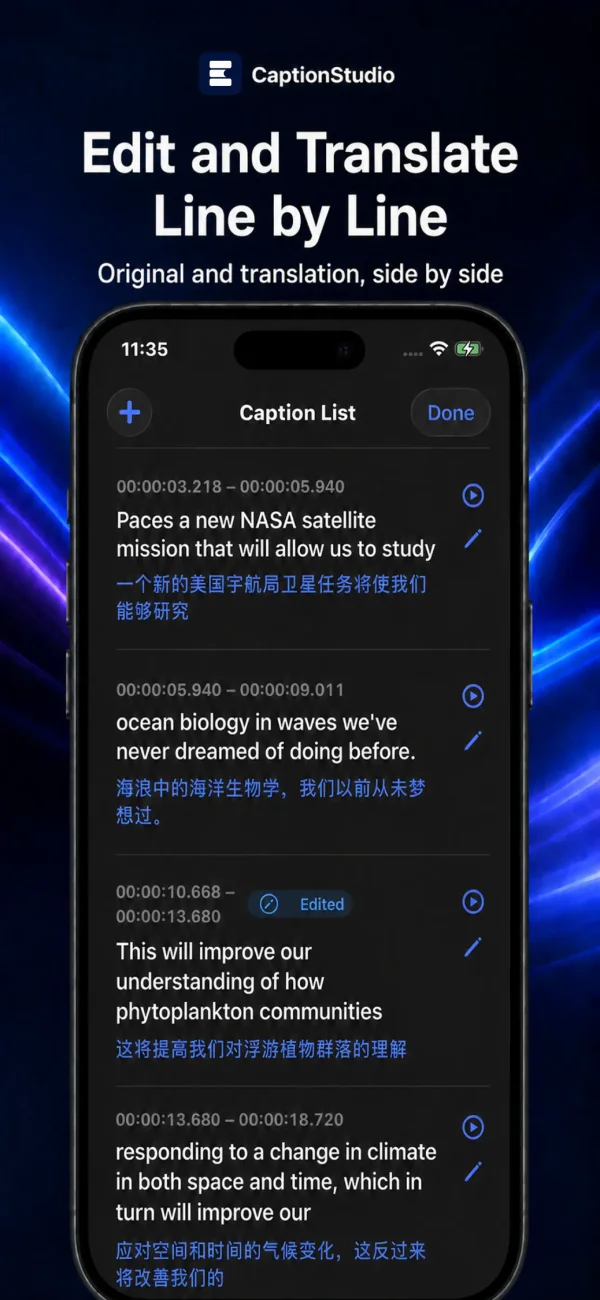
• Play, seek, correct, split, merge, and add captions on a visual timeline
• Translate captions and edit original, translated, or bilingual text
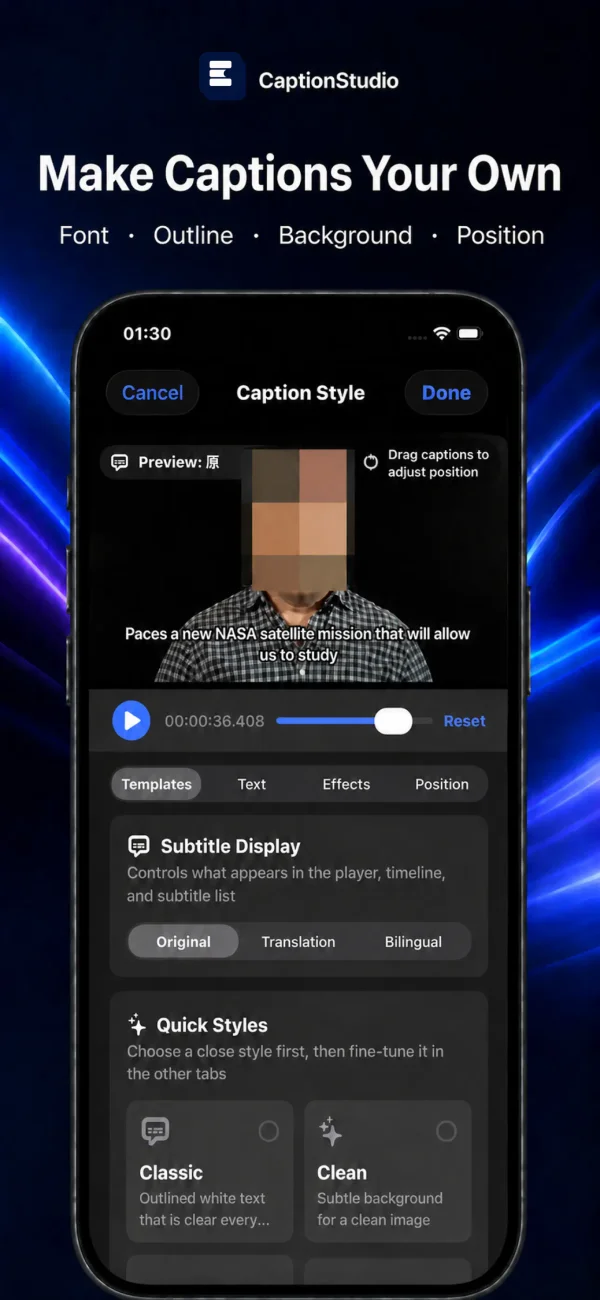
• Customize fonts, size, colors, outline, background, and position
• Export SRT, WebVTT, or TXT, or burn captions into an MP4 video
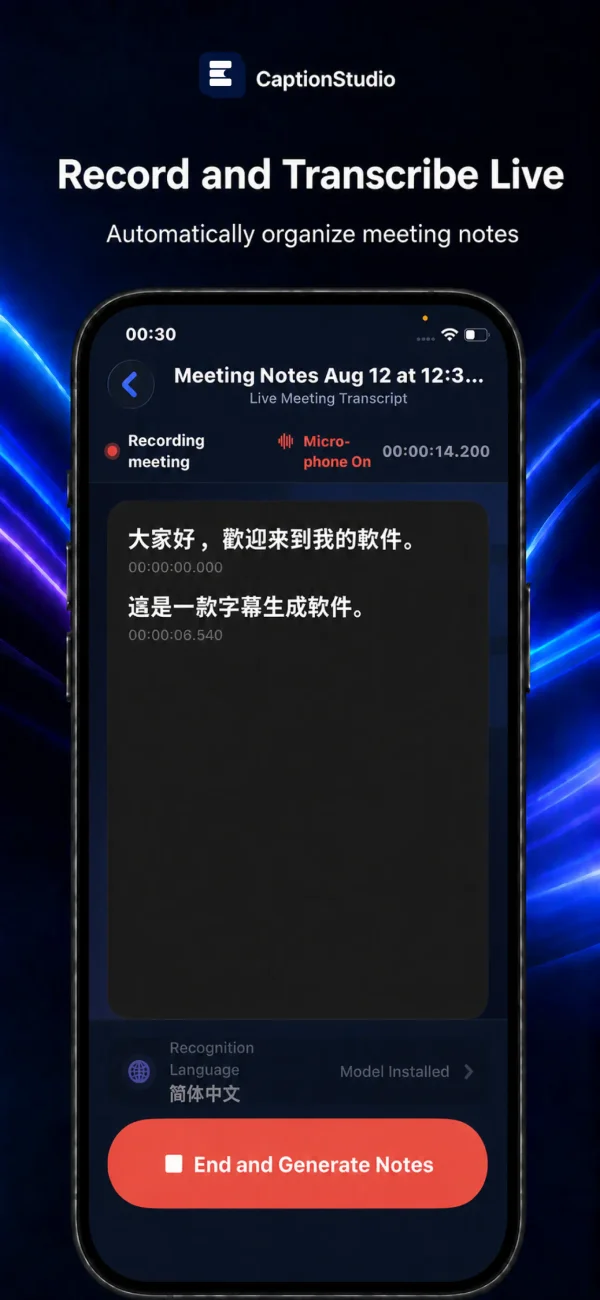
MEETING NOTES
• Record audio while creating a transcript
• Organize the transcript into an overview, key points, decisions, and action items
• Replay the recording and edit every section
• Export meeting notes with the transcript as Markdown
FLOATING CAPTIONS
• Use iOS system broadcasting to transcribe audio from supported apps
• Follow live captions in Picture in Picture
• Show original, translated, or bilingual captions
• Customize window ratio, text size, lines, alignment, colors, and background
• DRM, broadcast, and audio-source restrictions may prevent some content from being transcribed
CONVERSATION TRANSLATION
• Speak a phrase, translate it, and hear it aloud
• Swap source and target languages
• Keep conversation history on device and delete it at any time
PRIVACY FIRST
• No account, ads, or developer-operated cloud upload
• No third-party analytics or advertising SDKs
• iOS manages required language resources; some models may need to be downloaded before first use
• Recognition, translation, and language availability depend on the device, system version, and available models
New users receive a 7-day full-feature trial on first launch. After the trial, choose a one-year access purchase that does not auto-renew or a lifetime unlock. Purchases and refunds are handled by Apple.
Speech recognition, translation, and generated notes can be affected by accents, noise, overlapping speakers, and system models. Review important content against the original recording or video.
What’s new
Version 1.1 · Nov 6, 2026
Some bugs have been fixed and features improved. Please send an email if there are any unresolved issues. I’ve been quite busy lately.
App privacy
What 夏骏 倪 declares on the App Store about how this app handles data.
-
Data not collected
The developer does not collect any data from this app.
Privacy practices may vary, for example with the features you use or your age.
Information
- Seller
- 夏骏 倪
- Category
- Productivity
- Version
- 1.1
- Updated
- Nov 6, 2026
- Released
- Aug 31, 2026
- Size
- 20.2 MB
- Requires
- iOS 26.0 or later
- Age rating
- 4+
- In-app purchases
- Yes
- Languages
- Korean, German, Russian, Spanish, Arabic, English, Italian, Japanese, Simplified Chinese, Traditional Chinese, Portuguese, French
- Copyright
- © @ 2026 CaptionStudio
You might also like
-
 SRT Subtitle Toolbox MobileCombine, convert & polish SRT
-
 Cishan: Mountain Study TimerReading Journal & Time Tracker
-
 EchoCaptionOffline Captions for Video
-
 TranslateApiText · Screenshot · Voice · AI
-
 Art Clock - Flip Clock WidgetsDesk flip clock & time widgets
-
 BitBetter - Plans & ProgressTrack wins with photos & moods
-
 Realtime Interpreter AILive captions & voice
-
 Collection MonsterAI Read Later & Bookmark Saver
-
 Voice Translator & SubtitlesLive Captions: Video & Audio
-
 Memory Maestro-road to Champstrain memory, mnemonic, brain