
Car Notes: Voice Memos
Voice Notes for Drivers
Designed for iPhone, iPad
Free · In-app purchases
- Age rating4+
- CategoryProductivity
- DeveloperParra LLC
- LanguagesEnglish+ 32 more
- Size9.6 MB
Links to the official App Store page
Download.org hosts no file of Car Notes: Voice Memos. The button opens its official App Store page, published by Parra LLC. Listing last checked on Nov 23, 2026.
Screenshots
About
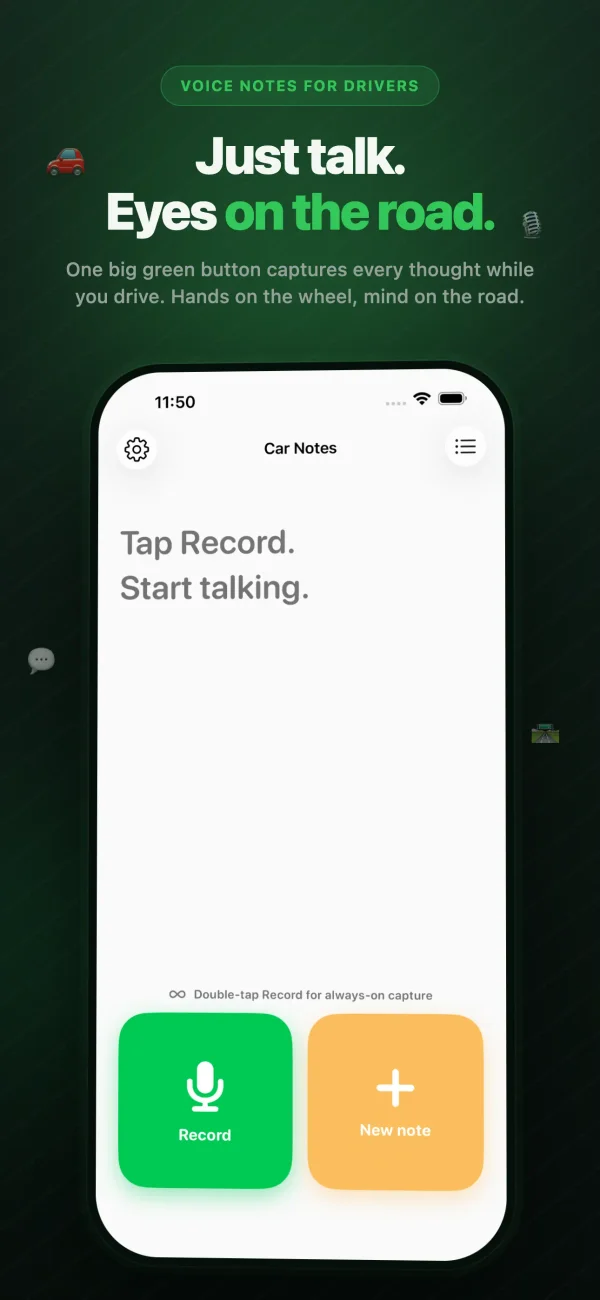
Keep your hands on the wheel.
Car Notes is the voice-first notes app built for the road. Open it and you're instantly ready to capture: one big green button at the bottom, made for one-handed use at a stoplight, eyes up. No menus, no typing, no fuss.
JUST TALK
Tap once, or just say "record" or "new note", and start talking. Car Notes transcribes as you speak, in large, glanceable text. Say "new line," "scratch that," "save," "new note," or "tag work" to edit completely hands-free. Empty recordings are quietly discarded, so a false start never costs you anything.
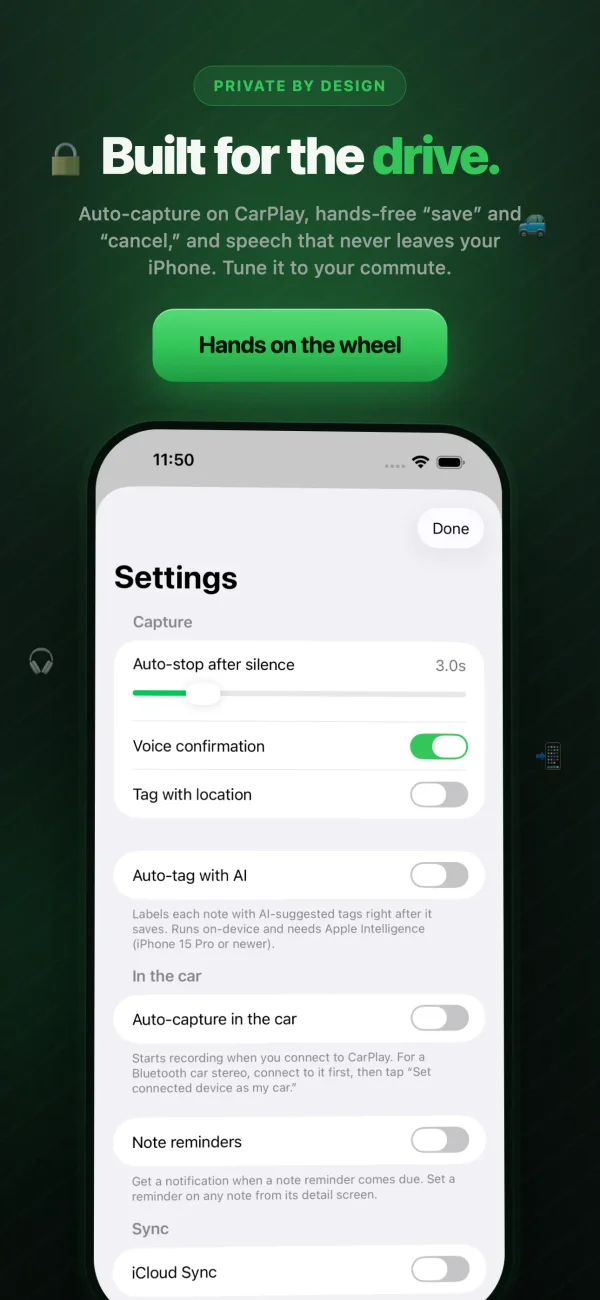
PRIVATE BY DESIGN
All speech recognition happens on your device. Your voice never leaves your phone: no servers, no accounts, nothing to set up.
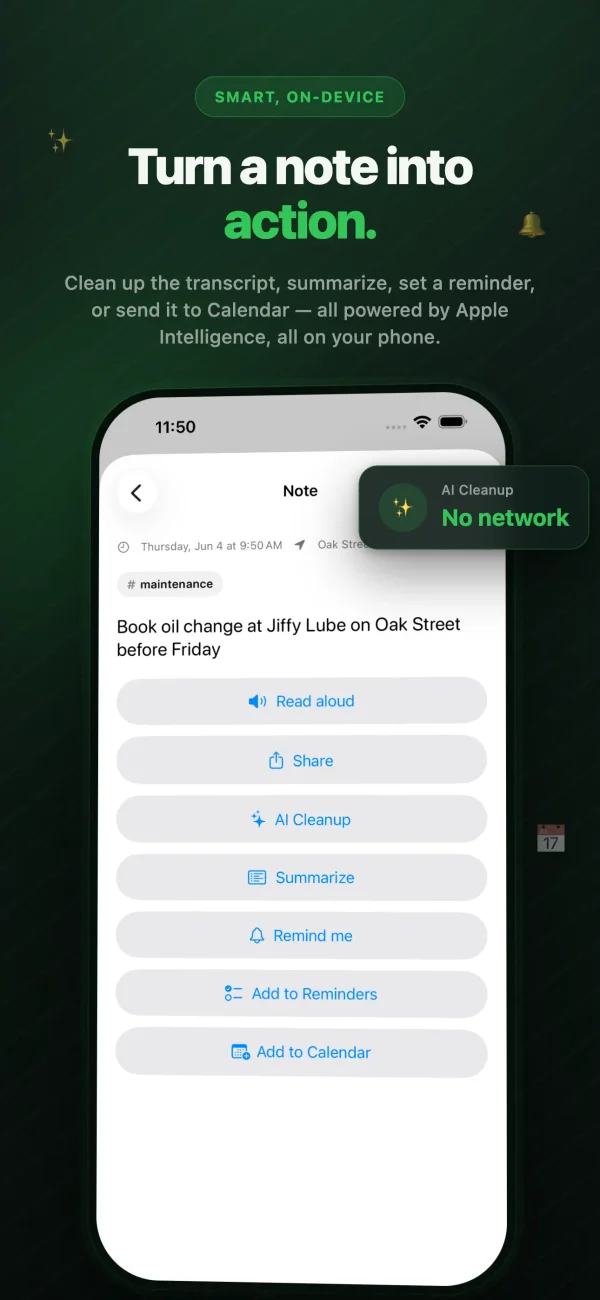
SMART, ON-DEVICE AI
Powered by Apple Intelligence, Car Notes cleans up messy car-time thoughts into clear text, suggests tags, summarizes long notes, and can turn a note into a reminder or a calendar event, all on your iPhone with no network required. (Requires a device that supports Apple Intelligence.)
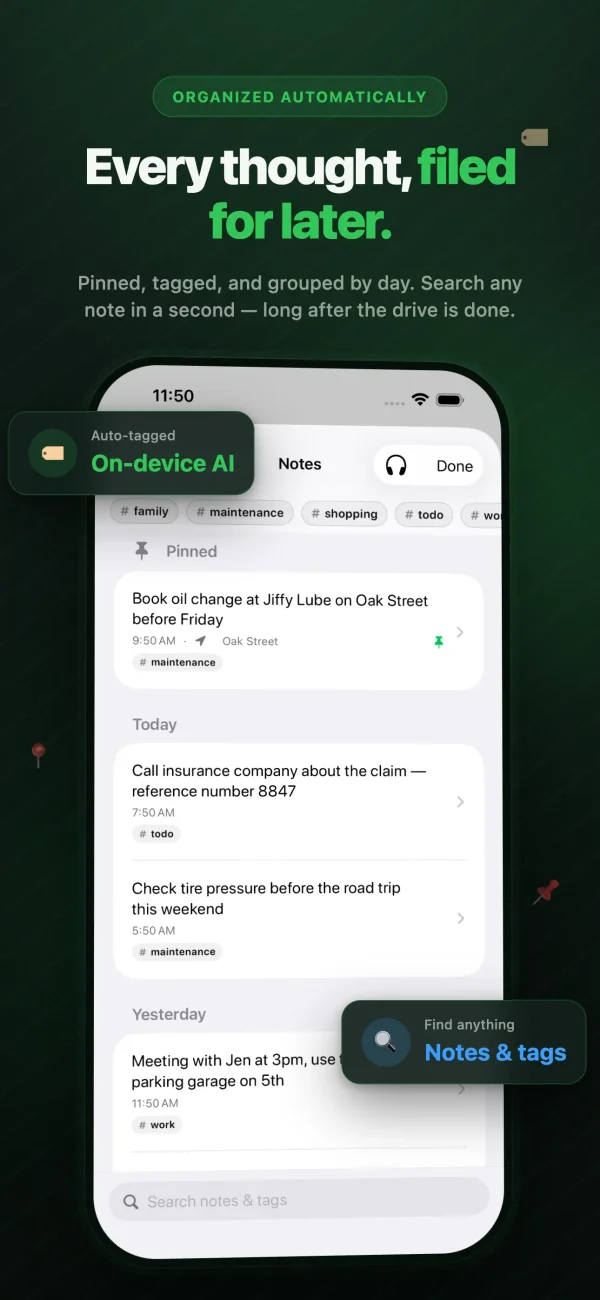
ORGANIZED AUTOMATICALLY
Your notes are pinned, tagged, grouped by day, and filed into folders, so you can find anything in a second, long after the drive is done. Search every note and tag instantly, or find a note straight from Spotlight on your Home Screen.
HANDS-FREE EVERYWHERE
• "Hey Siri, add a car note" to capture without touching your phone.
• A Control Center button and home-screen widget for one-tap capture.
• Audio ducking keeps your music and podcasts playing while you record.
EVERYWHERE YOU ARE
iCloud sync keeps your notes up to date on iPhone and iPad, automatically. Export every note to CSV from Settings whenever you want a copy.
CAR NOTES PRO
Unlock unlimited notes, iCloud sync, AI cleanup, and more with Car Notes Pro. Start with a free trial.
• Monthly and annual plans
• The annual plan includes a 7-day free trial
Payment is charged to your Apple ID at confirmation of purchase. Subscriptions renew automatically unless canceled at least 24 hours before the end of the current period. Manage or cancel anytime in your account settings.
Privacy Policy: https://car-notes.parra.io/privacy
Terms of Use: https://car-notes.parra.io/terms
What’s new
Version 1.3.0 · Nov 21, 2026
Say "new note" while recording and the next note starts right away, or say it on the capture screen to begin. Spoken tags are smarter: "tag it with work" tags the note "work". Car Notes now runs on iPad, your notes show up in Spotlight search, and you can export every note to CSV from Settings.
App privacy
What Parra LLC declares on the App Store about how this app handles data.
-
Data not linked to you
May be collected but is not linked to your identity.
- Purchases
- Contact info
- User content
- Identifiers
- Diagnostics
Privacy practices may vary, for example with the features you use or your age.
Information
- Seller
- Parra LLC
- Category
- Productivity
- Version
- 1.3.0
- Updated
- Nov 21, 2026
- Released
- Jun 26, 2026
- Size
- 9.6 MB
- Requires
- iOS 18.0 or later
- Age rating
- 4+
- Price
- Free
- In-app purchases
- Yes
- Languages
- English, Arabic, Catalan, Croatian, Czech, Danish, Dutch, Finnish, French, German, Greek, Hebrew + 21 more
- Copyright
- © 2026 Parra, Inc.
You might also like
-
 NoteNow: Quick NotesCapture ideas in the moment
-
 Recall: Voice Notes & RecorderTranscribe AI Memos Offline
-
 iVoiceTypeVoice Text: Accurate Dictation
-
 MoNote: Brain Dump Voice NotesADHD-friendly, never rewritten
-
 Notes: Voice, Notepad, TodosProductivity
-
 NoteTap - Voice to NotesVoice notes to text instantly
-
 VOR: Voice to TextSpeak. It types. Instantly.
-
 Relay Voice: Memos into NotesAI Transcribes Speech to Text
-
 RoadNotes: Voice NotesHands-free notes while driving
-
 Koe - Voice NotesVoice thought journal