
Card Hand Probability
Opening hands. Better choices.
Designed for iPhone
In-app purchases
- Age rating4+
- CategoryUtilities
- DeveloperTakeru Ito
- LanguagesJapanese+ 8 more
- Size108.2 MB
Links to the official App Store page
Download.org hosts no file of Card Hand Probability. The button opens its official App Store page, published by Takeru Ito. Listing last checked on Nov 10, 2026.
Screenshots
About
Check your chances of drawing key cards and make informed choices about card counts. Set the deck size, opening hand and success conditions to compare the consistency of your opening hands.
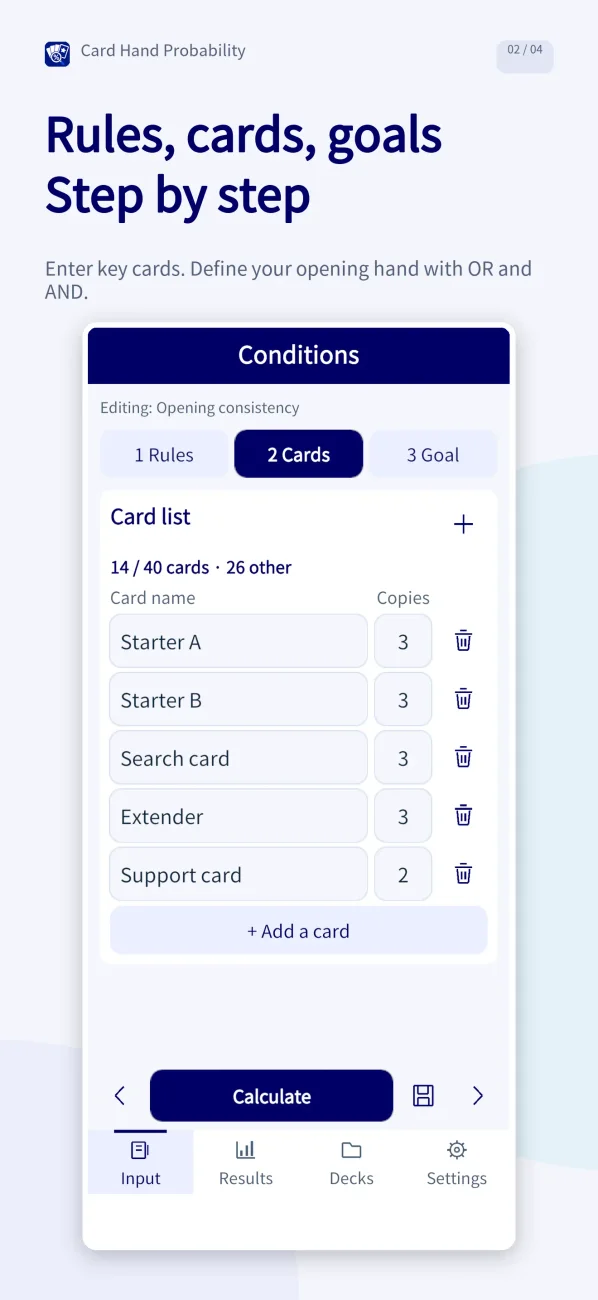
Three steps: rules, cards, conditions
• Set your deck size and opening hand size.
• Choose no mulligan, one redraw after returning the whole hand, or one redraw excluding the whole hand. A redraw happens only when the hand fails your success conditions.
• Enter names and counts for the cards you want to analyze. The remaining cards are grouped as Other cards.
• Combine OR choices such as A or B with AND requirements such as A and B. Each AND row needs a separate physical card. If you add multiple success patterns, meeting any one counts as success.
Read the probabilities clearly
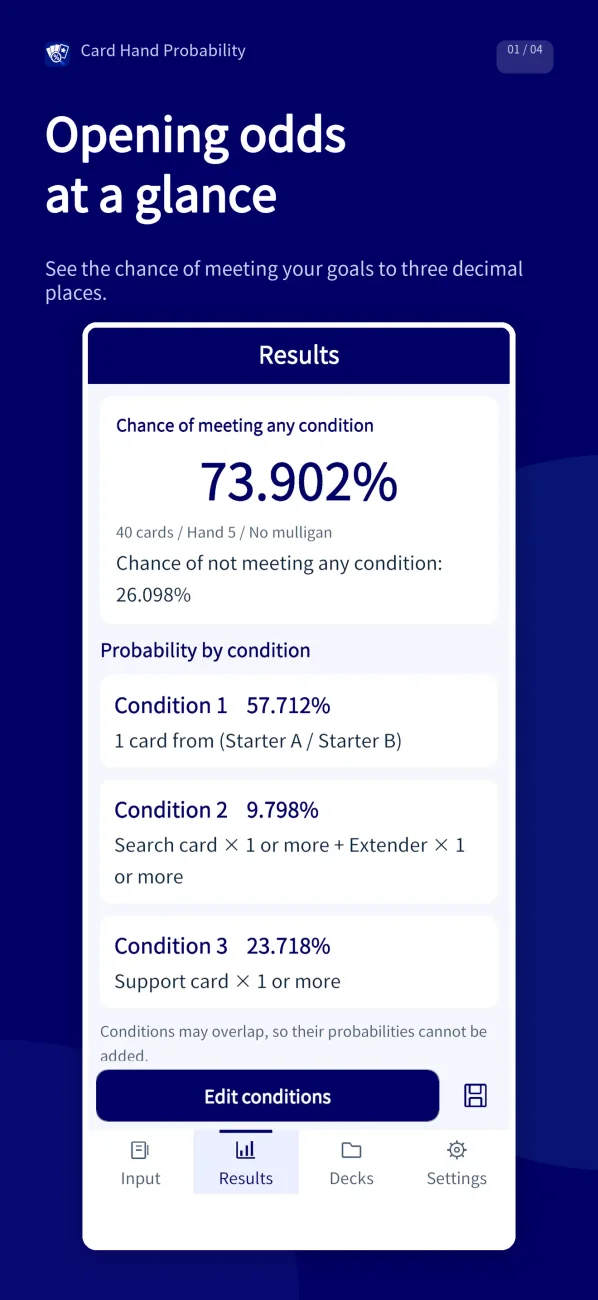
See the chance of meeting any condition, the chance of meeting none, and each condition's probability, displayed to three decimal places. With a mulligan, see the initial-hand probability and the gain from redrawing. Conditions can overlap, so their probabilities cannot be added together.
Compare a one-card change
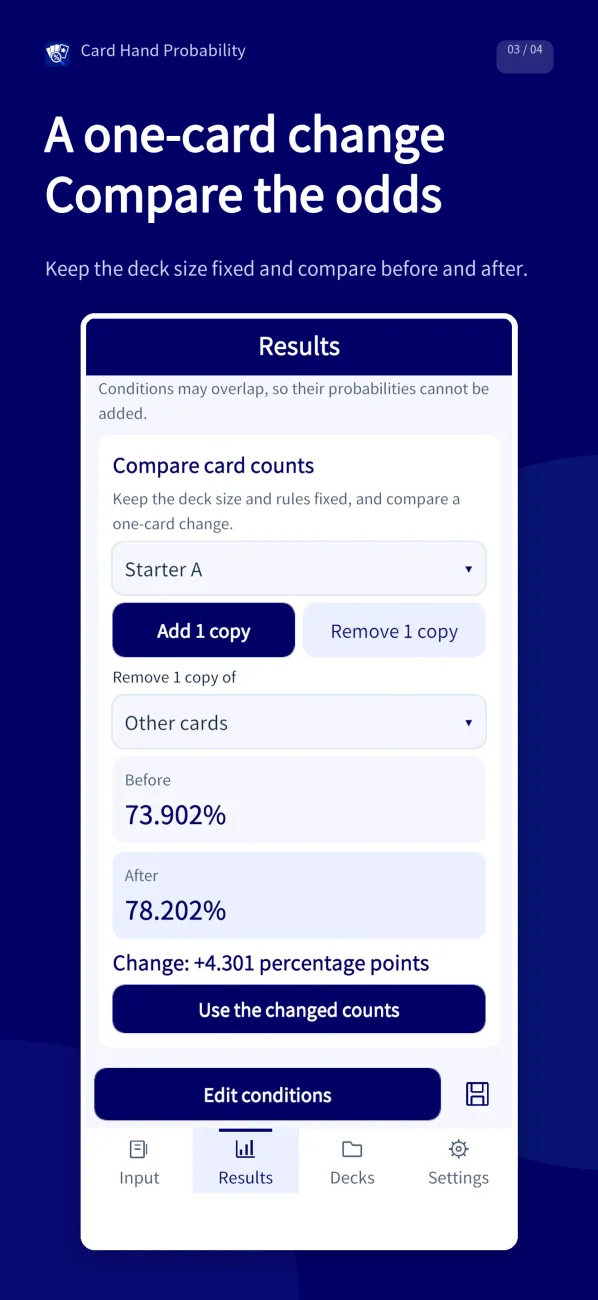
Keep the deck size and rules fixed while adding or removing one copy. Choose which other card count changes in its place, then compare the before and after probabilities and the difference in percentage points. Apply the changed counts to your inputs.
Save decks for your next build
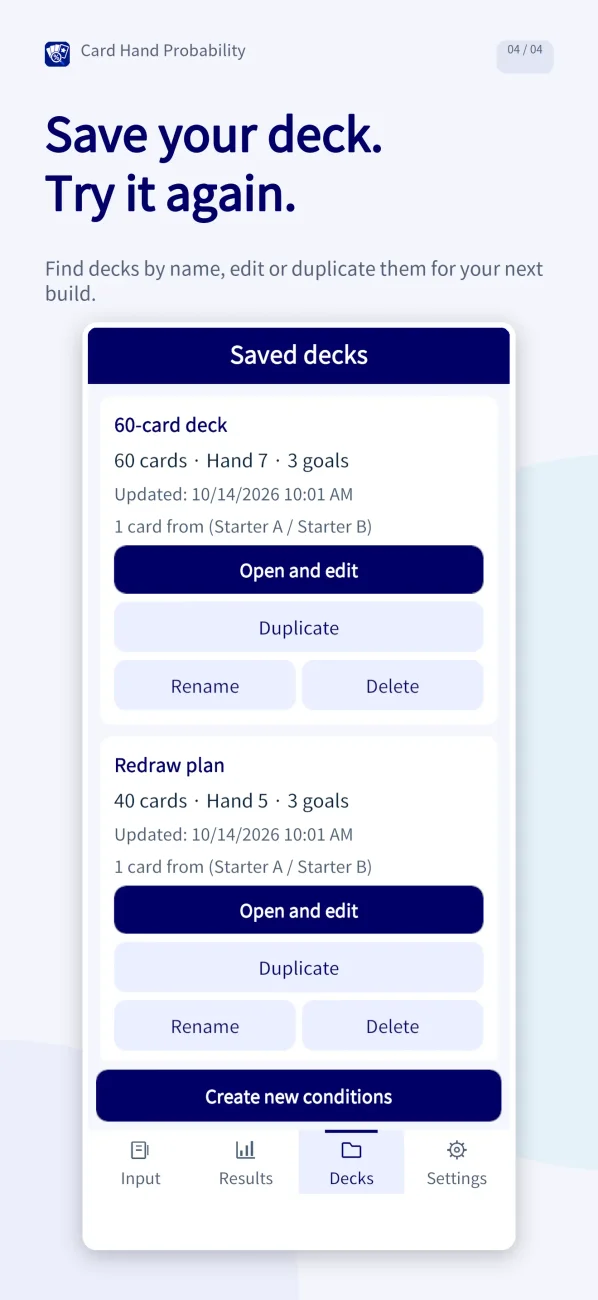
Save up to 3 named decks for free. Open, edit, duplicate and search by name. Your working draft is stored separately on your device so you can resume after an interruption, without using a saved deck slot.
Copy a text backup of your saved decks to keep in a note or file, and import a copied backup later.
9 interface languages
Japanese, English, Simplified Chinese, Traditional Chinese, Korean, Spanish, Brazilian Portuguese, French and German. Card and deck names stay as you entered them.
Optional paid features
Additional saved deck slots and ad removal are available through in-app purchases. Each slot purchase adds one slot.
This app calculates opening hands and a single redraw under the conditions you set. It does not predict play sequences or match win rates.
What’s new
Version 1.0.6 · Oct 14, 2026
A refreshed interface and workflow.
• Enter rules, cards and success conditions in three steps.
• Read larger probability results, condition details and mulligan effects to three decimal places.
• Compare a one-card change while keeping the deck size fixed.
• Duplicate and search saved decks, and resume your working draft.
• Copy and import backups, or restore an on-device backup.
• Use the interface in 9 languages.
Existing saved decks and purchased features remain available.
App privacy
What Takeru Ito declares on the App Store about how this app handles data.
-
Data used to track you
May be used to track you across apps and websites owned by other companies.
- Location
- Identifiers
- Usage data
-
Data linked to you
May be collected and linked to your identity.
- Location
- Identifiers
- Usage data
-
Data not linked to you
May be collected but is not linked to your identity.
- Location
- Identifiers
- Usage data
- Diagnostics
Privacy practices may vary, for example with the features you use or your age.
Information
- Seller
- Takeru Ito
- Category
- Utilities
- Version
- 1.0.6
- Updated
- Oct 14, 2026
- Released
- Feb 26, 2026
- Size
- 108.2 MB
- Requires
- iOS 16.0 or later
- Age rating
- 4+
- In-app purchases
- Yes
- Languages
- Japanese, Spanish, German, French, Portuguese, Simplified Chinese, Traditional Chinese, English, Korean
- Copyright
- © 2026 ItoTakeru
You might also like
-
 トレカ確率シミュレーションアプリ-トレシミュ-Utilities
-
 Poke ProbabilityHand and match probabilities
-
 Kakuritsu KunUtilities
-
 MHLabスキルシュミレーターとダメージ計算をオフラインで
-
 Color Date PlusHigh Visibility Date / Upgrade
-
 My TRPG DiceDice rolls for tabletop RPGs
-
 ダブルバトルの計算機Utilities
-
 HPCG memoUtilities
-
 FusionCalc1 Pro | Memo & CalcCalculator with Memory Notes
-
 Simple Calc: Photo CalculatorCalculator with photo themes