
Cardinal Bible
Zero-distraction Bible with SI
Designed for iPhone, iPad
Free · In-app purchases
- Age rating9+
- CategoryEducation
- DeveloperJed Bridges
- LanguagesEnglish+ 8 more
- Size102.7 MB
Links to the official App Store page
Download.org hosts no file of Cardinal Bible. The button opens its official App Store page, published by Jed Bridges. Listing last checked on Nov 24, 2026.
Screenshots



About
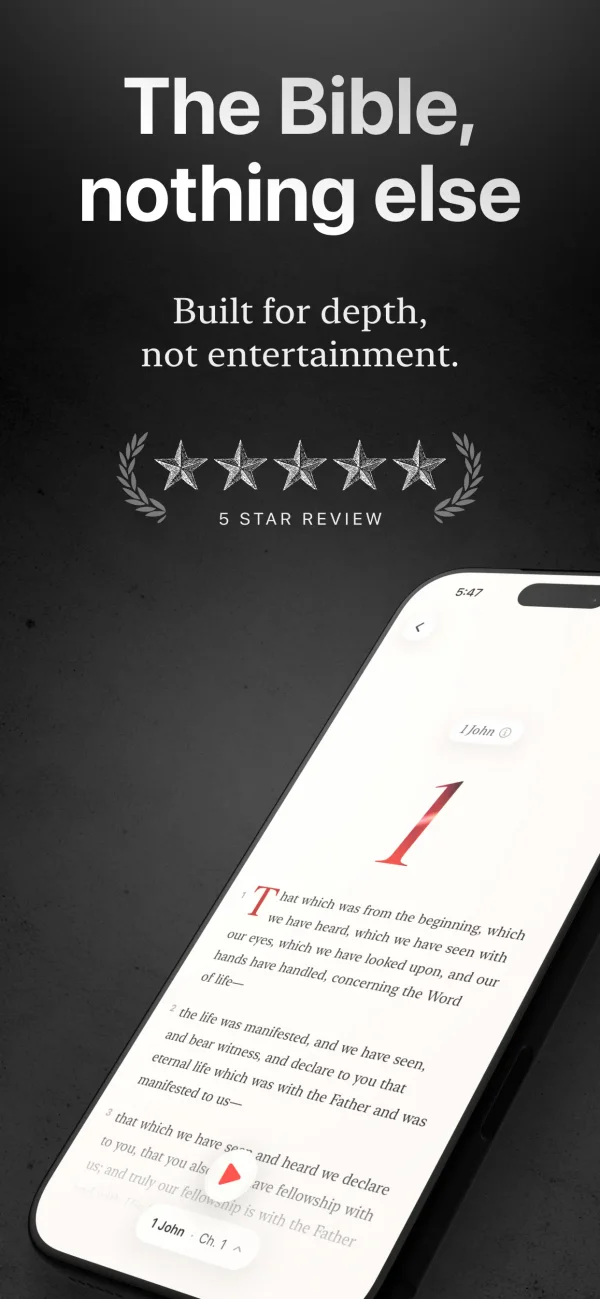
Bible apps have become social platforms, full of feeds and features that distract you from simply reading the Bible. Cardinal is different. Just you, God and Scripture. No noise.
Read
Cardinal opens on the Majority Standard Bible, plain modern English. Thirteen translations are free and always will be; eight read fully offline, including the King James, World English and Berean Standard. Reading Scripture never requires a subscription.
Long-press and drag to highlight exactly the words you chose, not the whole verse. Save favorites and write in the margins.
Listen
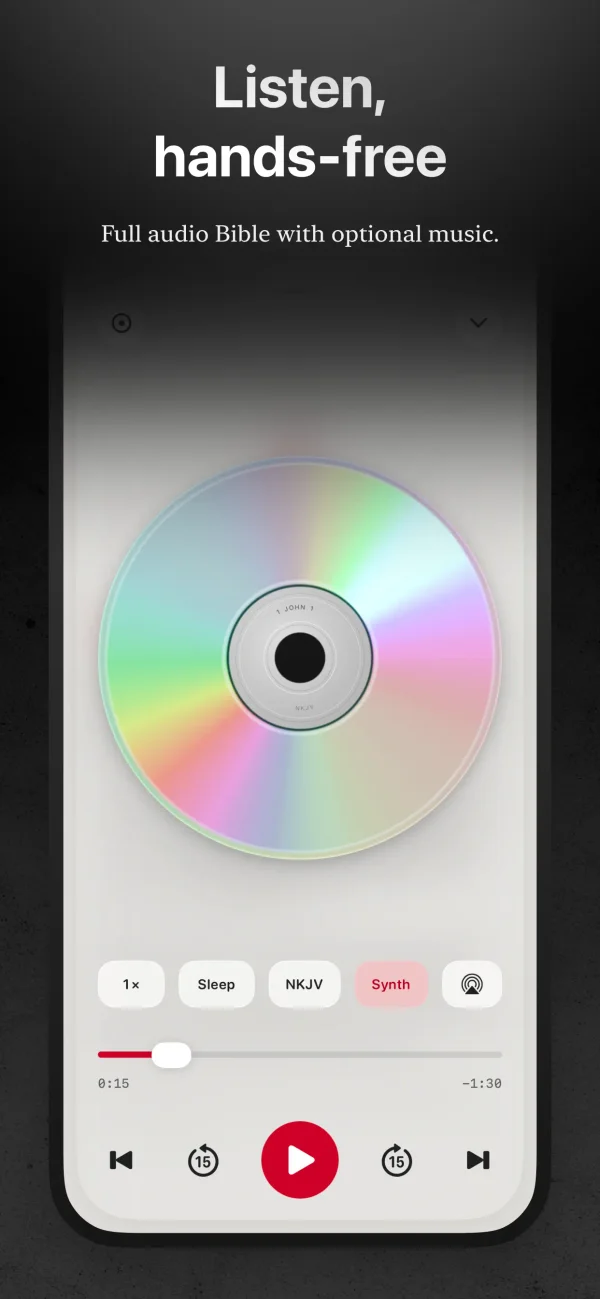
Hear Scripture read aloud, the words lighting up in time and the page following on its own. Six narrators, a sleep timer, adjustable pace, AirPlay, and it keeps playing on the lock screen.
Ask
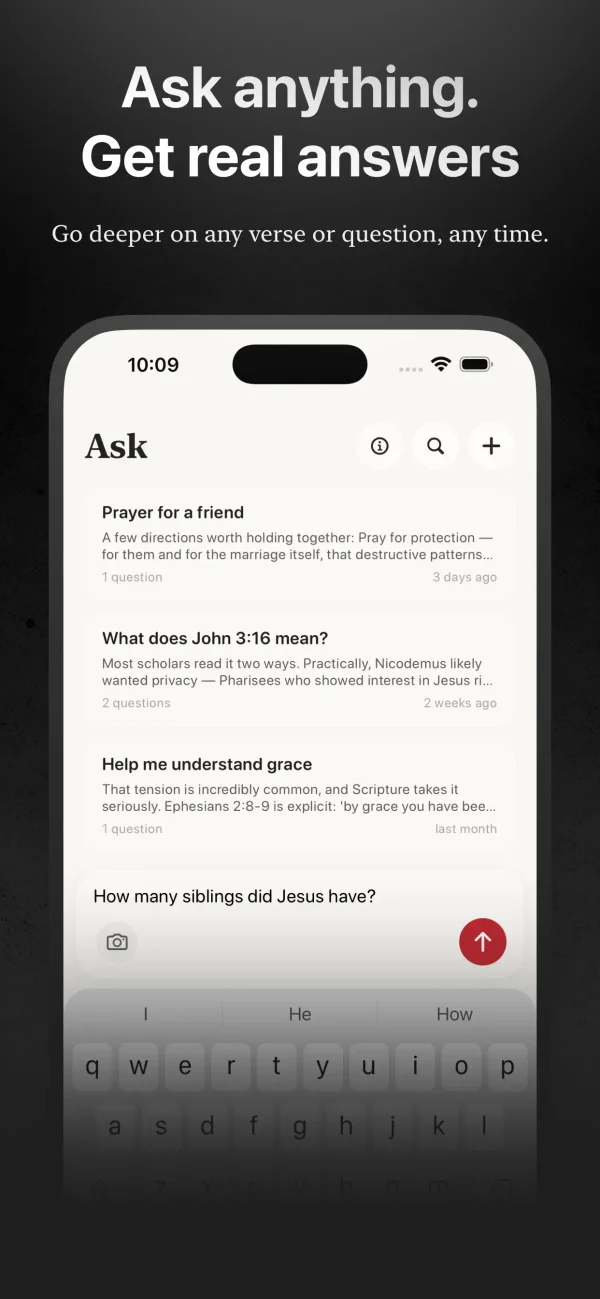
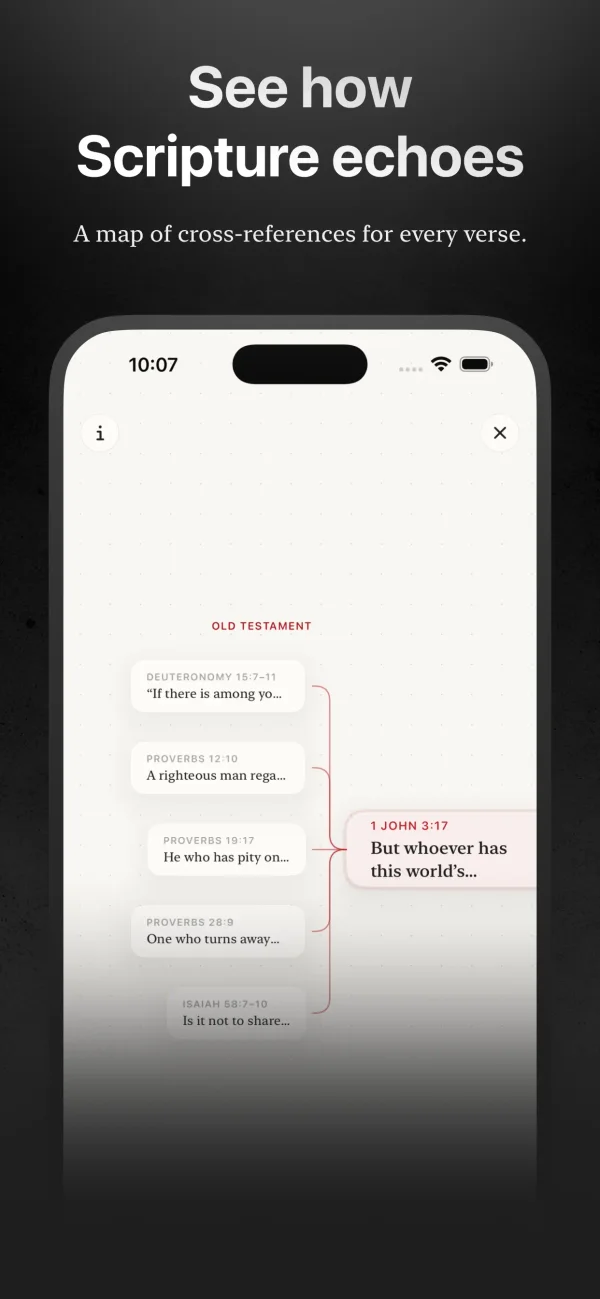
Read a passage and think, "What does that actually mean?" Ask, and get an answer drawn from the verse in front of you: cross-references, word studies, context. Thirty of the biggest questions about Christianity are answered in full, free, plus three of your own each month. Beyond that, Ask is Cardinal Pro.
More Translations
The NKJV, NASB, CSB and NLT come with Cardinal Pro, each with a free day to try. Read two side by side and see where they differ. Their licenses do not allow storing the text, so these four always need a connection.
Quiet Time: Your Daily Time Set Apart
One guided sitting a day. Pause, read, reflect, apply, pray, close. Each day is fifteen to twenty-five verses, a whole scene rather than a chapter. After seven in the evening a shorter sitting appears. Your archive is searchable and private, and what you pray for goes to a list you can mark answered.
Nine curated paths, from the Story of Jesus in John to the whole Bible in a year. Or describe what you are facing and Cardinal builds a path around it, free, with every day shown before you begin.
No streaks. No badges. No missed-day guilt. Just time set apart.
Scripture Memorization
Practice two ways: first-letter hints, or hidden words, which blanks more of the verse each pass until you can say it from the reference. Verses you are still learning come back sooner, under "Ready to come back" rather than a streak you broke.
Notes: For Sermons You Hear and Sermons You Give
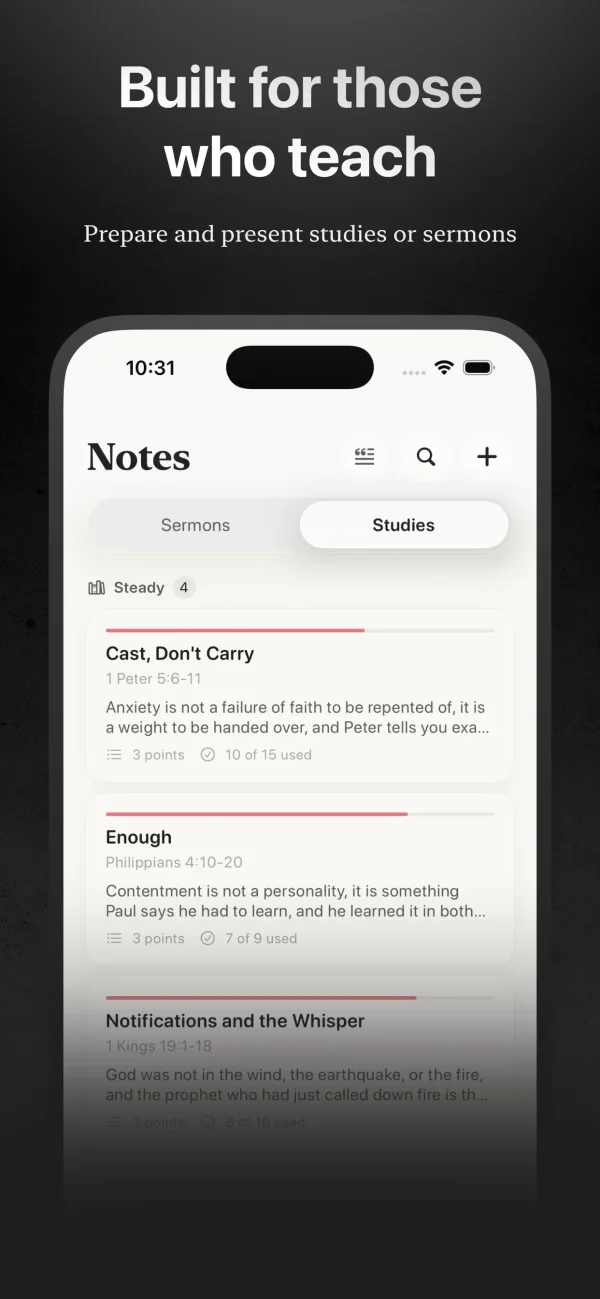
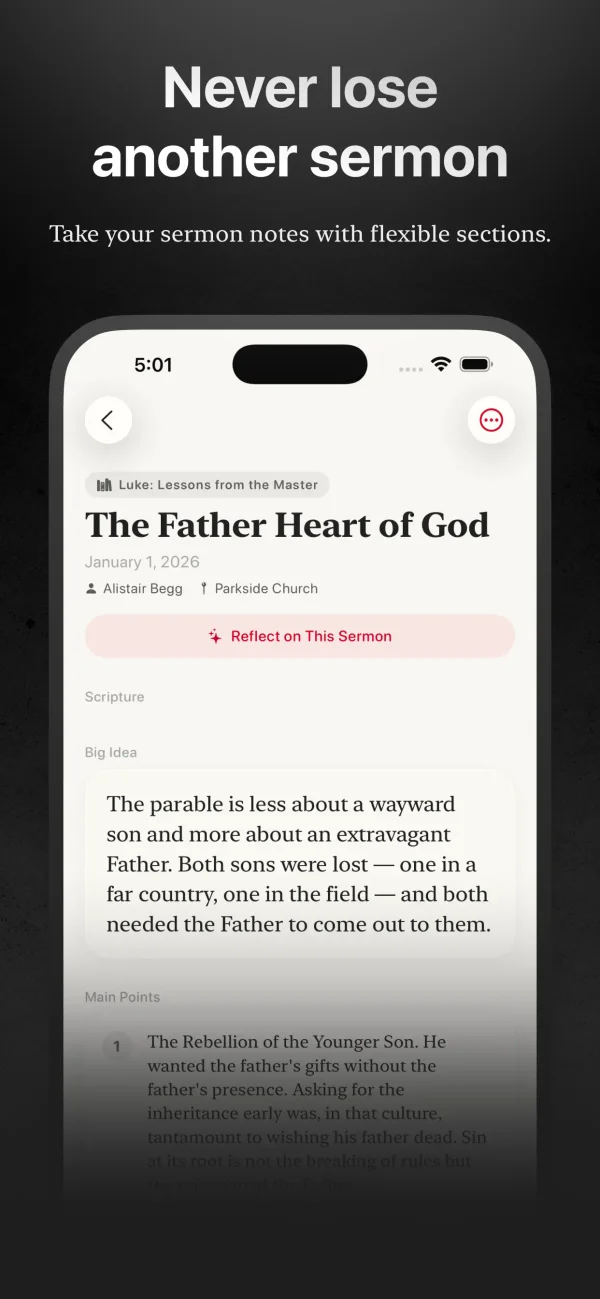
A sermon note is for when someone else preaches. It opens with Scripture and notes; big idea, main points with their verses, Living It Out and action steps get added when you want them. Group them by series.
Studies is for when you are the one teaching (Cardinal Pro). Name a passage, say what it is about, and Cardinal offers the cross-references, places, key verses and original-language words it holds, each with a line on why it belongs. It finds them on your phone from bundled data, so it cannot cite what it cannot point at, and nothing is added until you tick it. It gathers; it never writes your message.
Podium mode is what you preach from: read-only, lectern-sized type, every passage loaded before you stand up. Editing a study needs Pro; reading, exporting as Markdown and preaching from one never do.
Threads: Someone Has Been Where You Are
Twenty-four lives of Scripture, found by what they are about, not by name: fear, grief, shame, waiting. Each told as the few moments that made it, plotted across the whole Bible. A hundred and forty moments, free.
Journeys: Walk Where It Happened
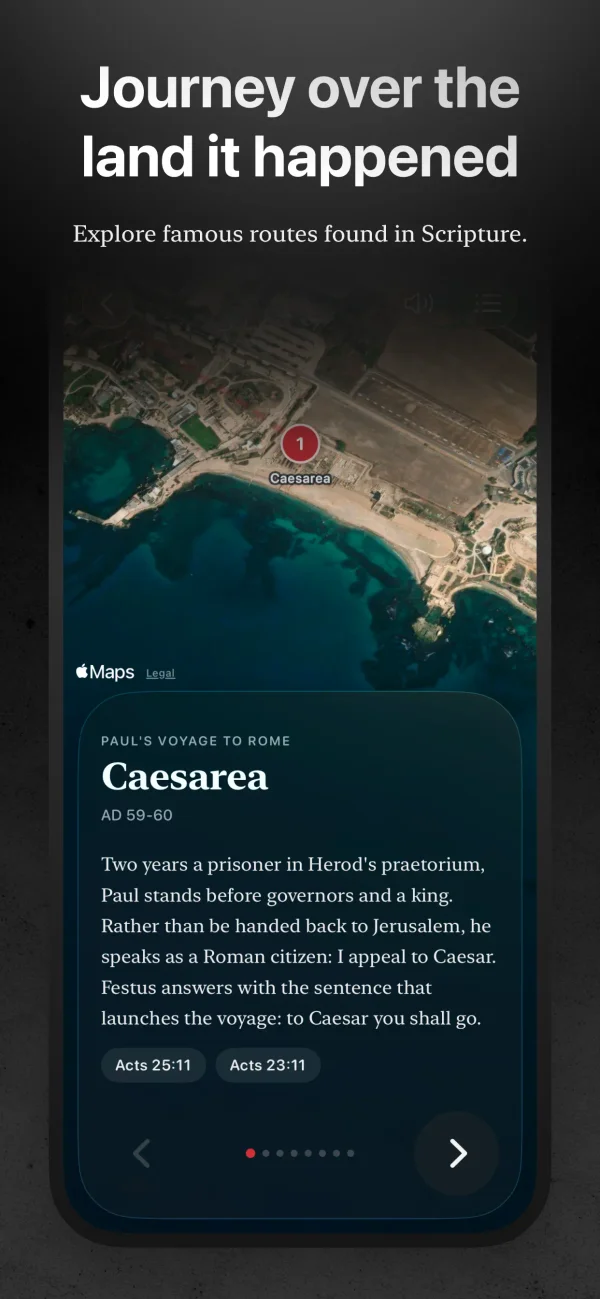
Paul's voyages, Abraham's road, the Exodus and Passion Week, flown place to place over 3D satellite maps. Each stop tells what happened there, reads aloud, and shares as a card. Seventeen journeys, free for everyone.
Widgets and Watch
Pin a Verse of the Day, today's Quiet Time passage, or Memorize progress. The Apple Watch app works with no phone near.
Works Offline
Memorize, study, highlight and take notes anywhere. Only audio, Ask and the four licensed translations need a connection.
Why Cardinal?
Cardinal is for people who want to read Scripture, sit with it, and talk to God. That's it.
Terms of Use: https://cardinalbible.app/terms-of-use.html
What’s new
Version 2.97.2 · Nov 23, 2026
Advent readings now show the right verses in every translation, and the Advent reminder lets you know if it couldn't be set. After following a cross-reference, the way back sits neatly beside the chapter button.
App privacy
What Jed Bridges declares on the App Store about how this app handles data.
-
Data not linked to you
May be collected but is not linked to your identity.
- Usage data
- Diagnostics
Privacy practices may vary, for example with the features you use or your age.
Information
- Seller
- Jed Bridges
- Category
- Education
- Version
- 2.97.2
- Updated
- Nov 23, 2026
- Released
- Jan 28, 2026
- Size
- 102.7 MB
- Requires
- iOS 17.0 or later
- Age rating
- 9+
- Price
- Free
- In-app purchases
- Yes
- Languages
- English, French, German, Korean, Portuguese, Russian, Simplified Chinese, Spanish, Traditional Chinese
- Copyright
- © 2026 Jed Bridges. All rights reserved.
You might also like
-
 Selah Daily BibleA place to stop and read
-
 Lux Bible: Read, Note, & StudyGreek & Hebrew interlinear
-
 Velora: Bible & Sermon NotesAI Chat, Transcribe, Summarize
-
 Mere BibleRead without distraction
-
 bible.ai - Chat about AnythingThe Official Bible Ai App
-
 Desiring God ft. Solid JoysDaily devotional by John Piper
-
 Biblical Languages - BiblingoLearn Greek, Hebrew, & Latin
-
 Bible LoopLearn it. Live it. Loop it.
-
 Bible Scroll: Chat & StudyDaily Verses & Christian Focus
-
 Literal Word: Bible & LexiconSimply the Word of God