Data Widget: remaining data
against your own plan date
Designed for iPhone, iPad
$1.99
- Age rating4+
- CategoryUtilities
- Developer大胜 纪
- LanguagesEnglish+ 10 more
- Size5.5 MB
Links to the official App Store page
Download.org hosts no file of Data Widget: remaining data. The button opens its official App Store page, published by 大胜 纪. Listing last checked on Nov 20, 2026.
Screenshots

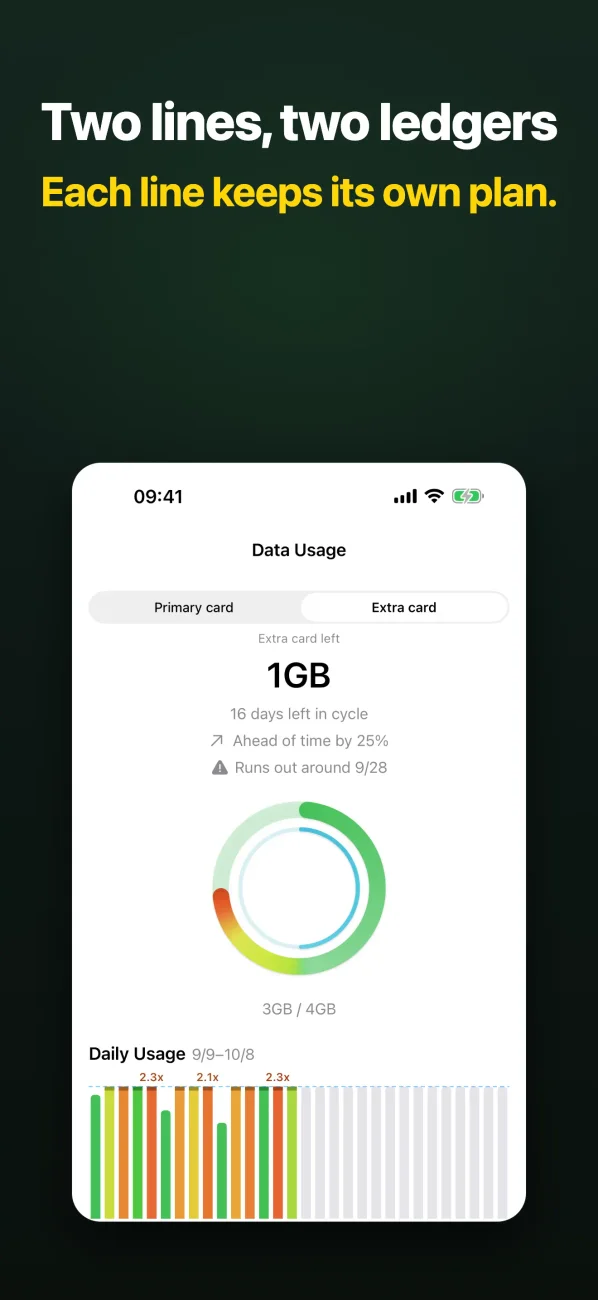
About
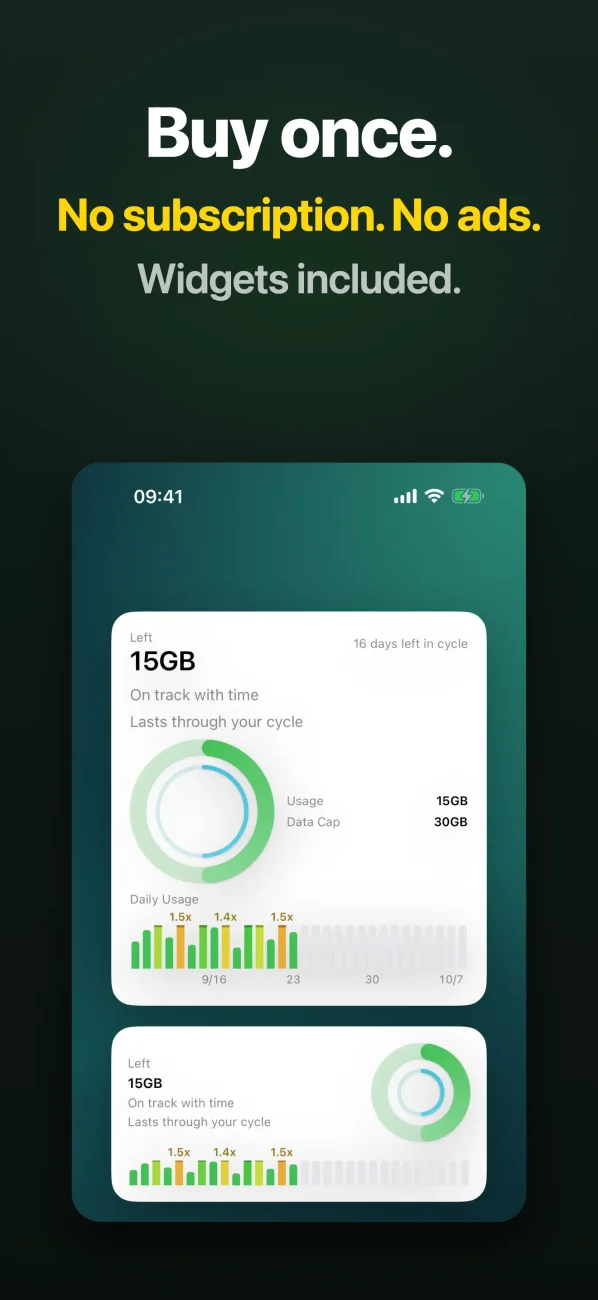
See how much data you have left this cycle — and whether you’re heading for overage. Track against your own plan date: remaining on the Home Screen, Lock Screen, and Apple Watch, with optional alerts at 80% or when you run out. No carrier login, and no extra data used just to check. It is a one-time purchase: no subscription, no ads, widgets included.
ONE-TIME PURCHASE. NO SUBSCRIPTION.
Buy once and everything below is included:
• No subscription, no trial that expires, no “Pro” tier added later
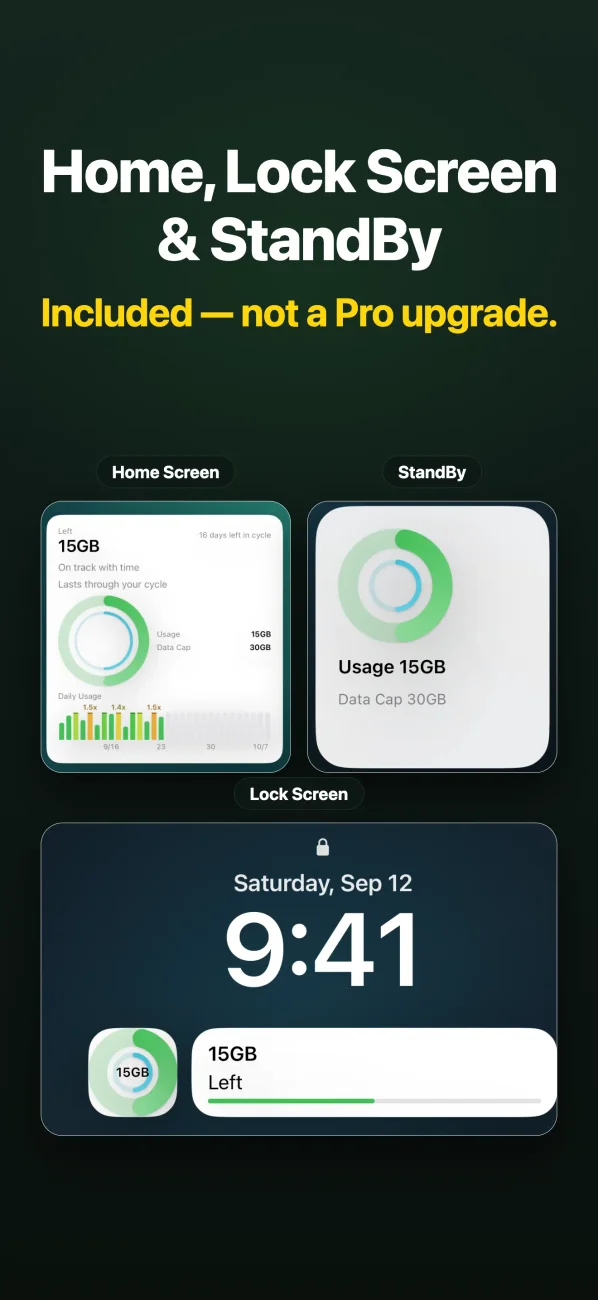
• Home Screen, Lock Screen, StandBy and Apple Watch widgets are part of the app, not an upgrade
• Nothing you already paid for gets moved behind a new plan later
YOUR PLAN DATE, NOT THEIRS
Usage in Settings doesn’t follow your billing date, and carrier apps want an account. Data Widget totals cellular bytes on-device against the cap you set:
• Monthly, weekly, or a custom cycle
• Day passes / travel eSIMs: N days from activation — they end on expiry instead of rolling over
• Calibrate to the number on your bill (confirms before saving)
• If your plan rolls unused data, carry it into this cycle
• Dual SIM / eSIM: both lines together, primary only, or split — useful with a travel eSIM
• 5G and LTE cellular interfaces
REMAINING VS. PACE
The headline number is remaining. Time and usage share one bar; the arrow is calendar pace — green if you’re under, red if you’re burning faster. Home says “12% ahead of pace” or “about N days left at this rate,” with a daily chart for spikes. History is one row per cycle, grouped by year.
GLANCE WITHOUT OPENING THE APP
Widgets on the Home Screen, Lock Screen, or StandBy show remaining in large type, plus when it last updated. Apple Watch complications show remaining on the face. In the app, tap to switch % and used | remaining.
BEFORE YOU OVERAGE
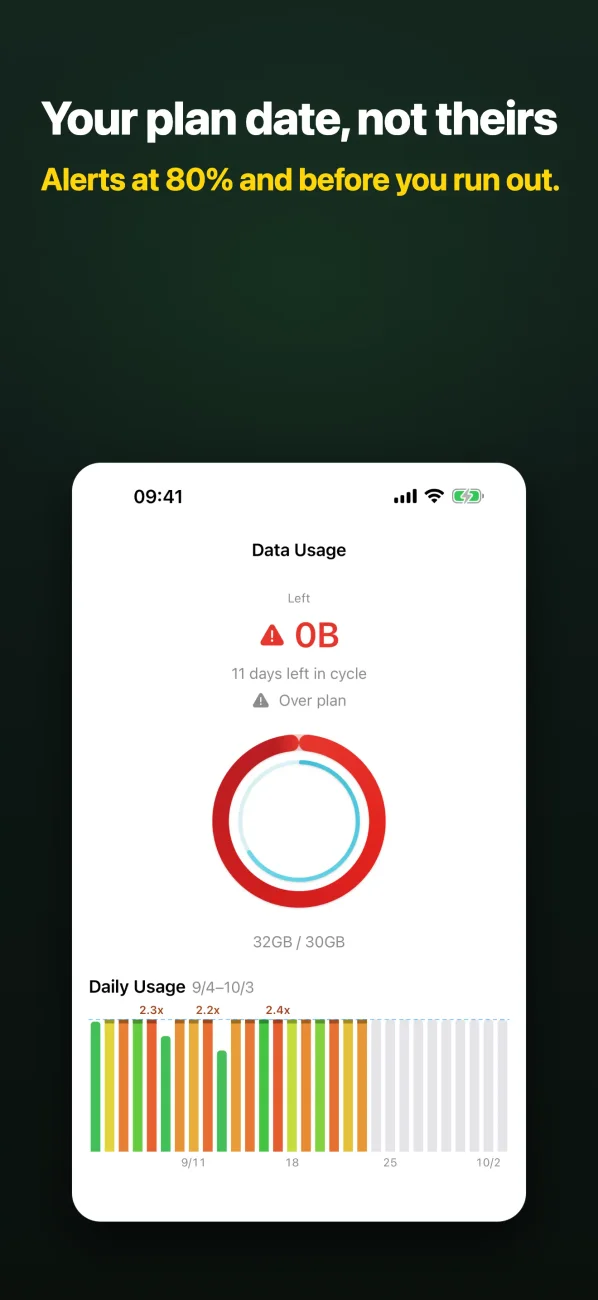
Optional alerts at 80%, 90%, or when you run out — once per tier each cycle. You can also alert when usage runs ahead of time.
PRIVATE AND HONEST
No ads. No location. No SMS scraping, no carrier-bill login.
On-device totals can differ from Settings > Cellular because of VPN, Personal Hotspot, or carrier rounding. That’s explained in Settings; calibration lines the ledger up with your plan.
Requires iOS 17 or later. Apple Watch requires watchOS 10 or later. Designed for iPhone. On iPad it only counts on cellular models.
What’s new
Version 4.5.0 · Nov 18, 2026
One new thing this time: day passes.
[Day passes / travel eSIMs]
A new plan type: it starts on the day you activate it and lasts N days (1-30), built for travel eSIMs and short-haul data packs. When it ends, it ends - nothing rolls over into a new cycle.
[After it ends]
The Home Screen and widgets show "Pass ended" along with the last cycle's usage, instead of days remaining. Pick a new start date in Settings to start a new pass.
App privacy
What 大胜 纪 declares on the App Store about how this app handles data.
-
Data not collected
The developer does not collect any data from this app.
Privacy practices may vary, for example with the features you use or your age.
Information
- Seller
- 大胜 纪
- Category
- Utilities
- Version
- 4.5.0
- Updated
- Nov 18, 2026
- Released
- Oct 8, 2014
- Size
- 5.5 MB
- Requires
- iOS 17.0 or later
- Age rating
- 4+
- Price
- $1.99
- Languages
- English, Arabic, French, German, Italian, Japanese, Korean, Russian, Simplified Chinese, Spanish, Traditional Chinese
- Copyright
- © 2026 DASHENG JI
You might also like
-
 PinletKeep What Matters in View
-
 Puzzle Alarm Clock, Wake Me UpPhoto App Task To Snooze Sleep
-
 Loyal: Card WalletLoyalty cards in Apple Wallet
-
 Whois MasterDomain, DNS, SSL & IP Lookup
-
 QuickScan:扫描识别文件证件卡包 手机扫描仪全能王Utilities
-
 Idle Isle: Relax & Focus TimerStudy with cozy lofi scenery
-
 1Direct: Chat Without SaveTemplates, QR & Quick Actions
-
 游离 - 相册清理Utilities
-
 Memodo: Local AI Note TakerVoice Memos & Transcribe
-
 TV Remote - ClickerUniversal Remote TV Control