CardSync - Verified Copy
SD card to SSD or server
Designed for iPhone, iPad
In-app purchases
- Age rating4+
- CategoryUtilities
- DeveloperLaurent Meurisse
- LanguagesFrench+ 1 more
- Size7.0 MB
Links to the official App Store page
Download.org hosts no file of CardSync - Verified Copy. The button opens its official App Store page, published by Laurent Meurisse. Listing last checked on Nov 18, 2026.
Screenshots





About
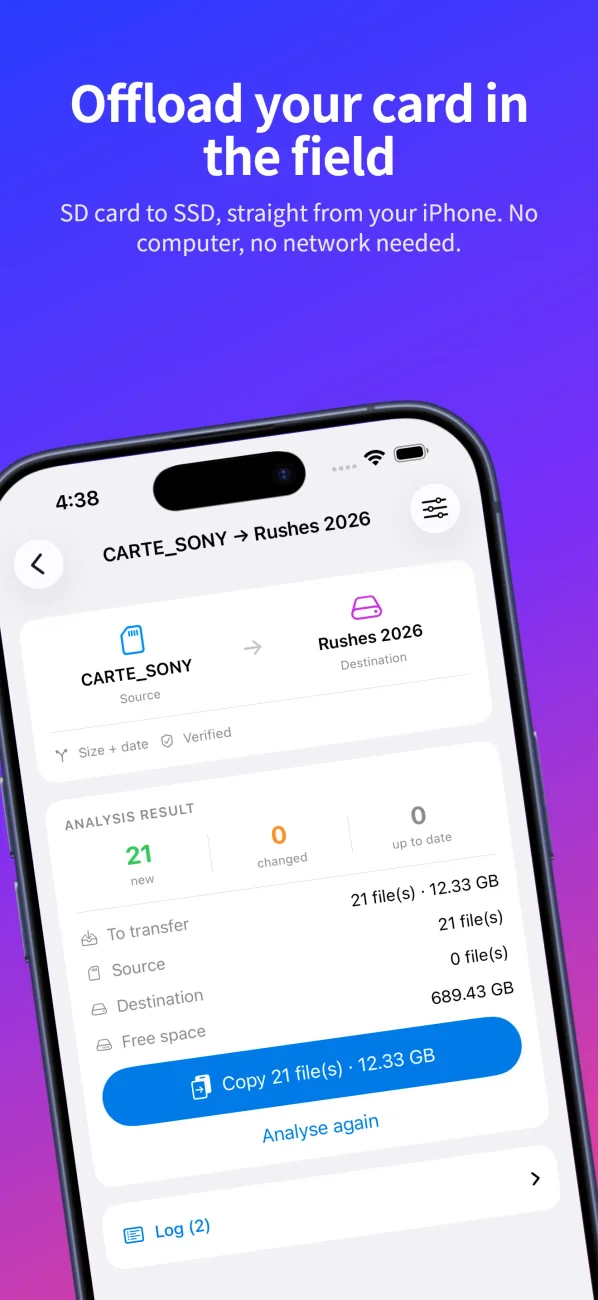
CardSync copies one folder to another and verifies every file it writes. Memory card, SSD or USB-C stick, iCloud Drive, the iPhone itself: anything the Files app exposes works, in both directions. The source can also be an album from your photo library, and the destination a server: S3 or SFTP, your own.
VERIFICATION
After each write, CardSync reads the copy back from the destination drive and compares its SHA-256 digest with the original's. The original is read again too, from the card: if the two reads differ, the card reader is at fault, and the app tells you instead of keeping corrupted data (can be turned off).
ONLY WHAT IS MISSING
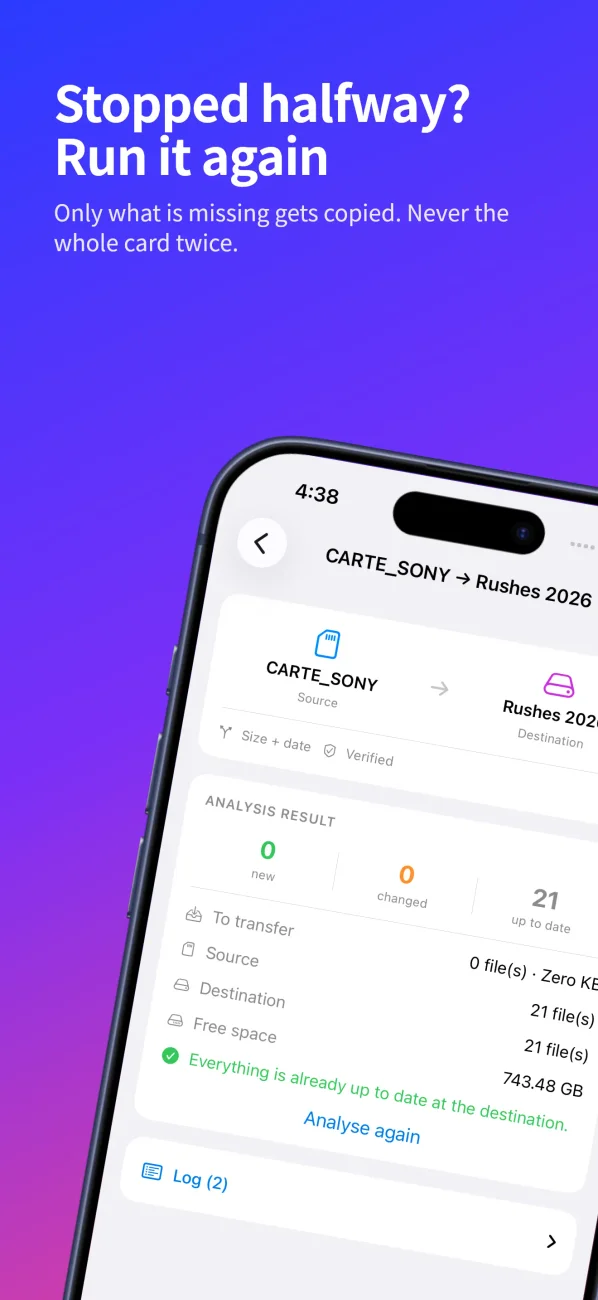
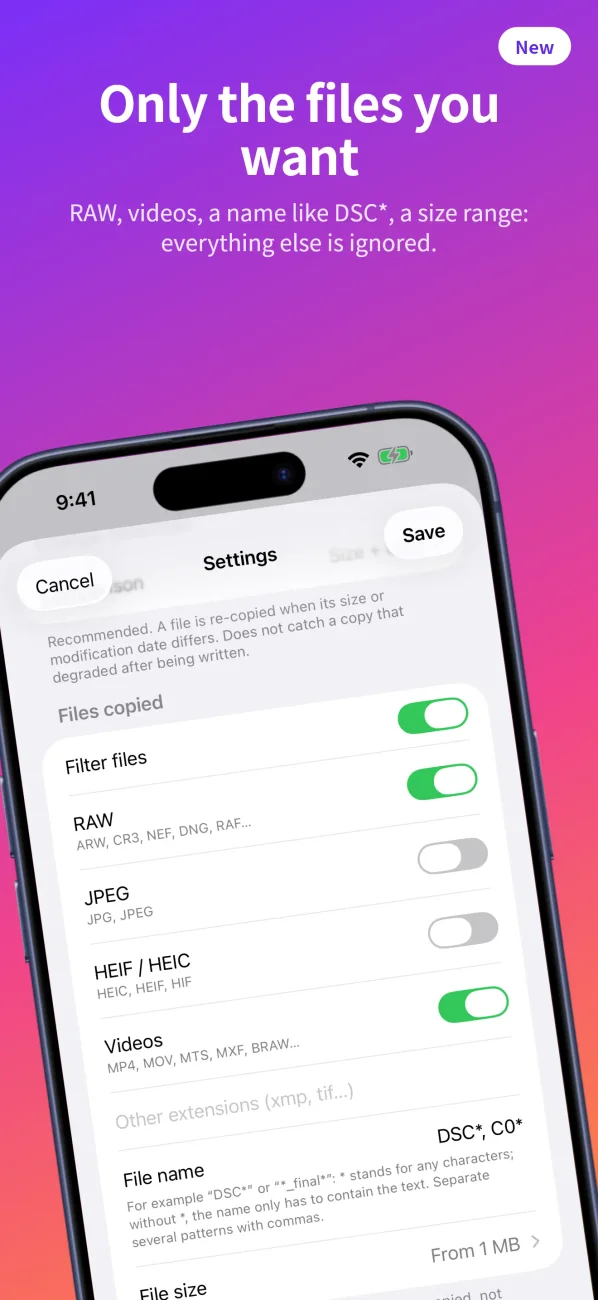
Both sides are analysed before anything is written: you see what would be copied, then you decide. For a folder: size, size and date, or full digest; filter by type (RAW, JPEG, videos…), size or name. After an interruption — screen left, drive unplugged — only what is missing is copied. Up to four files at once, in blocks: a 4 GB video weighs no more than a photo.
NOTHING IS EVER LOST
Every file is written under a temporary name, then put in place in one move, once complete and verified. A file already present is never deleted before its replacement is ready. An interrupted copy leaves no truncated file behind.
PHOTO LIBRARY
An album or the whole library, with a "from a date" filter. CardSync exports the original file and, as you choose, the Live Photo video, the edited version and a readable metadata sidecar. Items left in iCloud are fetched (can be turned off).
TO AN SFTP SERVER
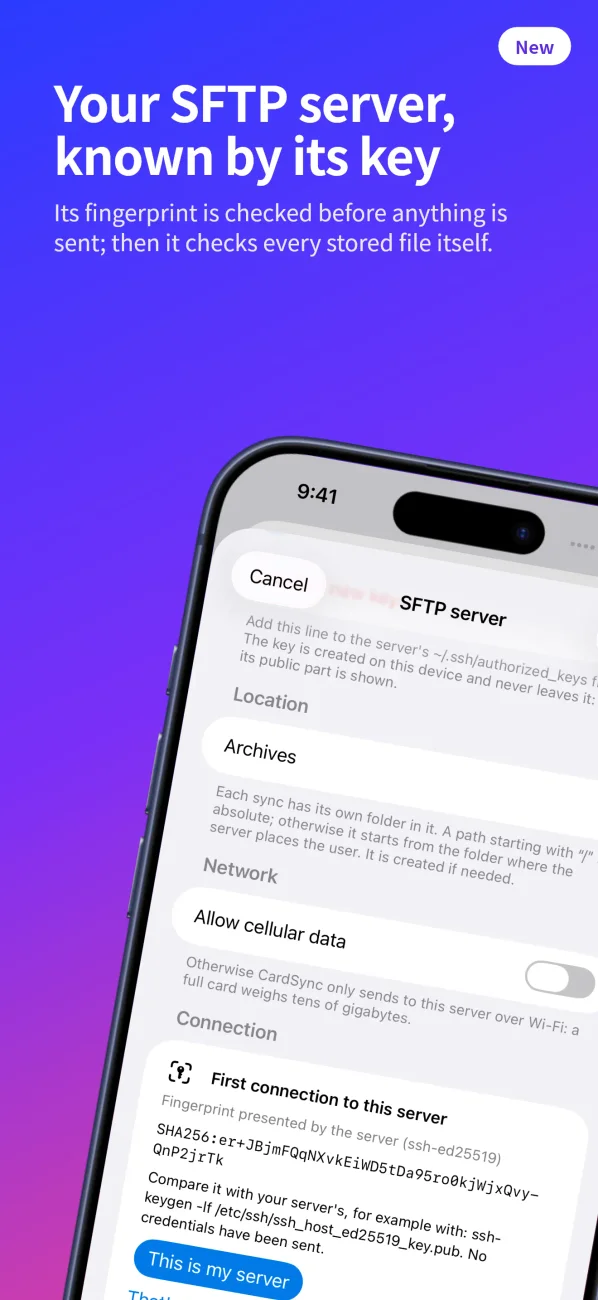
A computer, a rented server, a NAS that offers SFTP. A password, or a key created in the app, of which only the public half leaves the device. On the first connection the app shows the server's fingerprint so you can compare it with the server's own; it remembers it and stops if it changes. A file only appears under its name once complete: the server computes the SHA-256 digest of what it stored, compared with the original's (otherwise the app reads the file back from the server). The original date is set on the file.
TO AN S3 SERVER
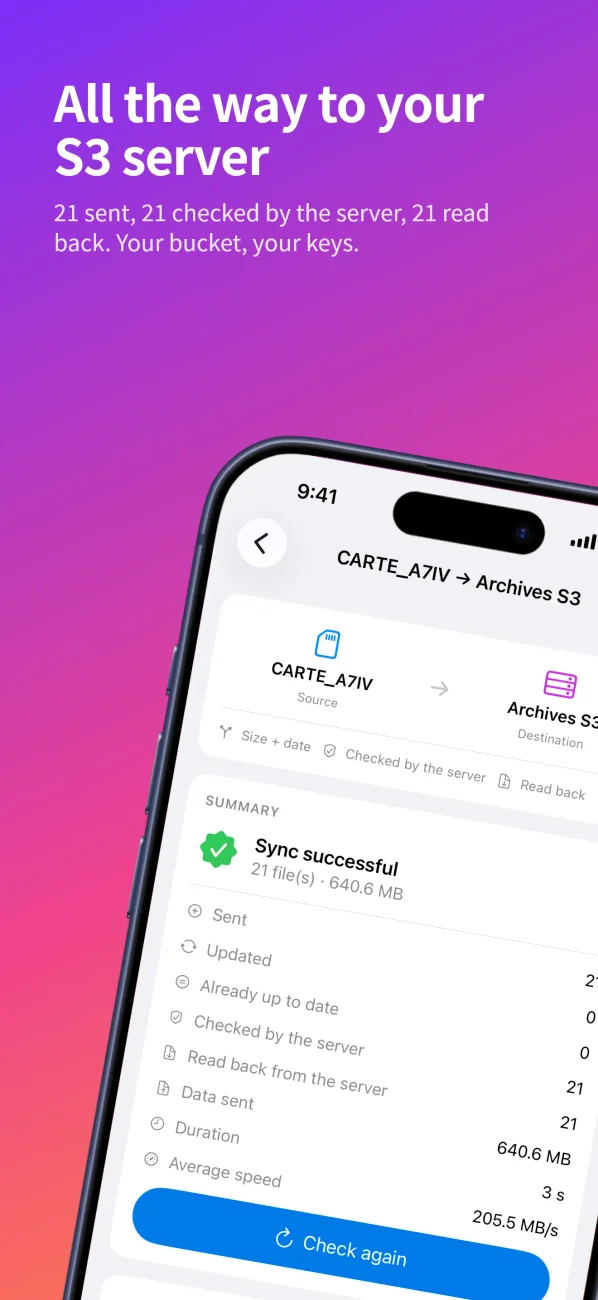
An Amazon S3 bucket or one from a compatible service: yours, with your keys. Every upload carries its SHA-256 digest and the server rejects anything that does not match: proof it received the right bytes. For proof of what it stored, turn on read-back, at the cost of twice the traffic.
FOR ANY SERVER
Wi-Fi only by default; cellular data allowed server by server. A connection test, before saving, checks that it can be read from and written to, leaving nothing behind. Mirror and checksum comparison: folders only.
MIRROR MODE WITHOUT DELETION
For a folder source, extra files at the destination are moved into a dated folder, never deleted. If part of the source could not be read, mirror mode disables itself.
WHAT YOU SEE
A bar for each file with its step, throughput, time left, a log and a history. An honest summary: copied, verified, set aside, failed.
WHAT DOES NOT LEAVE YOUR DEVICE
No account, no tracking, no advertising, no data collected, no server of ours. Traffic happens only when you ask for it, between your device and your own accounts: the server you added, iCloud for your photos, the online service whose folder you pick. Passwords and keys stay in the device's keychain.
GOOD TO KNOW
iOS does not allow copying in the background: keep CardSync on screen; the app prevents the screen from locking, and if you leave, the sync resumes next time. To a server, after a stop, a large file starts again from the beginning. SFTP: no RSA keys; a server that offers no other kind cannot be reached.
SUBSCRIPTION
The demo is free. To copy: a monthly or yearly subscription, renewed automatically, cancel any time in your Apple Account settings. Bought CardSync before? It stays yours, no subscription needed. Terms of Use: https://www.apple.com/legal/internet-services/itunes/dev/stdeula/
What’s new
Version 1.4.1 · Nov 16, 2026
• Bought CardSync just before it moved to a subscription? Your purchase is now recognised: copying stays unlocked, no subscription needed.
App privacy
What Laurent Meurisse declares on the App Store about how this app handles data.
-
Data not collected
The developer does not collect any data from this app.
Privacy practices may vary, for example with the features you use or your age.
Information
- Seller
- Laurent Meurisse
- Category
- Utilities
- Version
- 1.4.1
- Updated
- Nov 16, 2026
- Released
- Sep 2, 2026
- Size
- 7.0 MB
- Requires
- iOS 17.0 or later
- Age rating
- 4+
- In-app purchases
- Yes
- Languages
- French, English
- Copyright
- © 2026 Laurent Meurisse
You might also like
-
 ImgClean: Storage CleanerSort photos, compress videos
-
 AI Real-Time CounterPeople, Vehicles & Video
-
 PreSend: Photo Privacy CheckScreenshot Editor & Face Blur
-
 AI Transcriber - whisper.cppLocal audio/video transcriber
-
 SpyCam: Hidden Camera FinderCheck hotels and rentals
-
 Core AI WidgetPrivate on-device AI vision
-
 A-DISKLocal file manager and backup
-
 WireGuard Aether VPNWireGuard VPN Connector
-
 Netwatch Network & SecurityNetwork Diagnostics & Security
-
 ScrapLogUtilities