
Carousel Collage - Slidelio
Seamless Panorama Post Maker
Designed for iPhone
Free · In-app purchases
- Age rating4+
- CategoryPhoto & Video
- DeveloperEvgeniy Konev
- LanguagesEnglish+ 25 more
- Size67.4 MB
Links to the official App Store page
Download.org hosts no file of Carousel Collage - Slidelio. The button opens its official App Store page, published by Evgeniy Konev. Listing last checked on Nov 25, 2026.
Screenshots


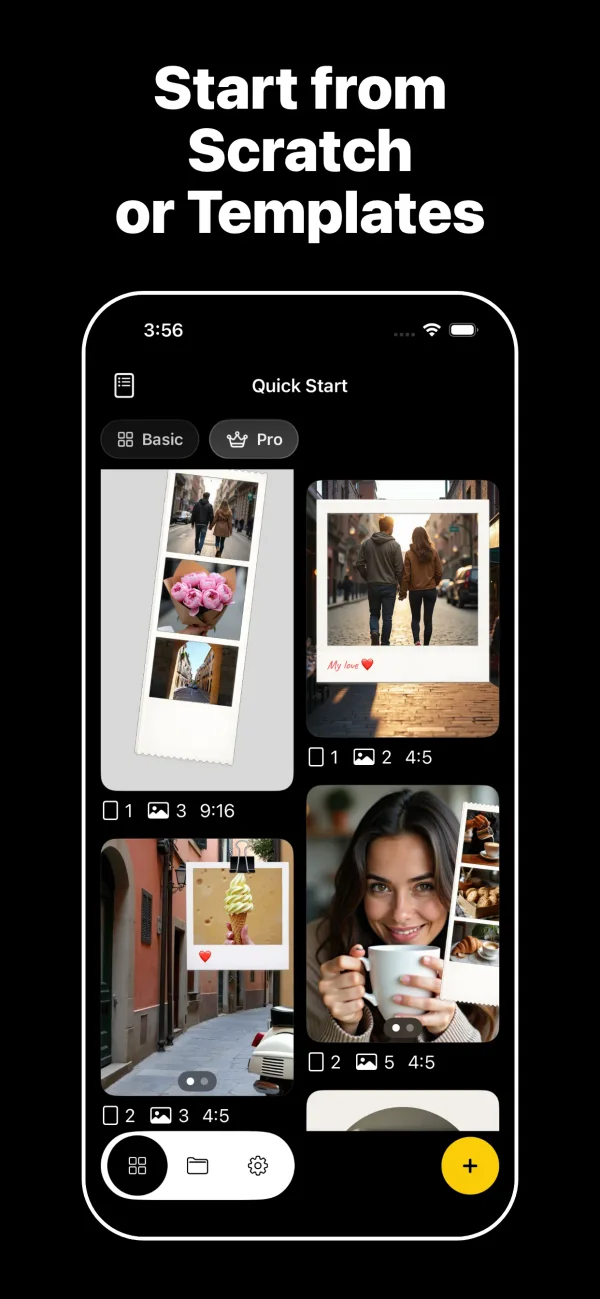
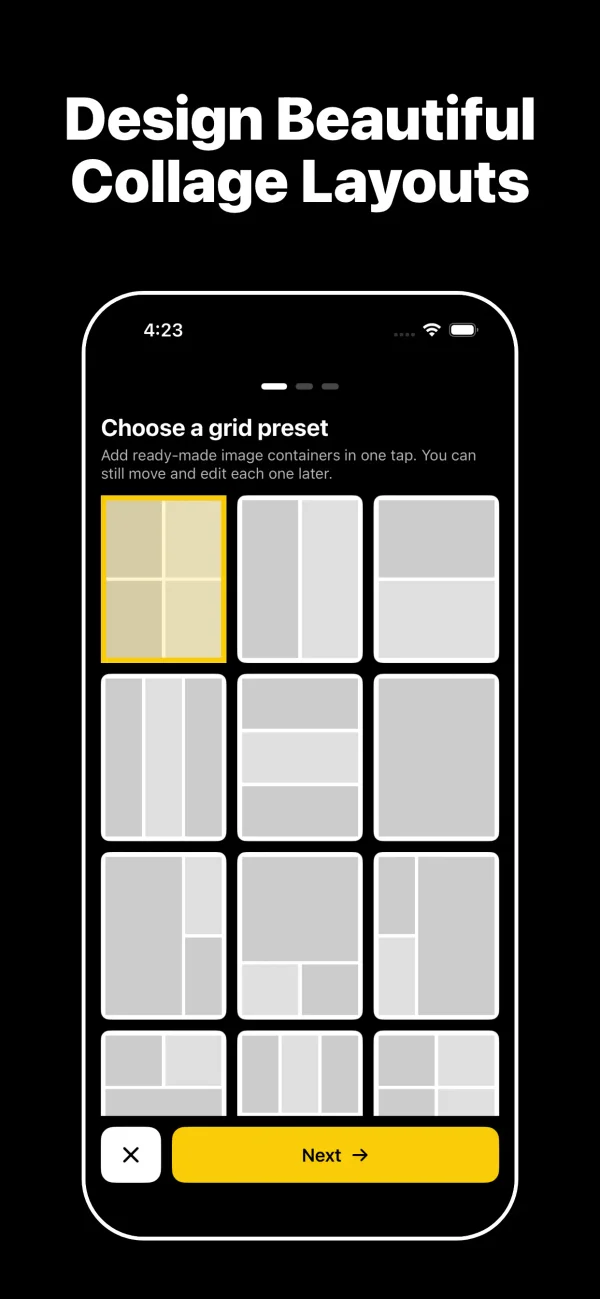
About
Create scroll-stopping carousel posts and photo collages in minutes.
Slidelio turns your photos into seamless, multi-slide carousels and aesthetic collages — the swipeable posts that stand out in any feed. Design on one big canvas, and Slidelio slices it into perfectly-aligned slides, ready to post. No design skills required.
HOW IT WORKS
Fill a large canvas with your photos — with a template or freehand — then let Slidelio cut it into seamless slides that swipe together as one continuous panorama. Upload the set and your carousel flows edge to edge.
WHY SLIDELIO
Most photo editors are bloated or too basic. Slidelio does one thing well: fast, seamless carousel posts and collages. No learning curve, no clutter — just your photos to a finished post.
KEY FEATURES
• Seamless Carousel Maker — Slice one canvas into perfectly-aligned swipe slides
• Panorama & Split Posts — Continuous images that flow across multiple slides
• Collage Templates — Curated, ready-made layouts for instant aesthetic results
• Background Removal — Layer images and add depth to any collage
• Stylish Fonts & Typography — Match your brand and mood
• Versatile Stickers — Add personality to every slide
• Unlimited Exports — Save and share as much as you want, free
• Fast, Simple Editor — Built for speed, not complexity
PERFECT FOR
• Seamless carousel & swipe posts
• Lifestyle, travel & aesthetic content
• Scrapbook and moodboard-style layouts
• Photo stories and multi-image posts
• Creators building a cohesive, beautiful feed
SLIDELIO FREE
• Universal templates
• Background removal
• Unlimited exports
• Stickers & fonts
• Up to 10 slides per carousel
SLIDELIO PRO
• Premium templates — new designs added every month
• Ready-made layouts for faster composition
• Carousels with up to 20 slides
• Themed sticker packs
• Priority access to new features
Download Slidelio and make your next post your best one yet.
Privacy Policy: https://docs.google.com/document/d/1fzCWNmecj6b1o6kajhIgEaMuI_qo_fGQfhIUjyPQAbw/edit?usp=sharing
Terms of Use: https://docs.google.com/document/d/16HdD6OhVpFeeGhR7a2pfdMr6-d-Mc0uT3ooNe5HjLNI/edit?usp=sharing
What’s new
Version 2.2.0 · Sep 6, 2026
New background textures — the background adapts to any number of slides while staying seamless across the entire carousel.
App privacy
What Evgeniy Konev declares on the App Store about how this app handles data.
-
Data not linked to you
May be collected but is not linked to your identity.
- Usage data
Privacy practices may vary, for example with the features you use or your age.
Information
- Seller
- Evgeniy Konev
- Category
- Photo & Video
- Version
- 2.2.0
- Updated
- Sep 6, 2026
- Released
- Mar 16, 2026
- Size
- 67.4 MB
- Requires
- iOS 26.0 or later
- Age rating
- 4+
- Price
- Free
- In-app purchases
- Yes
- Languages
- English, Czech, Danish, Dutch, Finnish, French, German, Greek, Hindi, Indonesian, Italian, Japanese + 14 more
- Copyright
- © 2026 Konev E.O.
You might also like
-
 Caroxa: Carousel Photo CollageVideo Editor, Story Template
-
 Seam: Carousel & Collage MakerSeamless Photo Layouts & Grids
-
 Carousel & Story Maker: SlidyContent Hooks & AI Post Maker
-
 Carousel Story Maker: CarousaiAI Viral Post Maker Feed Trend
-
 Carousel Video Collage MakerSeamless Photo Grids & Layouts
-
 Ola: Carousel & Reel MakerPhoto Dump & Story Templates
-
 CrlKit: Carousel & Story MakerPhoto Collage Maker, Templates
-
 Carousel - Insta Post MakerCarousel post & Collage maker
-
 Sparkal Carousel Collage MakerSeamless Panorama & Video Post
-
 Elori: Photo Editor & CollageScrapbook & Carousel Maker