Seam: Carousel & Collage Maker
Seamless Photo Layouts & Grids
Designed for iPhone, iPad
Free
- Age rating4+
- CategoryPhoto & Video
- DeveloperPrayag Gediya
- LanguagesEnglish
- Size76.9 MB
Links to the official App Store page
Download.org hosts no file of Seam: Carousel & Collage Maker. The button opens its official App Store page, published by Prayag Gediya. Listing last checked on Nov 25, 2026.
Screenshots




About
Create scroll-stopping, seamless Instagram carousels, aesthetic photo collages, and dynamic video stories with Seam. Turn your camera roll into panoramic swipe posts, scrapbook layouts, moodboard designs, and viral photo dumps on your iPhone and iPad.
Start with a designer template or a blank canvas editor. Arrange your photos and videos across an infinite continuous canvas, add dynamic typography and cutout stickers, and let your images flow seamlessly from one slide to the next.
SEAMLESS CAROUSEL & PANORAMA MAKER
• Design multi-slide Instagram posts on one continuous, unbroken canvas.
• Create panoramic swipe-through posts where photos, videos, and gradients flow seamlessly across slide splits.
• Add, duplicate, reorder, or delete slides effortlessly as your story evolves.
• Precision alignment guides and magnetic smart-snapping keep every layer perfectly aligned.
HIGHLIGHT BOX & SUBJECT POP-OUT
• Direct instant focus to your main subject with the Highlight Box effect.
• Keep your subject in crisp, vibrant color while transforming the outer backdrop with Monochrome, Noir, Sepia, or Blur effects.
• Create multi-dimensional 3D pop-out layers that make your carousel posts pop off the feed.
PHOTO & VIDEO SLICES
• Divide your images and videos into modern, multi-panel sliced layouts.
• Customize slice counts, spacing, and border gaps across your carousel slides.
• Combine slice designs with pop-out subjects for a high-end editorial look.
SPLIT TEXT MASKS & ADVANCED TYPOGRAPHY
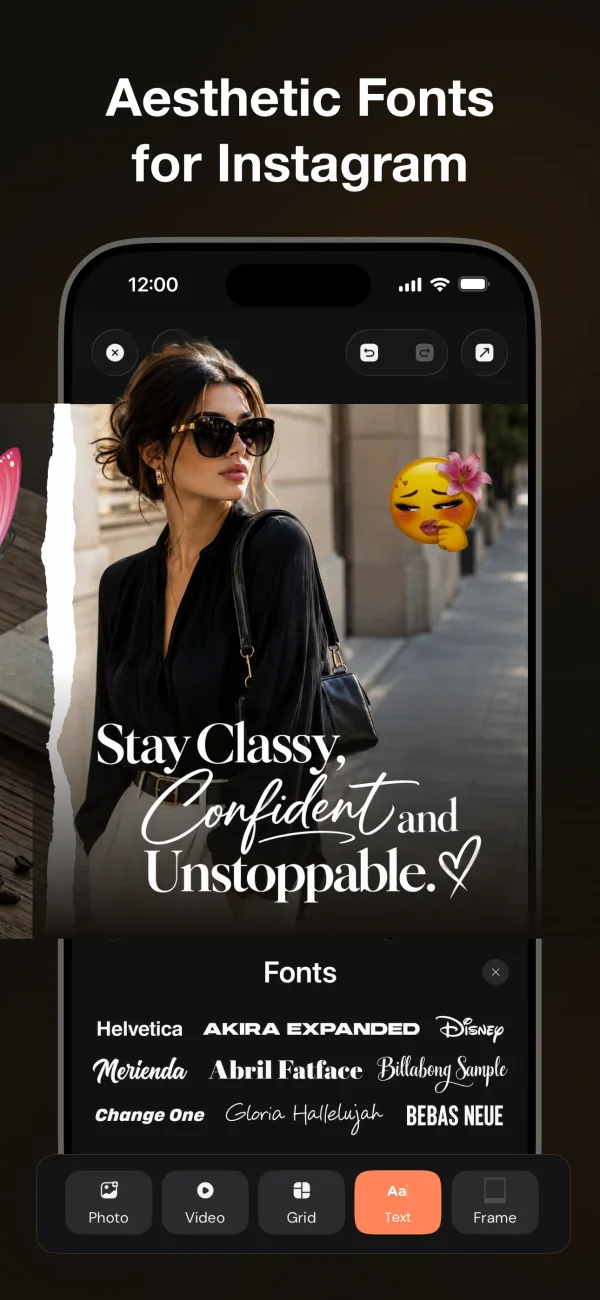
• Cut dynamic text masks directly into photos, videos, and collages.
• Fine-tune typography with custom text outline strokes, transparent fills, and character tracking.
• Vertical character stacking, custom line spacing, and negative character leading for bold graphic statements.
• Curated designer fonts categorized by mood, plus Auto-Contrast for crystal-clear readability.
VIDEO CAROUSELS & MULTI-MEDIA LAYOUTS
• Mix photos and videos seamlessly in the same carousel post.
• Add standalone video layers and video collage slots with tap-to-play preview.
• Crop, trim, slice, and control audio (mute/unmute) directly within your layout.
COLLAGES, MOOD BOARDS & SCRAPBOOKS
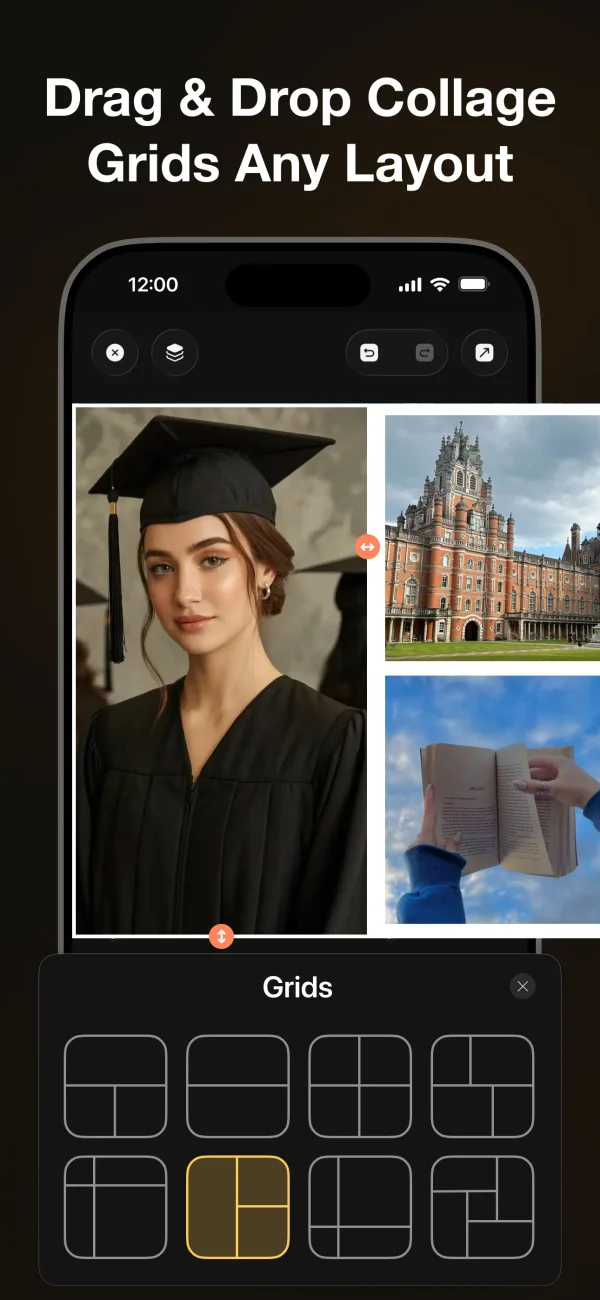
• Browse a curated library of aesthetic templates for travel recaps, mood boards, wedding albums, and daily dumps.
• Grid layouts with intuitive pinch-to-zoom and precision panning in every slot.
• Layer photos, videos, shapes, tape, doodles, and custom stickers for authentic digital scrapbook designs.
BACKGROUND GRAINS, GRADIENTS & NOIR STUDIO
• Elevate your canvas with fine, coarse, and film grain textures.
• Apply studio lighting gradients, solid color fills, or the immersive Deep Studio Noir palette.
• Extract harmonious color palettes directly from your photos to match your aesthetic instantly.
ONE-TAP CUTOUTS & PHOTO ENHANCER
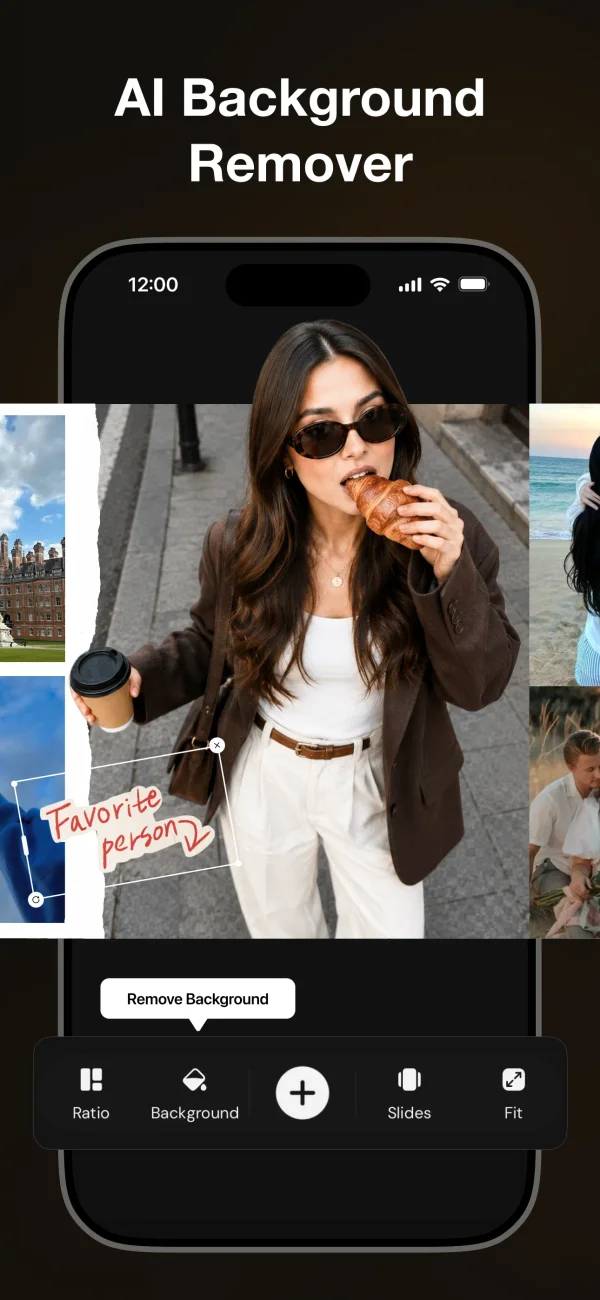
• Automatically remove photo backgrounds with instant on-device AI.
• Turn cutouts into die-cut stickers with customizable outline borders and drop shadows.
• Apply professional photo filters, adjustments, and background blur effects.
TAILORED FOR EVERY PLATFORM
• Supports 14 aspect ratios: 4:5 portrait, 1:1 square, 9:16 vertical, 3:4, and widescreen formats.
• Perfect for Instagram carousels, Stories, Reels covers, TikTok, Pinterest, and portfolio presentations.
• High-resolution lossless exports ensure crisp, crystal-clear uploads every time.
FROM CAMERA ROLL TO VIRAL CAROUSEL
1. Choose a template or start blank.
2. Add your favorite photos and videos.
3. Apply Slices, Highlight Box, Split Text, and film grain.
4. Export and share directly to Instagram.
Seam is free to use and supported by ads. Some features and exports may require watching an ad.
Share your creations with #MadeWithSeam.
What’s new
Version 1.2.6 · Nov 23, 2026
• Create custom photo grids with squares, circles, triangles, hexagons, and more. Resize grids while keeping spacing consistent.
• Spread one photo across a grid or add individual photos to each cell.
• Explore 100 built-in doodles with adjustable color, stroke width, and opacity.
• Add glow and rim lighting behind photo subjects.
• Position layers precisely with quick alignment controls and a movable nudge joystick.
• Export videos faster with improved export performance.
• Enjoy smoother canvas navigation, better framing for tall slides, and more reliable background switching.
App privacy
What Prayag Gediya declares on the App Store about how this app handles data.
-
Data not linked to you
May be collected but is not linked to your identity.
- Identifiers
- Usage data
- Diagnostics
Privacy practices may vary, for example with the features you use or your age.
Information
- Seller
- Prayag Gediya
- Category
- Photo & Video
- Version
- 1.2.6
- Updated
- Nov 23, 2026
- Released
- Sep 30, 2025
- Size
- 76.9 MB
- Requires
- iOS 18.0 or later
- Age rating
- 4+
- Price
- Free
- Languages
- English
- Copyright
- © @2026 Seam
You might also like
-
 Carousel AI Collage Maker GridAI Carousel Grid Collage Maker
-
 Ola: Carousel & Reel MakerPhoto Dump & Story Templates
-
 SView – Swipe Carousel MakerPhoto Collage, Frames & Grid
-
 Glassy: Carousel MakerSeamless Photo Dump & Panorama
-
 ACE: Aesthetic Carousel EditorPanorama & Photo Collage Maker
-
 Rendrl: Carousel Collage MakerSeamless Panorama Scroll Post
-
 Carousel Collage - SlidelioSeamless Panorama Post Maker
-
 Carousel - Insta Post MakerCarousel post & Collage maker
-
 Carousel Video Collage MakerSeamless Photo Grids & Layouts
-
 CrlKit: Carousel & Story MakerPhoto Collage Maker, Templates