
CC Harp
Ingenious harmonica app
Designed for iPhone, iPad, iPod touch
Free · In-app purchases
- Age rating4+
- CategoryMusic
- DeveloperKazuo Kamata
- LanguagesEnglish+ 1 more
- Size16.9 MB
Links to the official App Store page
Download.org hosts no file of CC Harp. The button opens its official App Store page, published by Kazuo Kamata. Listing last checked on Nov 15, 2026.
Screenshots



About
10-hole diatonic harmonica (sometimes called "blues harp") is a small but powerful instrument with great expressiveness.
CC Harp is a musical instrument application designed to take full advantage of the deep characteristics of harmonica, and is also pursued for rich usability in live.
Since it uses a synthetic sound source method, it can handle various sounds with a small footprint of memory.
Features
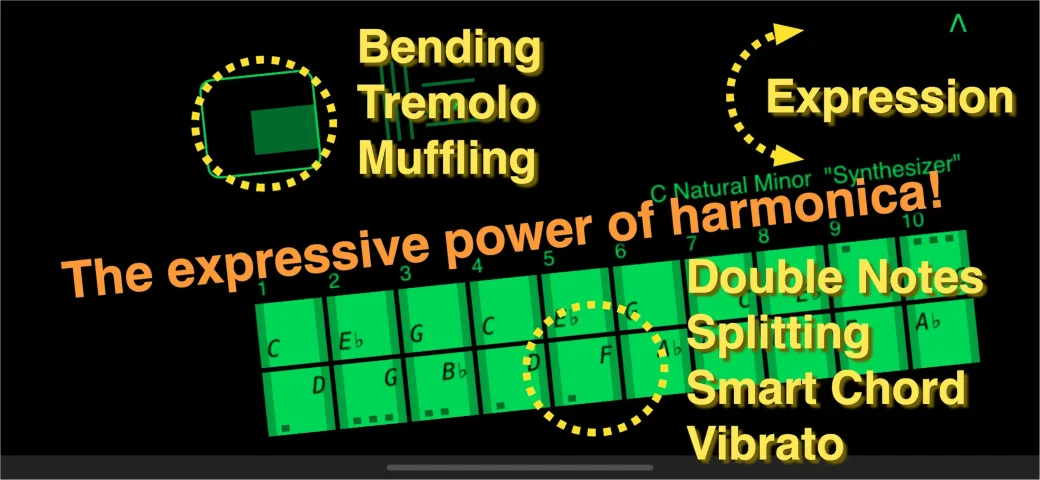
- Interface is modeled after the harmonica holes.
- Make sound with up to two independent touches.
- Make adjacent sounds with a single touch.
- Easy chord play with two finger by smart chord feature.
- Various splitting performances with 2 fingers touch.
- Pitch bends based on actual harmonicas are possible.
- You can muffle the sound just as you would with a harmonica.
- You can apply a tremolo effect with variable speed.
- The screen can be reversed for left-handed people.
- Change the screen color to your liking.
- Supports dark mode.
- A detailed user guide is built-in and ready to use.
The following features are added with in-app purchases:
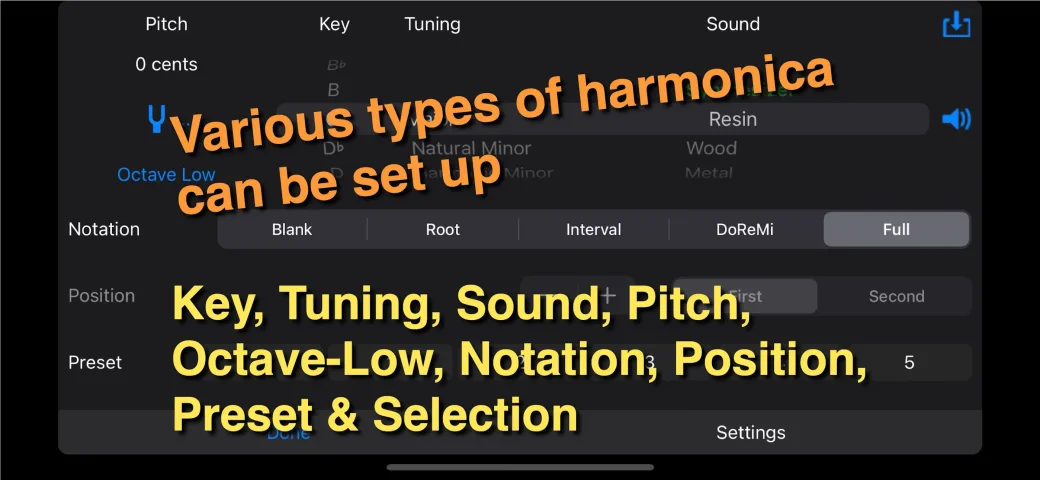
- All 12 harmonica keys are available.
- Built-in pitch tuner.
- Lower the pitch by one octave is available.
- Various harmonica tunings are built-in.
- Reverb effect is available.
- Adjustable airy noise that is unique with harmonica playing.
- Touch vibrato with adjustable sensitivity.
- Volume expression can be made by tilting the device.
- Accurate pitch bend is possible.
- You can make bends that are impossible with a real harmonica.
- Slide operation like a chromatic harmonica is possible.
- Note name and interval display that is convenient for playing.
- Concise banner shows the settings at a glance.
- Preset settings like a pocket with several different harmonica in it.
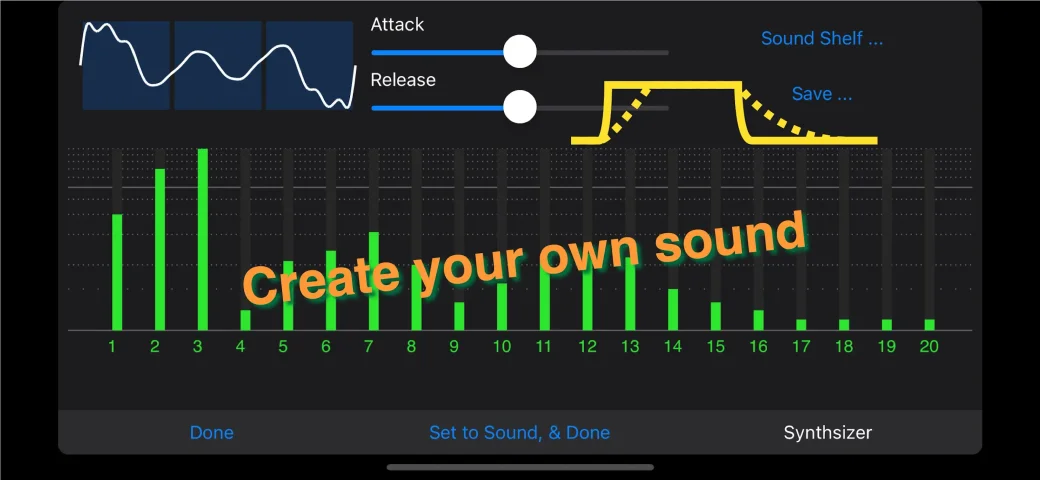
- Several built-in synthetic sounds including harmonica-like tones, flute, stringed, etc.
- Simple sound synthesizer where you can create new sound.
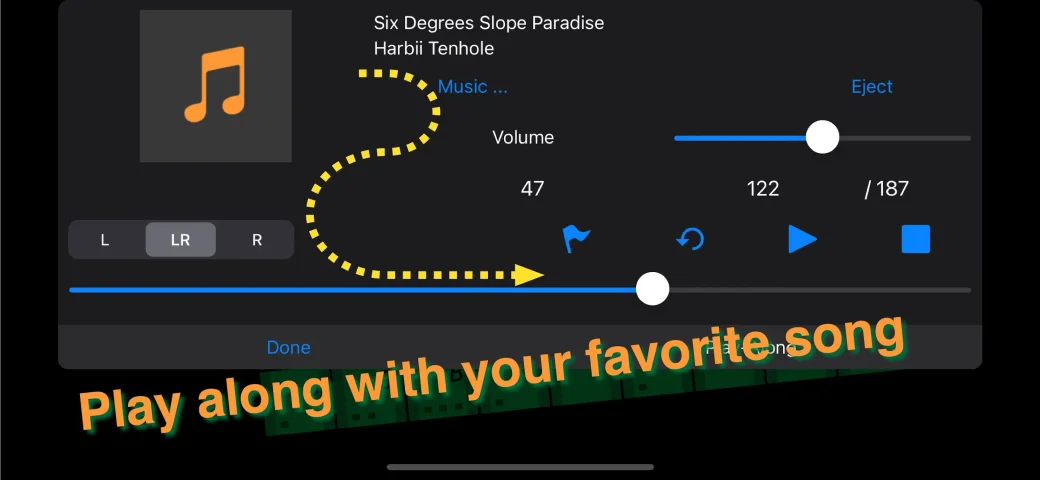
- You can Play-along with a song in your iPod library.
- Sound data can be exported and imported via the device clipboard.
- You can design your own harmonica tuning and import it.
You can try out extra features for two weeks by purchasing the "Free Trial" in-app purchases.
Any interworking functions such as Inter-App Audio, AUv3, and MIDI, and function for recording and playback the performance are currently not supported.
Detailed features and usage of CC Harp are explained in the User Guide on the web below.
https://chord-city.com/cc_harp/user_guide/
If you have any questions or concerns, feel free to contact us at support@chord-city.comIf you have any questions or concerns, feel free to contact us at support@chord-city.com
What’s new
Version 1.7.1 · Nov 14, 2025
Fixed a bug with the left-handed screen.
App privacy
What Kazuo Kamata declares on the App Store about how this app handles data.
-
Data not collected
The developer does not collect any data from this app.
Privacy practices may vary, for example with the features you use or your age.
Information
- Seller
- Kazuo Kamata
- Category
- Music
- Version
- 1.7.1
- Updated
- Nov 14, 2025
- Released
- Aug 9, 2020
- Size
- 16.9 MB
- Requires
- iOS 12.0 or later
- Age rating
- 4+
- Price
- Free
- In-app purchases
- Yes
- Languages
- English, Japanese
- Copyright
- © 2020 Chord-Works
You might also like
-
 ToneShaperCreate sounds graphically
-
 Chromatic Harmonica PROScales, Arpeggios & MIDI
-
 Harmonica Visual Trainervisual harmonica tabs
-
 GSDSP Quantum DelayStereo Delay / Echo
-
 Harmonica NotesMusic
-
 Harmonica MapMusic
-
 Harmonica UniversityMaster diatonic harmonica
-
 Jew's HarpA realistic virtual Jew's Harp
-
 Grid Music Player36+ musical instruments!
-
 Harp SimHarp Simulator