
Cell Counter & Calculator
Tools for cell count.
Designed for iPhone, iPad
Free · In-app purchases
- Age rating4+
- CategoryProductivity
- DeveloperYutaka Yasui
- LanguagesEnglish+ 4 more
- Size4.5 MB
Links to the official App Store page
Download.org hosts no file of Cell Counter & Calculator. The button opens its official App Store page, published by Yutaka Yasui. Listing last checked on Nov 17, 2026.
Screenshots
About
A simple yet powerful cell counter for the lab bench.
Cell Count is the intuitive tool designed for researchers, lab technicians, and students who need to count cells quickly and accurately. Streamline your workflow at the bench with one-handed operation and a clean, modern design.
【Key Features】
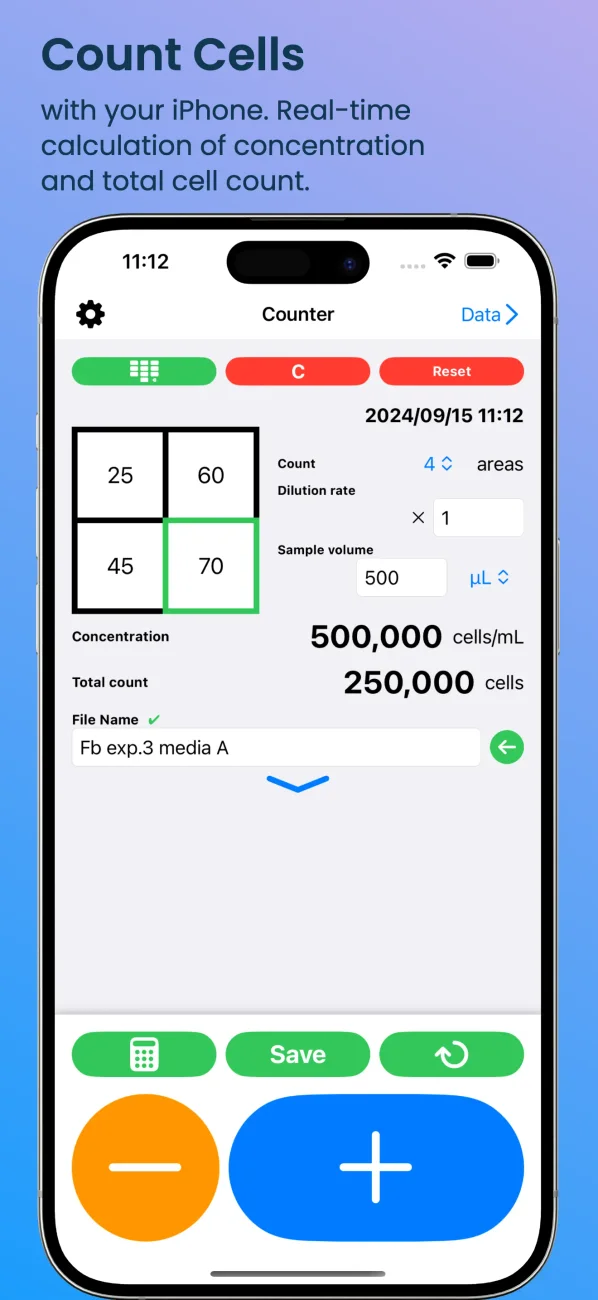
■ Adaptive count grid: 1, 2, or 4 areas (compatible with hemocytometer chambers)
■ Large "+/-" buttons for fast counting, with automatic area switching
■ Auto-calculates concentration (cells/mL) and total cell count
■ Adjustable dilution rate, sample volume, and counter volume
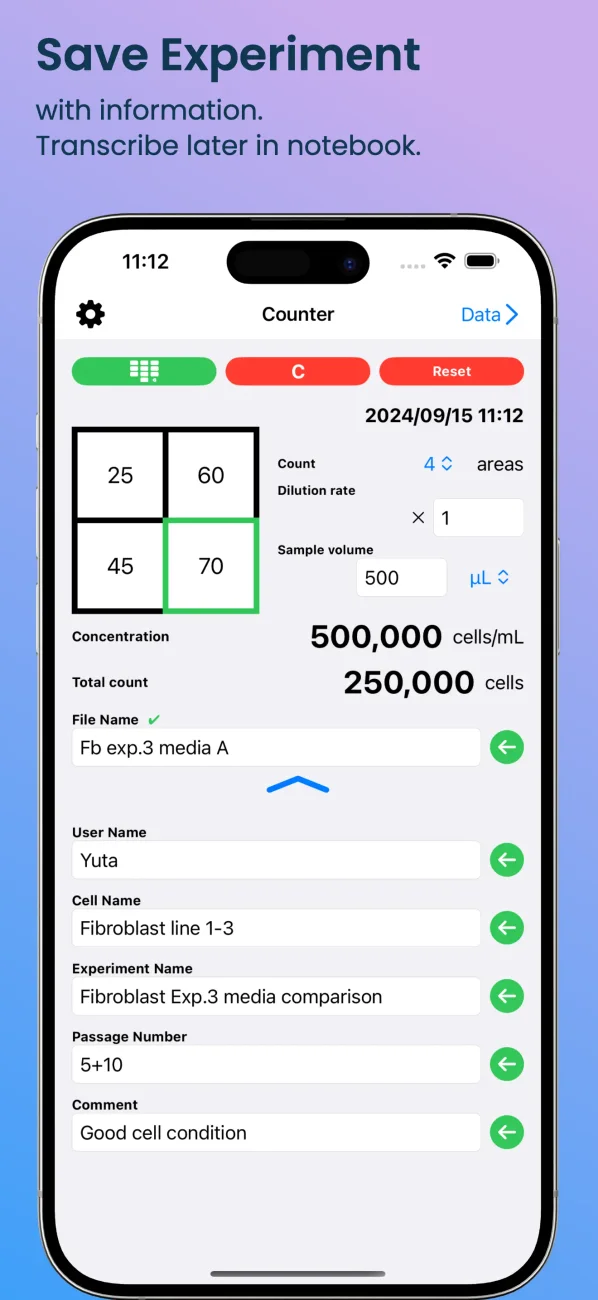
■ Save metadata: file name, user, cell line, experiment, passage number, comment
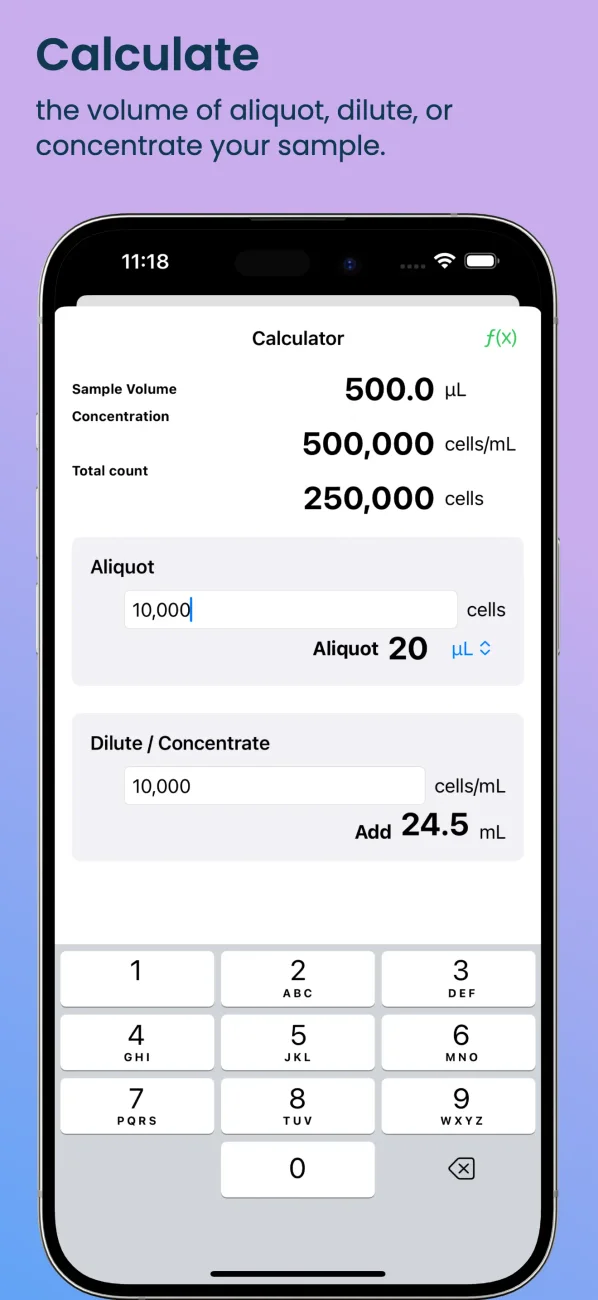
■ Built-in calculator for dilutions, concentrations, and aliquot volumes
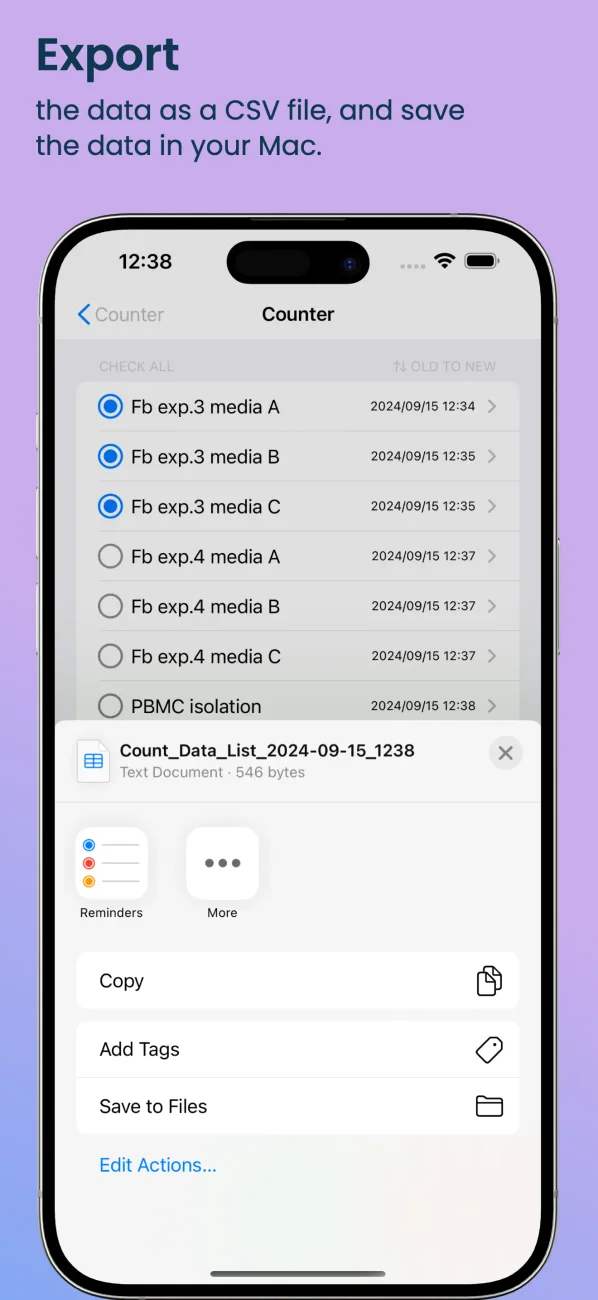
■ Export records as CSV (individual or batch)
■ Tactile haptic feedback for responsive operation
■ Light & Dark mode support
■ Accessibility ready (VoiceOver, Dynamic Type)
【Who It's For】
- Researchers using hemocytometers for cell counting
- Tissue culture / cell biology labs
- Students learning cell counting techniques
- Anyone wanting to keep clean digital records of cell counts
【Pricing】
All core features are free to use.
Save up to 3 entries on the free plan; unlock unlimited storage with a one-time in-app purchase.
【Languages】
English / 日本語 / 简体中文 / 한국어 / Deutsch
Feedback and feature requests are always welcome.
What’s new
Version 1.3 · May 19, 2026
Version 1.3
- Complete UI overhaul: adaptive layout for all iPhone models
- Count area and control buttons auto-scale to screen size
- Action buttons unified with modern SF Symbols design
- Refreshed empty state and export buttons in the data list
- Fixed picker text clipping issue
- Improved multiplication sign (×) display in formulas
- Added Chinese (Simplified), Korean, and German support
- Added language switcher in Settings
App privacy
What Yutaka Yasui declares on the App Store about how this app handles data.
-
Data not collected
The developer does not collect any data from this app.
Privacy practices may vary, for example with the features you use or your age.
Information
- Seller
- Yutaka Yasui
- Category
- Productivity
- Version
- 1.3
- Updated
- May 19, 2026
- Released
- Sep 22, 2024
- Size
- 4.5 MB
- Requires
- iOS 18.0 or later
- Age rating
- 4+
- Price
- Free
- In-app purchases
- Yes
- Languages
- English, German, Japanese, Korean, Simplified Chinese
- Copyright
- © Yutaka Yasui
You might also like
-
 Cell Culture and Lab AssistantColony Counter & Lab Timer
-
 @BactLABColony Counter Global Service
-
 Colonia: Colony Counter & CFUCount Bacteria on Agar Plate
-
 Lab.HacksEveryday Laboratory Assistant
-
 LabscopeProductivity
-
 GPAI: AI agent for campus lifeExams, Assignments & Teamwork
-
 Tally: Counter & Score TrackerClick to count number widget
-
 ZoteroYour research assistant
-
 LucidchartFlowchart & Diagram Maker
-
 Transkriptor - Speech to TextTranscribe Video & Audio Note