Cello Sight-Read Studio
Cello, Sight Read, String
Designed for iPhone, iPad
Free · In-app purchases
- Age rating4+
- CategoryMusic
- DeveloperBrandon Wu
- LanguagesEnglish+ 7 more
- Size4.8 MB
Links to the official App Store page
Download.org hosts no file of Cello Sight-Read Studio. The button opens its official App Store page, published by Brandon Wu. Listing last checked on Nov 18, 2026.
Screenshots


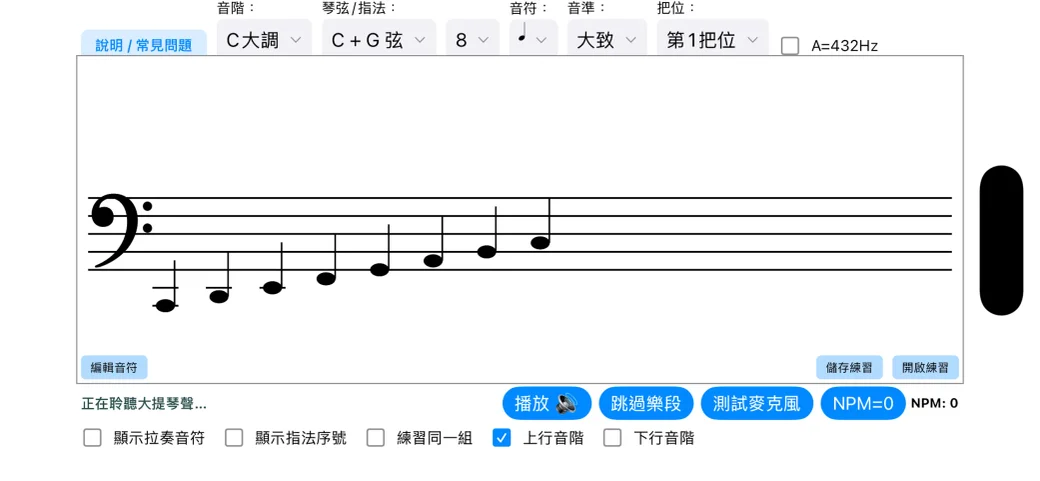
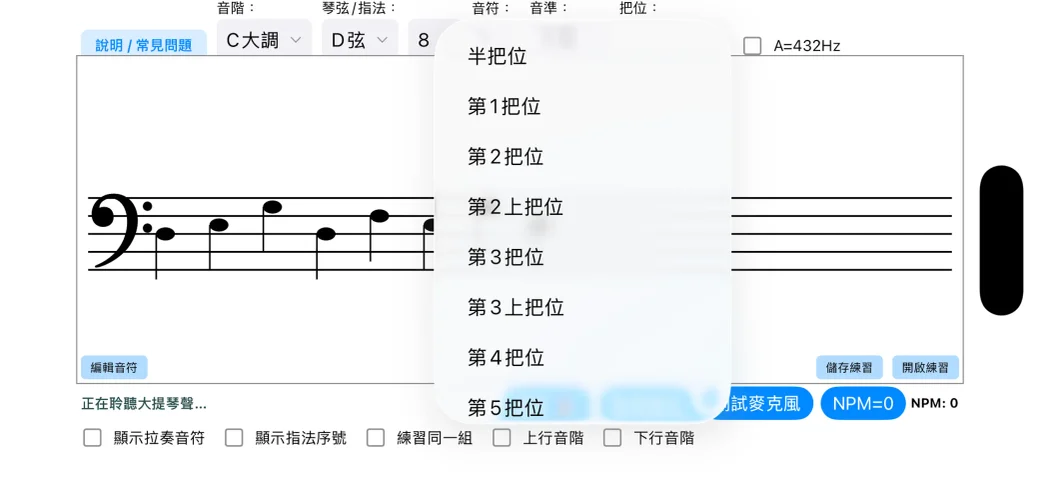
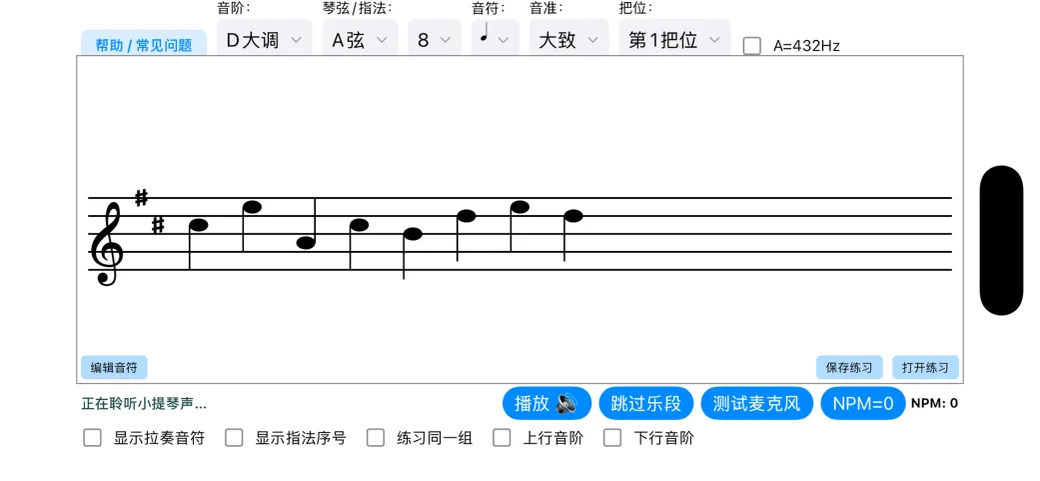
About
Cello Sight-Read Studio
Transform your cello practice with instant audio pitch detection! Designed for beginners and players alike, Cello Sight-Read Studio builds lightning-fast sight-reading reflexes, robust muscle memory, and flawless intonation in just 5 to 10 minutes a day.
Fully localized in English, Chinese (中文), Japanese (日本語), Spanish (Español), German (Deutsch), French (Français), and Korean (한국어).
Key Features & Functions
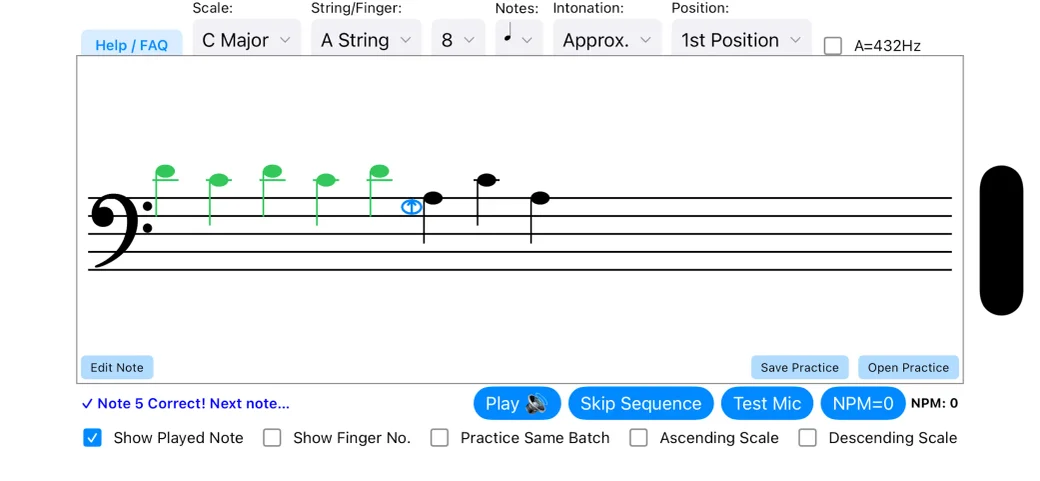
Real-Time Audio Pitch Detection: Uses your microphone to analyze what you play instantly. Notes change color upon a successful hit, ensuring you never practice mistakes.
String-by-String & Finger Isolation: Master your instrument efficiently using Horizontal Training (single strings: C, G, D, A, or custom pairs) and Vertical Training (single finger positions across all strings).
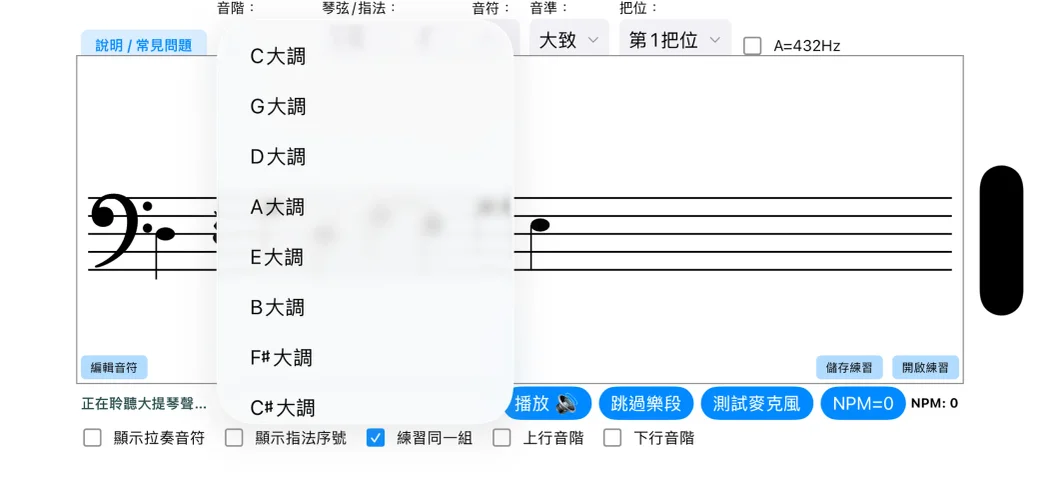
Customizable Scales & Key Signatures: Select your desired scale via the top-row dropdown to automatically update generated sheet music.
Targeted Position Shifting: Choose from standard cello positions to practice shifts, automatically adjusting finger calculations and practice goals.
Adjustable Note Counts: Configure how many notes (from 1 to 16) appear on the musical staff at one time to fit your skill level.
Intonation Target Settings: Adjust difficulty between Approximate Pitch, Good Intonation, and Pure Intonation to fine-knit your finger placement accuracy.
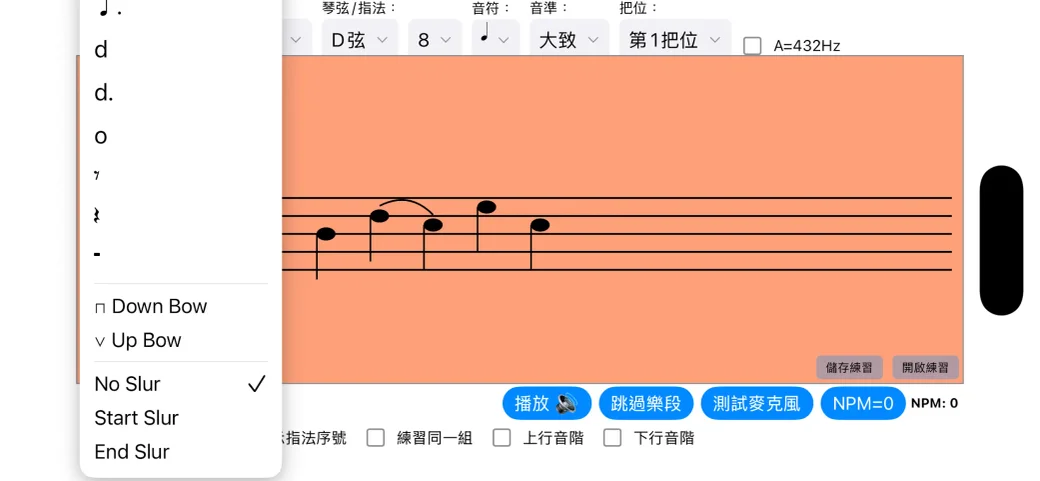
Note Edit Mode & Custom Practice: Easily toggle Note Edit Mode to override individual notes on the staff within safe structural boundaries, and check "Practice Same Batch" to loop and drill difficult segments.
Live Visual Guidance: Turn on Show Played Note for real-time sharp/flat arrow indicators, and enable Show Finger No. to display left-hand finger numbers directly above notes.
Notes Per Minute (NPM) Tracking: Monitor your progress in real-time to watch your reading speed soar from beginner steps to professional fluency.
Built-in Audio & Mic Tools: Use the Play Sequence button to listen to correct pitches, and test your input device instantly with the built-in microphone tester.
Pricing & Free Access
Free Download: Get unlimited, lifetime access to the A and D string modules to jumpstart your daily practice routine completely free of charge.
Full Unlock: Upgrade via a one-time in-app purchase of $6.99 USD to unlock all remaining strings, fingers, positions, and custom combinations.
What’s new
Version 1.01 · Sep 3, 2026
update subtitle. No changes to APP
App privacy
What Brandon Wu declares on the App Store about how this app handles data.
-
Data not collected
The developer does not collect any data from this app.
Privacy practices may vary, for example with the features you use or your age.
Information
- Seller
- Brandon Wu
- Category
- Music
- Version
- 1.01
- Updated
- Sep 3, 2026
- Released
- Aug 29, 2026
- Size
- 4.8 MB
- Requires
- iOS 16.6 or later
- Age rating
- 4+
- Price
- Free
- In-app purchases
- Yes
- Languages
- English, French, German, Japanese, Korean, Simplified Chinese, Spanish, Traditional Chinese
- Copyright
- © @ 2026 Brandon Wu
You might also like
-
 Intonation MasterPitch & tuning for strings
-
 Soloist Cello: Lessons, TunerHonest feedback, learn to play
-
 Tonewise: Music ToolkitGuitar Tuner & Metronome
-
 Cello Vista: Tuner & PracticeFingering Charts & Intonation
-
 Cello Tuner & IntonationEar Training & Scale Practice
-
 Cello Tuner .Tune Strings with Ease
-
 chorDLE — Ear Training GameHear chords. Name intervals.
-
 Tonai – AI Intonation CoachPlay in tune: strings & voice
-
 Learn & Play Cello - tonestroLessons, Feedback, Sheet Music
-
 DoReMi: Ear TrainingSolfege & Daily Music Practice