- 対象年齢4+
- カテゴリミュージック
- 開発元Brandon Wu
- 言語英語ほか7言語
- サイズ4.8 MB
App Storeの公式ページにリンクしています
Download.orgはCello Sight-Read Studioのファイルを一切ホストしていません。ボタンを押すと、Brandon Wuが公開しているApp Storeのアプリページが開きます。ページの最終確認:2026/11/18。
スクリーンショット


概要
開発元はこのテキストをお使いの言語で提供していません。
Cello Sight-Read Studio
Transform your cello practice with instant audio pitch detection! Designed for beginners and players alike, Cello Sight-Read Studio builds lightning-fast sight-reading reflexes, robust muscle memory, and flawless intonation in just 5 to 10 minutes a day.
Fully localized in English, Chinese (中文), Japanese (日本語), Spanish (Español), German (Deutsch), French (Français), and Korean (한국어).
Key Features & Functions
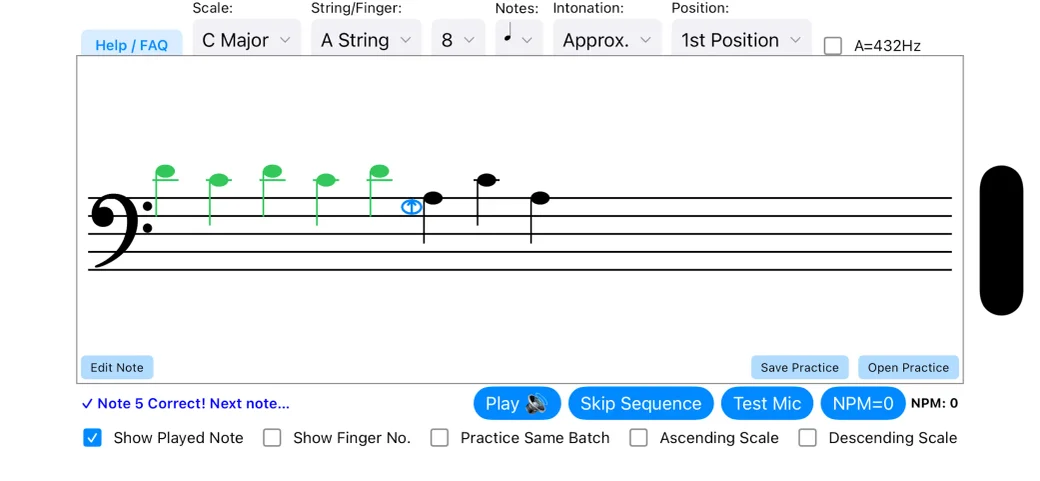
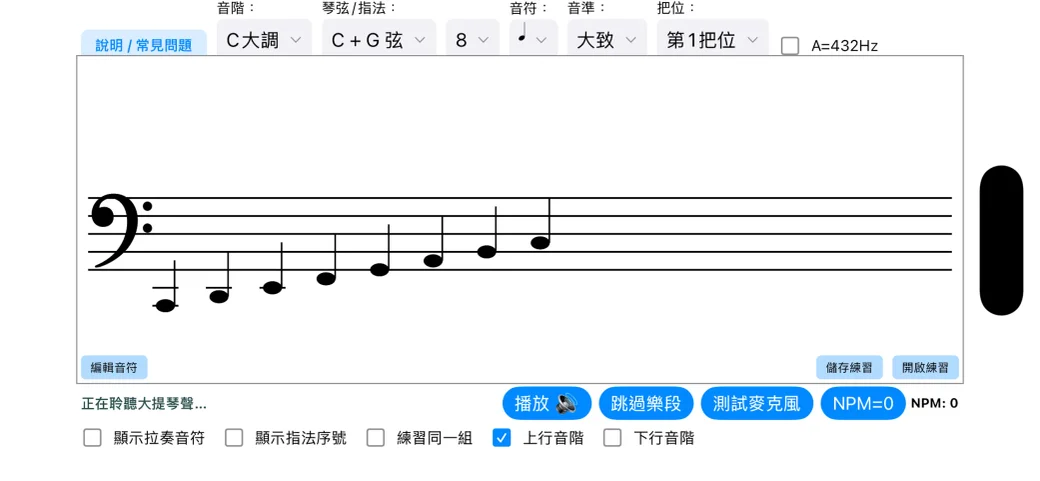
Real-Time Audio Pitch Detection: Uses your microphone to analyze what you play instantly. Notes change color upon a successful hit, ensuring you never practice mistakes.
String-by-String & Finger Isolation: Master your instrument efficiently using Horizontal Training (single strings: C, G, D, A, or custom pairs) and Vertical Training (single finger positions across all strings).
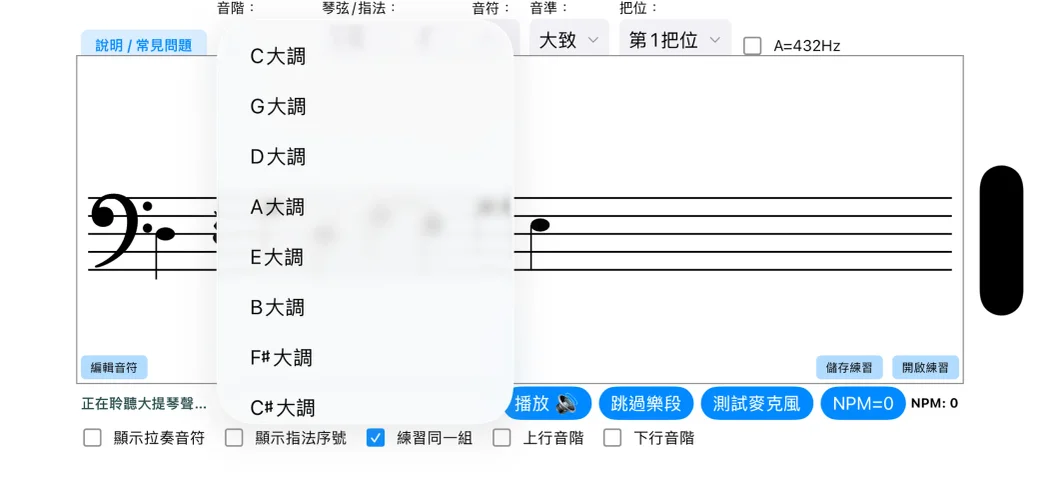
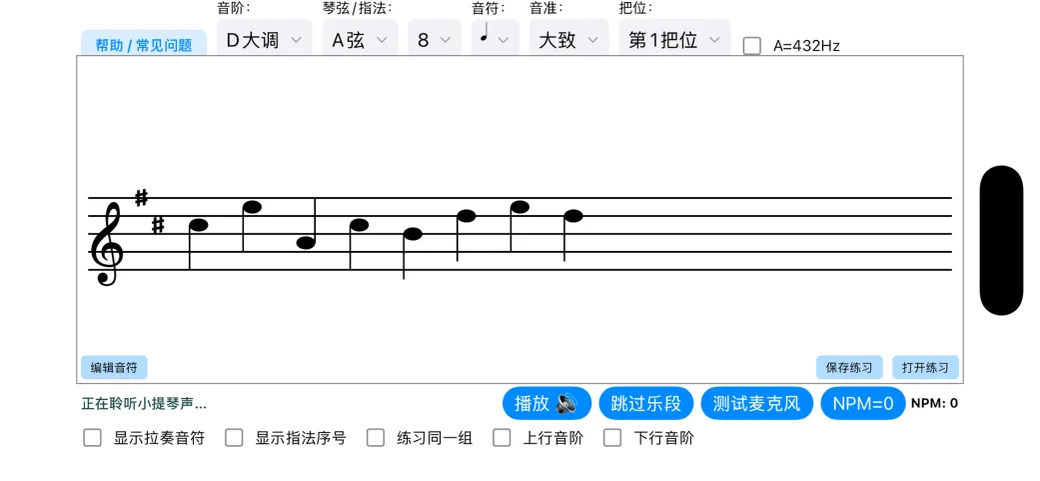
Customizable Scales & Key Signatures: Select your desired scale via the top-row dropdown to automatically update generated sheet music.
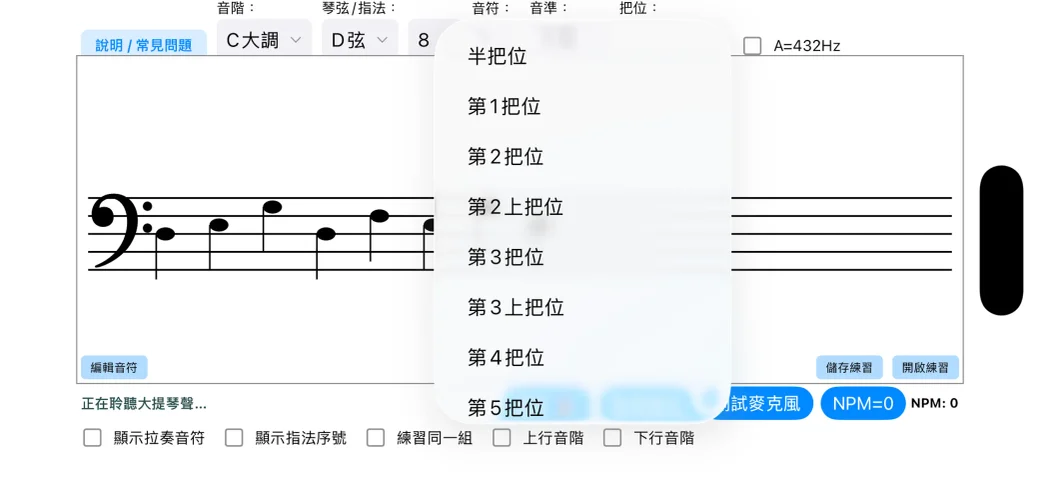
Targeted Position Shifting: Choose from standard cello positions to practice shifts, automatically adjusting finger calculations and practice goals.
Adjustable Note Counts: Configure how many notes (from 1 to 16) appear on the musical staff at one time to fit your skill level.
Intonation Target Settings: Adjust difficulty between Approximate Pitch, Good Intonation, and Pure Intonation to fine-knit your finger placement accuracy.
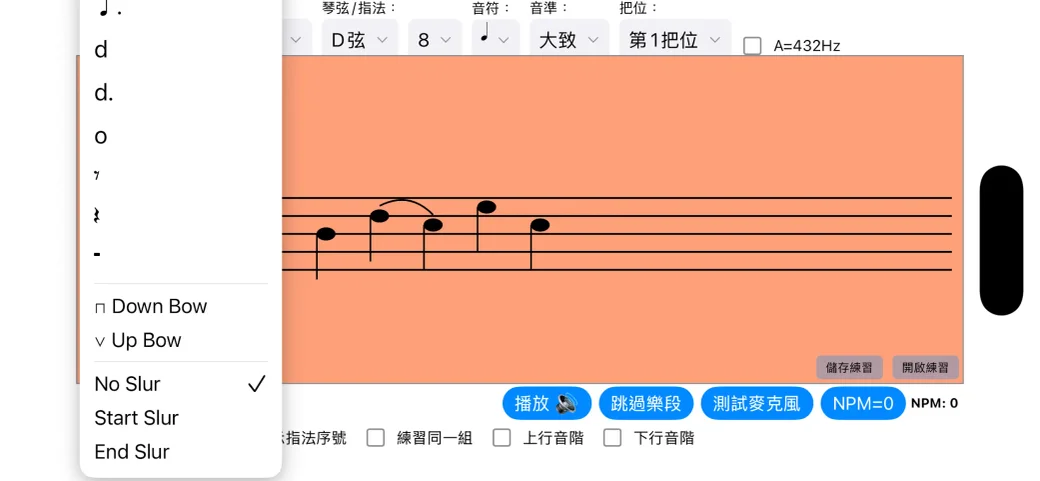
Note Edit Mode & Custom Practice: Easily toggle Note Edit Mode to override individual notes on the staff within safe structural boundaries, and check "Practice Same Batch" to loop and drill difficult segments.
Live Visual Guidance: Turn on Show Played Note for real-time sharp/flat arrow indicators, and enable Show Finger No. to display left-hand finger numbers directly above notes.
Notes Per Minute (NPM) Tracking: Monitor your progress in real-time to watch your reading speed soar from beginner steps to professional fluency.
Built-in Audio & Mic Tools: Use the Play Sequence button to listen to correct pitches, and test your input device instantly with the built-in microphone tester.
Pricing & Free Access
Free Download: Get unlimited, lifetime access to the A and D string modules to jumpstart your daily practice routine completely free of charge.
Full Unlock: Upgrade via a one-time in-app purchase of $6.99 USD to unlock all remaining strings, fingers, positions, and custom combinations.
新機能
バージョン 1.01 · 2026/9/3
update subtitle. No changes to APP
アプリのプライバシー
このアプリのデータの取り扱いについて、Brandon WuがApp Storeで申告している内容です。
-
データの収集なし
開発元はこのアプリからデータを収集しません。
プライバシーの取り扱いは、ご利用の機能やお客様の年齢などに応じて異なる場合があります。
情報
- 販売元
- Brandon Wu
- カテゴリ
- ミュージック
- バージョン
- 1.01
- 更新日
- 2026/9/3
- リリース
- 2026/8/29
- サイズ
- 4.8 MB
- 必要条件
- iOS 16.6以降
- 対象年齢
- 4+
- 価格
- 無料
- アプリ内課金
- あり
- 言語
- 英語, フランス語, ドイツ語, 日本語, 韓国語, 簡体字中国語, スペイン語, 繁体字中国語
- 著作権
- © @ 2026 Brandon Wu
こちらもおすすめ
-
 Intonation Master弦楽器の音程とチューニング
-
 Soloist Cello: Lessons, Tunerミュージック
-
 Tonewise: 音楽ツールキットギターチューナー&メトロノーム
-
 チェロVista: チューナーと練習指板図と音程改善
-
 チューナーチェロ音程音階練習と耳のトレーニング
-
 チェロチューナー弦を簡単にチューニング
-
 chorDLE — Ear Training Gameミュージック
-
 Tonai – AI音程コーチバイオリン・声・管楽器のチューナー
-
 Learn & Play Cello - tonestroミュージック
-
 DoReMi: Ear Trainingミュージック