
Voice Spending Tracker: Centee
Receipt Scanner & Bill Alerts
Designed for iPhone, iPad
In-app purchases
- Age rating4+
- CategoryFinance
- Developer依欢 孙
- LanguagesSpanish+ 14 more
- Size33.3 MB
Links to the official App Store page
Download.org hosts no file of Voice Spending Tracker: Centee. The button opens its official App Store page, published by 依欢 孙. Listing last checked on Nov 27, 2026.
Screenshots
About
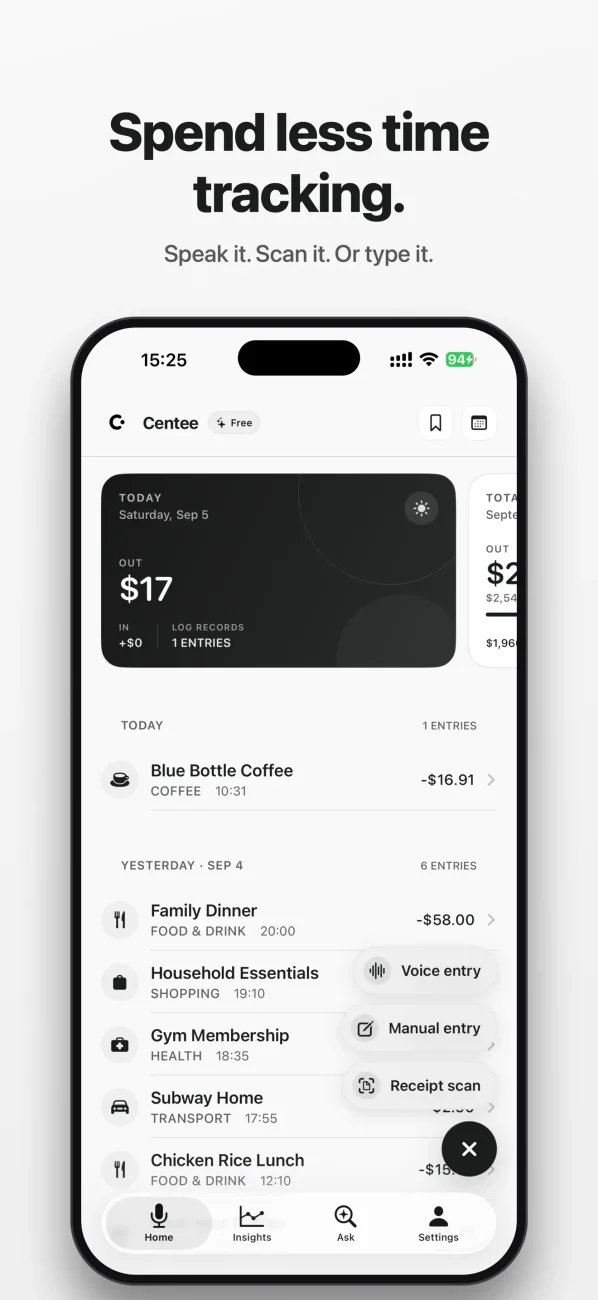
Speak an expense or scan a receipt. Centee helps extract the details so you can review, save, and track your spending—without linking a bank account.
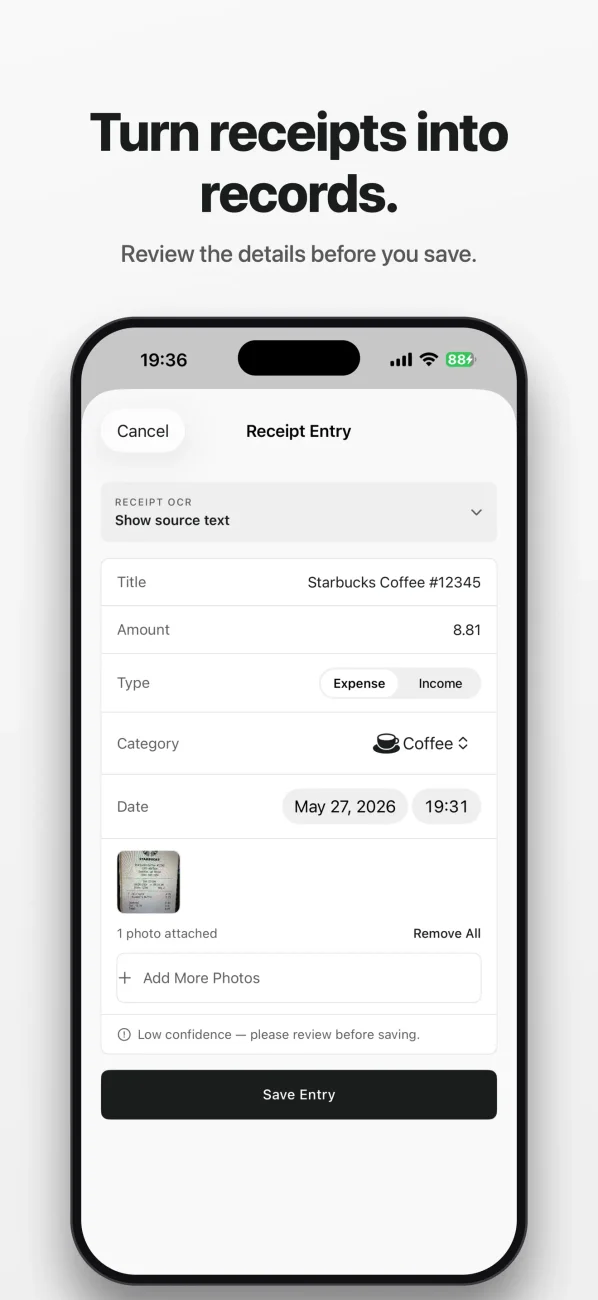
Add a purchase in the quickest way for you. Centee helps recognise the item, amount, date, and category, then you review every detail before saving.
Capture every expense in seconds
No ads, account registration, bank connection, or long forms. Speak naturally, for example: “I bought a coffee this morning for £5.” Centee recognises the item, amount, and time, then turns your words into a record you can review before saving.
Keep receipts, bills, and payment screens together
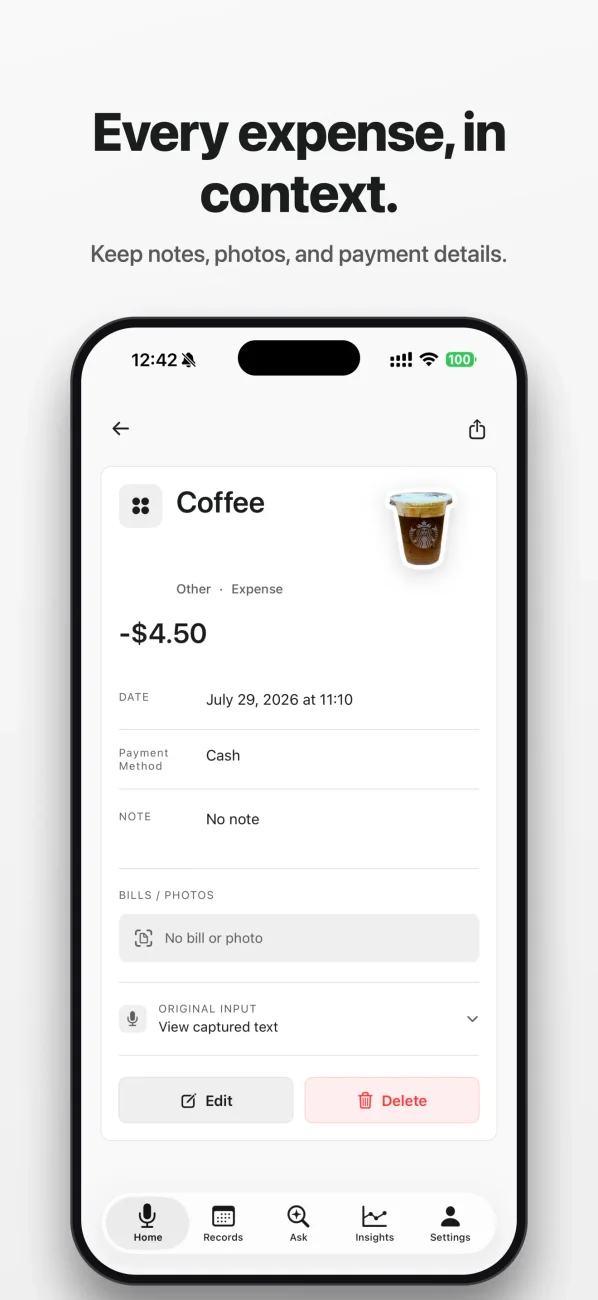
Store receipts, invoices, payment screens, and bills with each expense. Scan a photo and let AI help extract key details before you save.
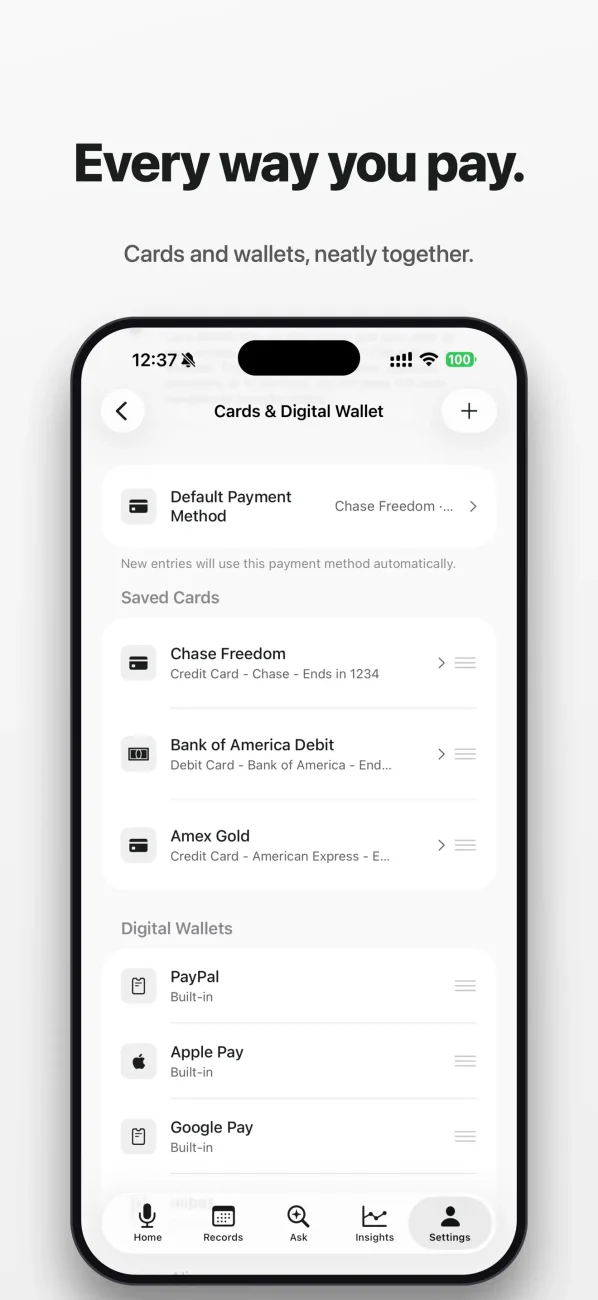
Track how you paid
Record cash, cards, digital wallets, bank transfers, and other payment methods alongside each expense.
Ask your ledger with AI
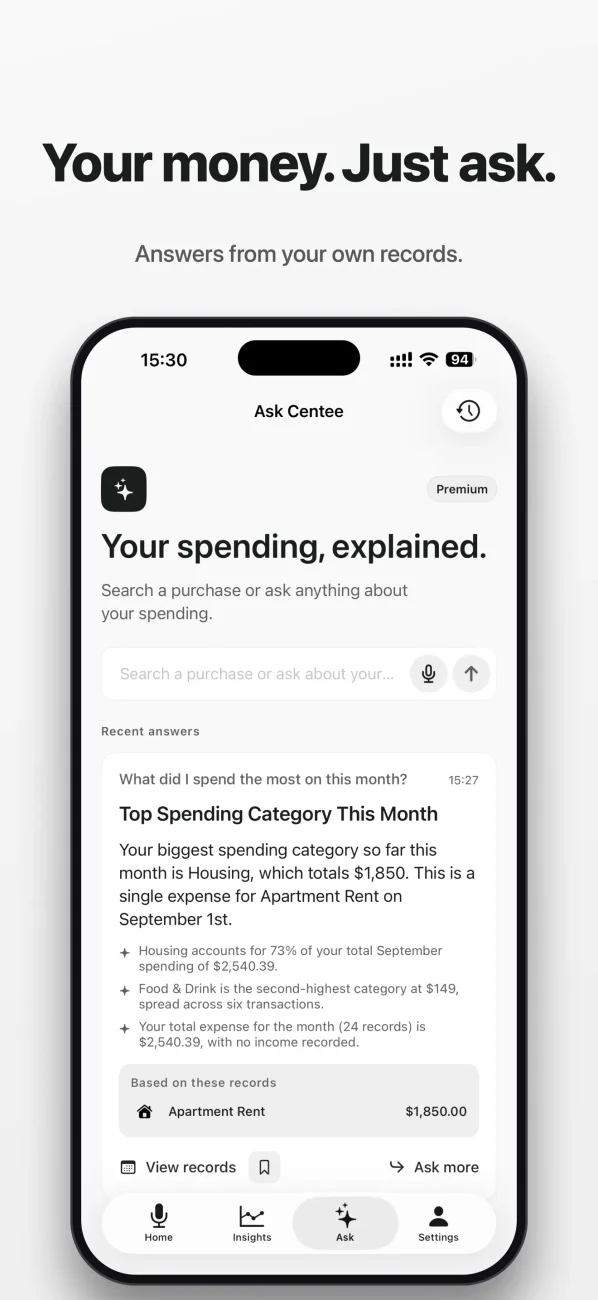
When your ledger has enough history, search a purchase or ask a question about spending. Centee bases answers on your saved titles, amounts, categories, dates, and notes—not generic financial advice. Receipt photos are not shared for these answers. Review AI results before acting.
Capture faster with Back Tap
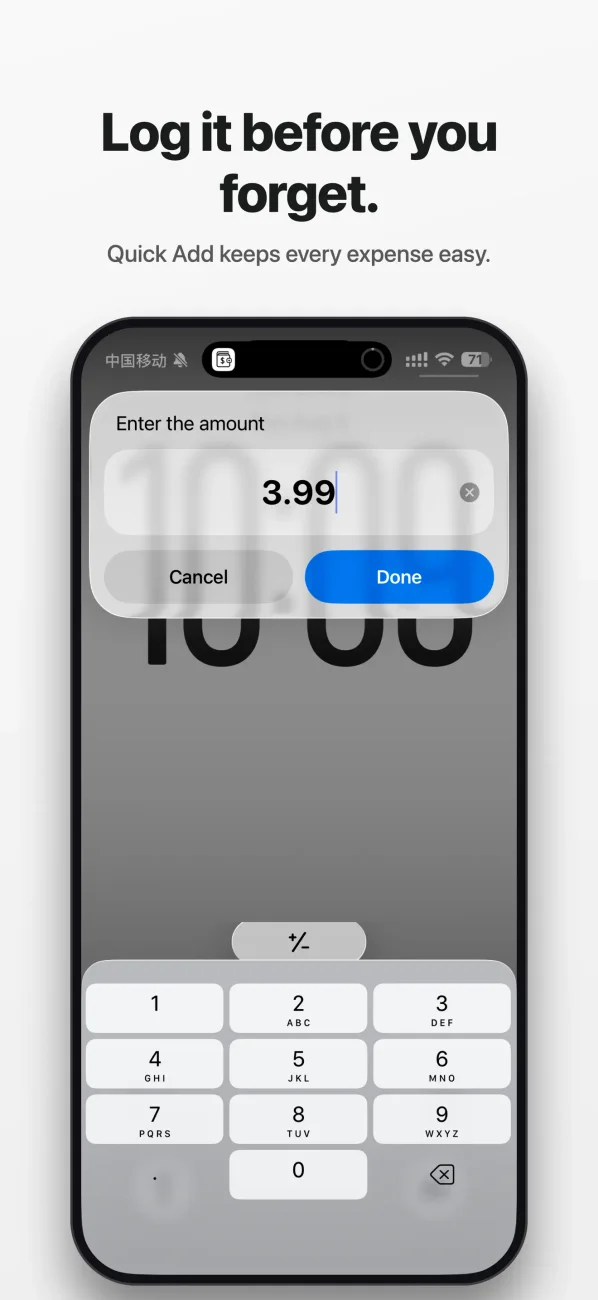
Set up Centee Shortcuts and assign them to Back Tap in iPhone Settings. Double-tap to send a screenshot of a receipt or payment screen to Centee. Triple-tap to enter and save an expense through Quick Add without opening the app.
More ways to stay on top of spending
- Log expenses by voice
- Scan receipts and bills
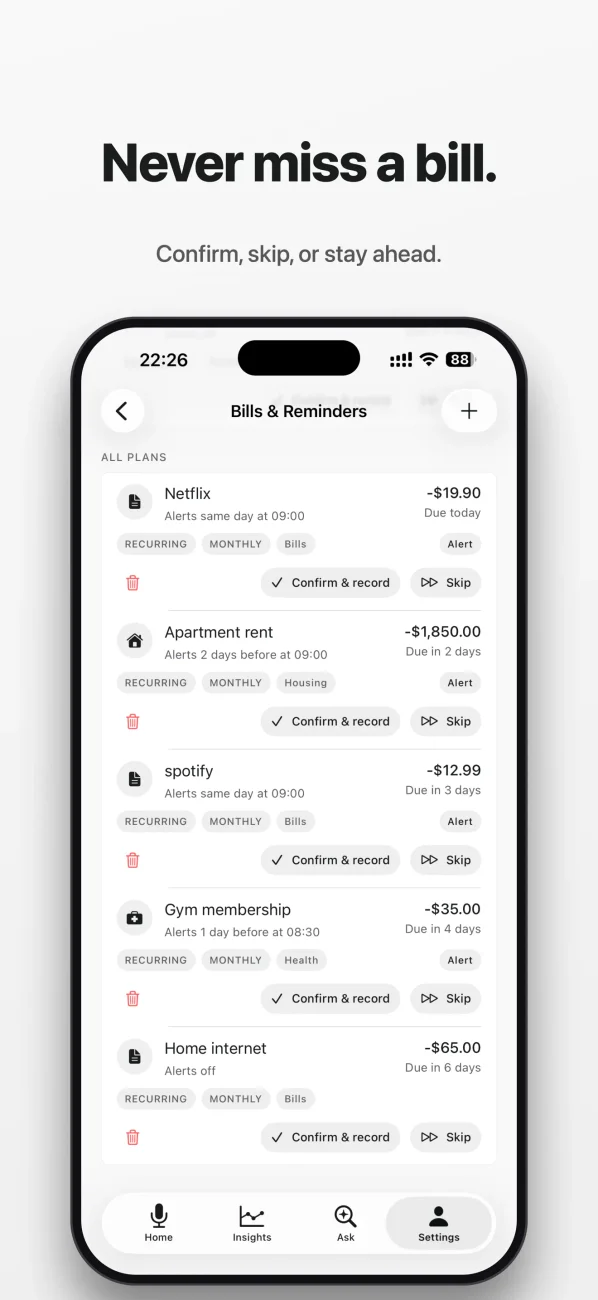
- Track spending, income, subscriptions, and daily costs
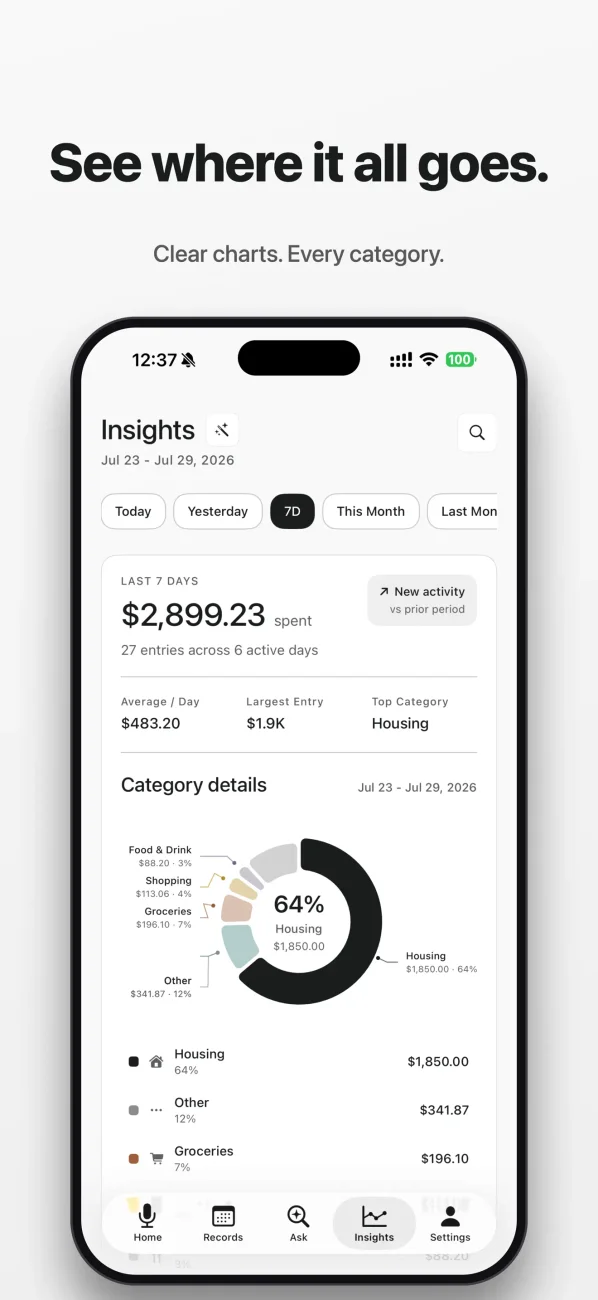
- Review category trends and AI summaries
- Ask Centee about your ledger and spending patterns
- Attach photos and item stickers to records
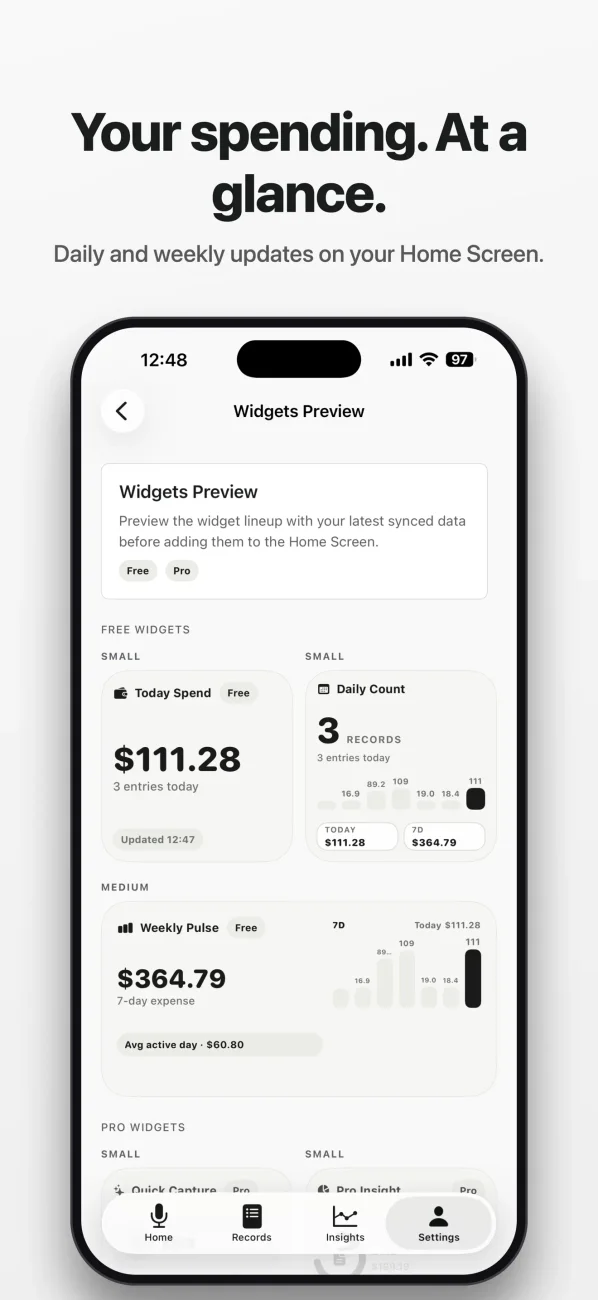
- Use widgets and Shortcuts for faster capture
- Export or review your history when needed
Minimal by design
A calm, focused interface keeps daily expense tracking simple, with no unnecessary setup.
Private by design
Centee does not require bank linking. AI results may need review before saving, and your records should be checked for accuracy.
Centee is a personal finance tracking tool. It does not provide financial, tax, investment, credit, debt, or legal advice.
Terms of Use (EULA): https://www.apple.com/legal/internet-services/itunes/dev/stdeula/
Privacy Policy: https://sunheihei.github.io/app-policie/centee-ios-privacy.html
Terms of Use: https://sunheihei.github.io/app-policie/centee-ios-terms.html
What’s new
Version 1.2.0 · Nov 24, 2026
- Open all records from Home, switch between the list and calendar, filter by receipt or sticker, and export matching records.
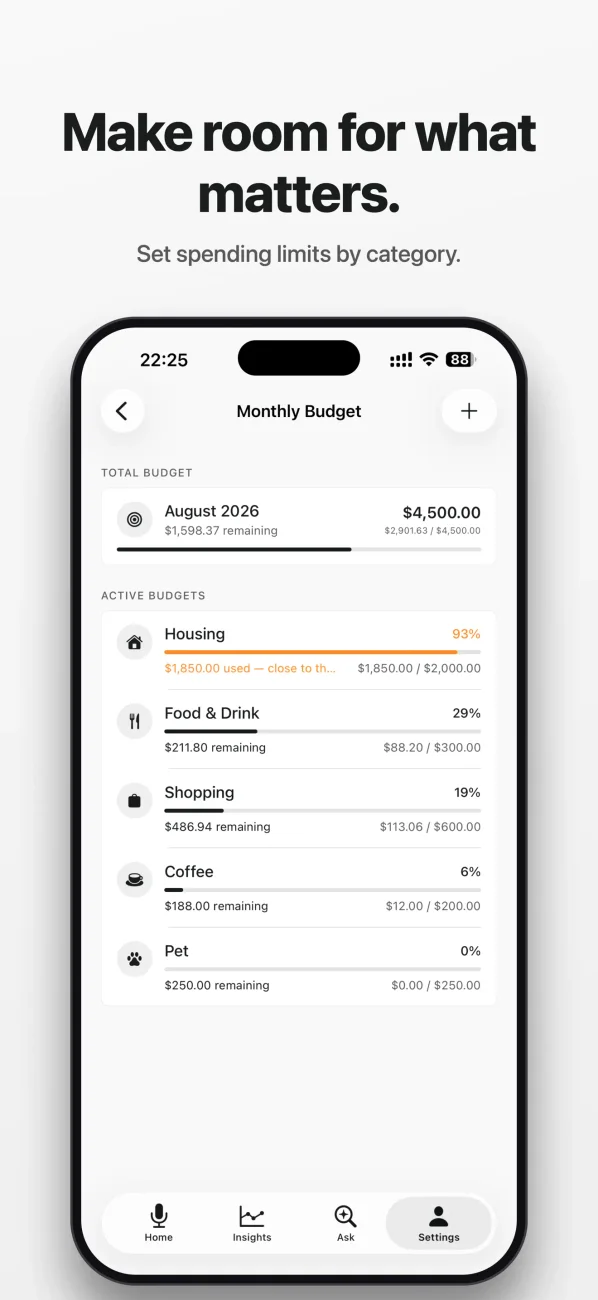
- Tap monthly spending on Home to explore the breakdown by category. Insights now separates the selected period from current budgets, balances, and bills.
- Open the records behind an Ask Ledger answer and see which periods were used for comparisons.
- Editing uses the same amount checks as adding a record. Drafts are protected from accidental dismissal, and widgets prompt you to refresh when data is out of date.
App privacy
What 依欢 孙 declares on the App Store about how this app handles data.
-
Data not collected
The developer does not collect any data from this app.
Privacy practices may vary, for example with the features you use or your age.
Information
- Seller
- 依欢 孙
- Category
- Finance
- Version
- 1.2.0
- Updated
- Nov 24, 2026
- Released
- Jun 2, 2026
- Size
- 33.3 MB
- Requires
- iOS 17.0 or later
- Age rating
- 4+
- In-app purchases
- Yes
- Languages
- Spanish, German, Simplified Chinese, Traditional Chinese, Korean, French, English, Italian, Japanese, Dutch, Polish, Portuguese + 3 more
- Copyright
- © Centee@2026
You might also like
-
 Rilio: Expense TrackerBudget & Spending, Auto-Logged
-
 Expensaver: Expense TrackerSave money, track it privately
-
 Expense Tracker - BujitAIVoice Budget & Money Manager
-
 SpendMind: AI Expense TrackerVoice Log, Budget, Track Money
-
 Expense Tracker - Digits AIBudget, Voice & Apple Pay Log
-
 Zexora: Voice Expense TrackerVoice Expense & Income Tracker
-
 Kassio: Budget & Bill TrackerExpense log with no bank login
-
 Elevel FinanceFinance
-
 BizCurrentAI Business Ledger
-
 AI Expense Tracker - FinAIBudget Planner & Bill Tracker