Cerulean for Azure DevOps
Work items, PRs & code review
Designed for iPhone, iPad, Mac
Free · In-app purchases
- Age rating4+
- CategoryProductivity
- DeveloperCamille Terol
- LanguagesEnglish+ 1 more
- Size13.1 MB
Links to the official App Store page
Download.org hosts no file of Cerulean for Azure DevOps. The button opens its official App Store page, published by Camille Terol. Listing last checked on Nov 16, 2026.
Screenshots

About
Cerulean is a fully native Azure DevOps client for iPhone and iPad, written in SwiftUI and built with Liquid Glass. It talks straight to your organization, with no server in between.
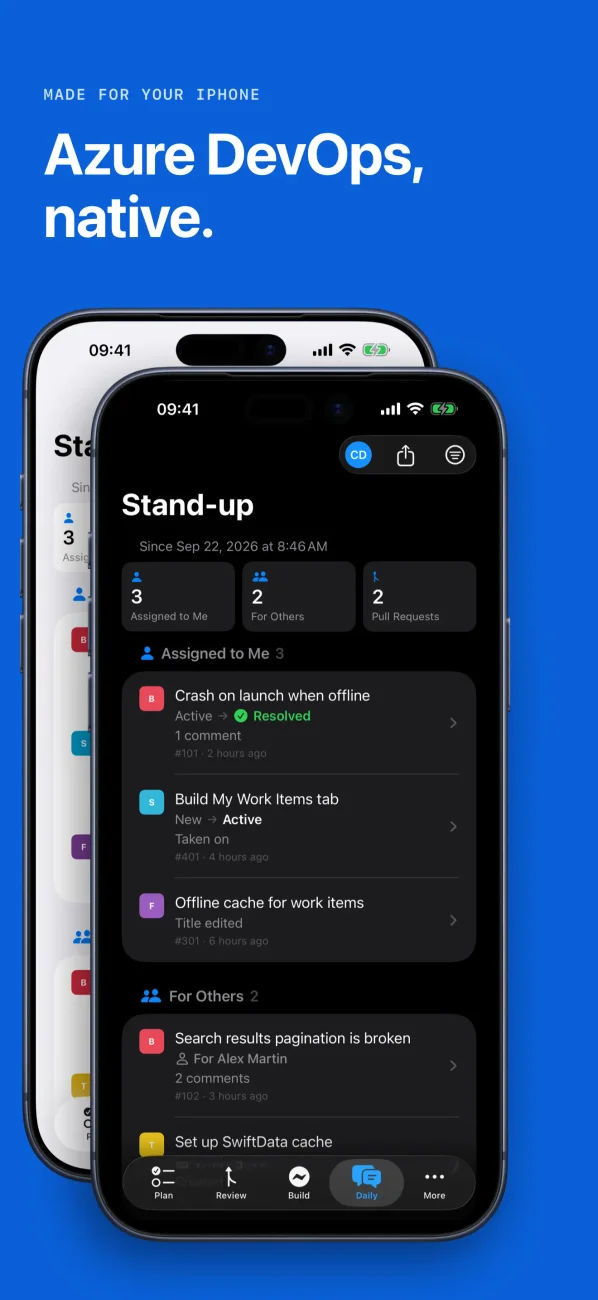
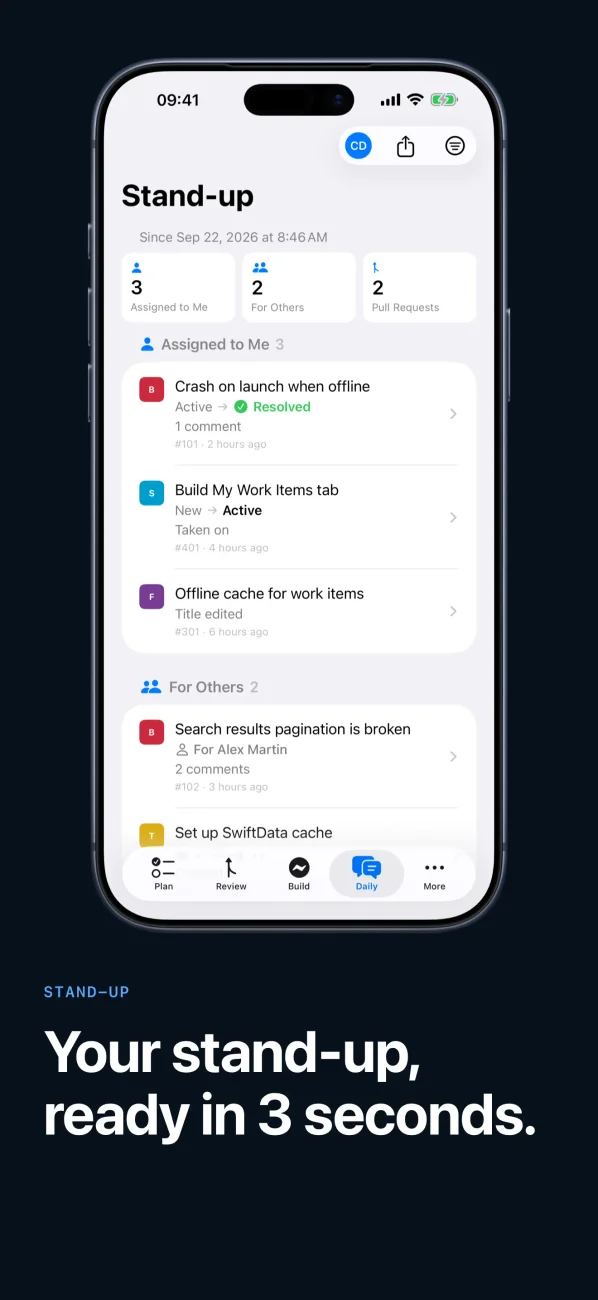
Prep your stand-up in three seconds, review a pull request in a real diff, keep an eye on your builds. Browsing your work items is free, with no time limit; a subscription unlocks everything else.
Stand-up
• Everything you have done since yesterday, gathered automatically
• What you handled yourself, kept separate from what you moved along for someone else
• State changes called out, so what is resolved reads at a glance
• Hide pull requests if your stand-up does not cover them
• Share the summary in one tap
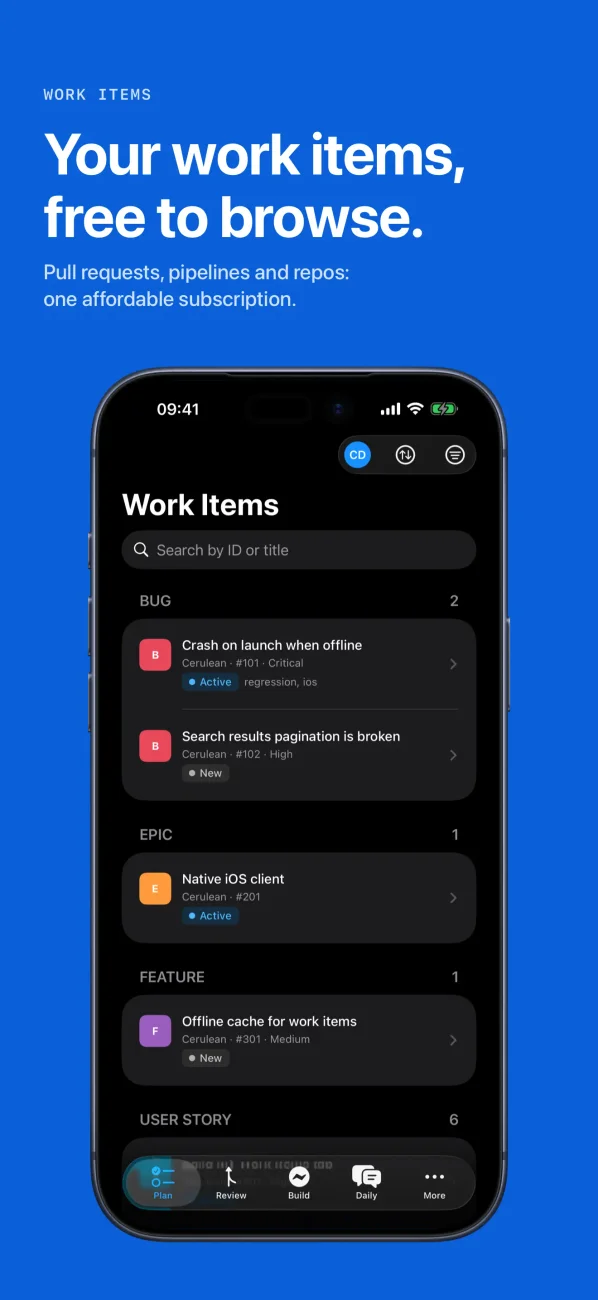
Work items
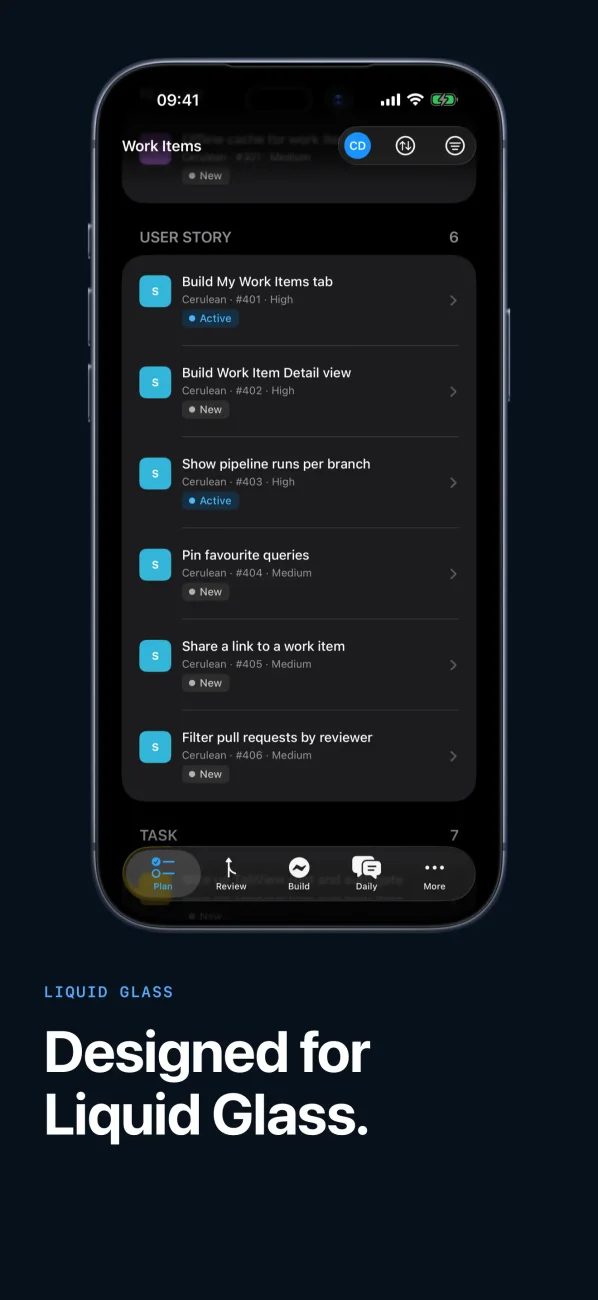
• Browse, filter and sort your work items, boards and queries
• Detail view with state, priority, tags, assignment and comments
• Edit work items inline — state, priority and more
• State colors exactly as configured in Azure DevOps
Pull requests & code review
• Your active pull requests, with reviewers and approvals
• Full detail: description, reviewers, your vote and threaded comments
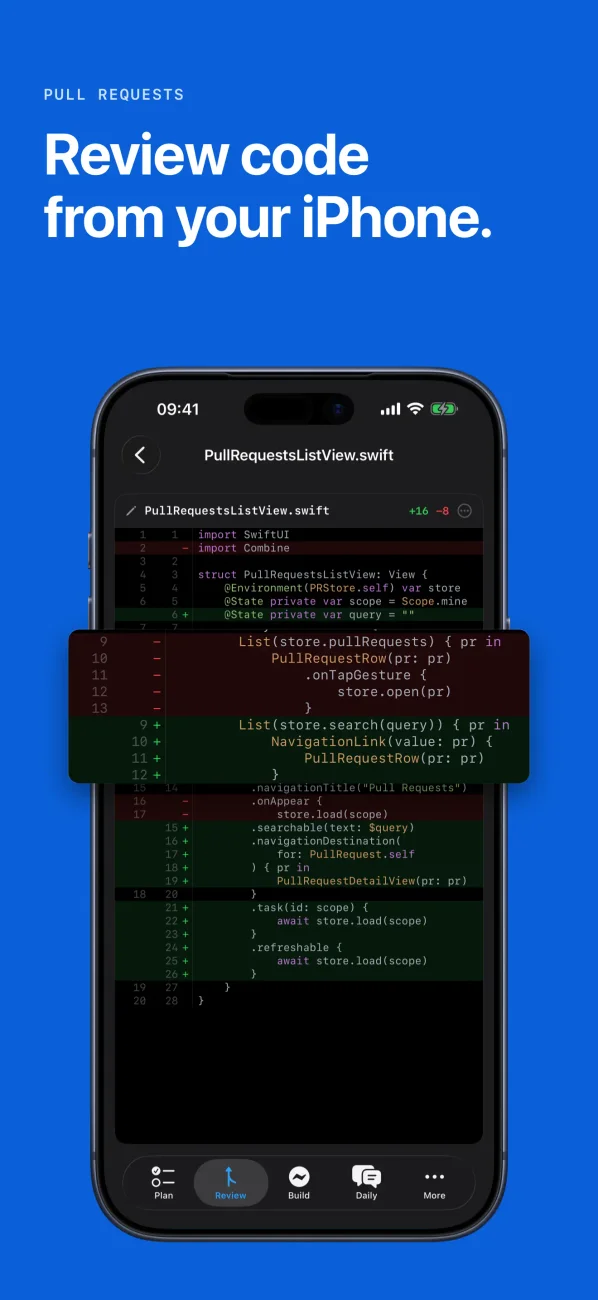
• Review code in a true side-scrolling diff — line numbers, syntax highlighting, expandable context
• Approve, vote and comment from your phone
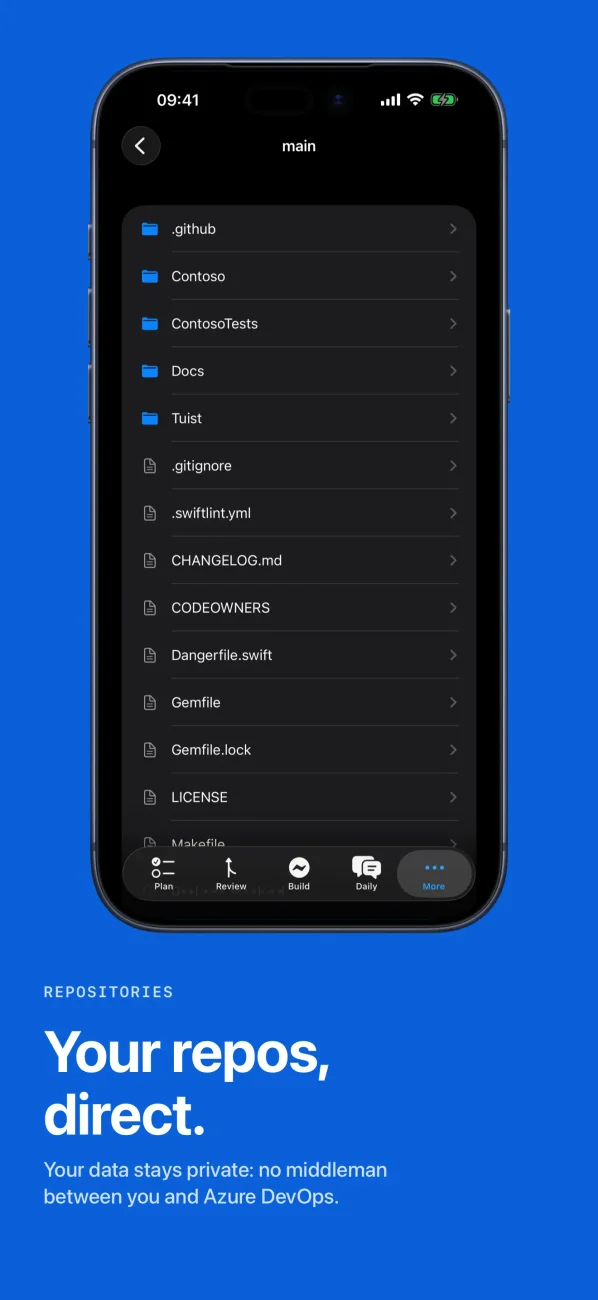
Repositories
• Projects, repositories and branches
• The file tree and source, with syntax highlighting
• Per-file history and commits
Wiki
• Your project wikis with rich formatting — headings, lists, code and @mentions
Pipelines
• Build and release status at a glance
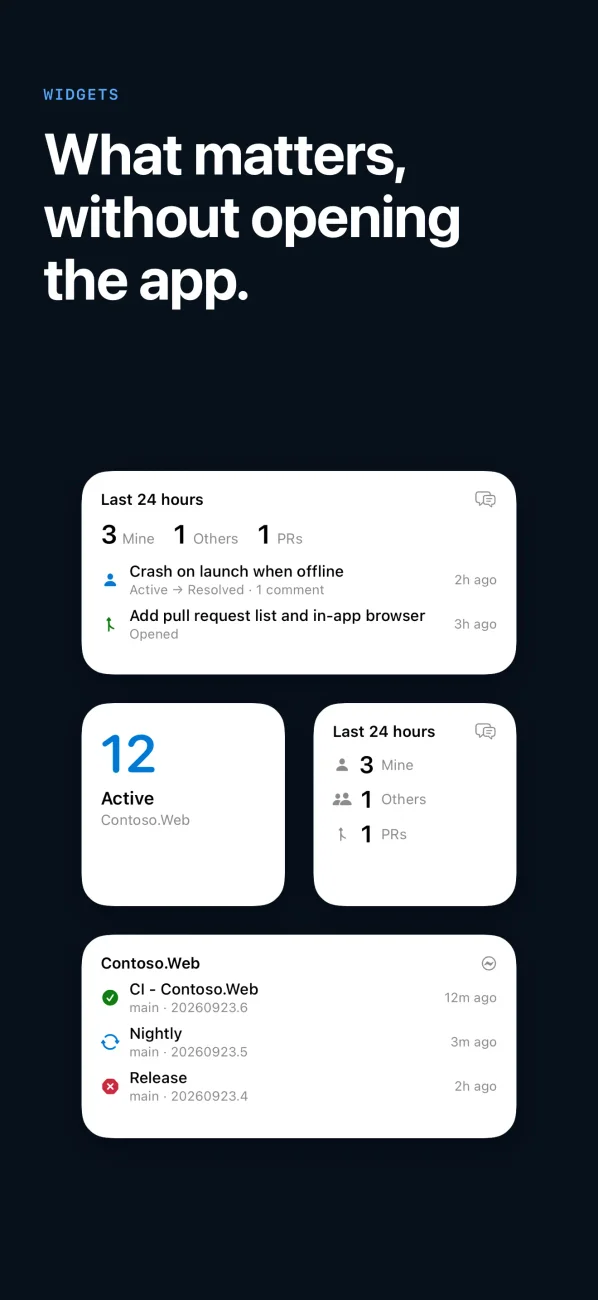
Widgets
• Your Stand-up on the Home Screen, ready before the meeting
• The number of work items assigned to you
• Tap a line to open that item directly
A real iOS app
• SwiftUI and Liquid Glass: fluid scrolling, system gestures and animations
• A customizable tab bar — keep the destinations you use most; the rest live in More (iPhone) or the sidebar (iPad)
• Contextual search across your work
• Light and dark mode
• Fully localized in English and French
• Preferences synced across your devices with iCloud
Privacy
• Sign in with a Personal Access Token or with Microsoft
• Your token is stored in the Keychain and never leaves your device
• No third-party analytics, no tracking, no backend — Cerulean talks only to your Azure DevOps organization
Subscription
Browsing your work items is free. To unlock the rest, pick a plan:
• Cerulean Yearly — $14.99/year, about $1.25 a month
• Cerulean Monthly — $2.19/month
• Cerulean Lifetime — $49.99, one-time purchase
Prices shown are for the United States. They vary by country; the app always shows yours.
Payment is charged to your Apple Account at confirmation of purchase. The monthly and yearly subscriptions renew automatically for the same price and duration unless cancelled at least 24 hours before the end of the current period. Manage or cancel anytime in your App Store account settings.
• Terms of Use: https://cerulean.interrupt.fr/en/terms-of-sale
• Privacy Policy: https://cerulean.interrupt.fr/en/privacy-policy
Requires an Azure DevOps account.
Cerulean is an independent app and is not affiliated with, sponsored by, or endorsed by Microsoft. "Azure DevOps" is a trademark of Microsoft Corporation.
What’s new
Version 1.5.0 · Nov 6, 2026
• Approve, complete or abandon a pull request, let it complete by itself, or move it between draft and ready, without leaving Cerulean
• Swipe a work item, a pull request or a pipeline run to act on it, like in Mail
• To use pull request actions, create a new token with Code (Write) and switch to it in Settings. Permissions there now explain what each one is for
App privacy
What Camille Terol declares on the App Store about how this app handles data.
-
Data not collected
The developer does not collect any data from this app.
Privacy practices may vary, for example with the features you use or your age.
Information
- Seller
- Camille Terol
- Category
- Productivity
- Version
- 1.5.0
- Updated
- Nov 6, 2026
- Released
- Jul 1, 2026
- Size
- 13.1 MB
- Requires
- iOS 18.0 or later
- Age rating
- 4+
- Price
- Free
- In-app purchases
- Yes
- Languages
- English, French
- Copyright
- © 2026 Interrupt
You might also like
-
 Mobile Boards for Azure DevopsTrack & update work items
-
 ClouddineThe Restaurant ERP System
-
 Bring Bananas - Shopping ListShared Grocery Plannner
-
 Tethers - Friendship RemindersStay close to people you love
-
 Fort Knox ELDProductivity
-
 Maark: All Your BookmarksSaved posts, videos & links
-
 GoatDraw: Diagram MakerMind Maps, Flowcharts, Plans
-
 Sova GPSProductivity
-
 TockLog: Focus & Time TrackerAI Work Log & Productivity
-
 Old Believer Orthodox CalendarEastern Orthodox Calendar