ChartLab: Chord Charts
Write chord charts, play live
Designed for iPhone, iPad
Free · In-app purchases
- Age rating4+
- CategoryMusic
- DeveloperGIOVANNI SCALIA
- LanguagesEnglish+ 1 more
- Size4.8 MB
Links to the official App Store page
Download.org hosts no file of ChartLab: Chord Charts. The button opens its official App Store page, published by GIOVANNI SCALIA. Listing last checked on Nov 26, 2026.
Screenshots
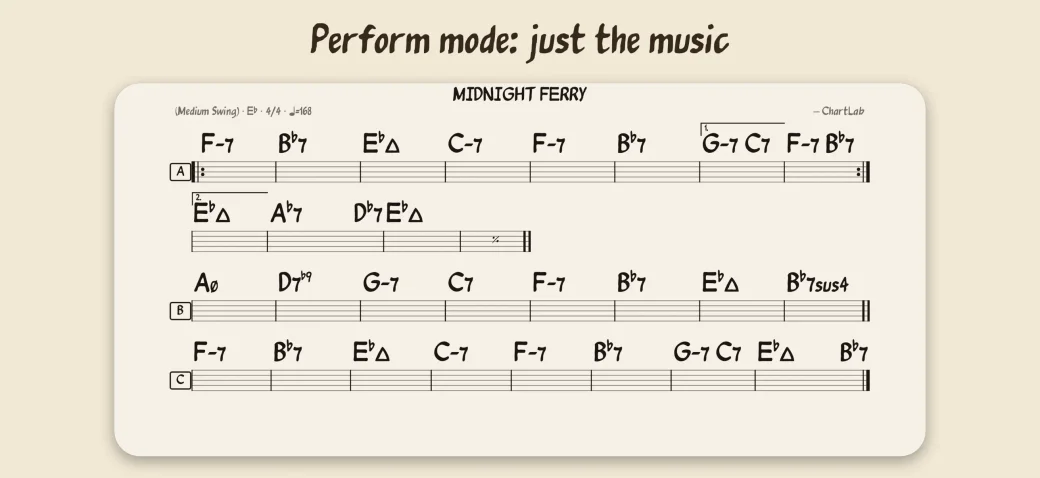
About
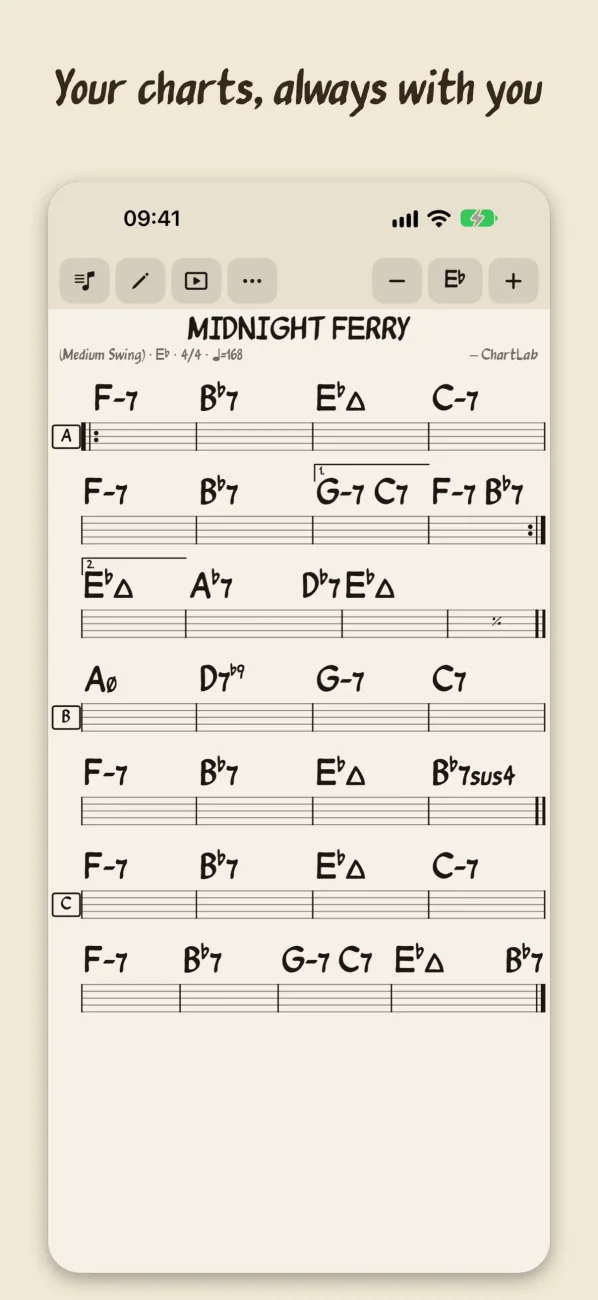
ChartLab is the iPhone, iPhone Duo, iPad and Mac app for writing your own chord charts and playing them live. It was made by a musician who plays on stage, for musicians who play on stage.
WRITE CHORDS, FAST AND COMPLETE
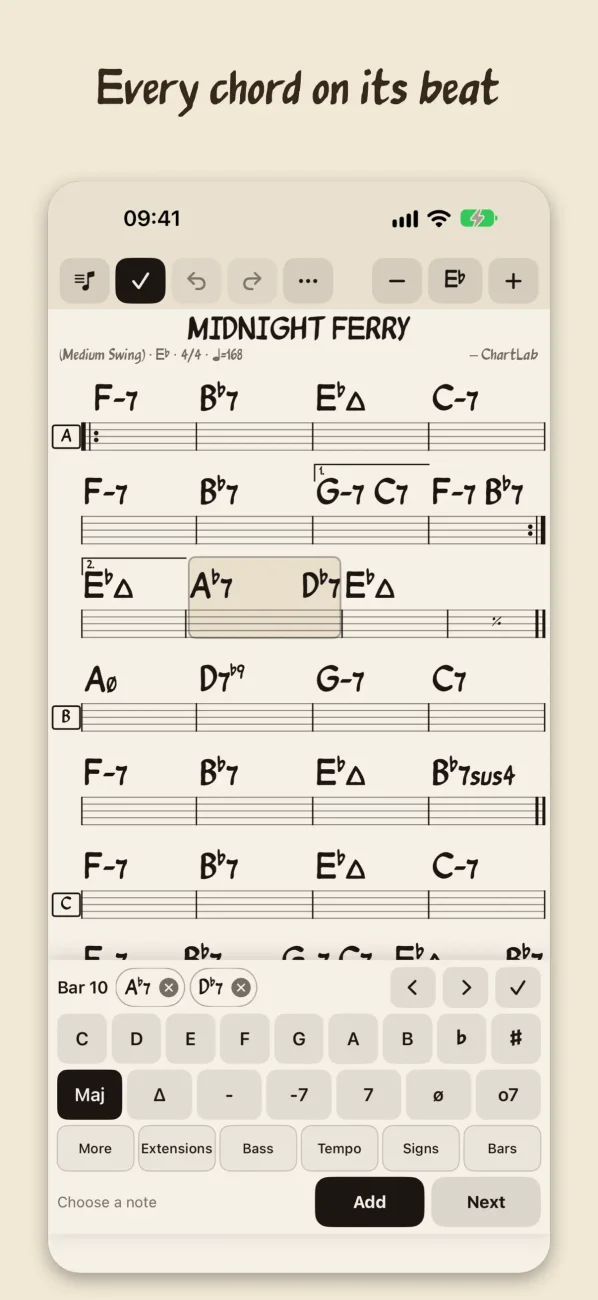
• A big chord keyboard: note, accidental, quality (major, minor, maj7, half-diminished, diminished, sus, alt…), extensions (b9, #11, 13…) and bass note.
• Every chord on its beat: C7 on beat one, F7 on beat four, the way you play it.
• Repeats, double barlines, endings 1. 2. 3., simile and two-bar repeats.
• Segno, Coda, To Coda, Fine, D.C., D.S. al Coda, N.C.
• Sections A, B, Intro…, line and page breaks wherever you want.
• Copy, duplicate, paste and insert several bars at once; undo and redo.
• Simple, compound and odd meters: 3/4, 5/4, 6/8, 7/8, 12/8 and more.
READS LIKE PAPER
• Pages with a handwritten look, crisp chord symbols and raised accidentals.
• On iPad, adaptive layout or 4 or 8 bars per line; on iPhone, 4 bars per line in portrait and 8 in landscape, or your choice.
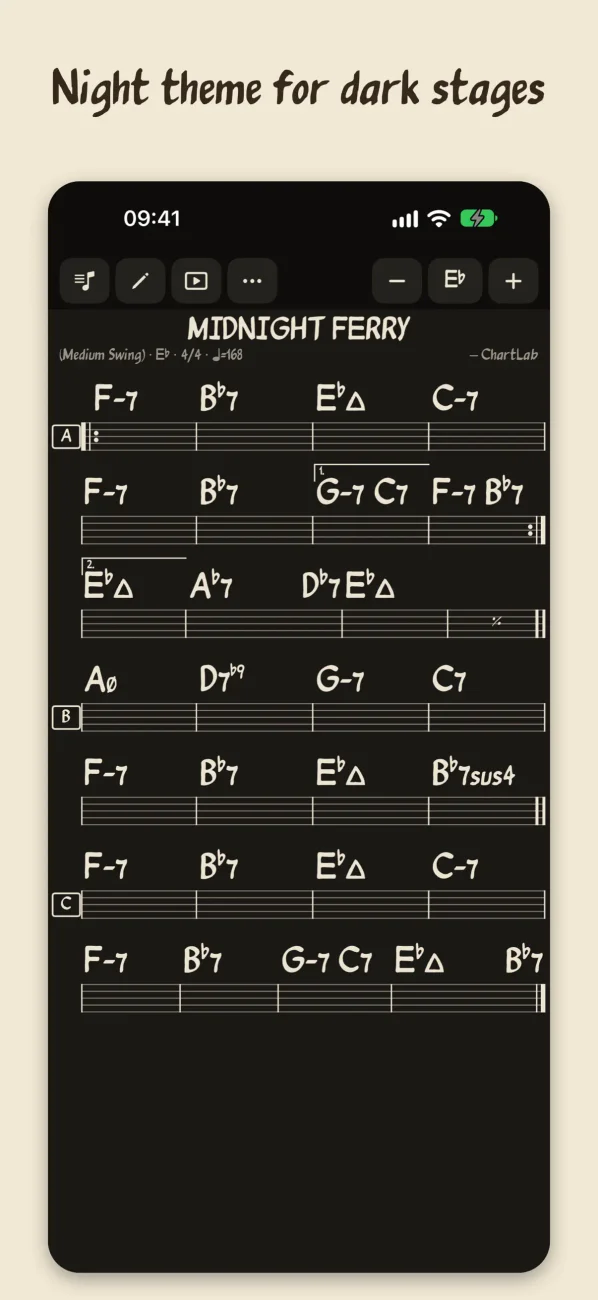
• Page colors: cream, antique paper, white, or Night for dark stages.
TRANSPOSE IN ONE TAP
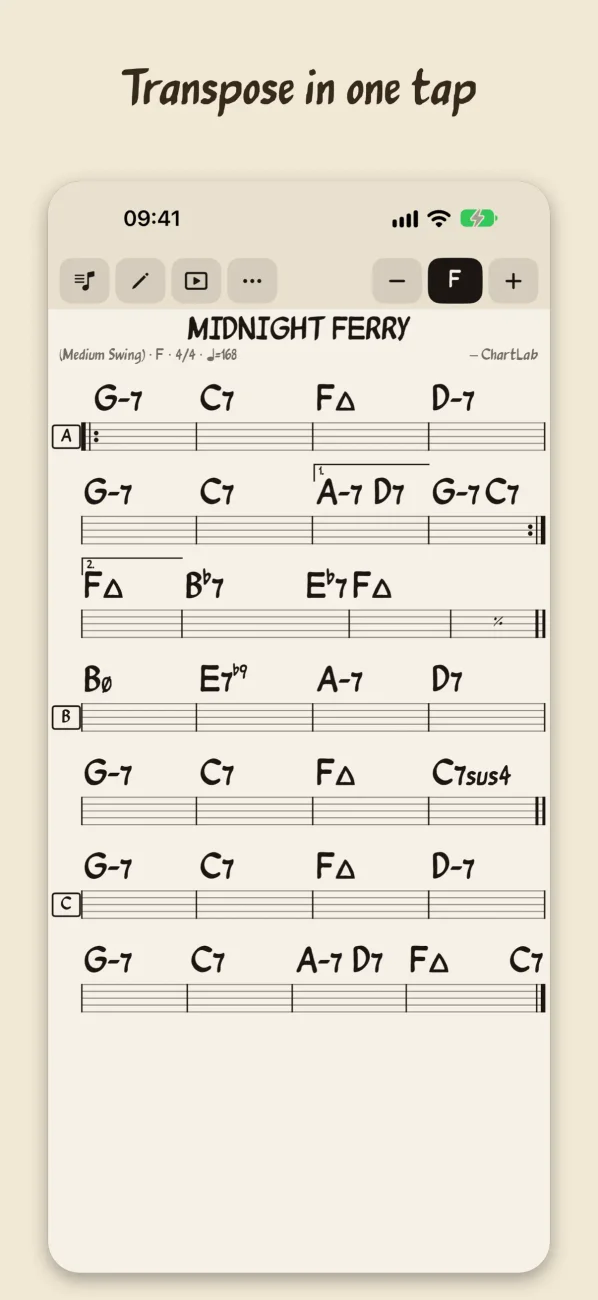
• Use - and + or pick the key: chords are rewritten with the right spelling.
• Sharps or flats as you prefer in enharmonic keys, plus easy reading (no B# or Fb).
• The original song never changes.
ON STAGE
• Perform mode: just the music, full screen.
• Turn pages by tapping the sides, with the arrow keys or with Bluetooth pedals; on iPad also half-page turns, so you always see what's next.
• The screen stays on while you play.
• On iPhone: continuous scrolling and, from the center controls, song and setlist switching.
• On iPhone Duo the grid adapts to both the folded and the unfolded screen.
IMPORT, EXPORT AND PROTECT YOUR SONGS
• Import from text, ChordPro, PDF and more: paste a chord grid, open a ChordPro file or a PDF made with a notation program, or import whole playlists exported from other chord apps (.html files): each song becomes a chart with sections and repeats.
• A4 PDF, landscape or portrait, ready to print and to use in other sheet-music apps.
• Automatic backup to iCloud Drive or another location in the Files app, with one-tap restore.
• Export a single song for a bandmate.
CHARTLAB PRO (one-time purchase)
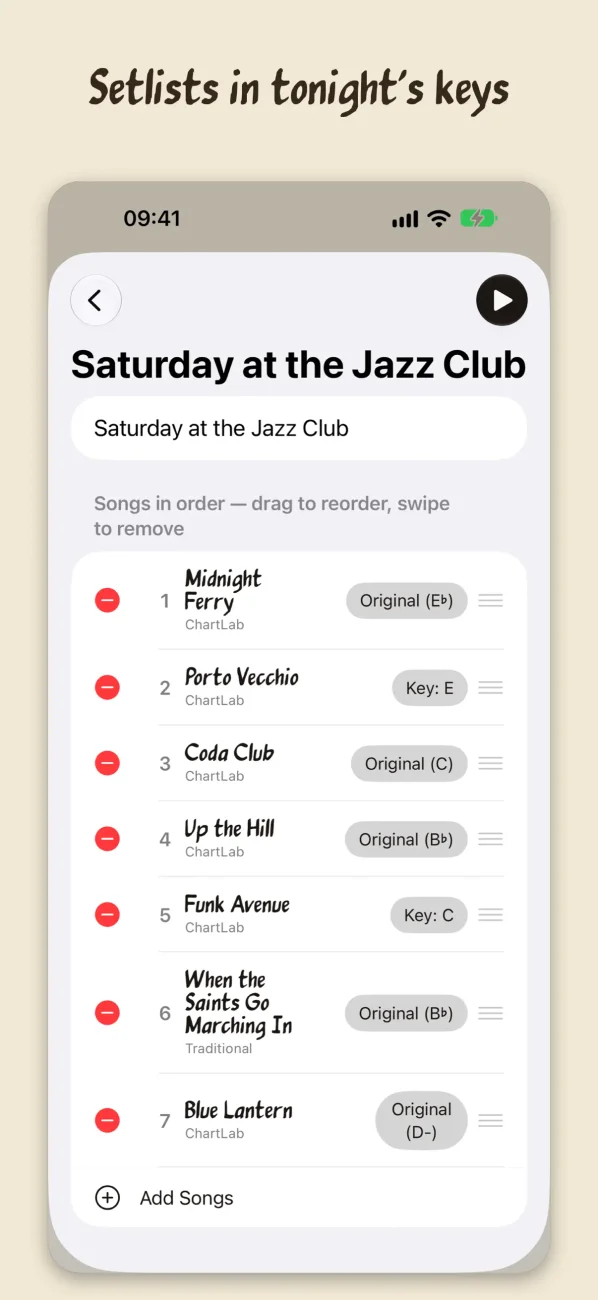
• Setlists for the gig, each song in tonight's key.
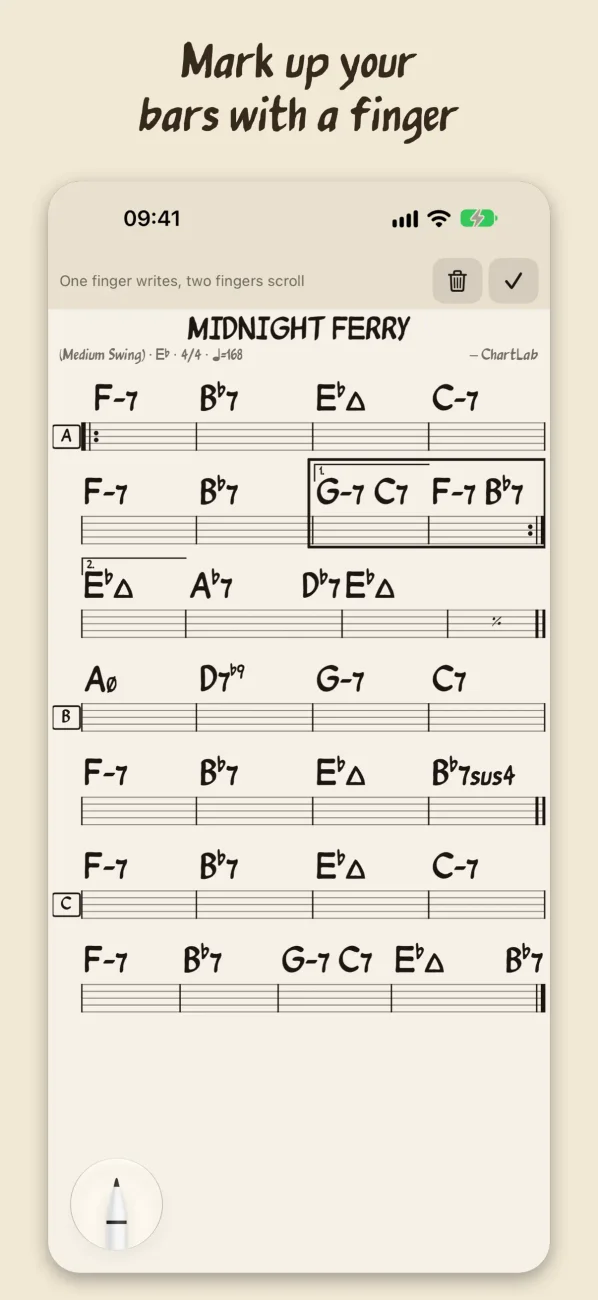
• Handwritten annotations: on iPad with Apple Pencil, included in the PDF; on iPhone with your finger on the grid, shown on the music stand and in perform mode.
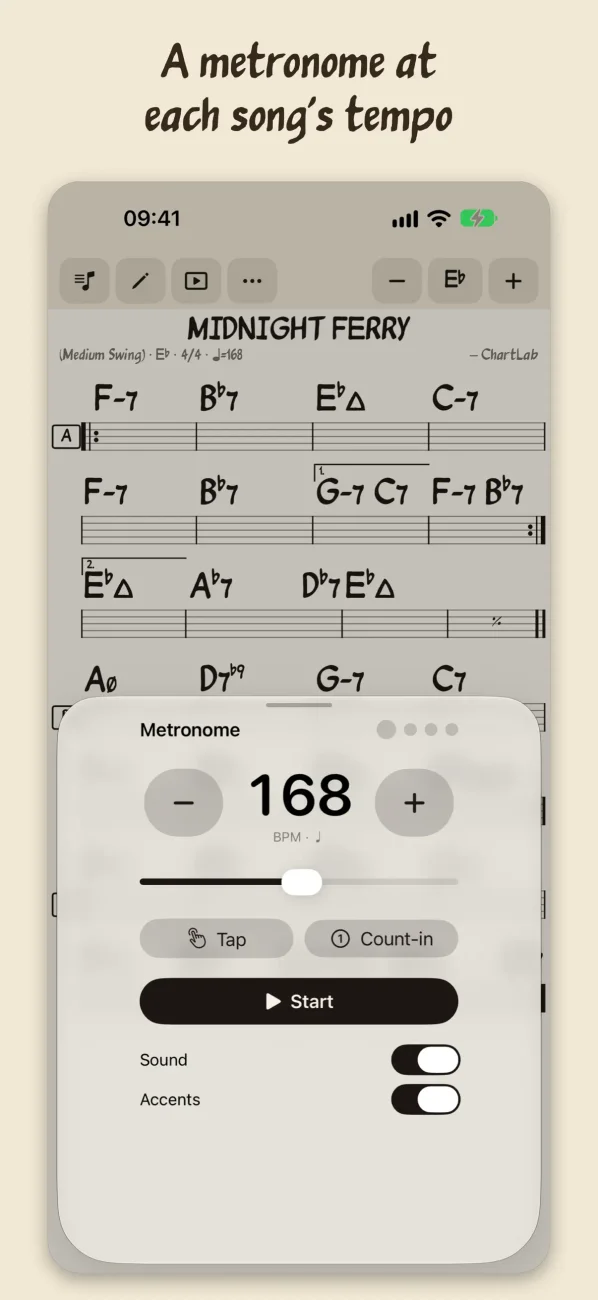
• A metronome at each song's tempo, with accents, count-in and tap tempo.
• Unlimited songs (the free version holds up to 10).
Pay once, use it on iPhone, iPad and Mac with the same Apple ID. The songs you have are never locked.
PRIVACY
No account, no ads, no tracking: your songs stay on your device. To move them between your devices, use a backup.
In English and Italian. Questions and ideas: musicsectorlab@gmail.com
What’s new
Version 1.4.0 · Nov 25, 2026
New ChartLab files: Export Song creates a .chartlab file and backups create a .chartlabbackup file; tap one in Files, Mail or AirDrop to open it in ChartLab. Barlines Only (Appearance › Staff) hides the five staff lines and fits more rows on each page. All setlists in one panel, with Delete Setlist. Export Text with Chords, or copy it to paste into a message. Tempo field in the song header while editing. On iPhone, tap the sides of the page to turn it. The page counter hides by itself, the edit keyboard has its own Barlines row, and ChordPro charts with chords inside barlines now import correctly. Send us your ideas: musicsectorlab@gmail.com
App privacy
What GIOVANNI SCALIA declares on the App Store about how this app handles data.
-
Data not collected
The developer does not collect any data from this app.
Privacy practices may vary, for example with the features you use or your age.
Information
- Seller
- GIOVANNI SCALIA
- Category
- Music
- Version
- 1.4.0
- Updated
- Nov 25, 2026
- Released
- Oct 23, 2026
- Size
- 4.8 MB
- Requires
- iOS 17.0 or later
- Age rating
- 4+
- Price
- Free
- In-app purchases
- Yes
- Languages
- English, Italian
- Copyright
- © 2026 MSL-GisKl
You might also like
-
 songScoutUnlock your music library
-
 Worship Chords:Piano TheoryLearn Church Chords & Scales
-
 Piano Play-alongMusic
-
 Jam With CamPiano Chord Teacher
-
 ChordLoopChord progressions to MIDI
-
 TriadsPro LiteLearn · Practice · Master
-
 My Piano Chords LitePlay Many Keyboard Chords Fast
-
 Maqam: Eastern TunerMusic
-
 Live Chopz (Pro)Ultimate Multitrack Player
-
 wave IQMusic