Jam With Cam
Piano Chord Teacher
Designed for iPhone, iPad, iPod touch
Free · In-app purchases
- Age rating4+
- CategoryMusic
- DeveloperCameron Clark
- LanguagesEnglish
- Size31.7 MB
Links to the official App Store page
Download.org hosts no file of Jam With Cam. The button opens its official App Store page, published by Cameron Clark. Listing last checked on Nov 18, 2026.
Screenshots
About
Learn piano the way working musicians actually think: in chords.
Jam With Cam Piano Chord Teacher shows you exactly which keys to play for any chord, in any key, so you can play real songs right away without wading through music theory first. Built by music educator and performer Cameron Clark of Jam With Cam.
A GUIDED TOUR BEFORE YOU BUY
A complete, hands-on walkthrough shows you how every important learning feature works. Along the way you build and play your own song, and get a sneak peek at our full chord library and curriculum. You'll know exactly what each membership level offers before you choose one, so you can buy what you truly need instead of overbuying.
LESSONS THAT TEACH, NOT JUST SHOW
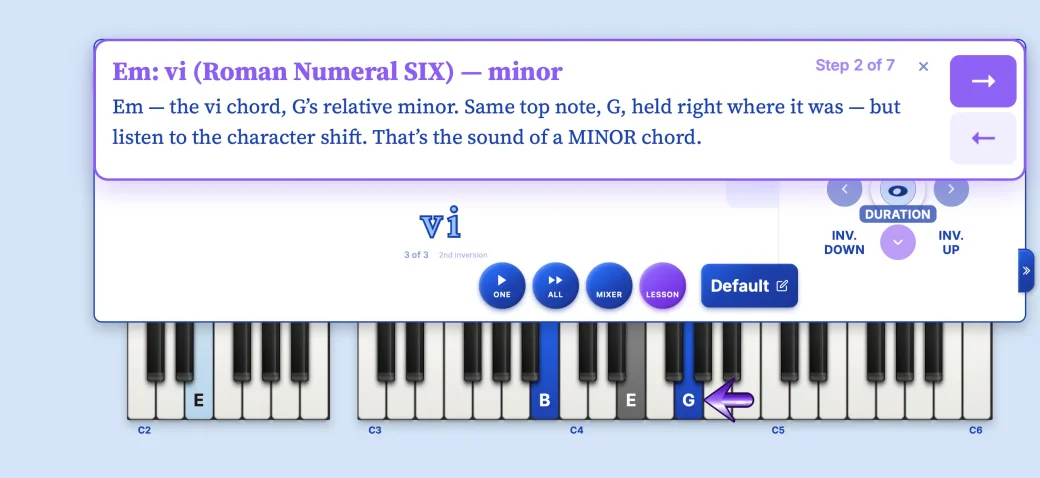
• Lesson songs now include a step-by-step walkthrough with clues, arrows, and narration
• Chord concepts that used to be only implied by the progression are now explained out loud, in proper chording language
• Advanced chords are taught inside real progressions, with proper resolutions, because they can't be learned in isolation. You hear and play them in the musical context they're meant to live in
SEE CHORDS EVERY WAY
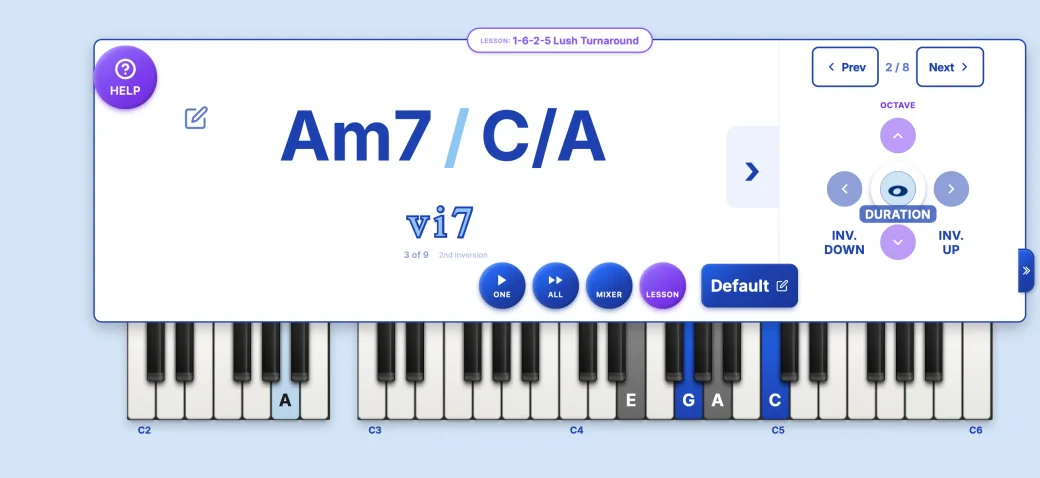
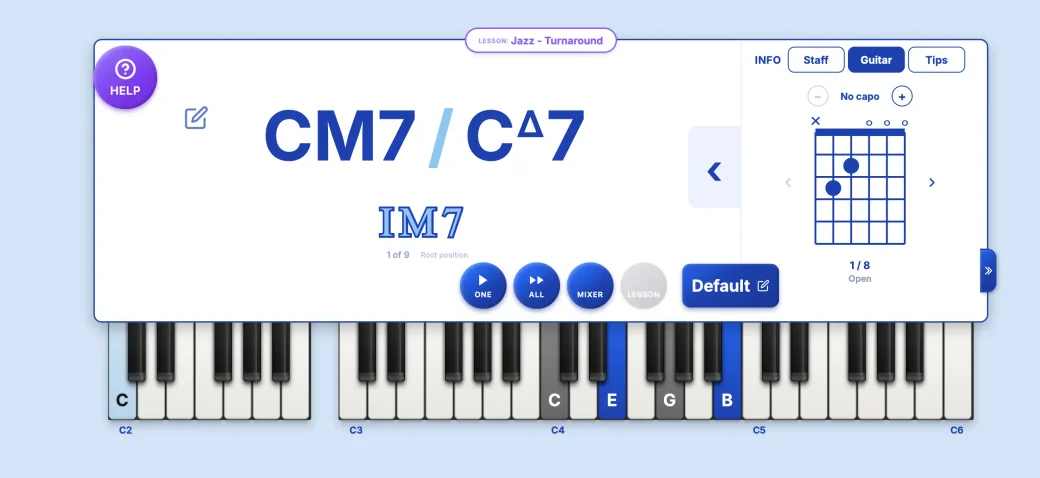
• Clear left-hand and right-hand highlighting on the piano keyboard
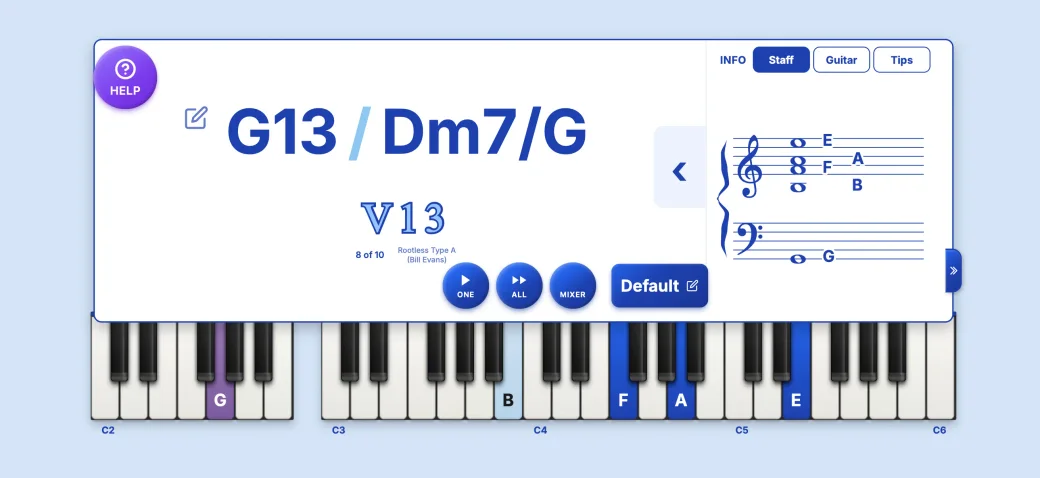
• Grand staff view with every note labelled
• Guitar chord viewer that updates in real time, including complex jazz chords
• Smooth inversions show you how pros move between chords
• Transpose any song to any of the 24 keys
PLAY LIKE YOU'RE IN A BAND
• Improved tempo (BPM) control
• More time signatures and drum patterns to play along with
• Switching time signatures automatically adjusts default chord durations, so new chords fit the new feel
• Performance Sheet View, designed for reading your songs on stage at live shows
A FASTER, CLEANER WORKSPACE
• Chord editing and navigation are now consolidated on one side of the main chord display, so the controls you use most are close together
• Playback buttons moved to an easy-to-reach spot instead of being hidden under overlays
GREAT ON SMALLER SCREENS TOO
The phone-sized layout is more responsive, looks like the tablet version, and includes the same tour and lessons, broken into smaller, easy-to-read pieces. It's a fully functional experience, not an afterthought.
FREE TO START
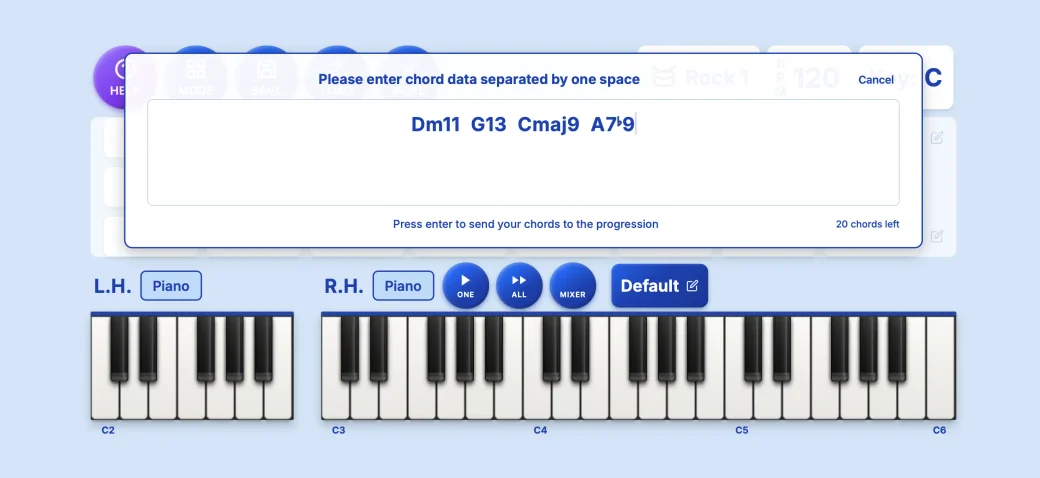
• Type any chord and see it on the keyboard instantly
• Transpose to any key
• Take the full guided tour, free
MEMBERSHIP LEVELS
• Bronze: hear chords, save your own songs, receive songs from teachers, Sensor Mode
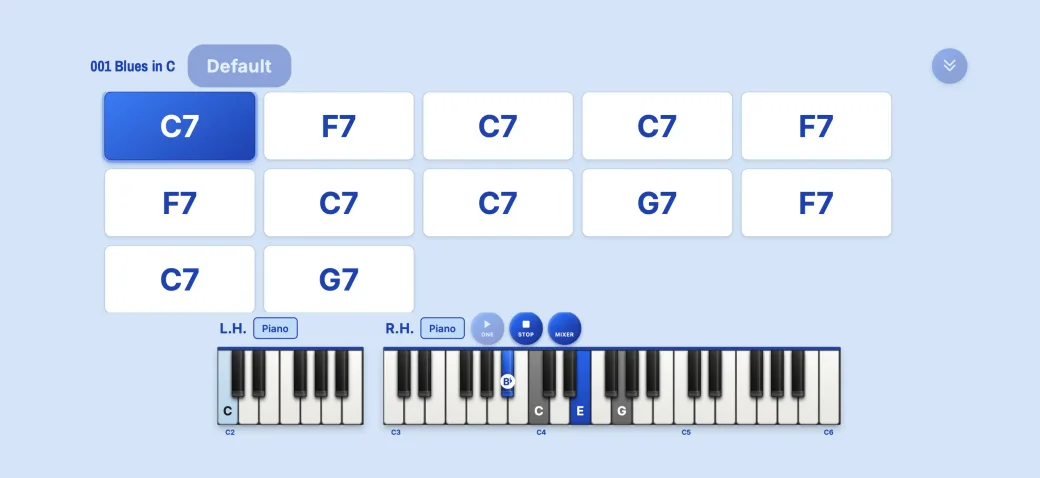
• Silver: everything in Bronze, plus Play All, song sections (verse, chorus, etc.), sharing songs, Blues lessons, and the cheat sheet
• Gold: everything in Silver, plus the full Jam With Cam curriculum
• Gold Lifetime: every Gold feature forever, with one payment
Choose monthly or yearly billing, and only pay for the level you'll actually use.
Subscriptions renew automatically unless cancelled at least 24 hours before the end of the current period. Manage or cancel anytime in your Apple Account settings.
IN DEVELOPMENT FOR FUTURE VERSIONS:
-Sync your own songs across all devices within a single Apple ID (Per user profiles)
-Training for various piano riffs and rhythmic ornaments common in pop, rock, jazz, country, etc. that happen over a chord instead of only playing half and whole notes. This is basically teaching you "strumming" for the piano
-Rhythm View within performance sheet so that measures and beats are present amongst the chords symbols, and this will also be a place where chord durations can be edited in an interface that is clearer.
-More lessons and progressions in the lesson library, including ideas from our users. Send yours to jamwcam@smokeshadow.net
( https://www.youtube.com/@cameronclark4667 - Visit this site for free training on how to get the most from this app.)
Privacy Policy: https://7daypiano.com/privacy-policy.html
Terms of Use: https://7daypiano.com/terms-of-use.html
What’s new
Version 1.3 · Nov 11, 2026
Welcome to the biggest update yet!
• Guided tour: A brand-new, hands-on walkthrough helps you build and play your first song in minutes, free.
• A real band: Recorded drum kits for rock, country, ballads and jazz (with brushes and ride cymbal), real TR-808 drums for hip-hop and R&B, and two new bass guitars, Finger Bass and Picked Bass, now sounding in their true octave.
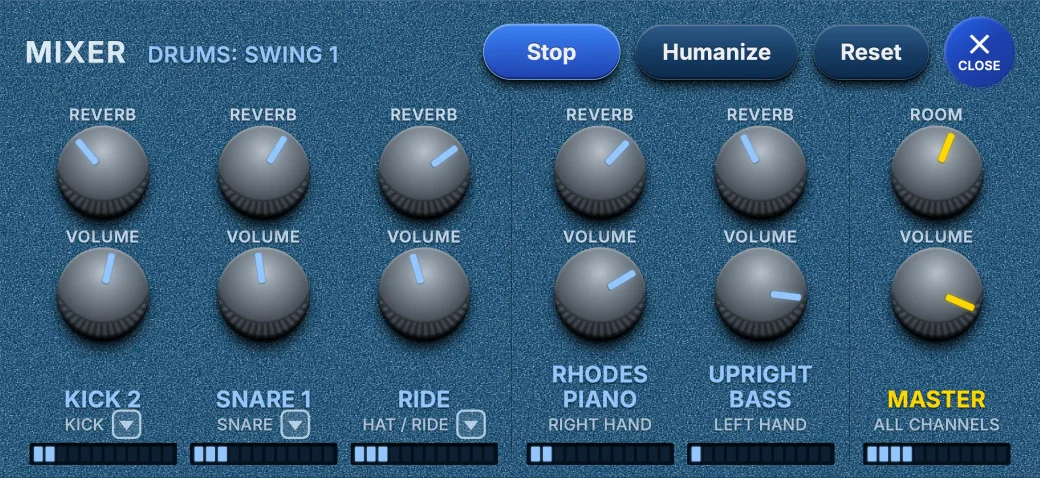
• Full-screen mixer: Separate faders for kick, snare, hi-hat/ride and percussion, a reverb knob on every channel, and each channel named for what's playing.
• Chords Only on the fly: Close the chord display during Play All to see your whole progression while the band keeps playing.
• New membership levels: Choose Bronze, Silver, or Gold (monthly or yearly), or unlock Gold for life with a one-time purchase. Only pay for what you'll actually use.
• Guitar chord charts: See guitar shapes for every chord in real time, including complex jazz chords.
• Fresh look: A refreshed logo, polished buttons, and smoother visuals throughout.
• Free chord lookup: Type any chord, see it on the keyboard, and transpose it to any key at no cost.
More features are in development. Thanks for learning with Jam With Cam!
App privacy
What Cameron Clark declares on the App Store about how this app handles data.
-
Data not collected
The developer does not collect any data from this app.
Privacy practices may vary, for example with the features you use or your age.
Information
- Seller
- Cameron Clark
- Category
- Music
- Version
- 1.3
- Updated
- Nov 11, 2026
- Released
- Mar 25, 2026
- Size
- 31.7 MB
- Requires
- iOS 15.0 or later
- Age rating
- 4+
- Price
- Free
- In-app purchases
- Yes
- Languages
- English
- Copyright
- © 2026 Smoke Shadow Productions
You might also like
-
 Chord Progression LabMusic theory chord progression
-
 FretShed: Guitar SolosA solo in your key and tempo
-
 ReharmonizatorMusic
-
 Guitar Studio: Backing TracksJam tracks & fretboard trainer
-
 Practly.Practice better. Learn faster.
-
 StageScore.netSheet Music & Chord Charts
-
 Pitch: Vocal Pitch MonitorPitch Finder
-
 91 Rock: Guitar Song GeneratorChaos-driven Band & Amp Rig
-
 Mazetools Soniface ProCompose own audiovisual sets
-
 Tritone LiteMusic