
- Age rating4+
- CategoryProductivity
- Developer正洋 陈
- LanguagesEnglish+ 2 more
- Size7.3 MB
Links to the official App Store page
Download.org hosts no file of Check-in Machine. The button opens its official App Store page, published by 正洋 陈. Listing last checked on Nov 20, 2026.
Screenshots
About
Check-in Machine reads name badges and manages attendance for classes, meetings and events. Create a project and enter or import a roster, then hold a name badge in front of the front camera to match it on the device.
BLUETOOTH CHECK-IN
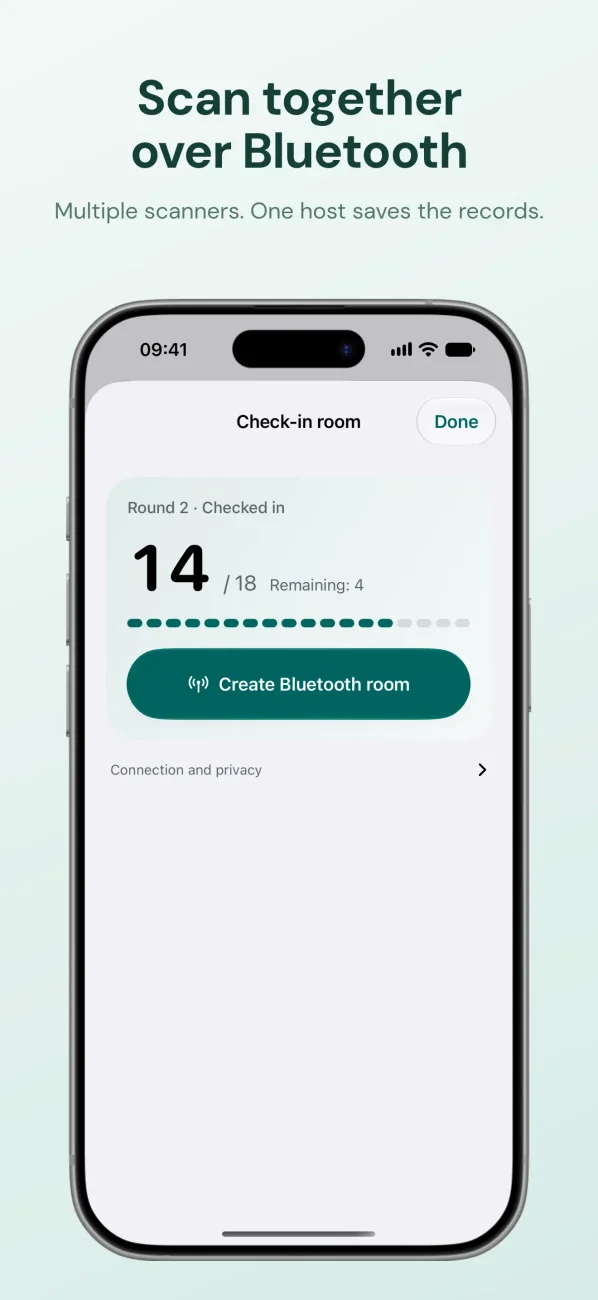
Create a room on the host. Scanners enter a join code and wait for host approval, then multiple iPhones or iPads can scan together. The host manages the roster and records; scanners send only locally recognized text and receive results. Images, videos and complete rosters are not transmitted. Bluetooth collaboration needs no internet connection or account.
PROJECTS, GROUPS AND ROUNDS
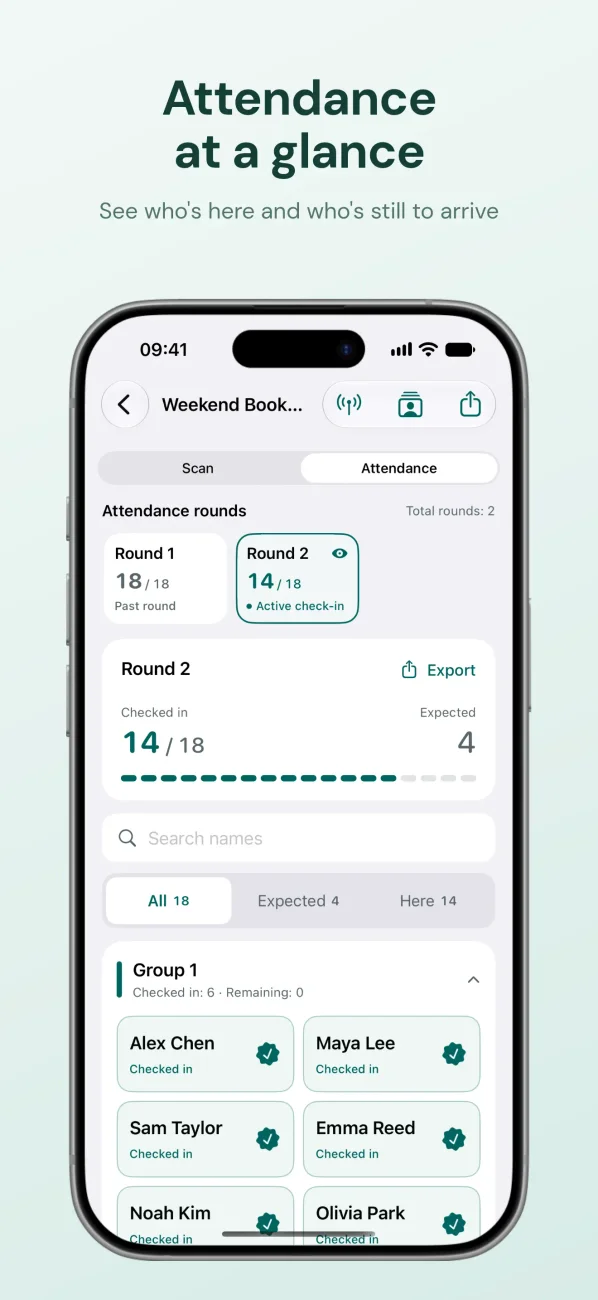
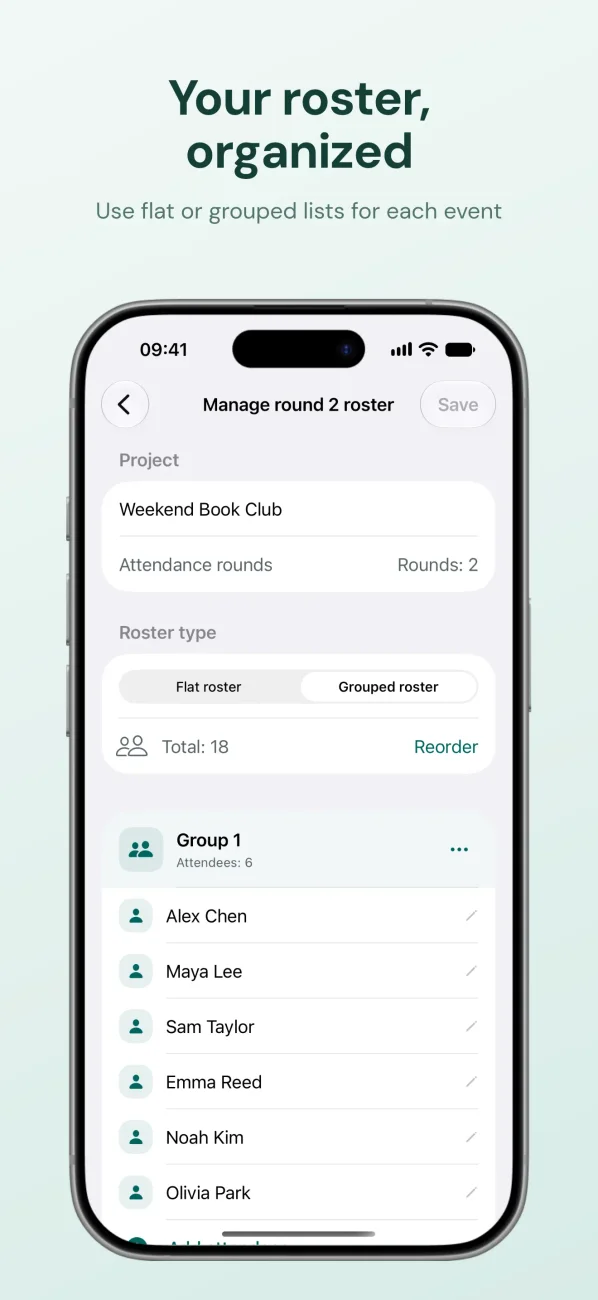
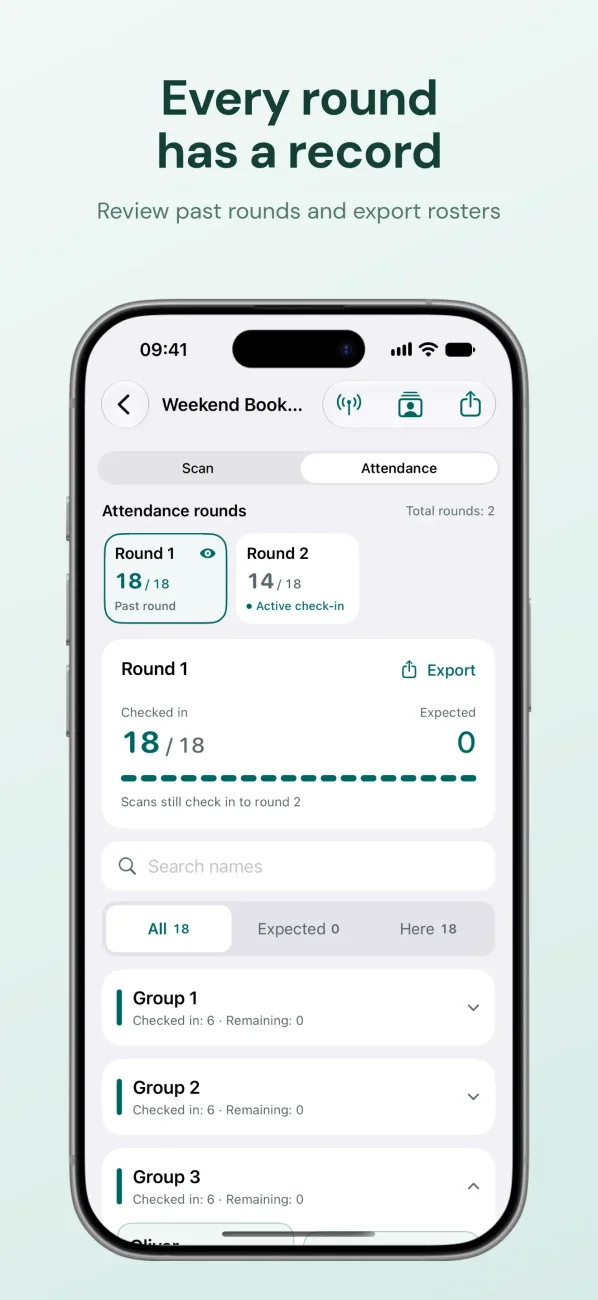
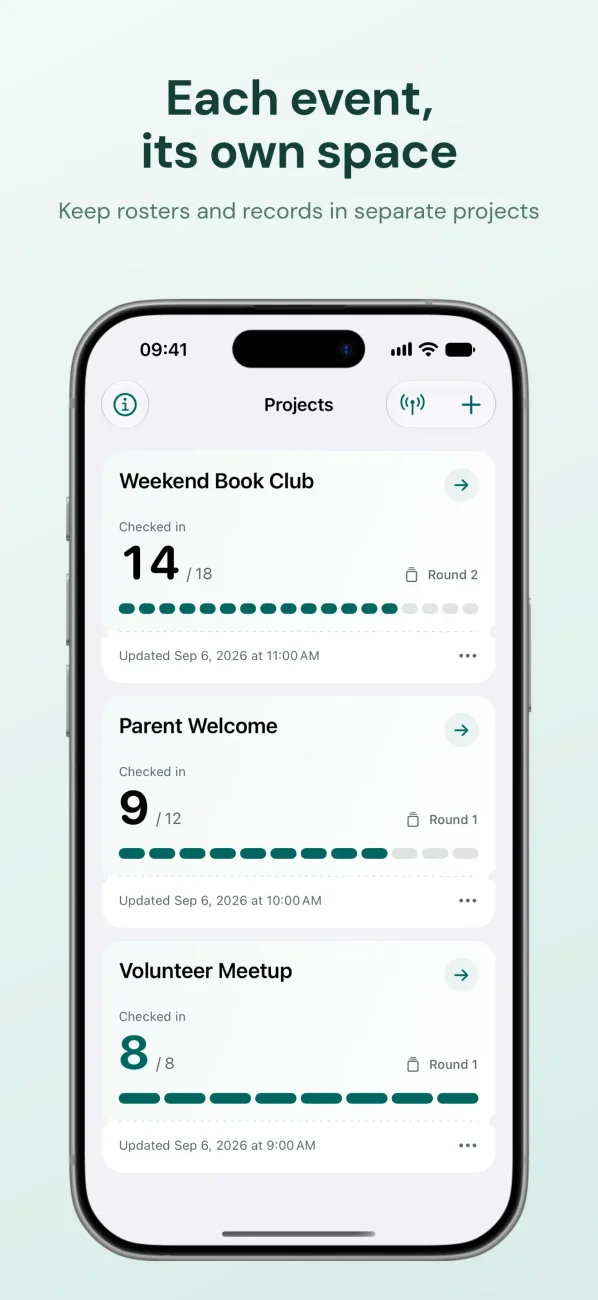
Keep separate projects for different classes or events. Use flat or grouped rosters and see who has or has not checked in. Create multiple rounds within a project, each with its own roster and records.
MANUAL CHECK-IN AND FILES
Check in attendees manually, undo check-ins and edit rosters. Import or export JSON rosters, or share a complete .checkinproject file containing attendance rounds.
ON-DEVICE PROCESSING
Text recognition runs on the device. Camera images are never saved or uploaded. No registration, ads, tracking or third-party analytics. Rosters and records stay on the device until you choose to export, share or delete them.
Available for iPhone and iPad, with Simplified Chinese, English and Japanese interfaces. In landscape on iPad, view scanning and attendance side by side. Scanning requires camera access; collaboration requires Bluetooth access. Keep the app in the foreground on all participating devices. Collaboration pauses when disconnected and requires rejoining. A result is not successful until the host confirms saving; offline scans are not replayed. Recognition depends on text clarity, size and lighting.
What’s new
Version 1.2.1 · Sep 16, 2026
• Improved name scanning responsiveness with less waiting after recognition.
• Refined Chinese name recognition and recognition language selection.
• Faster responses when scanning over Bluetooth.
App privacy
What 正洋 陈 declares on the App Store about how this app handles data.
-
Data not collected
The developer does not collect any data from this app.
Privacy practices may vary, for example with the features you use or your age.
Information
- Seller
- 正洋 陈
- Category
- Productivity
- Version
- 1.2.1
- Updated
- Sep 16, 2026
- Released
- Sep 9, 2026
- Size
- 7.3 MB
- Requires
- iOS 26.0 or later
- Age rating
- 4+
- Price
- Free
- Languages
- English, Japanese, Simplified Chinese
- Copyright
- © 2026 Zhengyang Chen
You might also like
-
 EaseShift: Staff Rota PlannerCreate & Share Work Schedules
-
 Attendify LiteAttendance made easy!
-
 百舸考勤OAProductivity
-
 Guest List: RSVP TrackerWedding, Party Event Check-In
-
 易消课Productivity
-
 Nextcloud AttendanceRSVP & CheckIns for Groups
-
 DayPilot: AI Tasks & CalendarSay It: Alarms & Countdowns
-
 CheckBee - Auto AttendanceRoll call & staff time clock
-
 FavPicks:bookmarks saverManage Favorites & Reminders !
-
 Eventual CalendarSmart Calendar & Task Planner