
- Age rating4+
- CategoryFinance
- DeveloperWilson Loureiro
- LanguagesEnglish+ 26 more
- Size186.2 MB
Links to the official App Store page
Download.org hosts no file of CheckSense. The button opens its official App Store page, published by Wilson Loureiro. Listing last checked on Nov 18, 2026.
Screenshots


About
Stop guessing what you can afford.
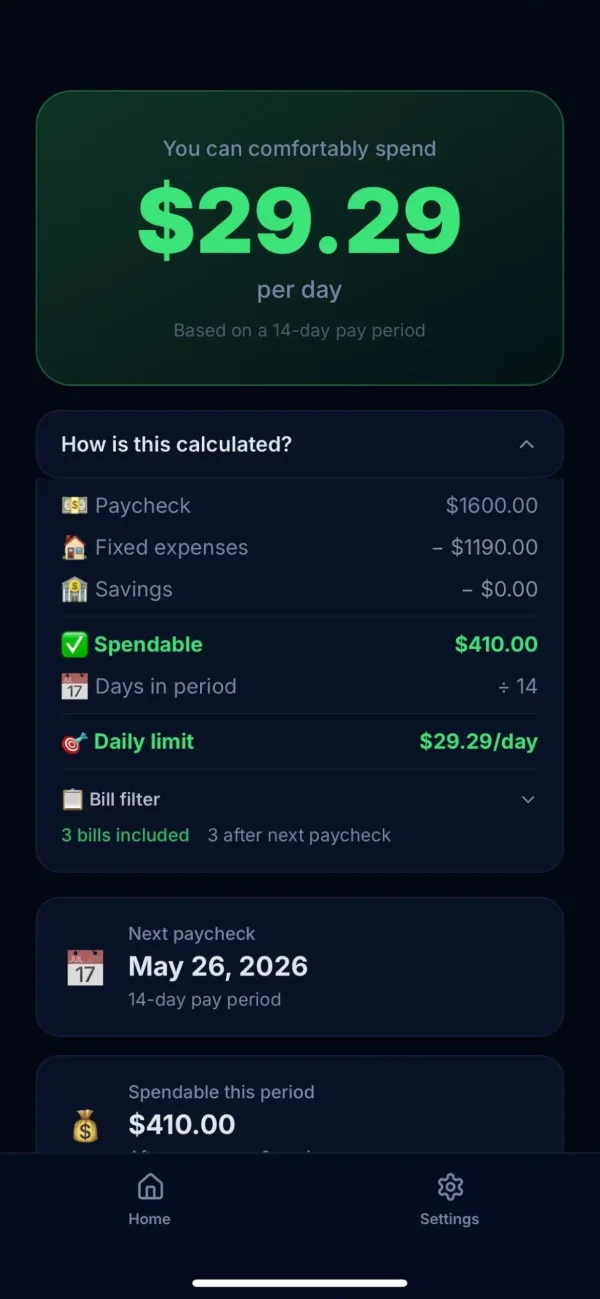
CheckSense calculates exactly how much you can safely spend based on your paycheck, bills, and expenses.
Just enter:
your paycheck schedule
your income
your upcoming bills
And instantly see:
your safe daily spending limit
what bills are included before your next paycheck
how much money you actually have available
Features
Smart paycheck-based budgeting
Automatic bill filtering by due date
Daily safe spend calculation
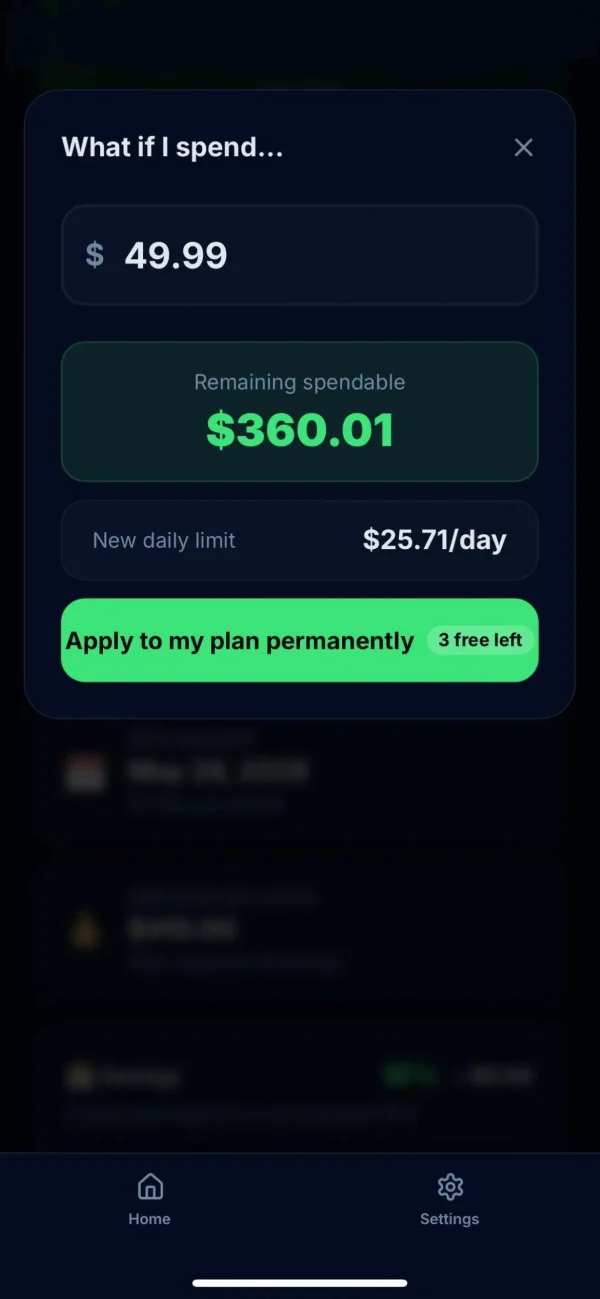
“Can I afford this?” simulator
Clear breakdown of included vs excluded expenses
Simple, fast setup in under 1 minute
Built for real life
Designed for people who get paid weekly, biweekly, or monthly and want a simple way to avoid overspending between paychecks.
No spreadsheets. No guessing. No stress.
What’s new
Version 1.3 · May 11, 2026
CheckSense is a budgeting utility that helps users calculate how much they can safely spend between paychecks based on their paycheck amount, pay schedule, bills, and due dates.
CheckSense Pro unlocks optional advanced planning features, including unlimited “Can I afford this?” checks, adjustable savings rate, and the ability to apply purchases to the user’s plan.
Pro checkout is currently configured in Stripe test mode for App Review so reviewers can test the full subscription flow without being charged. The checkout flow, account flow, webhook verification, and Pro unlock behavior match the production flow. Before public release, the same backend configuration will be switched to live Stripe keys and live Stripe Price IDs.
To test Pro:
1. Open the app and create an account.
2. Open the Pro screen.
3. Choose Monthly or Yearly.
4. Complete Stripe checkout using test card 4242 4242 4242 4242, any future expiration date, any CVC, and any ZIP code.
5. Return to the app.
6. Tap “Refresh Pro Status” if Pro does not unlock automatically.
The app does not collect or process card details directly. Payment is completed through Stripe’s secure web checkout, and Pro access is only unlocked after server-side Stripe webhook verification confirms the subscription.
App privacy
What Wilson Loureiro declares on the App Store about how this app handles data.
-
Data not linked to you
May be collected but is not linked to your identity.
- Identifiers
Privacy practices may vary, for example with the features you use or your age.
Information
- Seller
- Wilson Loureiro
- Category
- Finance
- Version
- 1.3
- Updated
- May 11, 2026
- Released
- May 7, 2026
- Size
- 186.2 MB
- Requires
- iOS 15.1 or later
- Age rating
- 4+
- Price
- Free
- Languages
- English, Arabic, Czech, Danish, Dutch, Finnish, French, German, Greek, Hebrew, Hungarian, Indonesian + 15 more
- Copyright
- © 2026 Wilson Loureiro
You might also like
-
 My Pocket FinanceControl your money flow easy
-
 Even-KeepFinance
-
 Kova - Expense TrackerFinance
-
 Crumbs: Daily BudgetKnow what you can spend today
-
 Money Tracker: Secure Budgetrack spend with private lock
-
 Worth It: Mindful SpendingWas it worth it? Money diary
-
 Privat - Budget TrackerDein Budget in 5 Sek im Griff!
-
 Klyro: Offline Expense TrackerTrack expenses. No cloud
-
 Moniq - Simple Expense TrackerBudget & spending in two taps
-
 Impulse – Check Your TradeoffsSee What It Really Costs