Chords: Progression Maker
Songwriting & Music Theory AI
Designed for iPhone, iPad
Free
- Age rating4+
- CategoryMusic
- DeveloperJun Tsuda
- LanguagesEnglish+ 1 more
- Size8.8 MB
Links to the official App Store page
Download.org hosts no file of Chords: Progression Maker. The button opens its official App Store page, published by Jun Tsuda. Listing last checked on Nov 26, 2026.
Screenshots
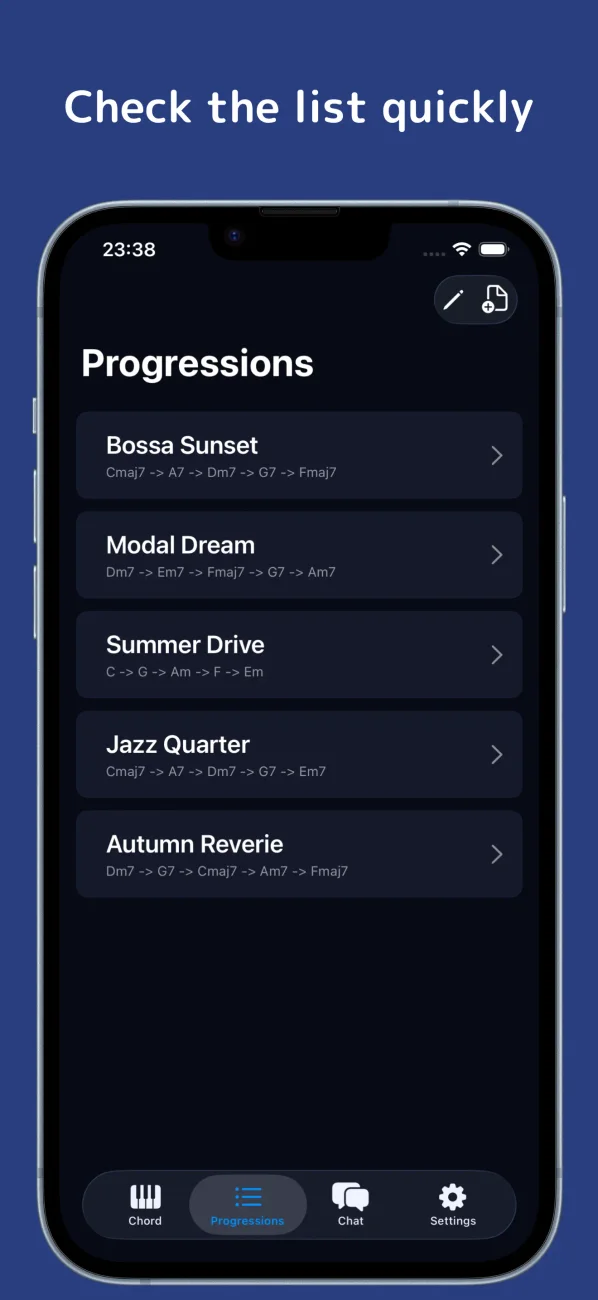
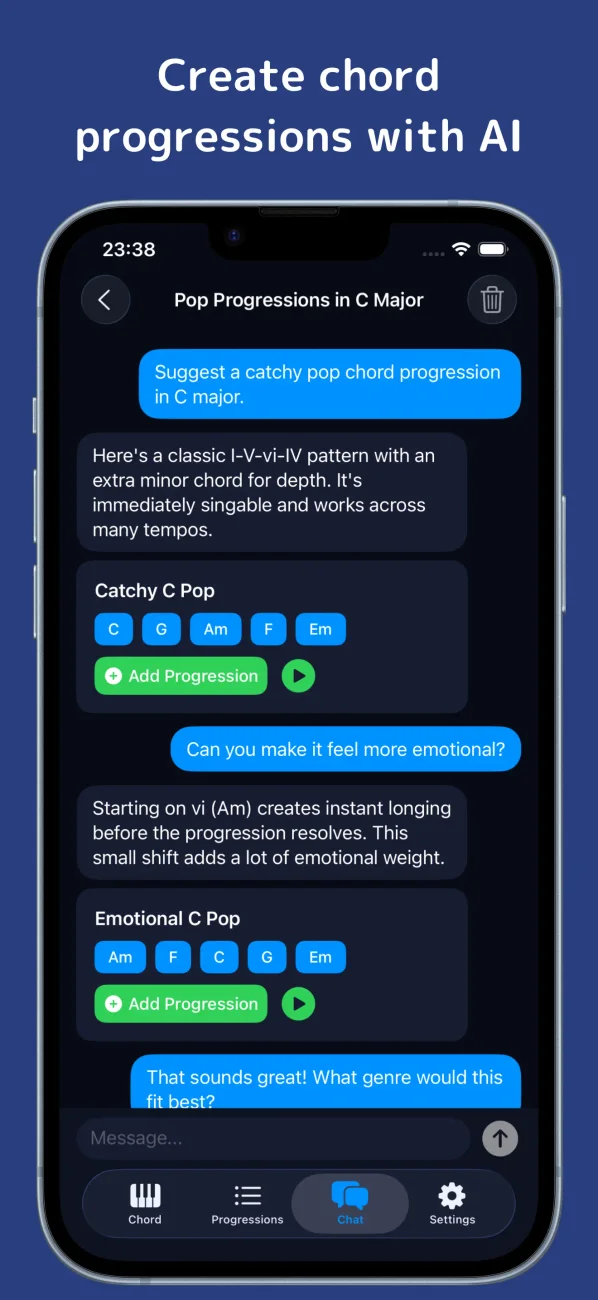
About
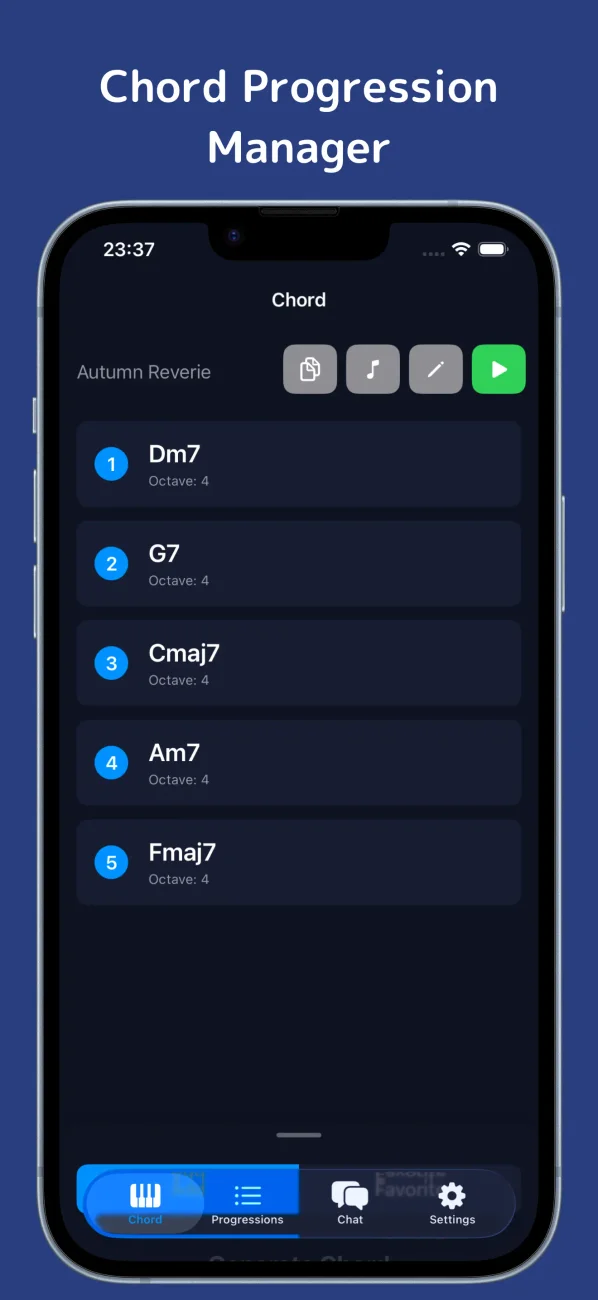
Build chord progressions, hear them instantly, and understand why they work. Chords turns your iPhone into a songwriting partner — with next-chord suggestions, classic progressions, and an AI assistant built in.
— SEE THE FLOW AT A GLANCE —
Every chord is color-coded by its function: tonic, subdominant and dominant. Roman numerals (I, ii7, V7…) show each chord's role in the key, so you can see how your progression moves — not just hear it.
— NEVER GET STUCK ON THE NEXT CHORD —
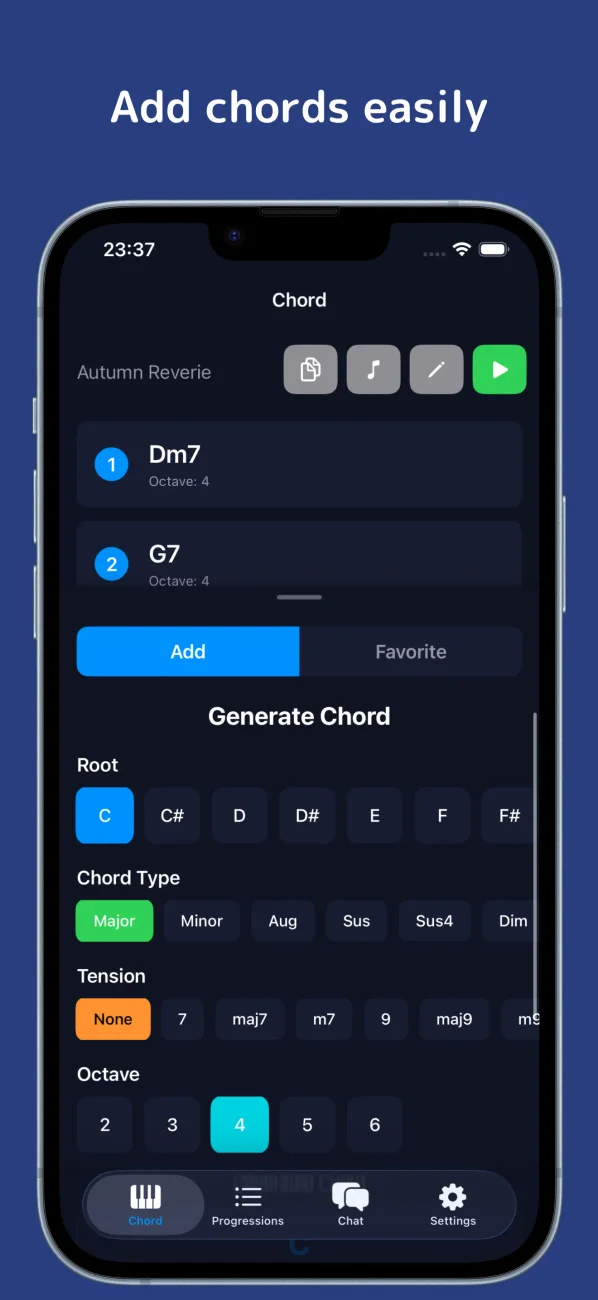
Next-chord suggestions show chords that fit your key and flow, with the reason for each one. Borrowed chords and secondary dominants are detected and labeled, in both major and minor keys.
— UNDERSTAND WHY IT SOUNDS GOOD —
Tap "About this progression" to see the key, cadences, ii–V motions and classic patterns hiding in your progression. Want it in plain words? Have the AI write it up for you.
— START FROM THE CLASSICS —
Pick from 11 classic progressions — Royal Road, Canon, Two-five-one, Just the Two of Us, '50s, Andalusian, 12-bar blues and more — in any key. If your own progression resembles a classic, Chords tells you.
— PLAY IT BACK —
Hear your progression with the built-in synthesizer. Choose an accompaniment pattern (Sustain, Strum, Arpeggio or Bass), loop it seamlessly, adjust the tempo, and transpose the whole progression by semitone.
— SHAPE YOUR VOICINGS —
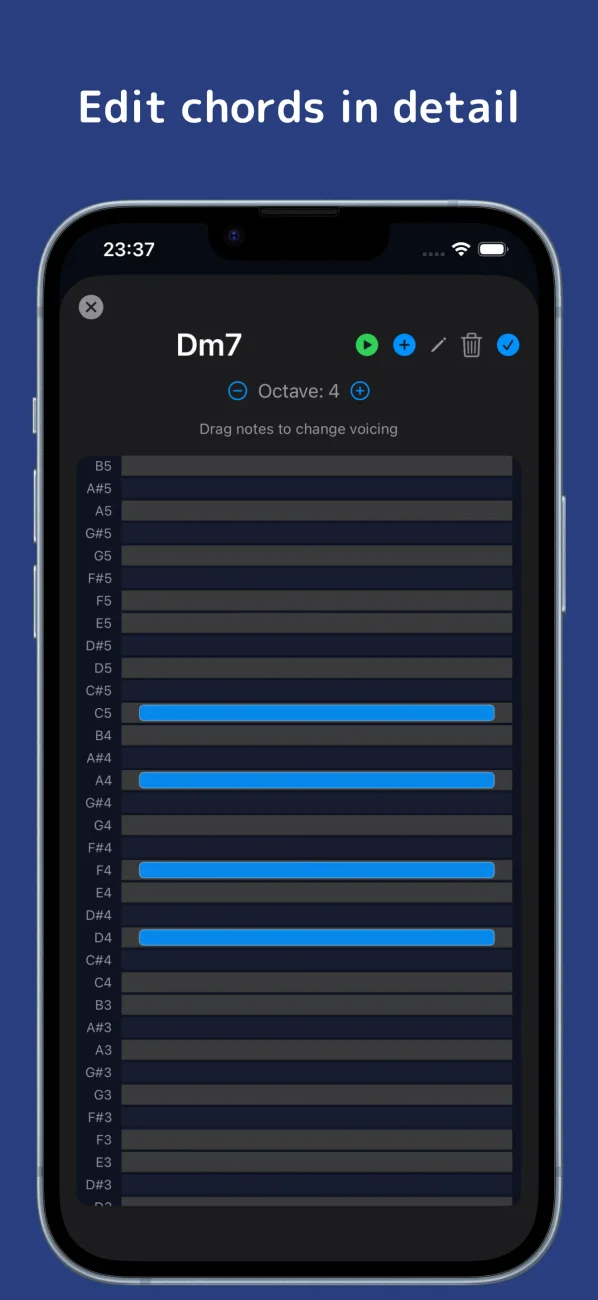
Fine-tune each chord on an interactive piano roll. Drag notes up and down, add or remove notes, and rename the chord if you like.
— BRAINSTORM WITH AI —
Describe a mood and get progressions back, then add them to your library in one tap. On supported devices, the on-device AI works without an internet connection or API key. For more accurate answers, use Claude or OpenAI with your own API key.
— TAKE IT ANYWHERE —
• Export to MIDI and continue in your DAW
• Copy a progression as text
• Sync your progressions and favorite chords with iCloud
• "Today's progression" widget for your Home Screen
• Shortcuts and Siri support
• Light and dark mode
Chords is free to download and use, with ads. On-device AI requires iOS 26 or later and an Apple Intelligence–enabled device.
What’s new
Version 3.0 · Nov 25, 2026
A big update for songwriters.
New look
• A fresh design, now with Light Mode
• A new app icon
Write and learn
• Next-chord suggestions, with the reason for each one
• "About this progression": key, cadences and classic patterns explained
• Minor keys, borrowed chords and secondary dominants
• 11 classic progressions, in any key
• Accompaniment patterns (Sustain, Strum, Arpeggio, Bass) and seamless loop playback
• MIDI export to take your ideas into your DAW
Connect
• iCloud sync across your devices
• "Today's Progression" Home Screen widget
• Shortcuts and Siri
• Claude support for AI features
Easier to use
• A short guide on each screen when you first open it
• The progression you're editing is now marked in the list
• Music from other apps keeps playing while you use Chords
• The keyboards on the chord screen now show your edited voicings
• Tap outside a text field to close the keyboard
• Other fixes and improvements
App privacy
What Jun Tsuda declares on the App Store about how this app handles data.
-
Data used to track you
May be used to track you across apps and websites owned by other companies.
- Identifiers
-
Data not linked to you
May be collected but is not linked to your identity.
- Identifiers
Privacy practices may vary, for example with the features you use or your age.
Information
- Seller
- Jun Tsuda
- Category
- Music
- Version
- 3.0
- Updated
- Nov 25, 2026
- Released
- Apr 30, 2026
- Size
- 8.8 MB
- Requires
- iOS 26.0 or later
- Age rating
- 4+
- Price
- Free
- Languages
- English, Japanese
- Copyright
- © 2026 Jun Tsuda. All rights reserved.
You might also like
-
 Chord GymTrain changes & progressions
-
 AI Chord Progression GeneratorChord Progression Generator
-
 Chord Progression VisualizerMusic Theory & Songwriting
-
 Chord RandomizerMusic Theory Practice Tool
-
 Cantus - Voicing LabChord voicing explorer
-
 Chord TableExplore chords anytime.
-
 PocketDAW: Mobile StudioVocal studio & lyric writer
-
 Harmony Lab:Chord ProgressionsExplore chords and harmony
-
 Jazzlore ChordsThe jazz pianist's chord book
-
 Guitar Progression GeneratorSongwritting & Music Theory