
Harmony Lab:Chord Progressions
Explore chords and harmony
Designed for iPhone, iPad
Free · In-app purchases
- Age rating4+
- CategoryMusic
- DeveloperSean Ray Dvir
- LanguagesEnglish
- Size33.3 MB
Links to the official App Store page
Download.org hosts no file of Harmony Lab:Chord Progressions. The button opens its official App Store page, published by Sean Ray Dvir. Listing last checked on Nov 16, 2026.
Screenshots
About
Create chord progressions and hear them come to life.
Harmony Lab is built for exploring harmony in a way that feels clear and immediate. It gives you a space to build progressions, shape how they are played, and understand how everything connects.
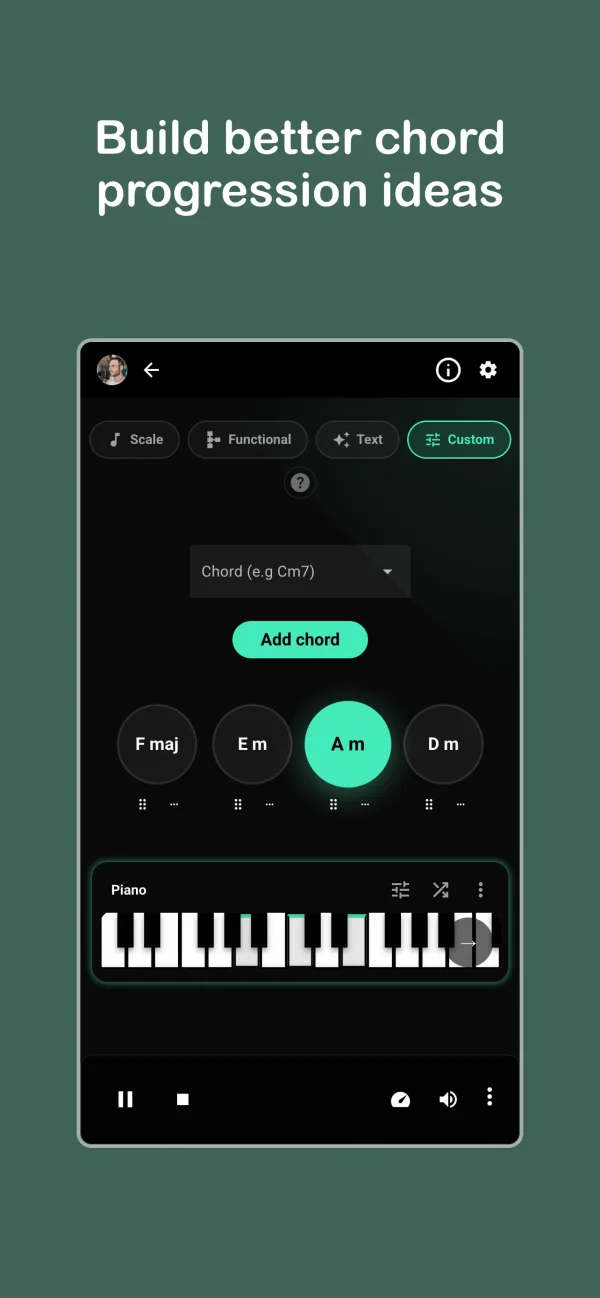
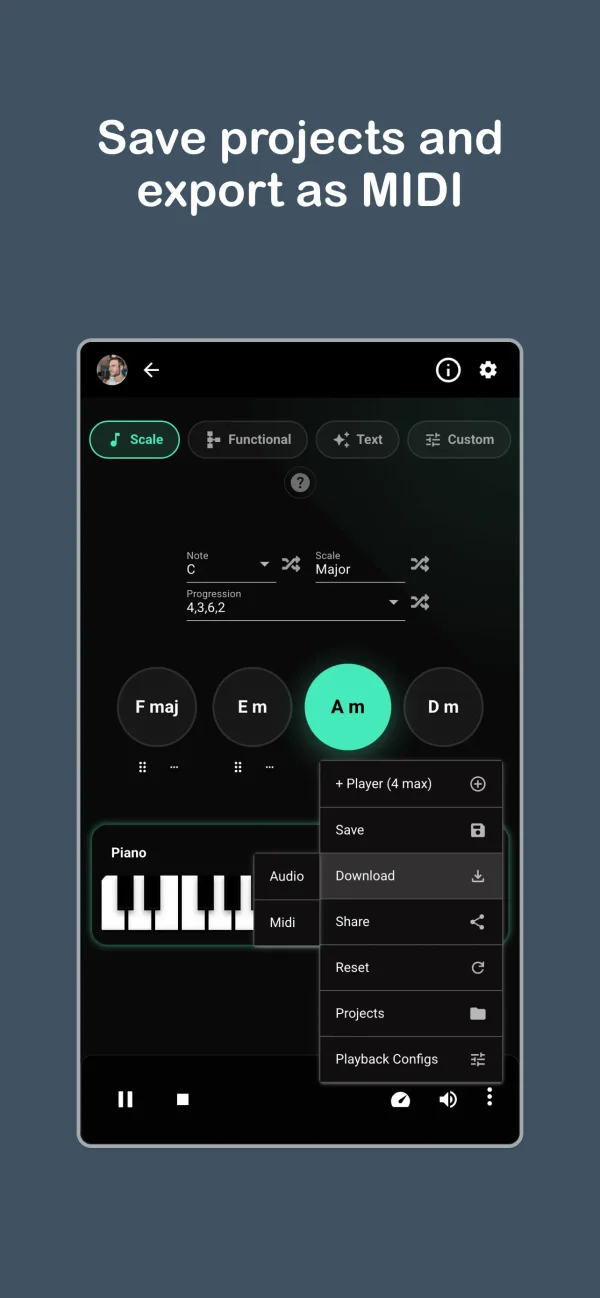
You can create progressions in multiple ways. Build them manually, generate them from scales, or follow harmonic relationships. Each approach leads to the same goal: turning ideas into sound quickly.
Every chord you add is playable instantly. You hear how it fits, how it moves, and how it feels in context. This makes it easy to experiment, adjust, and refine your ideas without breaking flow.
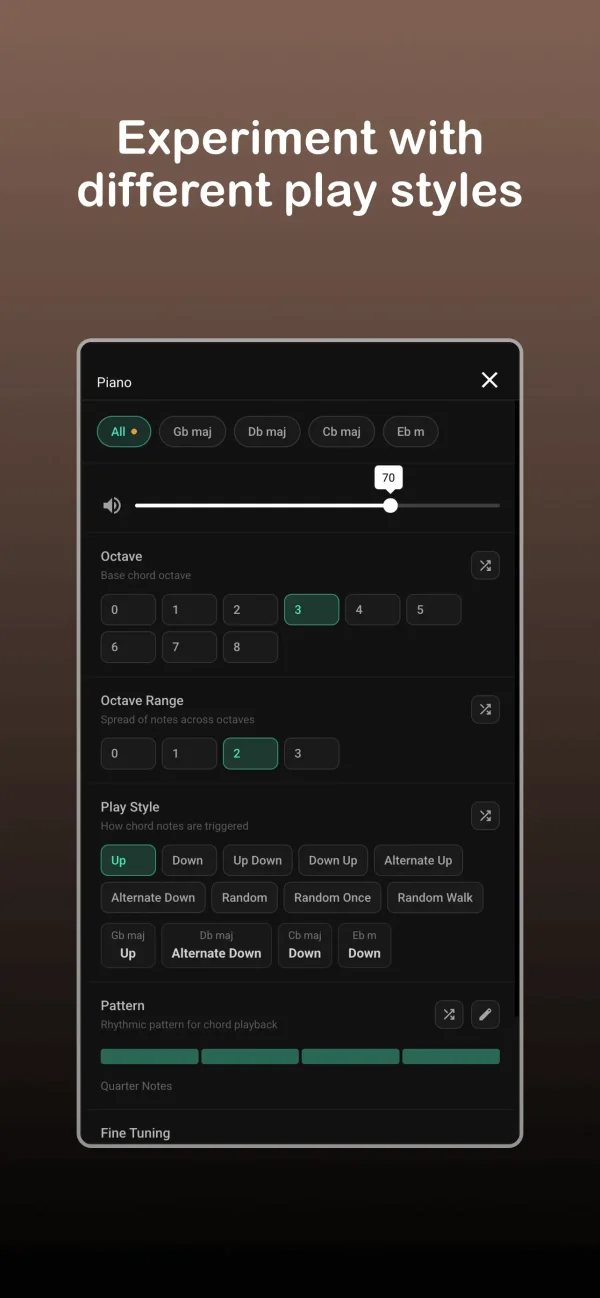
Playback is fully customizable. Choose how chords are played using different styles such as up, down, alternating patterns, or more dynamic variations. You can control octave placement and spread notes across multiple octaves to shape the depth of the sound.
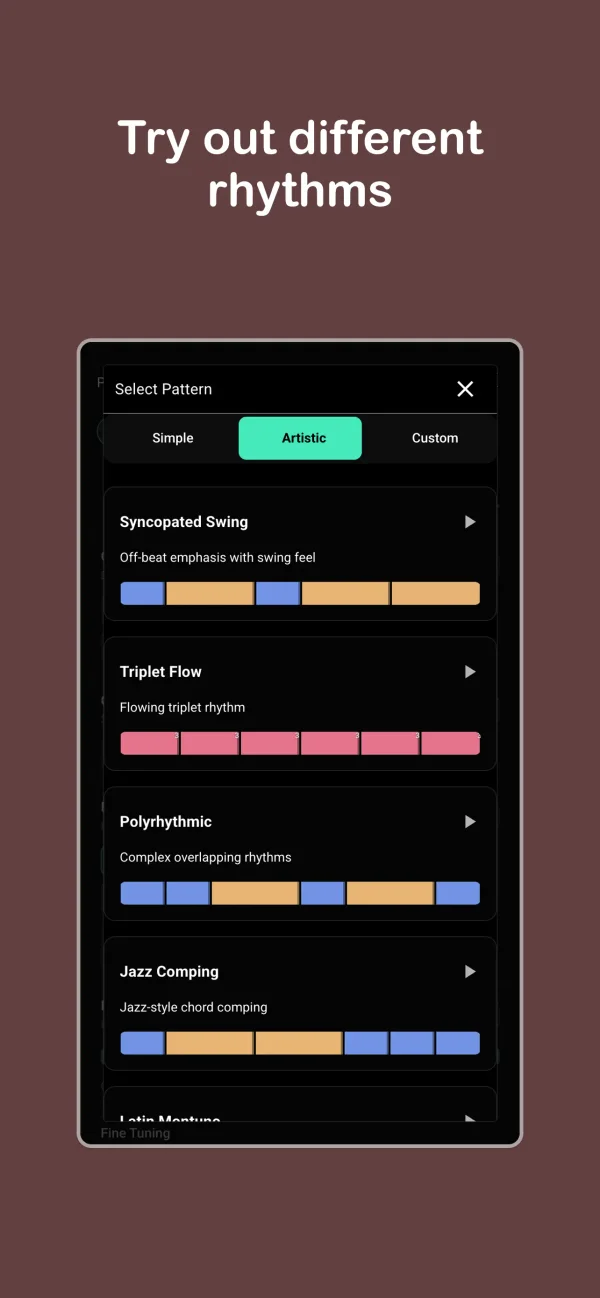
Rhythm is part of the process. Use built-in patterns or create your own to control how chords are triggered over time. This lets you move beyond static playback and explore groove, timing, and feel.
Harmony Lab also gives you control over the details. Adjust note density, introduce probability to create variation, and add humanization to make playback feel more natural. These small changes can completely transform how a progression sounds.
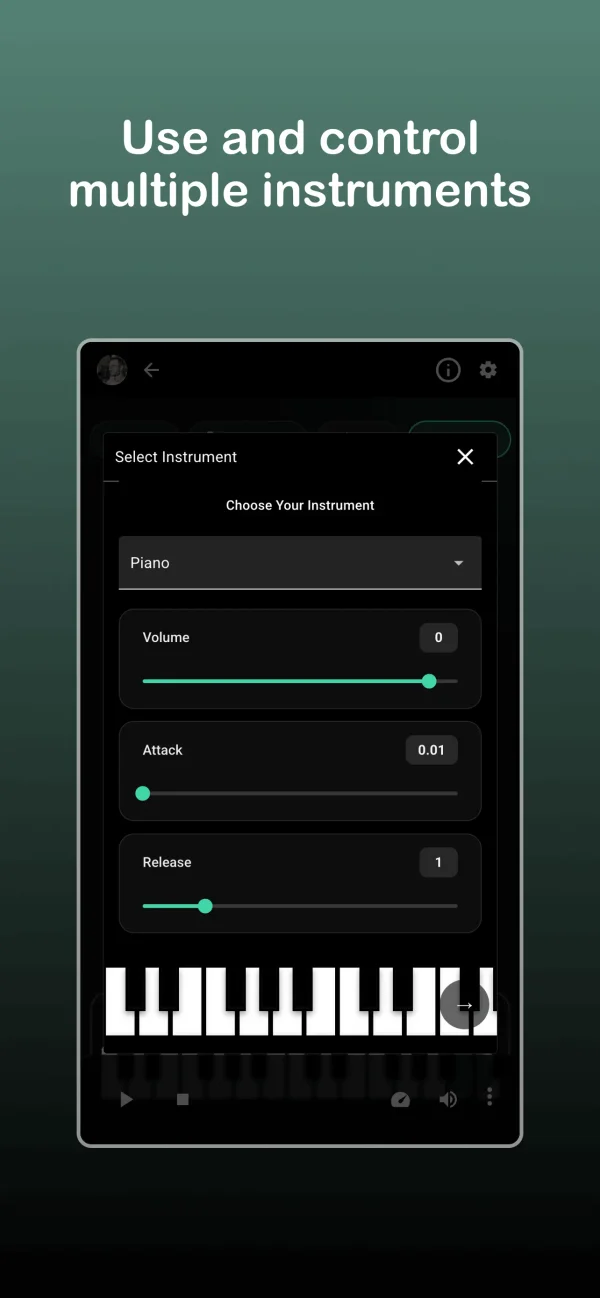
You can hear everything across multiple instruments. Switch between piano, guitar, strings, and more to explore different textures and directions. Each instrument gives a new perspective on the same harmonic idea.
The interface keeps things focused. You add chords, shape how they are played, and hear the result instantly.
Key Features:
• Build chord progressions manually/from scales/Using Functional Harmony/Using a text description
• Multiple playback styles and patterns
• Control octave, range, and note spread
• Adjust timing, density, and variation
• Add humanization for a more natural feel
• Multi-instrument playback
• Real-time feedback while editing
Harmony Lab works for writing, practice, and exploration. It helps you hear harmony more clearly and turn simple ideas into something more expressive.
You explore, listen & create - That’s the core idea behind Melodic Mind. Let music feel natural again.
Terms of Use (EULA):
https://www.apple.com/legal/internet-services/itunes/dev/stdeula/
Privacy Policy:
https://melodic-mind.com/privacy-policy
What’s new
Version 1.14 · Nov 4, 2026
Refreshed app icon and interface, with improvements to audio playback and reliability.
App privacy
What Sean Ray Dvir declares on the App Store about how this app handles data.
-
Data used to track you
May be used to track you across apps and websites owned by other companies.
- Contact info
-
Data not linked to you
May be collected but is not linked to your identity.
- Contact info
- Usage data
Privacy practices may vary, for example with the features you use or your age.
Information
- Seller
- Sean Ray Dvir
- Category
- Music
- Version
- 1.14
- Updated
- Nov 4, 2026
- Released
- Jul 8, 2026
- Size
- 33.3 MB
- Requires
- iOS 17.6 or later
- Age rating
- 4+
- Price
- Free
- In-app purchases
- Yes
- Languages
- English
- Copyright
- © 2026, Sean Ray Dvir
You might also like
-
 Chord Progression VisualizerMusic Theory & Songwriting
-
 AI Chord Progression GeneratorChord Progression Generator
-
 Chords: Progression MakerSongwriting & Music Theory AI
-
 Jam Lab: Chord ProgressionsImprovisation & backing tracks
-
 Chord TableExplore chords anytime.
-
 Harmony HelperA Rehearsal Tool for Singers
-
 Reprise: Transcribe MusicLink or Record Audio to Play
-
 ChordButter: Easy SongwritingChord Progressions & Melody
-
 TONALY: Songs, Scales & TheoryChord Progressions & Practice
-
 Spark: Chords, Backing TracksThe Smartest Practice Amp