ChoreoPocket
Rehearse. Play music. Catalog.
Designed for iPhone, iPad
Free · In-app purchases
- Age rating4+
- CategoryMusic
- DeveloperLovelace Productions LLC
- LanguagesEnglish
- Size47.9 MB
Links to the official App Store page
Download.org hosts no file of ChoreoPocket. The button opens its official App Store page, published by Lovelace Productions LLC. Listing last checked on Nov 20, 2026.
Screenshots


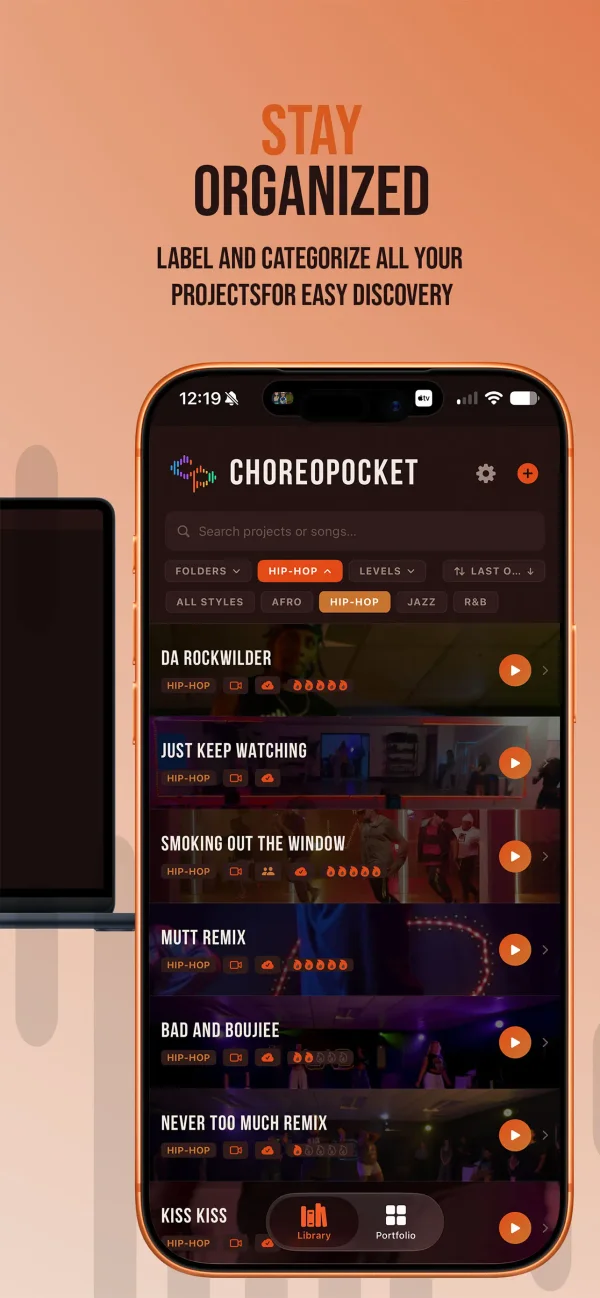
About
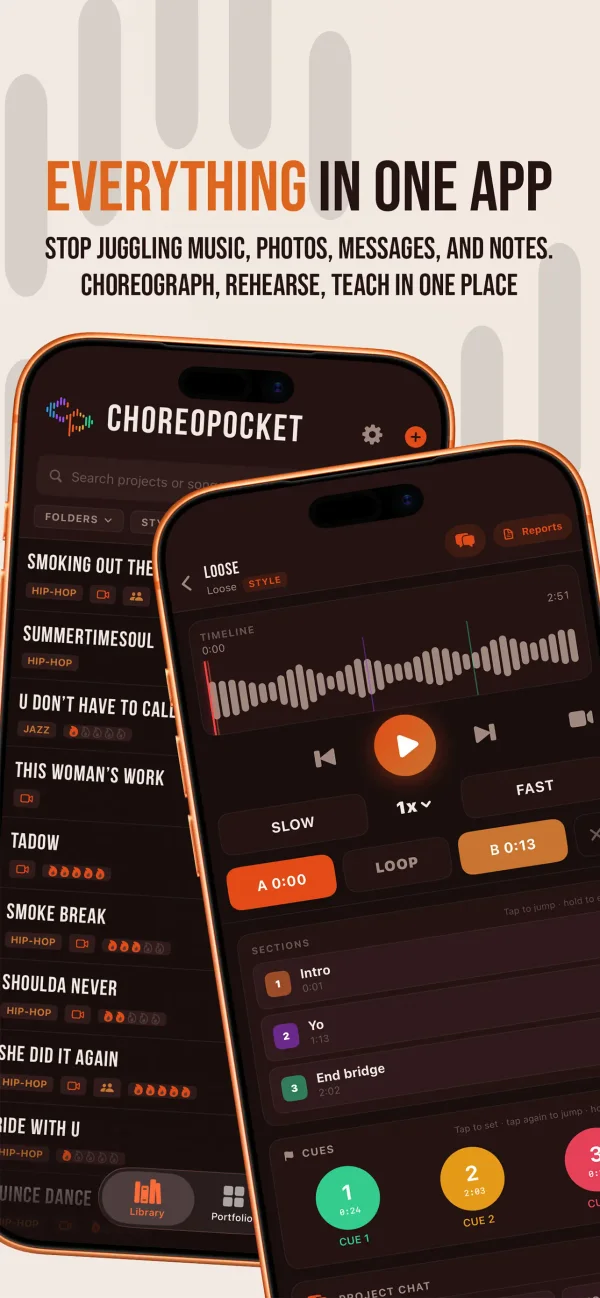
ChoreoPocket is the pocket studio built for dancers, choreographers, and dance teachers. Turn any song into a rehearsal tool: build your routine around the music, capture every take, drill the hard parts, and keep your whole class on the same count.
CHOREOGRAPH TO THE MUSIC
• Import your own audio files or connect Apple Music.
• Break a song into sections and give each one its own steps, notes, and takes.
• Drop cue markers so you always know where the drop, the chorus, or the count-in lands.
DRILL LIKE A PRO
• Slow the music down without changing the pitch to nail tricky sections.
• Loop any part of the routine on repeat until it's muscle memory.
• Isolate vocals or instruments with on-device stem separation to hear the count clearly.
RECORD AND REVIEW
• Film video takes right in the app and keep multiple takes per section.
• Sync your video to the music with precise offset alignment.
• Flip the camera view so mirroring feels natural when you learn.
• Jump between sections in Class Mode to teach a routine piece by piece.
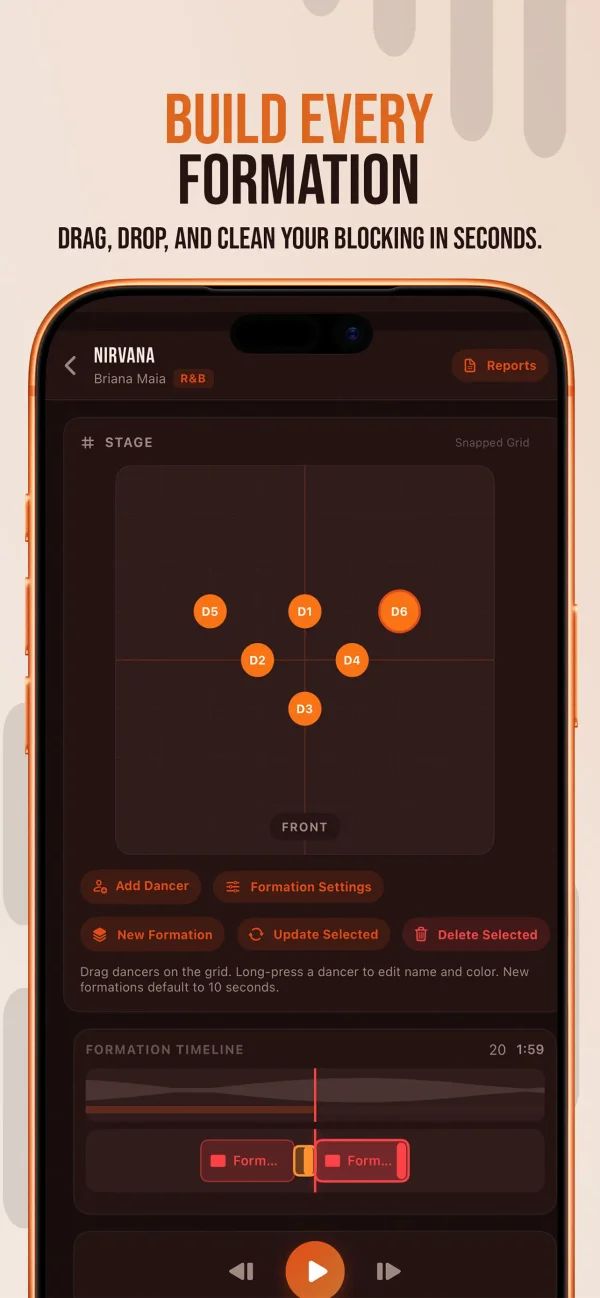
DESIGN YOUR FORMATIONS
• Place dancers on a stage and map their positions across the routine.
• Animate transitions with keyframes so everyone knows where to go and when.
TEACH AND COLLABORATE
• Share projects with students and collaborators.
• Track student progress so you know who's ready.
• Organize everything into folders and tag by dance style and skill level.
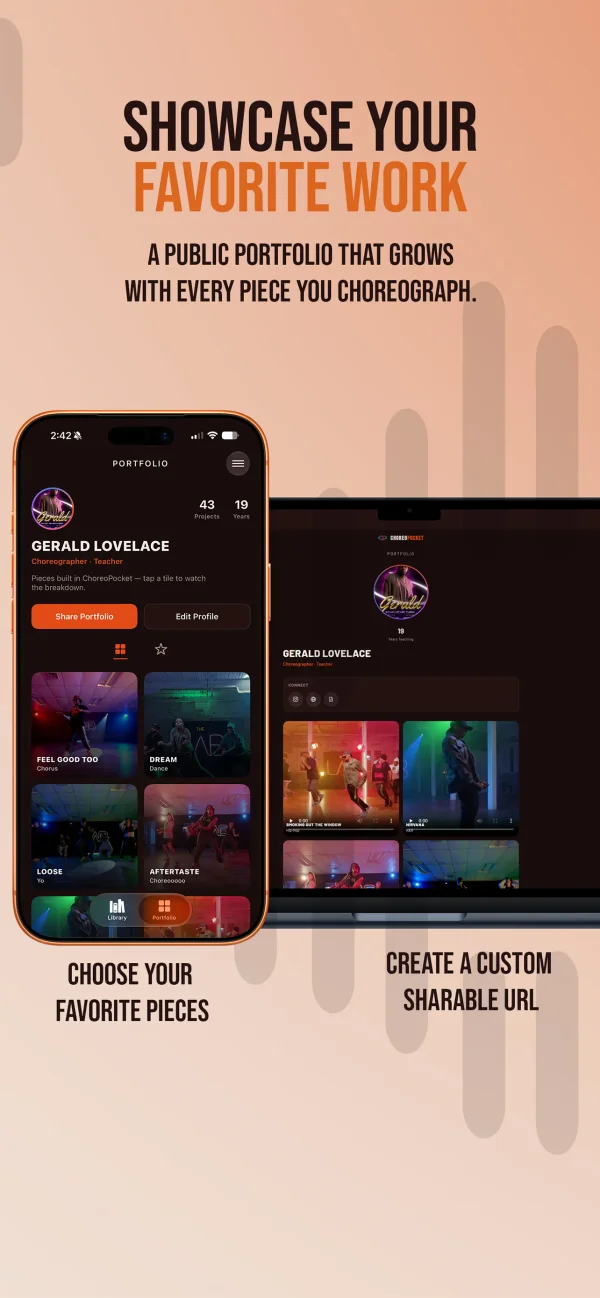
BUILD YOUR PORTFOLIO
• Feature your best choreography on a public profile.
• Add your bio, social links, and resume so directors and studios can find you.
EVERYWHERE YOU DANCE
• Your projects sync securely to the cloud and stay available across your devices.
• Download projects for offline rehearsal when the studio Wi-Fi won't cooperate.
• A companion Apple Watch app keeps playback under control from your wrist.
MADE FOR EVERY DANCER
Whether you're a soloist polishing a piece, a choreographer setting a group number, or a teacher running a full class, ChoreoPocket keeps your music, video, formations, and notes in one place.
SUBSCRIPTIONS
ChoreoPocket is free to start. Creator Pro and Teacher Pro subscriptions unlock the full toolkit, including advanced practice and teaching features. Subscriptions are billed through your Apple ID and renew automatically unless canceled at least 24 hours before the end of the current period. Manage or cancel anytime in your App Store account settings.
Have feedback or a feature request? We'd love to hear from you.
What’s new
Version 1.62 · Nov 13, 2026
Count-In. Tap the metronome beside skip-back in Class Mode to hear 1 to 8 ticks at the tempo you choose before the music starts, and hear them first with Preview. In the Mixer, Count-In puts the same ticks at the start of your mix.
Add Video. Sections are now Video Sections, and Add Video asks for Camera Roll or Record Video first. The recorder has a cleaner layout: the video in its own box, the timeline in its own bar, and a 3 or 10 second timer that ticks down before recording.
Formations, tightened up. The video now sits above the stage. Tap a formation and Split Formation to cut it in two at the playhead; the new half is its own formation to edit. The grid is measured from the centre of the stage, so dancers land on the lines and one dancer can stand dead centre. Dancer labels read like names. And dragging a formation's or a transition's length is smooth.
Mixer: take one part out. When you pick a stem for a clip, choose Voice only or Remove Voice (the same for Drums, Bass and Harmony). Remove Voice keeps everything but the voice.
Plus small fixes.
App privacy
What Lovelace Productions LLC declares on the App Store about how this app handles data.
-
Data linked to you
May be collected and linked to your identity.
- Purchases
- Contact info
- User content
- Identifiers
- Diagnostics
Privacy practices may vary, for example with the features you use or your age.
Information
- Seller
- Lovelace Productions LLC
- Category
- Music
- Version
- 1.62
- Updated
- Nov 13, 2026
- Released
- Aug 1, 2026
- Size
- 47.9 MB
- Requires
- iOS 18.6 or later
- Age rating
- 4+
- Price
- Free
- In-app purchases
- Yes
- Languages
- English
- Copyright
- © 2026 Lovelace Productions LLC
You might also like
-
 DanceTribe :For all dancersUltimate Dance Practice App
-
 Show|ReadyMusic
-
 Audio Editor - AI Music EditorMerger, cutter, song joiner
-
 Offtrack: AI DJ Song MixerDJ Mix - Spotify/Apple Music
-
 SoundLab - Audio Editoraudacity, mixer, music studio.
-
 Mp3 Cutter - M4a, Music CutterCut audios, songs & ringtones
-
 djay - DJ App & AI MixerMix Music & Remix Songs
-
 Vocal Range Finder - Sing WhizSinging Exercises & Warmups
-
 Music Editor - Audio EditorMusic Mixer & MP3 Music Cutter
-
 Musicnotes: Sheet Music ReaderRead, Play & Learn Music Notes