SoundLab - Audio Editor
audacity, mixer, music studio.
Designed for iPhone, iPad
Free · In-app purchases
- Age rating4+
- CategoryMusic
- Developer孛 刘
- LanguagesEnglish+ 11 more
- Size173.0 MB
Links to the official App Store page
Download.org hosts no file of SoundLab - Audio Editor. The button opens its official App Store page, published by 孛 刘. Listing last checked on Nov 26, 2026.
Screenshots



About
Bringing desktop-grade audio editing, recording, and on-device AI together, SoundLab is a powerful sound editor that lets you edit audio, clean up speech, separate vocals, and mix up to 16 tracks.
SoundLab is more than an audio editor. It is built for the ideas, quick edits, and unexpected creative needs that come up during music and podcast production, so you can start creating anytime, anywhere on your iPhone or iPad.
We won't claim SoundLab replaces a desktop DAW. But it is a serious mobile production tool for the moment the idea arrives and you don't want to open a computer — or wait thirty seconds for a desktop DAW to launch.
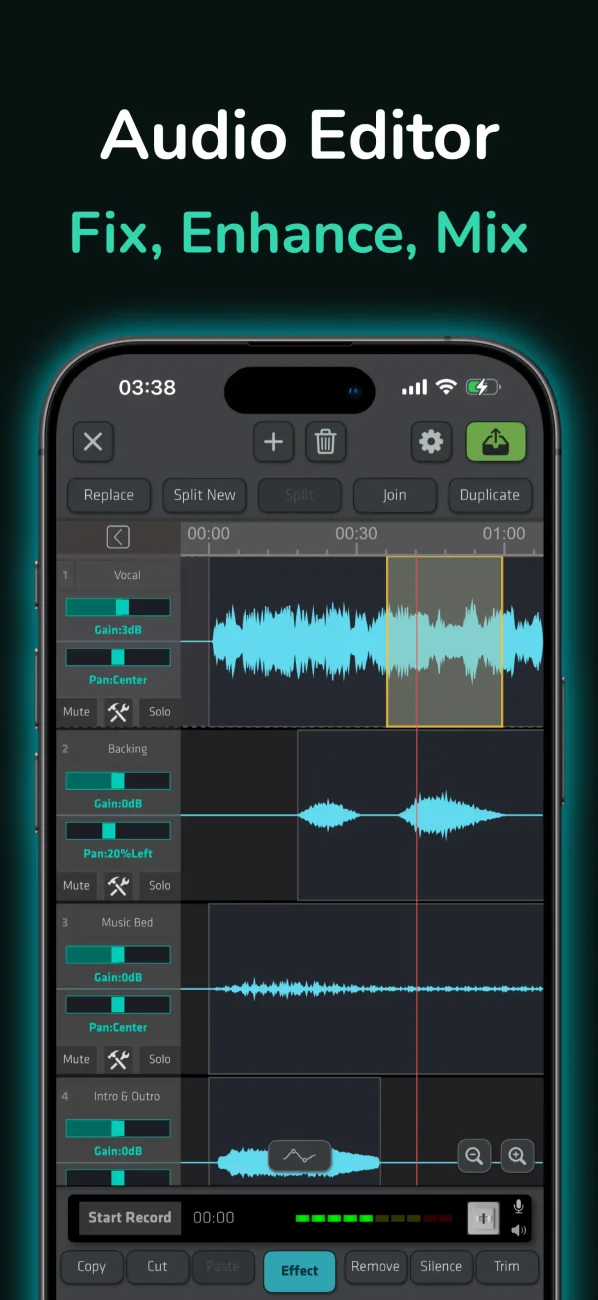
Precise Multitrack Audio Editor
• Mix up to 16 tracks with gain, pan, mute, and reordering.
• Copy, cut, paste, trim, insert, replace, split, duplicate, join, move, and more—with unlimited undo/redo.
• Zoom smoothly for millisecond-level selections.
• Loop any range while you work.
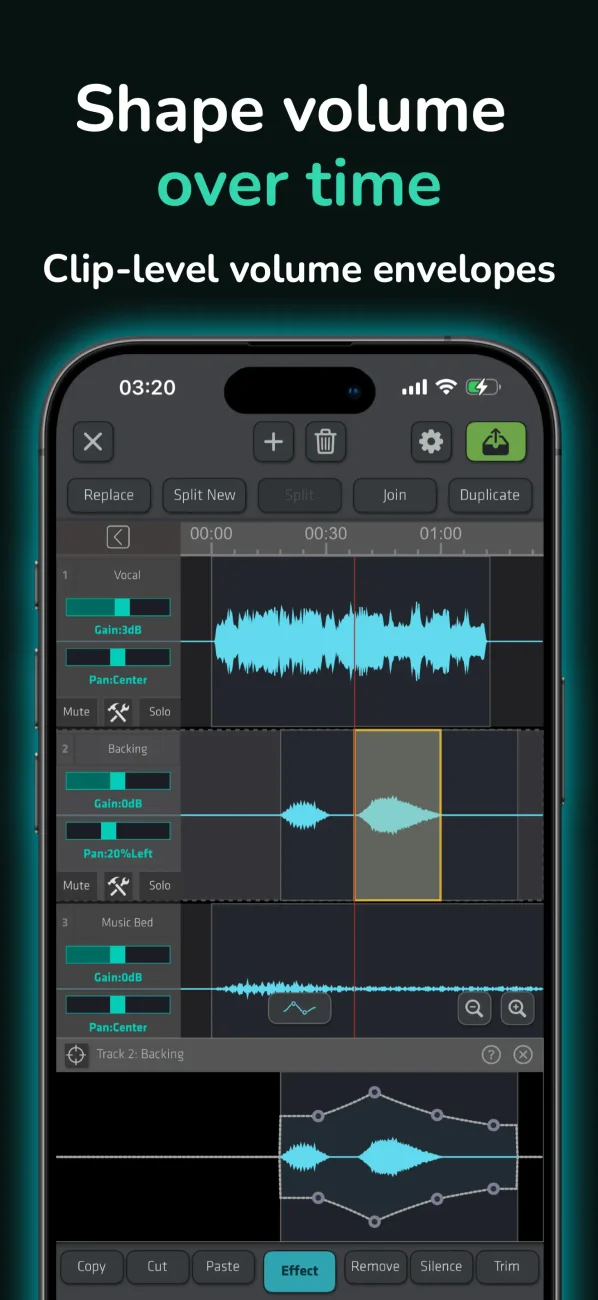
• Draw non-destructive volume curves for fades and ducking.
• Record overdubs directly into your project while monitoring playback.
AI Vocal Separator & Vocal Remover
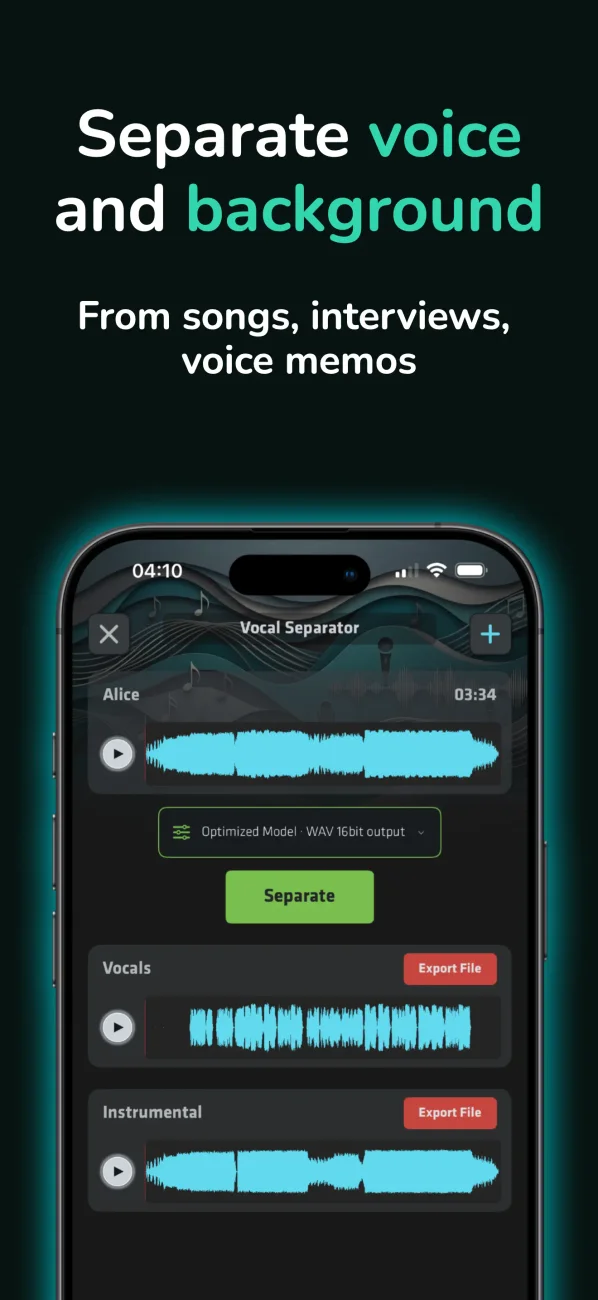
Separate vocals and instrumentals, create acapellas, or make backing tracks with the vocal remover. Karaoke Mode preserves fuller accompaniment. AI runs locally: no uploads or server queue.
AI Stem Separator
Split into four stems—vocals, drums, bass, other—or six with guitar and piano. Preview and balance parts, then export a mix or individual stems.
AI Noise Reducer & Audio Enhancer
Use AI Noise Reducer on recordings or AI Noise Suppression on selected audio. EQ, compression, de-essing, normalization, amplification, and Bass Boost provide enhancement for voice and music.
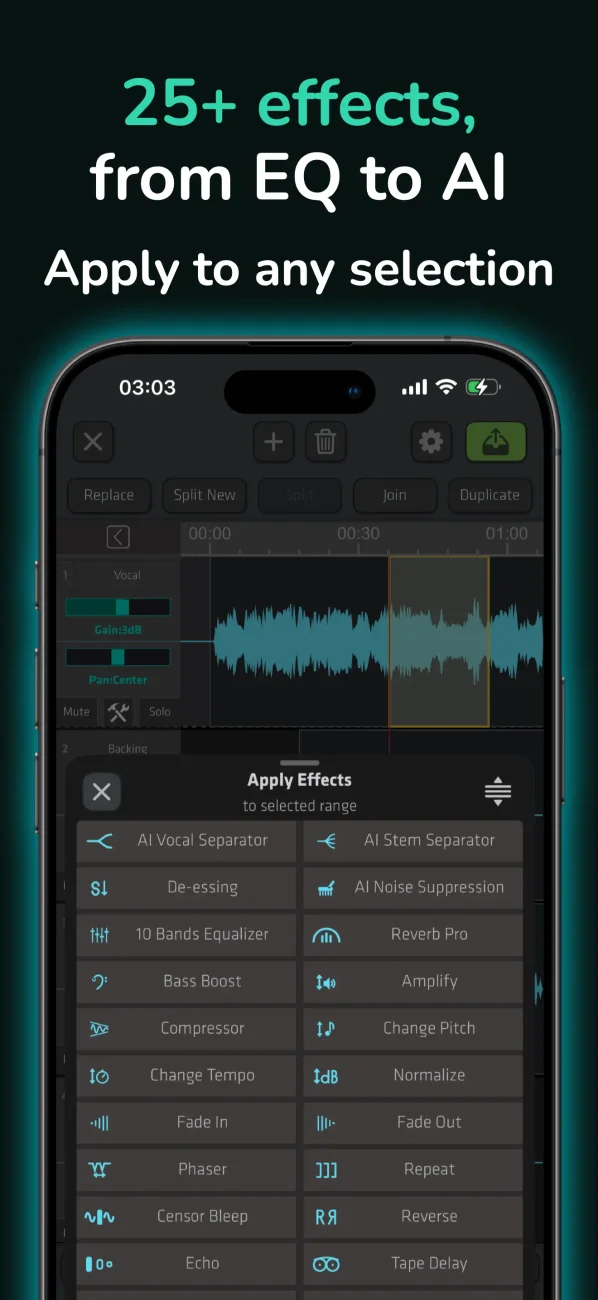
25+ Selection-Based Effects
Apply 25+ effects to any waveform range, including AI separation and noise suppression, 10-band EQ, Reverb Pro, Tape Delay, Compressor, Change Pitch/Tempo, Fade In/Out, Phaser, Reverse, Silence Remover, and more.
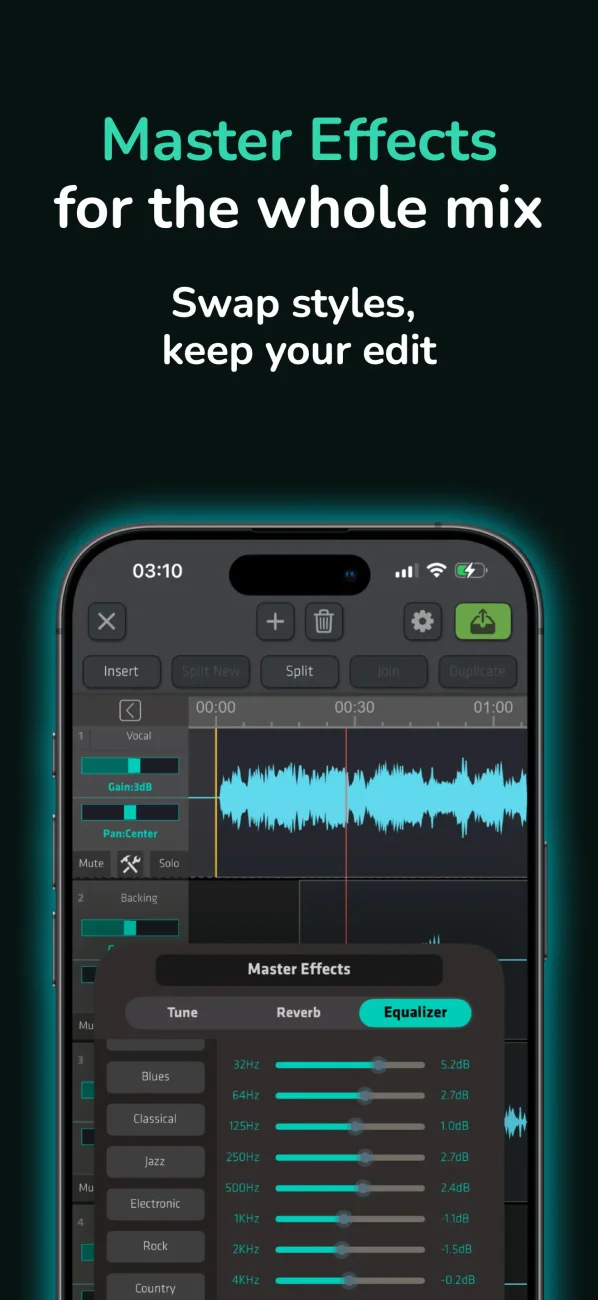
Master Effects
Master Effects run in real time on the mix bus. Adjust tempo, pitch, reverb, and EQ while previewing, then export alternate versions without changing tracks or clips.
Audio Recorder
• Quick Recorder: Capture ideas with your chosen input device.
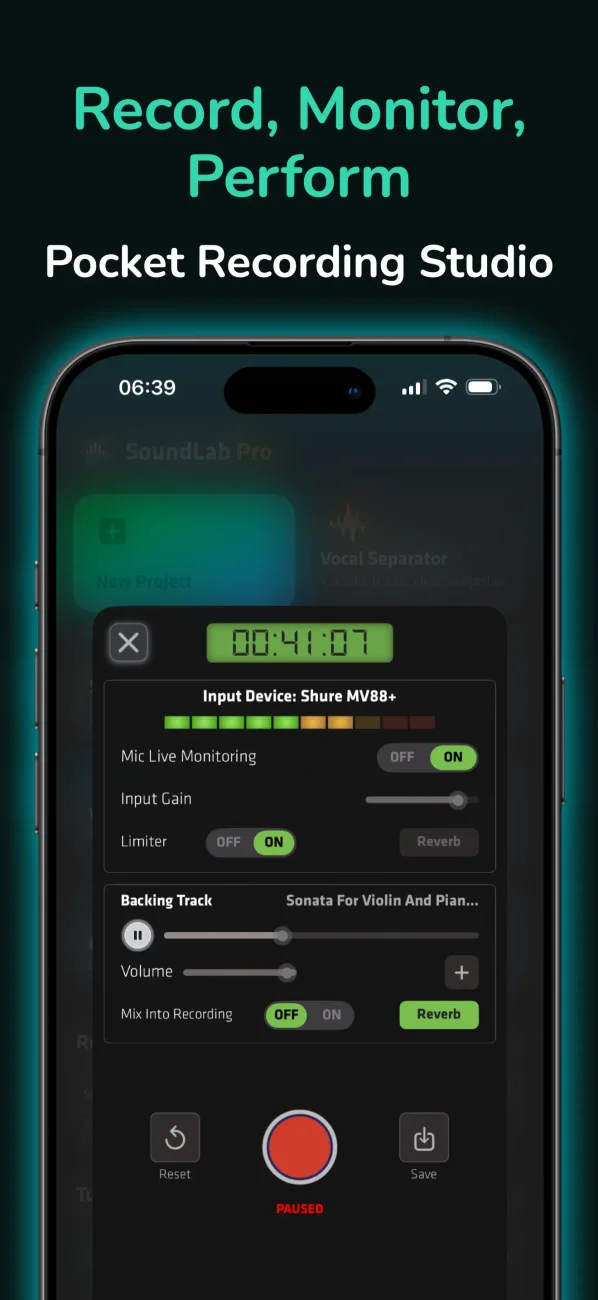
• Recording Studio: Monitor your mic, set input gain, use a limiter and reverb, and record over a backing track—with or without it in the saved mix.
• Use compatible external microphones and audio interfaces recognized by iOS.
Import, Create & Organize
• Import from Files, Music Library, other apps, or Wi-Fi; extract audio from video.
• Convert text to speech and add, insert, or replace audio in your project.
• Sync audio with iCloud; archive and restore projects through iCloud, USB drives, or external storage.
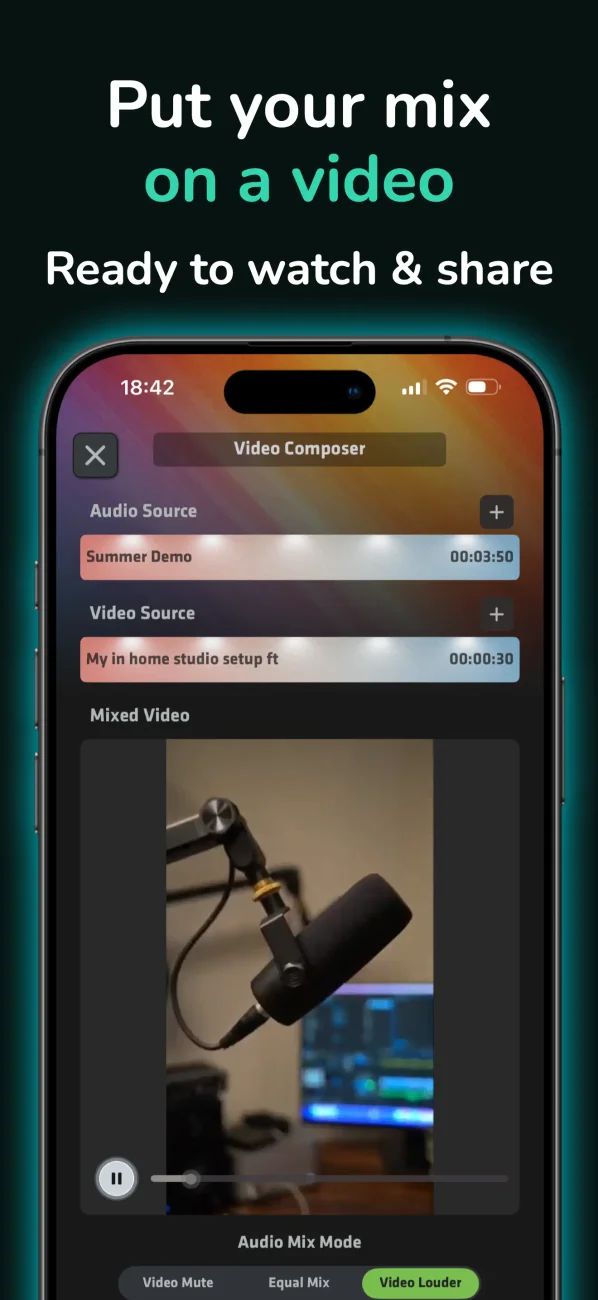
• Use Video Composer to mix audio with video and create soundtrack videos.
Flexible Export
Export AAC, ALAC, MP3, FLAC, or WAV with selectable channels and sample rates, plus high-bitrate and lossless options. Add metadata and cover art in supported formats. Save to Files or iCloud, share, or export a ringtone.
SoundLab is perfect for:
• Music lovers and independent creators
• Podcast and voice-over producers
• Music students and teachers
• Especially for users who are familiar with Audacity or Audition
SoundLab Pro
SoundLab Pro unlocks all Pro features. Choose monthly or annual auto-renewing subscriptions or a one-time permanent purchase. All support Family Sharing with up to five other family members.
Payment is charged to your Apple Account at confirmation. Free trials convert to paid subscriptions, and subscriptions auto-renew unless canceled at least 24 hours before the current period ends. Manage or cancel in App Store account settings.
Terms of Use: https://www.soundlab.cloud/terms
Privacy Policy: https://www.soundlab.cloud/privacy
Customer Support
Contact us in the app: Mine → Contact Us
Official website: https://www.soundlabs.app
YouTube: https://www.youtube.com/@soundlab-app
What’s new
Version 2.11.7 · Nov 17, 2026
- The Files library now supports both icon and list views.
- New Enhanced Edit Menu for selections (on iPhone, it can be turned on in the editor settings).
- New Back to Start button in the editor. Thanks to @Devin!
- Fixed a rare case of pitch drift during playback. Thanks to @Good ideas!
App privacy
What 孛 刘 declares on the App Store about how this app handles data.
-
Data used to track you
May be used to track you across apps and websites owned by other companies.
- Purchases
- Identifiers
- Usage data
-
Data not linked to you
May be collected but is not linked to your identity.
- Purchases
- Identifiers
- Usage data
- Diagnostics
Privacy practices may vary, for example with the features you use or your age.
Information
- Seller
- Wuhan BigTool365 Technology Co., Ltd
- Category
- Music
- Version
- 2.11.7
- Updated
- Nov 17, 2026
- Released
- Aug 8, 2020
- Size
- 173.0 MB
- Requires
- iOS 16.0 or later
- Age rating
- 4+
- Price
- Free
- In-app purchases
- Yes
- Languages
- English, Arabic, French, German, Italian, Japanese, Korean, Portuguese, Russian, Simplified Chinese, Spanish, Traditional Chinese
- Copyright
- © 2026 BigTool365
You might also like
-
 Audio Editor - Music editorreverb, equalizer, song maker
-
 Audio Editor : Audiolabreverb, equalizer, song maker
-
 n-Track Studio DAW: Make MusicMusic Recording & Beat Maker
-
 Audio Editor - Music MixerRingtone Maker & MP3 Converter
-
 Music Editor - Audio EditorMusic Mixer & MP3 Music Cutter
-
 EZAudioCut - Audio Editor LiteFilter Recorder, AudioCuter,易剪
-
 WavePad Music and Audio EditorMusic
-
 Rapchat: Music Maker StudioRecord rap song tunes & beats
-
 Soundtrap: Music Making StudioEasy beat & song maker
-
 MedlyMusic Making for Everyone