Chronos: Daily Work Tracker
Workday planner & streaks
Designed for iPhone, iPad
In-app purchases
- Age rating4+
- CategoryProductivity
- DeveloperHector Pedro Toledo
- LanguagesGerman+ 5 more
- Size14.1 MB
Links to the official App Store page
Download.org hosts no file of Chronos: Daily Work Tracker. The button opens its official App Store page, published by Hector Pedro Toledo. Listing last checked on Nov 12, 2026.
Screenshots
About
Chronos organizes your work by process, not by loose lists.
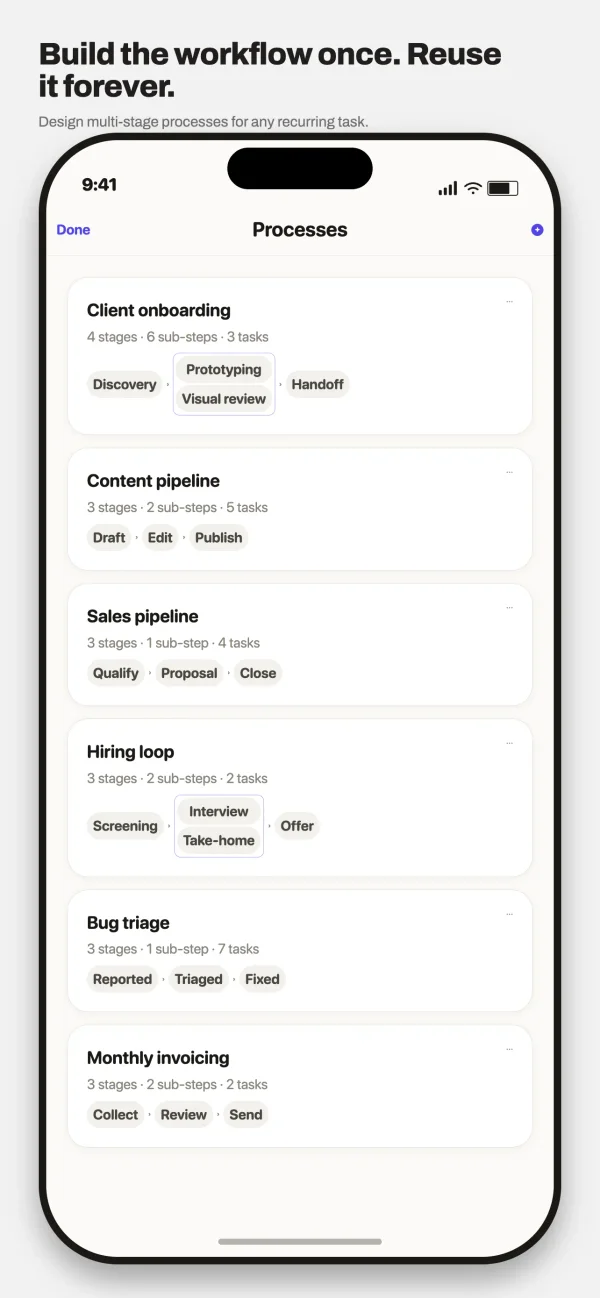
A process is the series of stages your tasks move through: Contact, Proposal, Close. You define it once and reuse it across every task you want. Each task knows which stage it's in and how long it's been there.
WHAT YOU CAN DO
Create processes with as many stages as you need, in any order.
Add substeps inside each stage for finer detail.
Mark stages and substeps as parallel or sequential. You can mix both in the same process.
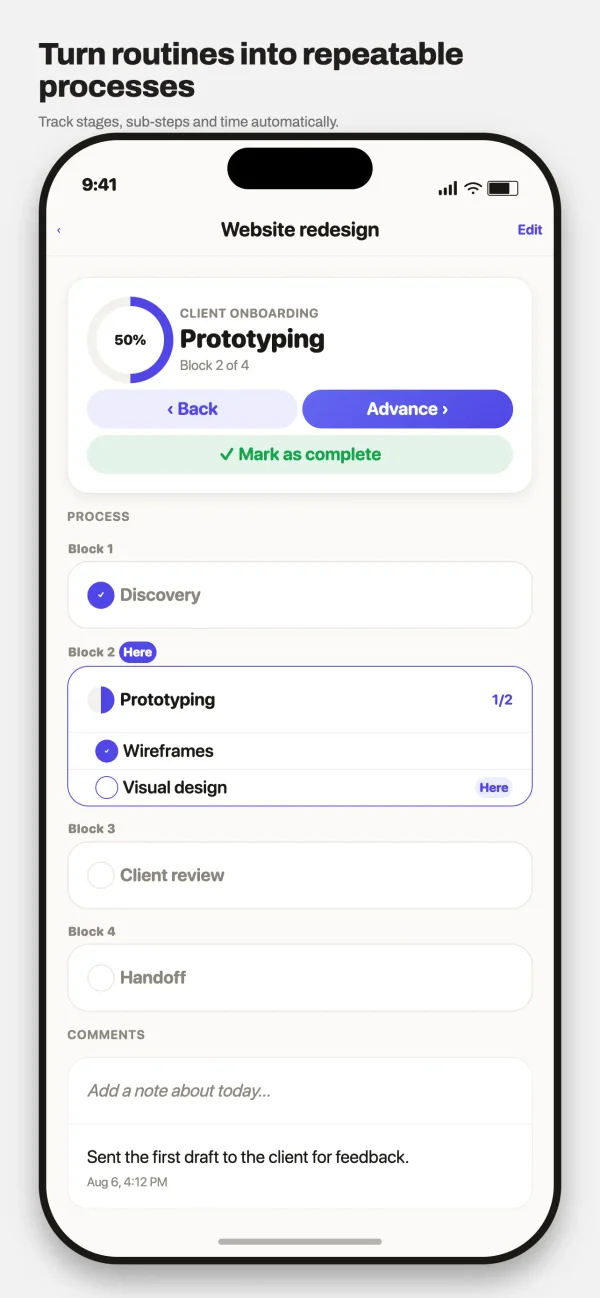
Move a task forward step by step: each tap completes what's next and jumps blocks when the stage is done.
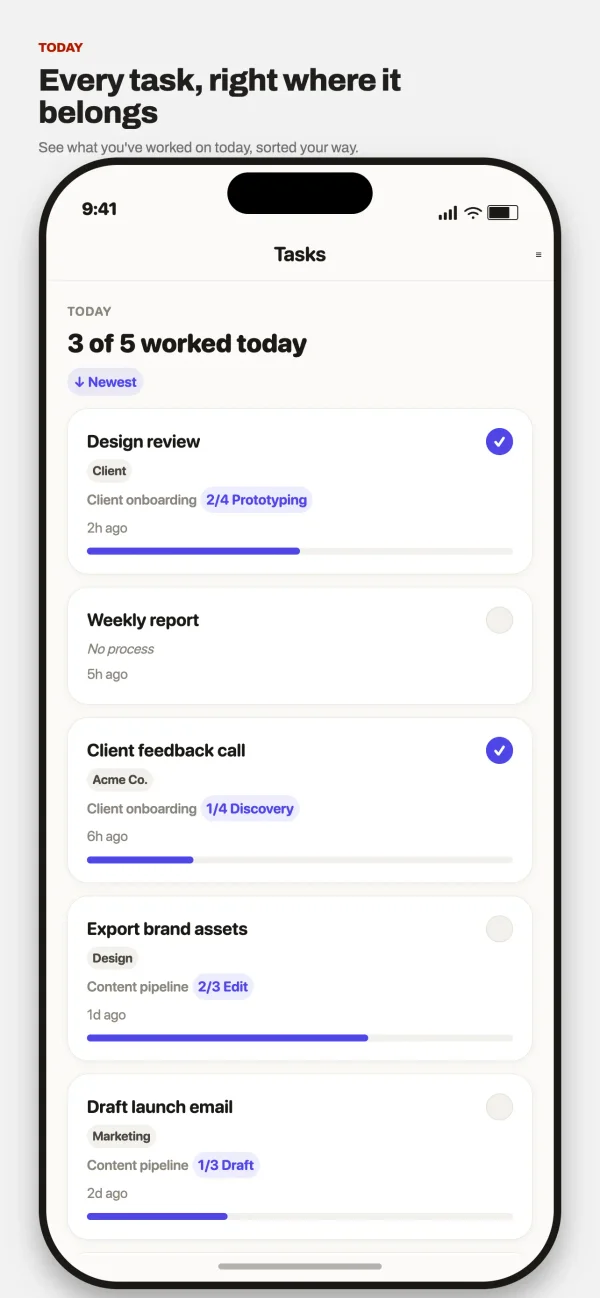
Track which days you worked on each task.
Add dated comments as you go.
See how long each stage and substep took.
SORTING
Sort your list by age, by process and stage, or by process, stage and age. Tasks group under their process when you need it, and you can tag them to separate by client, urgency or team.
COMPLETED TASKS
When you close a task it leaves the list and gets archived with its full history: when it was created, when it closed, how long it stayed open, the days you worked on it, the time per stage and every comment.
WIDGETS
Four home screen widgets: worked today, worked today by process, all pending tasks, and each process with its open tasks.
APPEARANCE
Four themes: two light ones on a cream base and two dark. They apply to the widgets too.
SYNC
Your processes and tasks sync between iPhone and iPad with iCloud. Everything works offline and catches up when you're back.
NOTIFICATIONS
Pick the weekdays and time you want to be reminded, per task.
FREE AND PRO
Free: up to 4 tasks and 3 processes, with every feature available. Pro: unlimited tasks and processes. Monthly or yearly subscription.
Terms of Use (EULA): https://www.apple.com/legal/internet-services/itunes/dev/stdeula/
What’s new
Version 3.5 · Aug 10, 2026
Chronos was rebuilt from scratch.
REUSABLE PROCESSES Tasks used to carry their own steps. Now you define a process once and assign it to as many tasks as you want.
SUBSTEPS AND PARALLEL BLOCKS Every stage can hold substeps, and you decide which ones run at the same time and which run in order. You can mix both in one process.
TIMINGS Chronos measures how long each stage and substep takes, from the moment the previous one finished until you complete it.
COMPLETED TASKS A new screen with everything you've closed and its history: dates, total time, days worked, time per stage and comments.
SORTING Five ways to sort the list, with grouping by process.
GESTURES Swipe a task to complete, advance, edit or delete it.
WIDGETS Four new widgets that follow your chosen theme.
SYNC iCloud between iPhone and iPad.
Your tasks from the previous version are imported automatically the first time you open the app.
App privacy
What Hector Pedro Toledo declares on the App Store about how this app handles data.
-
Data not collected
The developer does not collect any data from this app.
Privacy practices may vary, for example with the features you use or your age.
Information
- Seller
- Hector Pedro Toledo
- Category
- Productivity
- Version
- 3.5
- Updated
- Aug 10, 2026
- Released
- Mar 31, 2026
- Size
- 14.1 MB
- Requires
- iOS 17.6 or later
- Age rating
- 4+
- In-app purchases
- Yes
- Languages
- German, English, French, Italian, Portuguese, Spanish
- Copyright
- © Hector Toledo 2026
You might also like
-
 Easeline - Visual Day PlannerVisual timeline, guilt-free
-
 DayLoadProductivity
-
 Habit Tracker, Tasks: DayDoneDaily Planner & To-Do List
-
 ROJA: Task Board PlannerKanban, reminders, mind map
-
 Hour by Hour: Color PlannerVisual Schedule Timeline
-
 Colmeia - ProdutividadeProductivity
-
 Habit Tracker - HabitMaxtrack your goals & streaks
-
 Superlist: Remember EverythingSave everything, find anything
-
 Aeon — Countdown & Life TimerLife Countdown Timer & Widgets
-
 Focus: ADHD To Do, App BlockerLock apps. Finish what matters