
- Age rating4+
- CategoryProductivity
- DeveloperCHRONOX AI PRIVATE LIMITED
- LanguagesEnglish
- Size52.9 MB
Links to the official App Store page
Download.org hosts no file of Chronox AI. The button opens its official App Store page, published by CHRONOX AI PRIVATE LIMITED. Listing last checked on Nov 23, 2026.
Screenshots




About
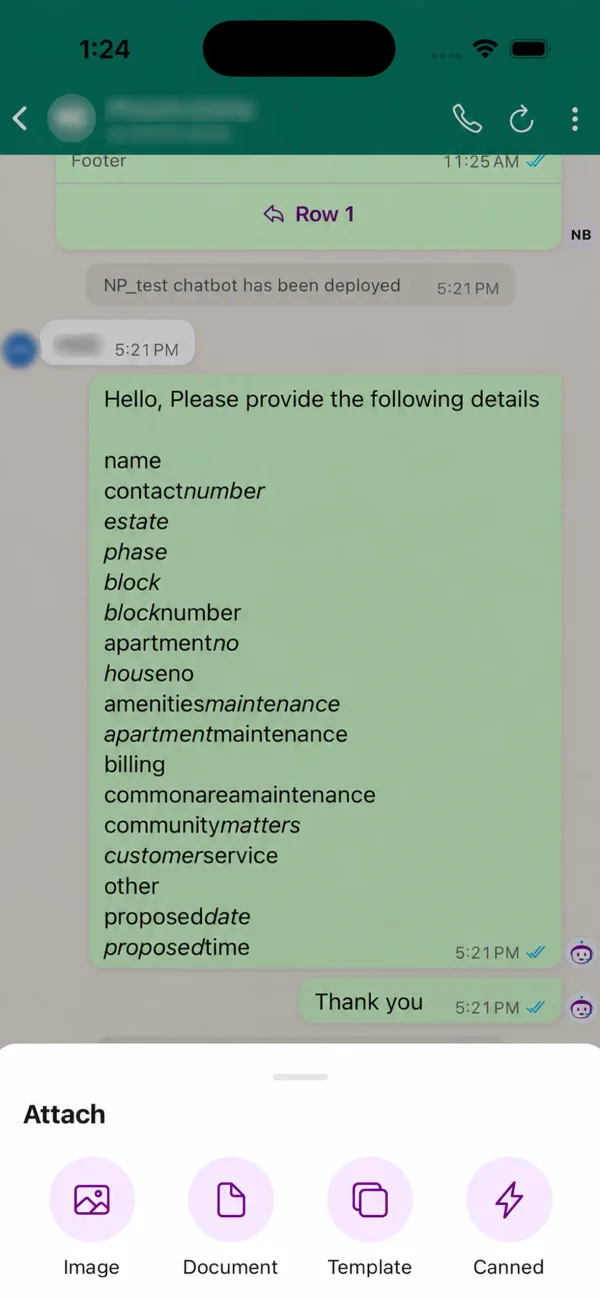
Chronox AI Mobile puts your team’s intelligent inbox in your pocket. It’s the official companion app for Chronox AI—the omnichannel AI engagement platform trusted by businesses to automate support, sales, and customer conversations across WhatsApp, Instagram, Facebook Messenger, website chat, Slack, and more.
On the web, Chronox AI powers no-code AI agents, voice bots, workflow automation, and seamless human handoff. With this mobile app, your human agents stay connected to every conversation—wherever they are.
THE CHRONOX AI PLATFORM
Chronox AI helps growing businesses engage, resolve, and deliver across all channels. Build Gen-AI agents without code, deploy them on WhatsApp and other channels in minutes, and let AI handle routine queries while your team focuses on what matters most.
When customers need a personal touch, conversations flow seamlessly from AI to live agents—with full context, history, and tools to respond fast.
MOBILE APP FOR HUMAN AGENTS
• Omnichannel Inbox — Access your unified Chronox AI inbox on iPhone and iPad. View WhatsApp and other channel conversations in one place.
• Real-Time Sync — Conversations update live with your web dashboard. No refresh needed—stay aligned with your team instantly.
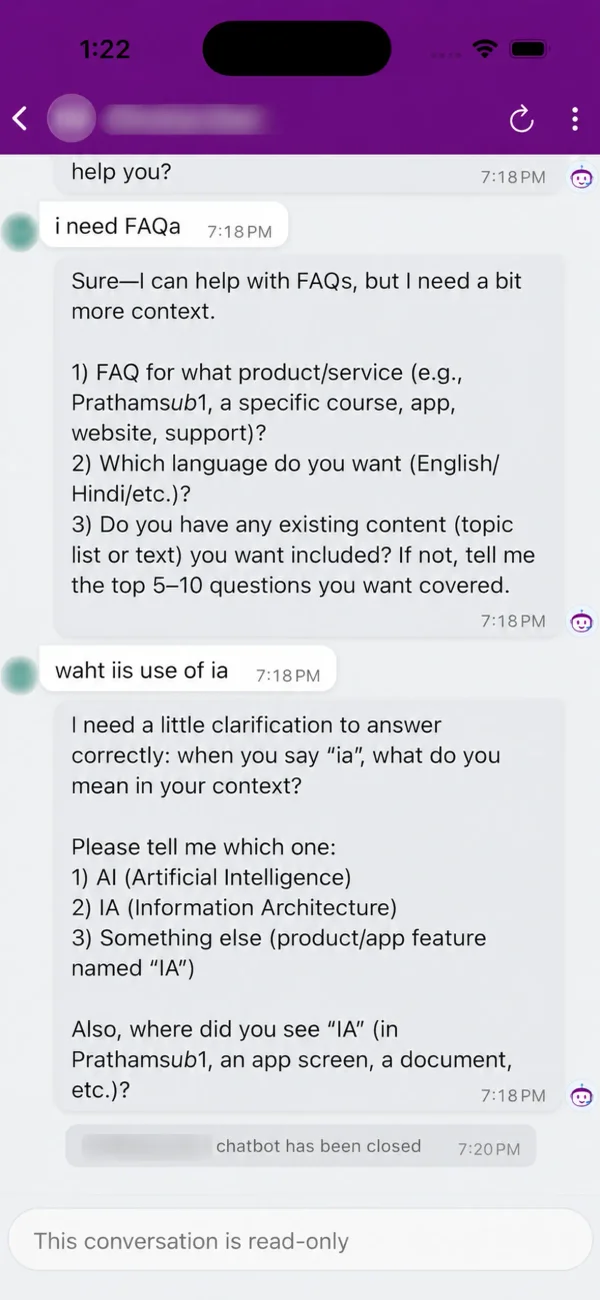
• WhatsApp Messaging — Read and reply to customer messages, send media, and use canned responses for faster replies.
• WhatsApp Voice Calls — Make and receive voice calls directly from the app. Handle inbound and outbound calls without leaving Chronox AI.
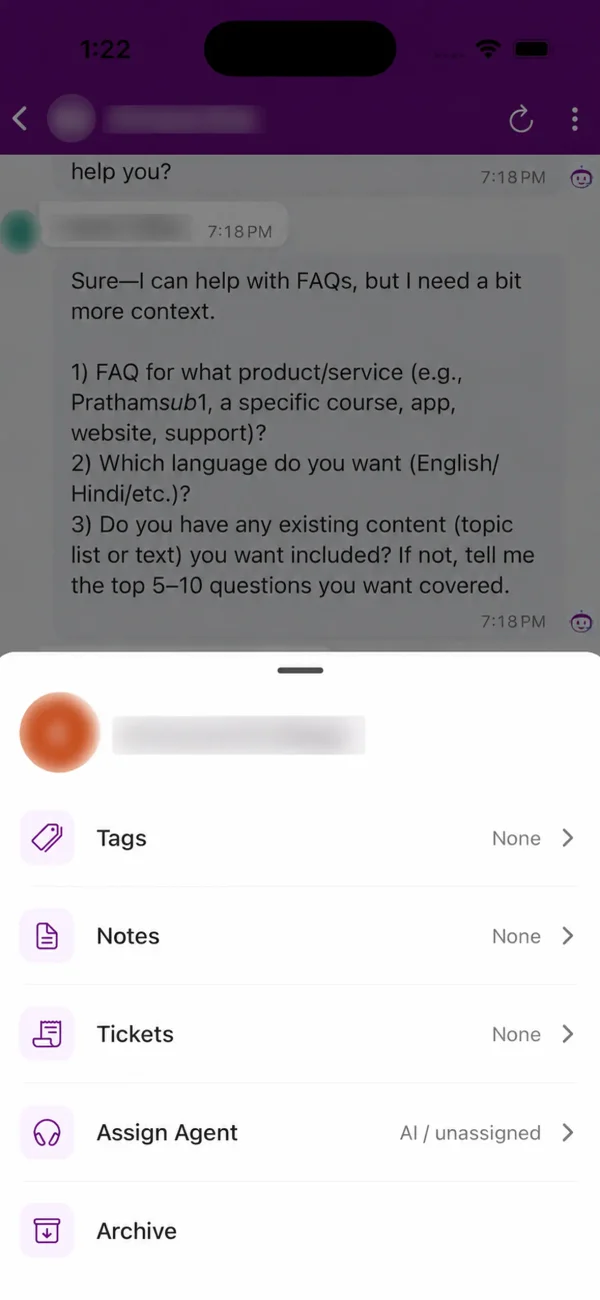
• Team Collaboration — Assign and reassign conversations, join or leave threads, add internal notes, apply tags, and archive resolved chats.
• Ticket Management — Create, track, and resolve support tickets linked to conversations—fully integrated with your web workflow.
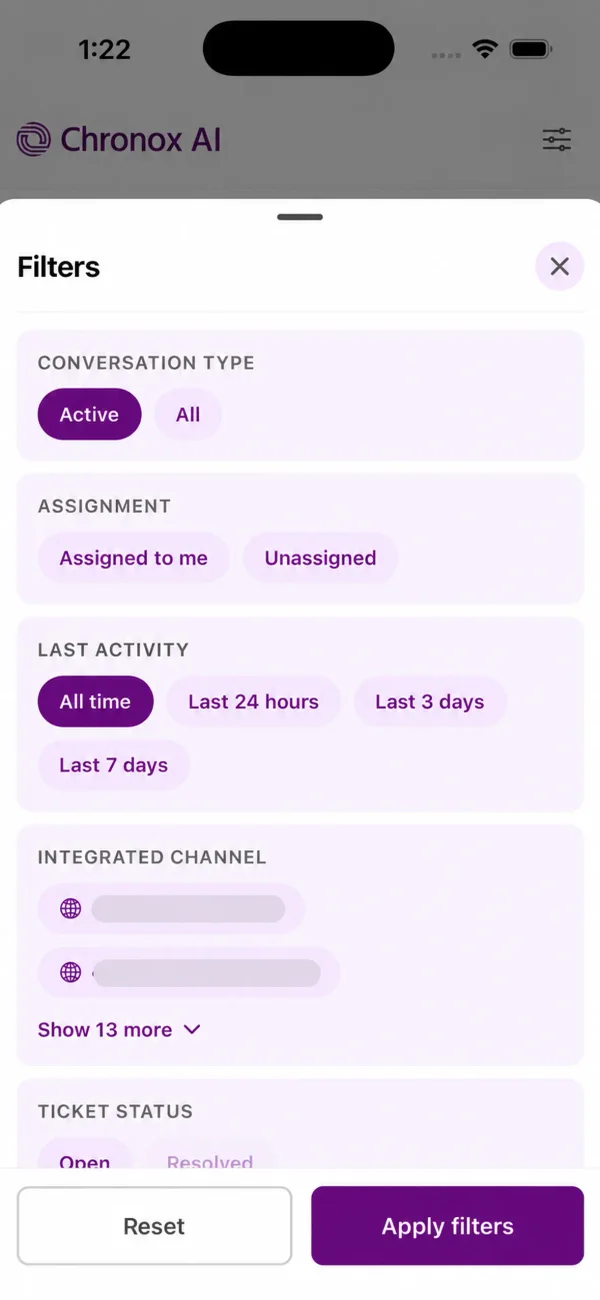
• Smart Filters & Search — Find conversations quickly with filters by channel, agent, tag, status, and ticket state. Full-text search across threads.
• Push Notifications — Get alerted when new messages arrive or conversations need attention—even when you’re away from your desk.
• Secure Access — Sign in with email OTP or Google. Your session stays secure and synced with your Chronox AI workspace.
BUILT FOR TEAMS WHO USE CHRONOX AI ON WEB
This app is designed for support agents, sales teams, and operations staff who already use Chronox AI on the web. AI agents and automation run on your Chronox dashboard; this mobile app gives your human team the power to respond, collaborate, and close conversations from anywhere.
Perfect for:
• Customer support teams handling high-volume WhatsApp inquiries
• Sales teams following up on leads from CTWA ads and chatbots
• Managers monitoring agent activity and unassigned queues
• Businesses in e-commerce, healthcare, education, hospitality, and more
WHY CHRONOX AI?
• AI + Human Collaboration — AI handles the routine; agents handle the complex
• No-Code Agent Builder — Deploy intelligent chatbots and voice bots without developers
• Omnichannel Deployment — One platform for WhatsApp, Instagram, Messenger, web, Slack, and voice
• Real-Time Data & RAG — Accurate, context-aware responses powered by your business data
• Native Integrations — Connect with Calendly, Google Sheets, Trello, Slack, Zoho Desk, CRMs, and more
REQUIREMENTS
A Chronox AI account is required. Sign up at chronox.ai or contact your organization administrator for workspace access.
Intelligent Inbox for Modern Teams — now on mobile.
What’s new
Version 2.0.0 · Nov 20, 2026
What's new
INBOX & FILTERS
• New filter panel with more ways to narrow your inbox: assignment (assigned to me, assigned to others, unassigned), conversation type, channel, last activity, archived or not, and tags.
• Filter by ticket details too: ticket state, sub-status, who it is assigned to, and who created it.
• Search by user info (name, phone or details) or by ticket info (reference, title or notes).
• Your selected filters stay visible when you reopen the panel, and your search phrases aren't cleared when you apply them.
• Conversations are ordered like the web app: new ones at the top, then recently active ones.
• Conversation rows show a notes icon when a thread has notes.
• Swipe between tabs, and swipe a pop-up down to close it.
THREAD CONTROLS
• Join a conversation, or open and close the chat, right from the thread.
• Assign a conversation to a team member, and see who it is currently assigned to or whether the AI is handling it.
• Notes: add, view and delete notes on any conversation. Only the author can edit a note.
• Tags: create, colour, apply and delete tags to organise your conversations.
• Thread Details shows the contact and channel information, including source, location, business name and last activity.
TICKETS
• Create a ticket from any conversation, with more fields, including fields that take several values.
• Open a ticket to see its full details, edit it, and see who it is assigned to.
• Ticket history shows every ticket for a conversation.
• New tickets can't be created as "Resolved".
CONVERSATIONS
• Saved responses: preview them, fill in variables, send directly, and create, edit or delete them.
• Templates are easier to find, with clear labels for category, interactive, carousel, media and variables.
• Send a photo or a video from one attach picker.
• Videos have full playback controls in fullscreen.
• More ways to copy a message.
• The chat background now matches WhatsApp.
• Create a new conversation with a phone number that spaces itself as you type.
PROFILE
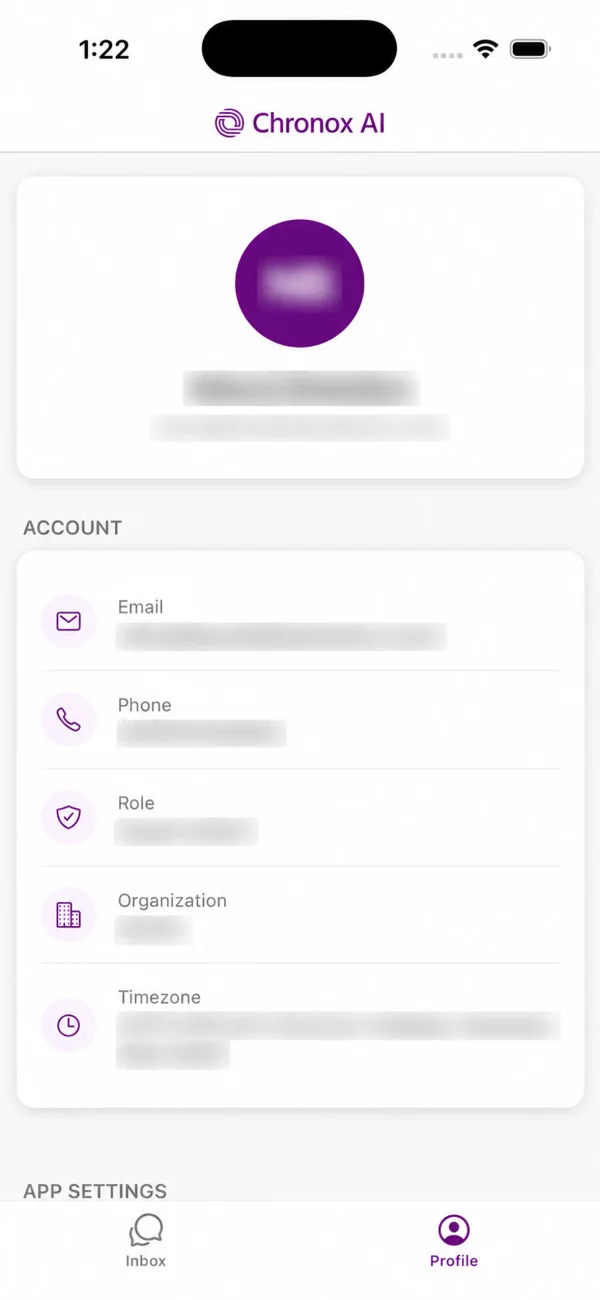
• Edit your profile: name, phone number and timezone, with a searchable timezone list.
• Change your password in its own form, and see the status update straight after you save.
• See your account details at a glance: email, organization and role.
• Open your notification settings straight from the app.
• The saved name and timezone show immediately after you change them.
CALLS & NOTIFICATIONS
• Incoming WhatsApp calls ring on the iPhone call screen, including on the lock screen.
• Chat notifications can show the sender's picture.
• Better support for right-to-left languages.
App privacy
What CHRONOX AI PRIVATE LIMITED declares on the App Store about how this app handles data.
-
Data not collected
The developer does not collect any data from this app.
Privacy practices may vary, for example with the features you use or your age.
Information
- Seller
- CHRONOX AI PRIVATE LIMITED
- Category
- Productivity
- Version
- 2.0.0
- Updated
- Nov 20, 2026
- Released
- Oct 19, 2026
- Size
- 52.9 MB
- Requires
- iOS 15.1 or later
- Age rating
- 4+
- Price
- Free
- Languages
- English
- Copyright
- © 2026 Chronox AI Private Limited
You might also like
-
 iVALTProductivity
-
 GGMS - Gym Management AppBest Gym Management Software
-
 Recall: Summarize & saveYour AI-powered knowledge base
-
 KDE ConnectCommunication Between Devices
-
 Google CloudProductivity
-
 Parallel Space - Dual AccountMultiple Accounts - App Cloner
-
 spacedesk - USB Display for PCPortable Multi Monitor Display