
Cinevisor
Director's viewfinder, AI look
Designed for iPhone
Free · In-app purchases
- Age rating4+
- CategoryPhoto & Video
- DeveloperCrooster Inc.
- LanguagesEnglish+ 1 more
- Size7.9 MB
Links to the official App Store page
Download.org hosts no file of Cinevisor. The button opens its official App Store page, published by Crooster Inc. Listing last checked on Nov 18, 2026.
Screenshots
About
Cinevisor is a director's viewfinder that doesn't stop at the frame.
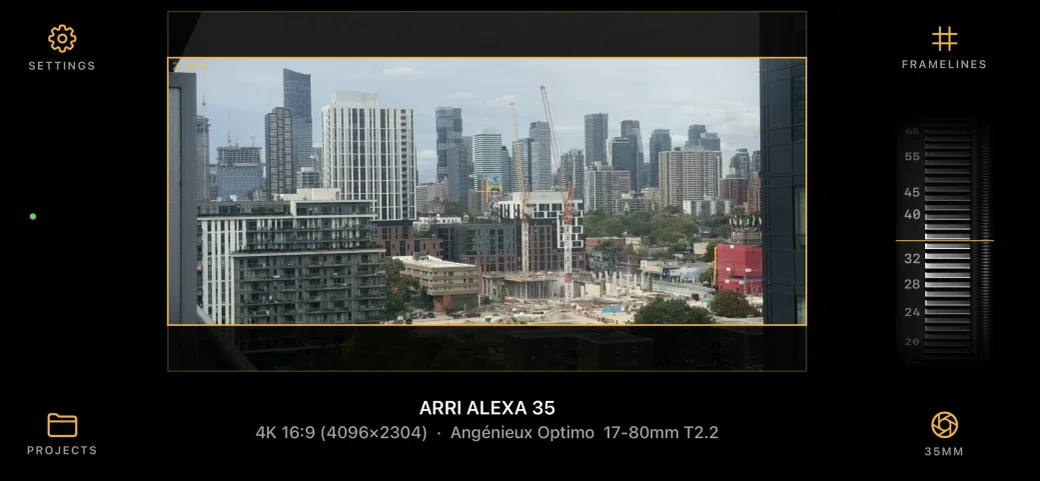
Pick the camera body, sensor mode, lens set and lens you're actually shooting on. The phone's camera is cropped and zoomed to match that rig's real field of view, so what you see on screen is what the lens will see. Framelines, safe areas, anamorphic desqueeze and a HUD with focal length, T-stop and field of view — all of it running on the device, offline, free.
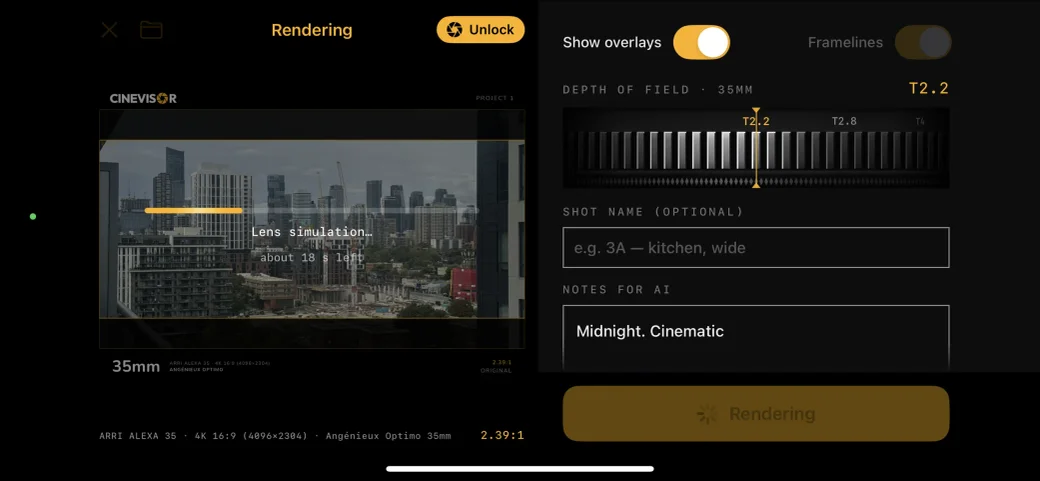
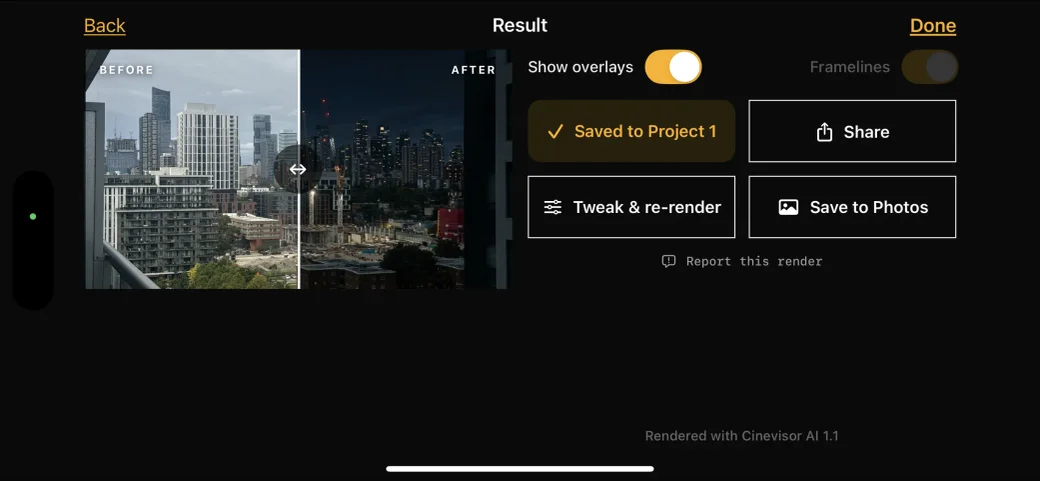
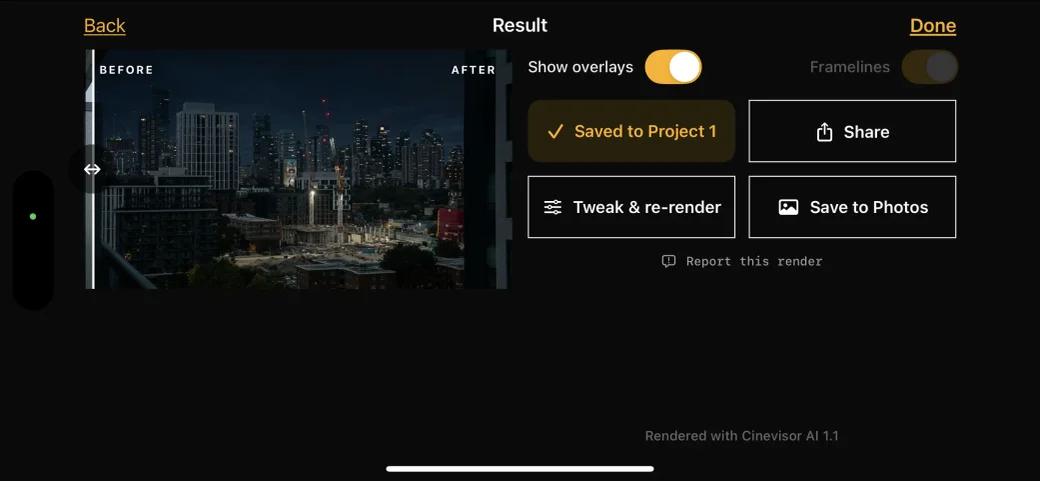
Then tap the shutter and take it one step further: describe the light you want, and Cinevisor renders your exact frame with that lighting, that depth of field and that film look. Not a stock photo, not a mood board — your location, your framing, lit the way you're pitching it.
THE VIEWFINDER
• Real field-of-view matching from the sensor mode and focal length, not an approximation
• Camera bodies, sensor modes and lens sets from the manufacturers' own specifications
• Swipe through a lens set; the preview ramps to the next focal length
• Framelines for multiple ratios at once, custom aspects, safe areas, adjustable opacity
• Anamorphic squeeze factors from 1.25x to 2x, viewed desqueezed
• Monospaced HUD: focal length, horizontal and vertical FOV, sensor mode, T-stop
• Works with no signal. The viewfinder never needs the network.
DEPTH OF FIELD FROM REAL OPTICS
The blur isn't guessed. Cinevisor reads the scene's depth, then computes the circle of confusion from the rig you picked — focal length, T-stop, sensor size, focus distance — and renders the falloff from that. Change the T-stop and the background separates the way that lens would actually separate it, with round bokeh on the highlights.
THE AI LOOK
• Describe the lighting in plain words: "early morning, sun through the window", "overcast soft", "sodium vapor at night"
• Film stock and look presets, key direction, atmosphere, grain and halation
• Your composition, your people and your architecture stay exactly where they are
• Before/after slider on every render
• Save to a project, export with the rig metadata, or share
PROJECTS
Organize captures by project and shot. Every frame keeps its rig: camera, sensor mode, lens, T-stop, framelines, location and time. Re-render any shot later with a different look.
CREDITS
The viewfinder, the framelines, the depth-of-field maths and the projects are free and unlimited. Only the AI renders cost credits, because only they cost real compute. One render, one credit. Credits never expire, they're tied to your Apple Account, and renders that fail are refunded automatically. Unlock Cinevisor once for 30 renders, and buy more in packs of 30, 60 or 120 whenever you need them. There is no subscription.
PRIVACY
The viewfinder runs entirely on your phone — nothing leaves the device while you're framing. A photo is uploaded only when you tap Render, and only then. We ask for your permission before the first upload, in plain language, and the image is processed and discarded rather than stored on our servers.
ABOUT THE RENDERS
Renders are generated by an AI model from the frame you captured. They are a visualization of intent, not a photograph of what was there. Treat them the way you'd treat a concept frame in a lookbook.
Made by a working filmmaker, for scouts, prep and the conversation where you have to show someone what you mean.
Questions or problems: support@cinevisor.com
What’s new
Version 1.6.4 · Oct 31, 2026
• Press and hold a shot in a project to reorder your shots or delete it.
• Minor bug fixes.
App privacy
What Crooster Inc. declares on the App Store about how this app handles data.
-
Data linked to you
May be collected and linked to your identity.
- Purchases
- User content
- Identifiers
- Usage data
-
Data not linked to you
May be collected but is not linked to your identity.
- User content
Privacy practices may vary, for example with the features you use or your age.
Information
- Seller
- Crooster Inc.
- Category
- Photo & Video
- Version
- 1.6.4
- Updated
- Oct 31, 2026
- Released
- Sep 23, 2026
- Size
- 7.9 MB
- Requires
- iOS 17.0 or later
- Age rating
- 4+
- Price
- Free
- In-app purchases
- Yes
- Languages
- English, Spanish
- Copyright
- © 2026 Crooster Inc.
You might also like
-
 HollyViewPhoto & Video
-
 Blackmagic Remote MonitorPhoto & Video
-
 Accsoon SEEPhoto & Video
-
 Sony | Monitor & ControlPhoto & Video
-
 Monitor+Remote Control for Sony Camera
-
 Sun Tracker ARSolar path, shadow & light
-
 Labbet: Photo & Video EditingGrain, Textures & Film effects
-
 DJI RoninFor DJI RS 2/RSC 2/Ronin-S etc
-
 Leica LUX - Pro Manual CameraCapture RAW Digital Photos
-
 Sony | Creators' AppPhoto & Video