- 対象年齢4+
- カテゴリ写真/ビデオ
- 開発元Crooster Inc.
- 言語英語ほか1言語
- サイズ7.9 MB
App Storeの公式ページにリンクしています
Download.orgはCinevisorのファイルを一切ホストしていません。ボタンを押すと、Crooster Inc.が公開しているApp Storeのアプリページが開きます。ページの最終確認:2026/11/18。
スクリーンショット
概要
開発元はこのテキストをお使いの言語で提供していません。
Cinevisor is a director's viewfinder that doesn't stop at the frame.
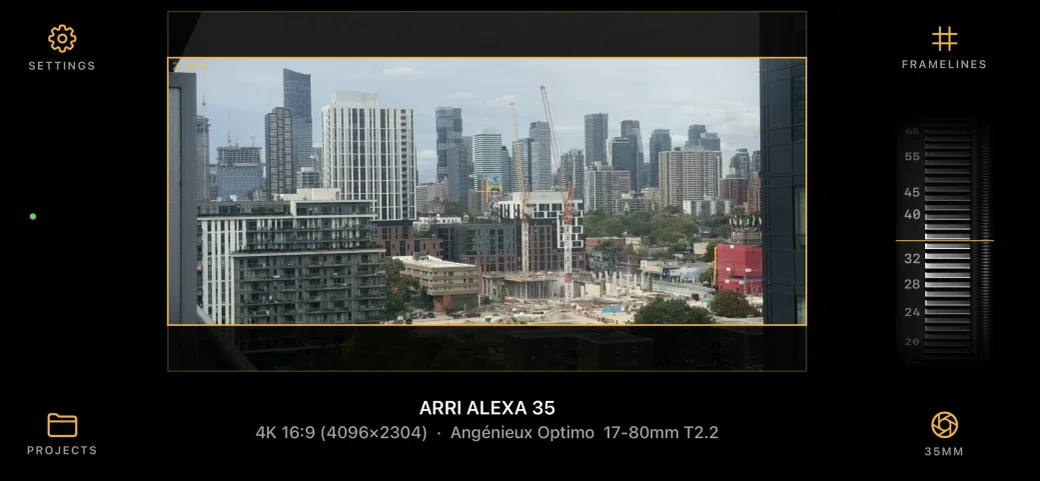
Pick the camera body, sensor mode, lens set and lens you're actually shooting on. The phone's camera is cropped and zoomed to match that rig's real field of view, so what you see on screen is what the lens will see. Framelines, safe areas, anamorphic desqueeze and a HUD with focal length, T-stop and field of view — all of it running on the device, offline, free.
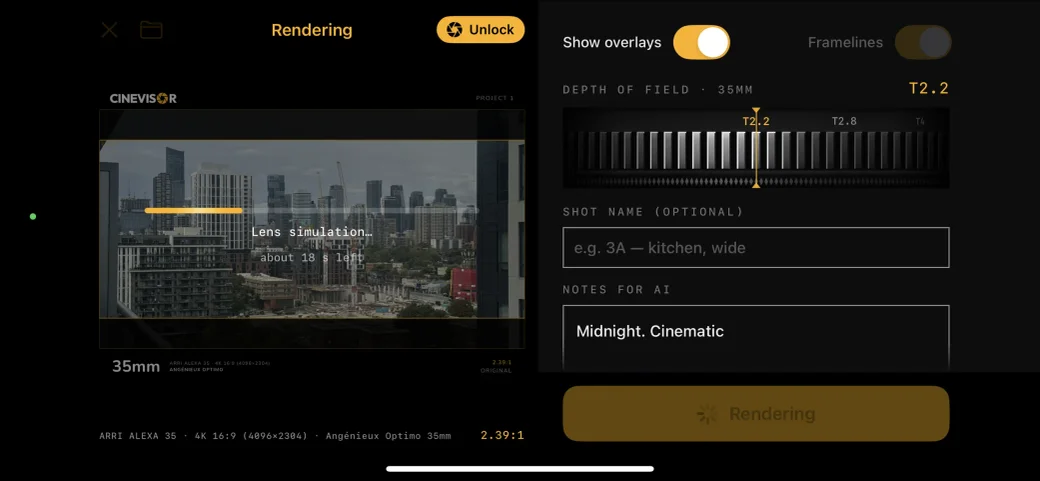
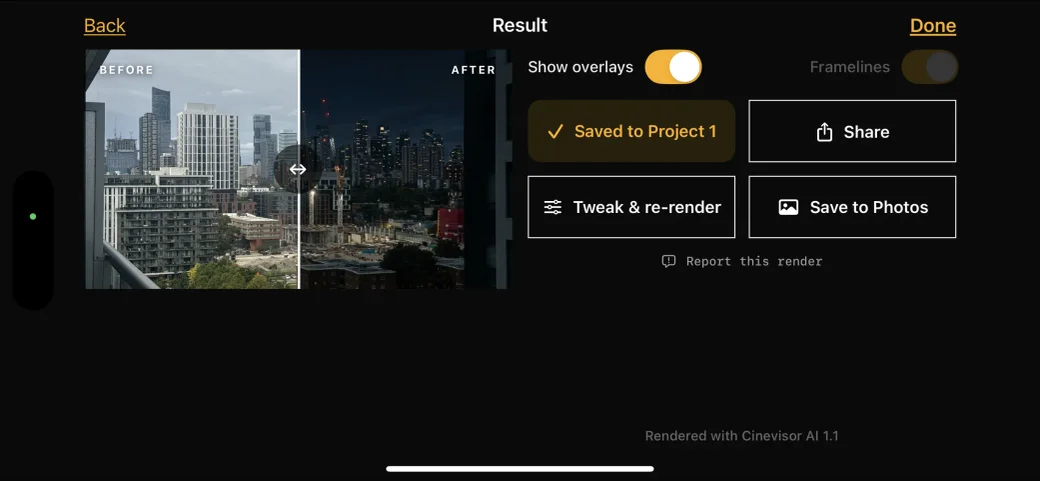
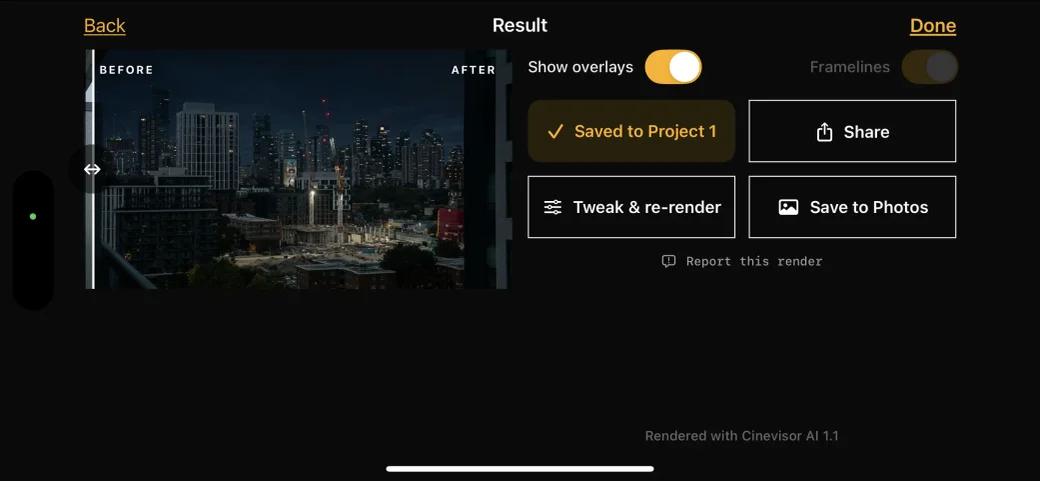
Then tap the shutter and take it one step further: describe the light you want, and Cinevisor renders your exact frame with that lighting, that depth of field and that film look. Not a stock photo, not a mood board — your location, your framing, lit the way you're pitching it.
THE VIEWFINDER
• Real field-of-view matching from the sensor mode and focal length, not an approximation
• Camera bodies, sensor modes and lens sets from the manufacturers' own specifications
• Swipe through a lens set; the preview ramps to the next focal length
• Framelines for multiple ratios at once, custom aspects, safe areas, adjustable opacity
• Anamorphic squeeze factors from 1.25x to 2x, viewed desqueezed
• Monospaced HUD: focal length, horizontal and vertical FOV, sensor mode, T-stop
• Works with no signal. The viewfinder never needs the network.
DEPTH OF FIELD FROM REAL OPTICS
The blur isn't guessed. Cinevisor reads the scene's depth, then computes the circle of confusion from the rig you picked — focal length, T-stop, sensor size, focus distance — and renders the falloff from that. Change the T-stop and the background separates the way that lens would actually separate it, with round bokeh on the highlights.
THE AI LOOK
• Describe the lighting in plain words: "early morning, sun through the window", "overcast soft", "sodium vapor at night"
• Film stock and look presets, key direction, atmosphere, grain and halation
• Your composition, your people and your architecture stay exactly where they are
• Before/after slider on every render
• Save to a project, export with the rig metadata, or share
PROJECTS
Organize captures by project and shot. Every frame keeps its rig: camera, sensor mode, lens, T-stop, framelines, location and time. Re-render any shot later with a different look.
CREDITS
The viewfinder, the framelines, the depth-of-field maths and the projects are free and unlimited. Only the AI renders cost credits, because only they cost real compute. One render, one credit. Credits never expire, they're tied to your Apple Account, and renders that fail are refunded automatically. Unlock Cinevisor once for 30 renders, and buy more in packs of 30, 60 or 120 whenever you need them. There is no subscription.
PRIVACY
The viewfinder runs entirely on your phone — nothing leaves the device while you're framing. A photo is uploaded only when you tap Render, and only then. We ask for your permission before the first upload, in plain language, and the image is processed and discarded rather than stored on our servers.
ABOUT THE RENDERS
Renders are generated by an AI model from the frame you captured. They are a visualization of intent, not a photograph of what was there. Treat them the way you'd treat a concept frame in a lookbook.
Made by a working filmmaker, for scouts, prep and the conversation where you have to show someone what you mean.
Questions or problems: support@cinevisor.com
新機能
バージョン 1.6.4 · 2026/10/31
• Press and hold a shot in a project to reorder your shots or delete it.
• Minor bug fixes.
アプリのプライバシー
このアプリのデータの取り扱いについて、Crooster Inc.がApp Storeで申告している内容です。
-
ユーザーに関連付けられたデータ
収集され、ユーザーの識別情報に関連付けられる場合があります。
- 購入
- ユーザーコンテンツ
- ID
- 使用状況データ
-
ユーザーに関連付けられないデータ
収集される場合がありますが、ユーザーの識別情報には関連付けられません。
- ユーザーコンテンツ
プライバシーの取り扱いは、ご利用の機能やお客様の年齢などに応じて異なる場合があります。
情報
- 販売元
- Crooster Inc.
- カテゴリ
- 写真/ビデオ
- バージョン
- 1.6.4
- 更新日
- 2026/10/31
- リリース
- 2026/9/23
- サイズ
- 7.9 MB
- 必要条件
- iOS 17.0以降
- 対象年齢
- 4+
- 価格
- 無料
- アプリ内課金
- あり
- 言語
- 英語, スペイン語
- 著作権
- © 2026 Crooster Inc.