
Clarical: Day Planner
Your calendar, planned for you
Designed for iPhone, iPad
Free
- Age rating4+
- CategoryProductivity
- DeveloperDineroAutomationLLC
- LanguagesEnglish
- Size4.8 MB
Links to the official App Store page
Download.org hosts no file of Clarical: Day Planner. The button opens its official App Store page, published by DineroAutomationLLC. Listing last checked on Nov 8, 2026.
Screenshots
About
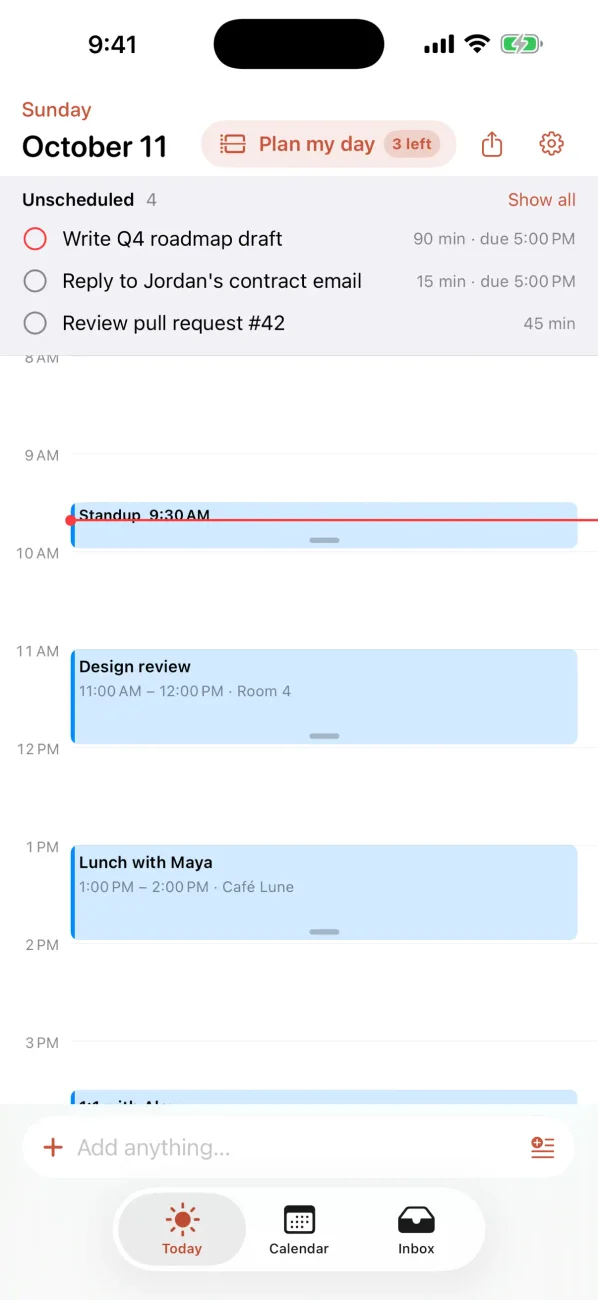
Clarical turns your Apple Calendar and Reminders into a realistic plan for the day.
Tell it what you need to do. Clarical finds the free time between your meetings, places your tasks there, and keeps the plan right when your day changes. No account, no new sync service, and nothing you type leaves your device.
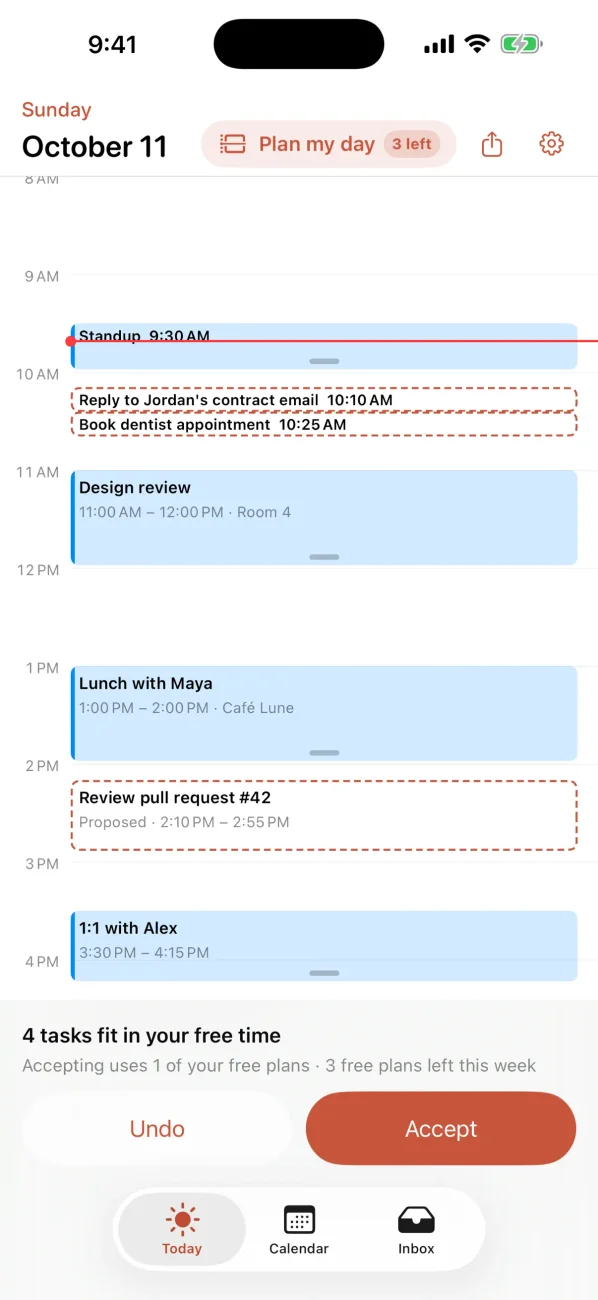
PLAN MY DAY
• One tap fits your to-dos into the gaps in your calendar
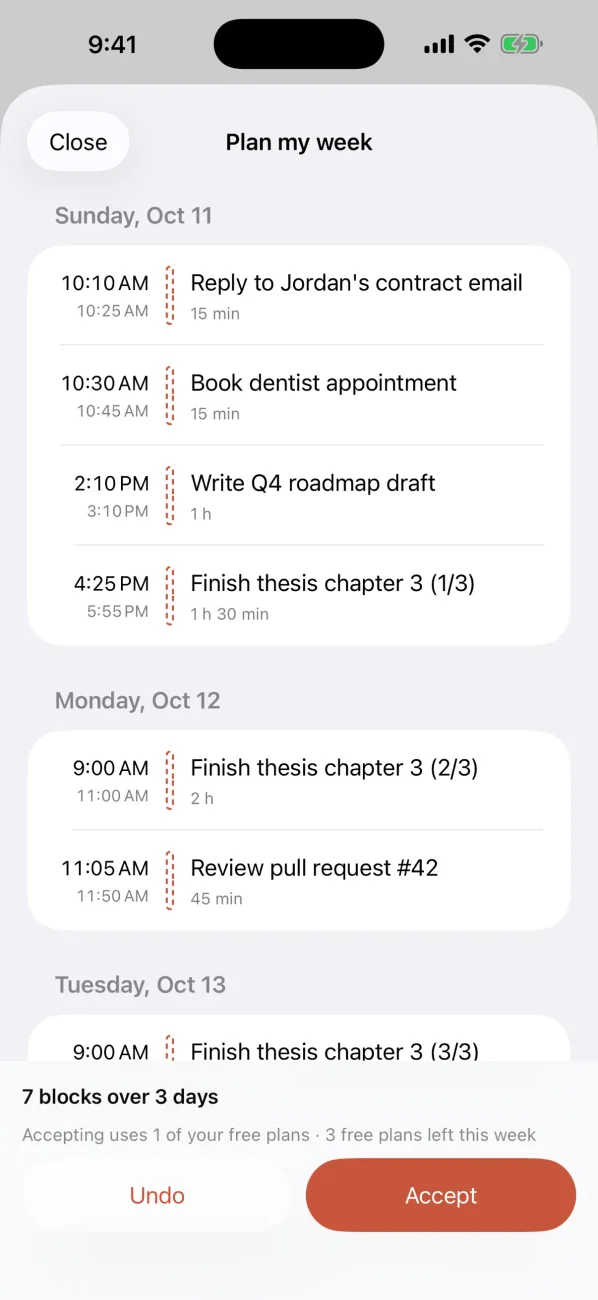
• See the plan as blocks first, then Accept or Undo
• Respects your working hours, lunch, deep-work time and buffers between meetings
STAYS RIGHT WHEN YOUR DAY CHANGES
• Meeting ran over? "Push the rest of today" moves everything in one tap
• Unfinished tasks roll over to tomorrow automatically
• Morning plan and evening wrap-up keep the habit light
ONE TIMELINE FOR EVERYTHING
• Events and tasks together on a single Today view
• Drag a task onto the timeline to schedule it; drag the edge to change its length
• Day, 3-day Week, Month and Year views
• Travelling? Events keep their own time zone, with a second clock on the timeline
• "Leave by 2:30" from Apple Maps travel time, and Plan my day keeps the trip free
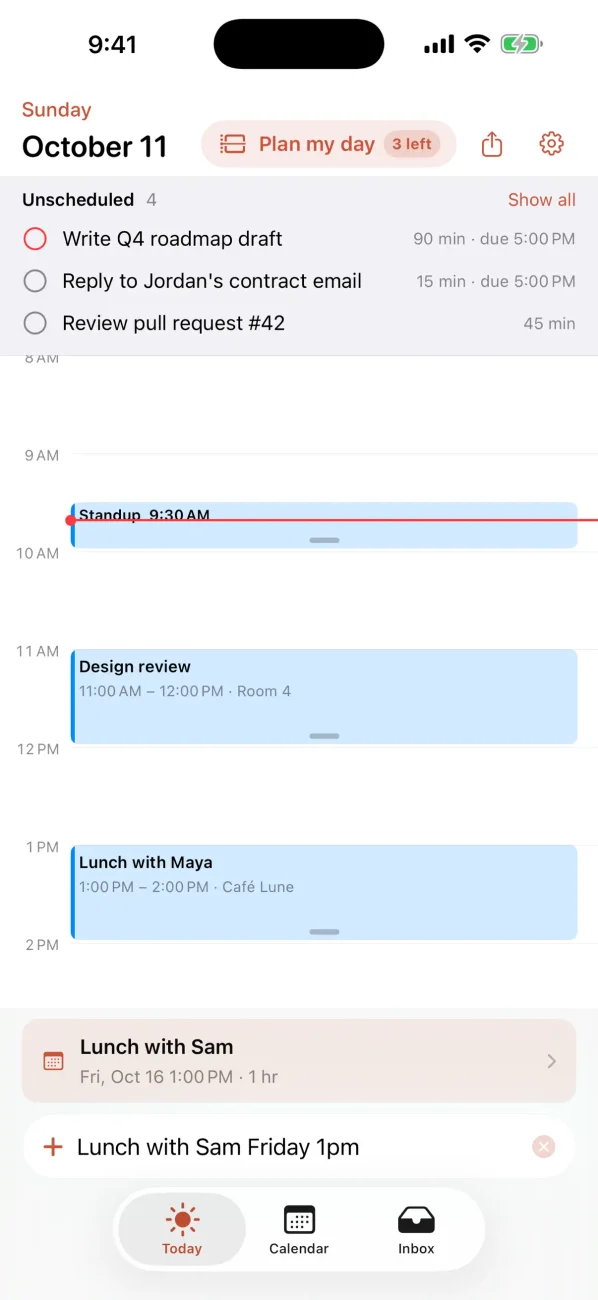
ADD ANYTHING, NATURALLY
• Type "Lunch with Sam Friday 1pm" or "Pay rent on the 1st" and see it understood as you type
• Brain dump: paste a messy note and get several tasks and events at once
• Understands your words on-device, privately
PLAN MY WEEK
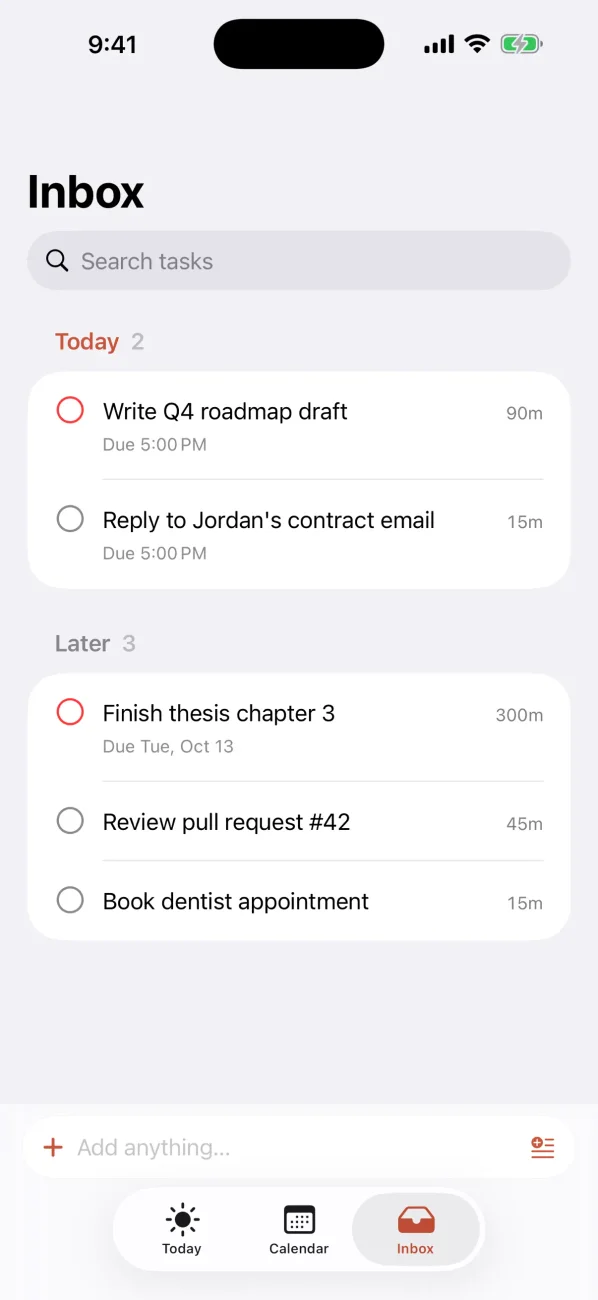
• Give a task a deadline and an estimate, and Clarical spreads it across the days before it's due
WORKS WITH WHAT YOU ALREADY USE
• Uses Apple Calendar and Apple Reminders, so tasks you add with Siri or on your Mac show up and get planned
• Home Screen and Lock Screen widgets, Live Activity with Done and +15 min, Siri and Shortcuts
• Apple Watch app with Up Next and Tasks Left complications for your watch face
• Share your plan or your free times this week in one tap
• iPhone, iPad and Apple Watch
PRIVATE BY DESIGN
• No sign-up, no account
• Your calendar stays in Apple's apps; Clarical doesn't run its own servers
• Natural-language understanding runs on your device
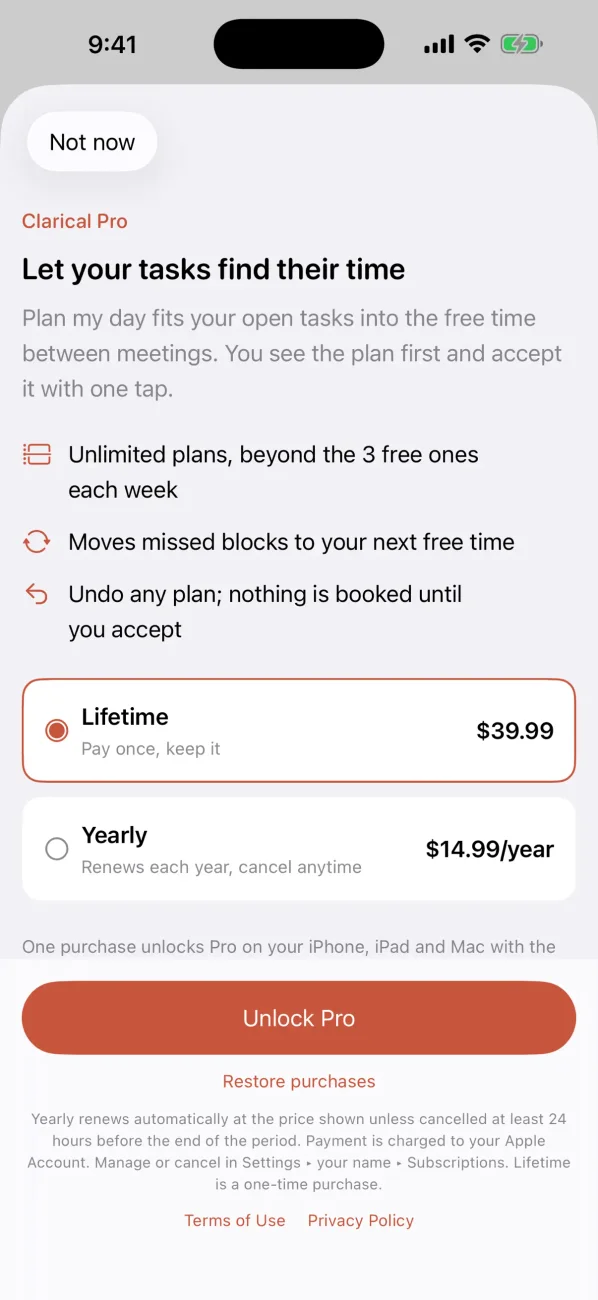
CLARICAL PRO
Plan my day is free 3 times a week. Clarical Pro unlocks unlimited Plan my day and Plan my week on all your devices.
• Yearly: $14.99
• Lifetime: $39.99 (one-time purchase)
The yearly subscription renews automatically unless cancelled at least 24 hours before the end of the period. Manage or cancel in your Apple Account settings.
Terms of Use: https://www.apple.com/legal/internet-services/itunes/dev/stdeula/
Privacy Policy: https://hossainahmadsajib.github.io/clarical-site/privacy.html
What’s new
Version 1.0.1 · Oct 25, 2026
Plan my day now learns how long your tasks really take.
• When you tick off a planned task, Clarical notes how long it took. Next time, it plans that task with your real time instead of your guess.
• See your pace and the hours you finish fastest in Settings > Planner, and use them as deep-work hours with one tap.
• Everything stays on your iPhone. Turn learning off or reset it any time.
• Tap an event in the Month view list to open and edit it.
App privacy
What DineroAutomationLLC declares on the App Store about how this app handles data.
-
Data not collected
The developer does not collect any data from this app.
Privacy practices may vary, for example with the features you use or your age.
Information
- Seller
- Dinero Automation LLC
- Category
- Productivity
- Version
- 1.0.1
- Updated
- Oct 25, 2026
- Released
- Oct 20, 2026
- Size
- 4.8 MB
- Requires
- iOS 17.0 or later
- Age rating
- 4+
- Price
- Free
- Languages
- English
- Copyright
- © 2026 Dinero Automation LLC
You might also like
-
 Day in Order: Daily PlannerTasks, Habits & Goals
-
 DayDrop: Daily PlannerOrganize Your Day with AI
-
 Orde: Shift Work CalendarRotations, days off, alerts
-
 DayStream: Daily AI PlannerAI Schedule & Routine Builder
-
 GoodPlanner - Daily PlannerMinimal handwritten planner
-
 Planster: Day Planner & TasksCalendar, agenda & voice input
-
 PlanDaySimple & Elegant Daily Planner
-
 Daily Planner - Day OrganizerPlan your day in one drag
-
 iPocket Draw LiteProductivity
-
 Daily Journal Log, PrivateNotes, Photos, Scans & Diary