
Classroom Planner: Teacher
Seating Chart & Timetable
Designed for iPhone, iPad
Free · In-app purchases
- Age rating4+
- CategoryProductivity
- DeveloperRichard Biddulph
- LanguagesEnglish
- Size162.9 MB
Links to the official App Store page
Download.org hosts no file of Classroom Planner: Teacher. The button opens its official App Store page, published by Richard Biddulph. Listing last checked on Nov 21, 2026.
Screenshots
About
Plan your classroom, timetable and school year in one place.
Classroom Planner helps teachers build seating charts, organise students, create weekly timetables and keep daily plans clear—without juggling separate apps.
SMART SEATING CHARTS
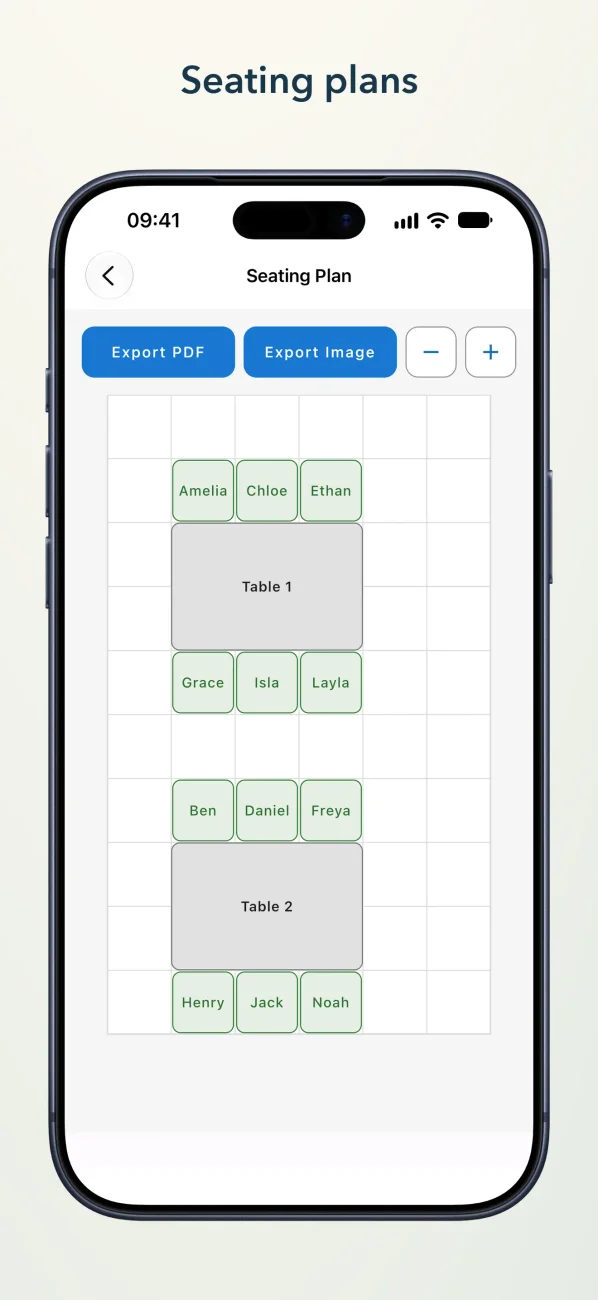
• Design classroom layouts with tables, chairs and custom objects
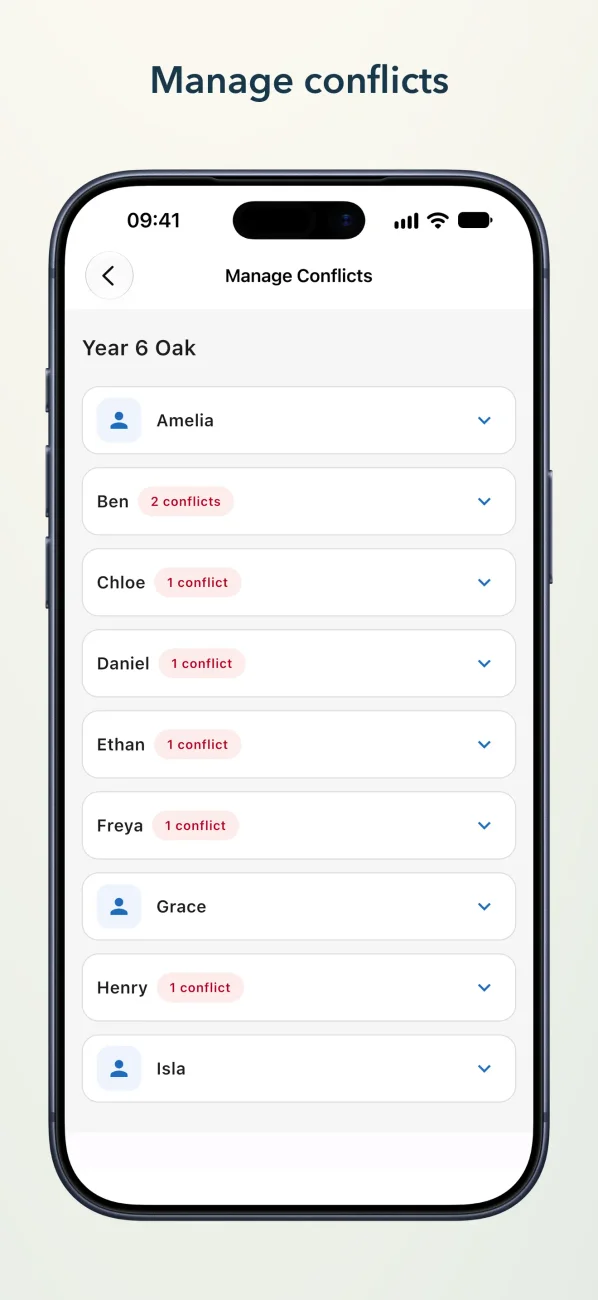
• Record student conflicts and use automatic algorithms to reduce problem pairings
• Choose from several seating methods, including balanced and minimum-conflict options
• Fine-tune every result with drag and drop
• Save different seating plans for different classes and lessons
CLASSES AND STUDENT GROUPS
• Keep digital class lists with useful student details
• Track homework, permission slips, merits or your own custom information
• Create balanced groups and random student selections
• Add notes for the information you need during the school day
TIMETABLES AND DAILY PLANNING
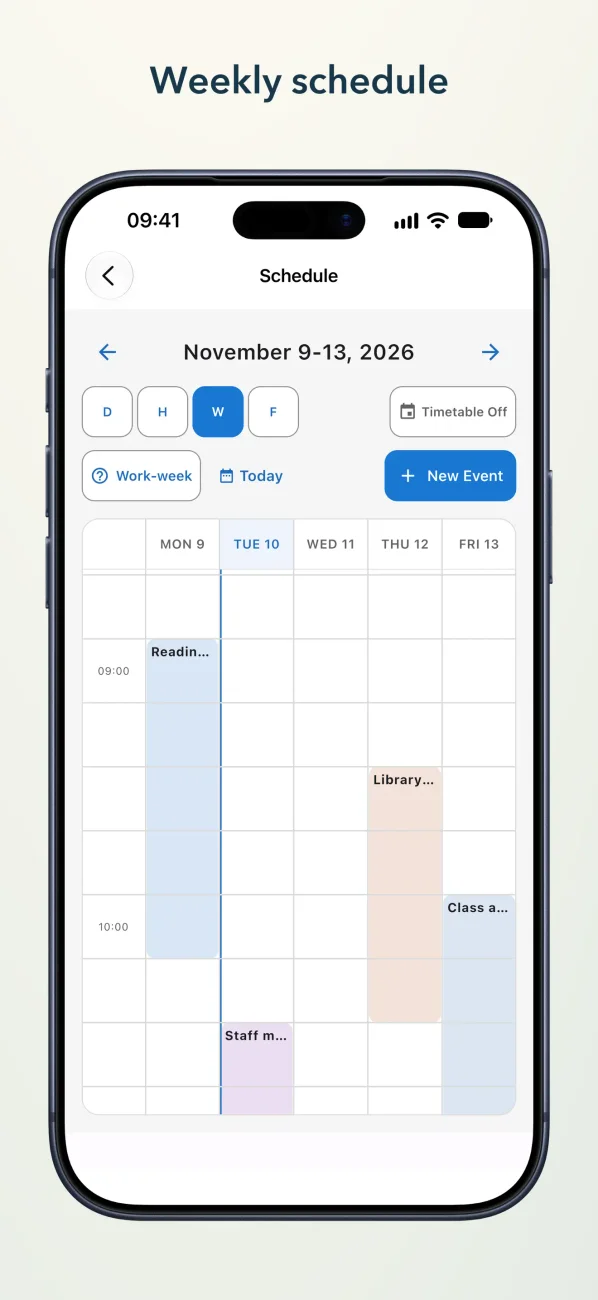
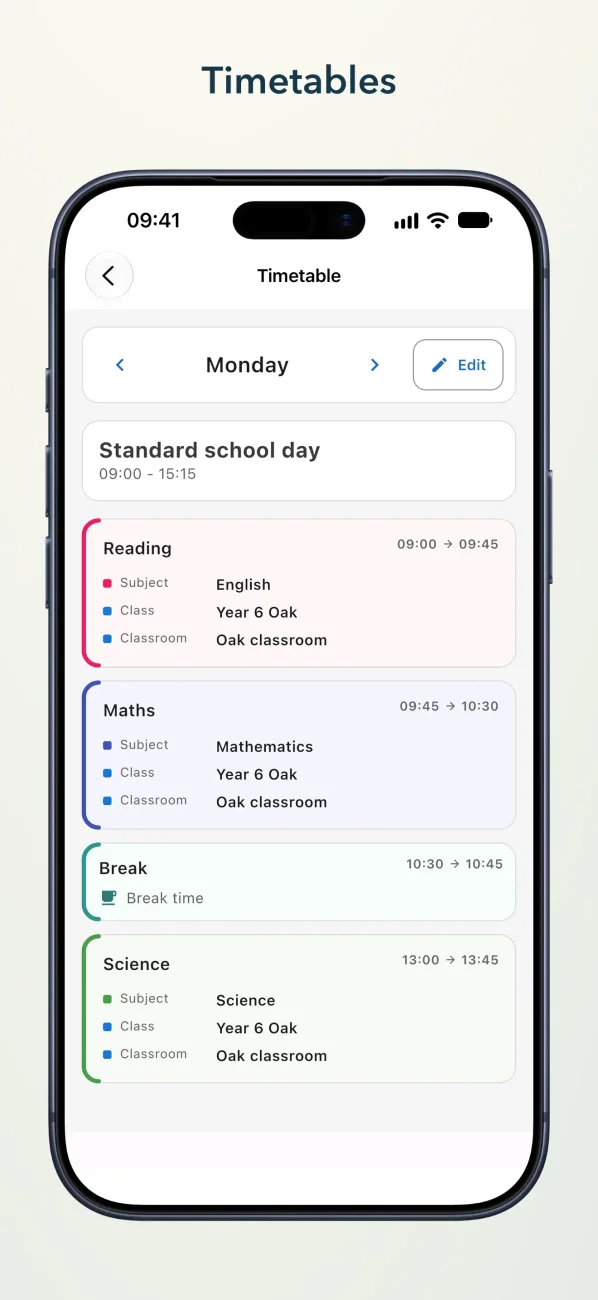
• Build colour-coded weekly timetables for subjects, classes and classrooms
• Create reusable day structures with periods, breaks and lunch
• See teaching commitments by day and week
• Keep notes, checklists and to-do reminders together
YOUR WHOLE SCHOOL YEAR
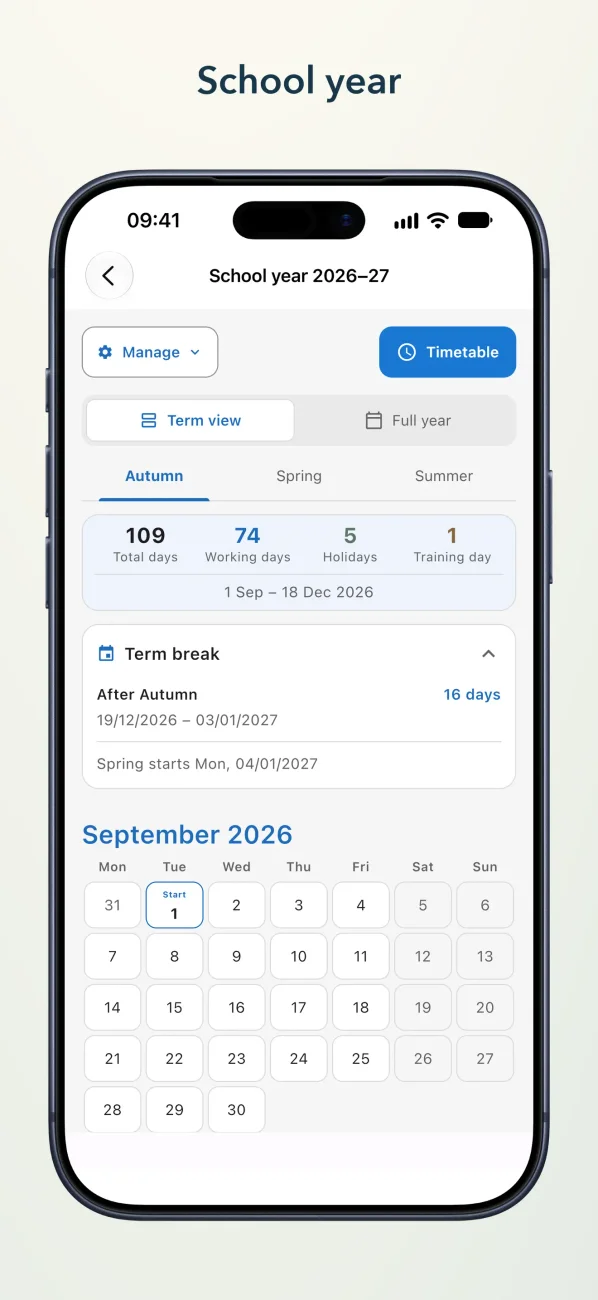
• Add terms, holidays, bank holidays and training days to a school-year calendar
• Connect timetables with classes and classrooms
• Map curriculum topics across terms and subjects in a flexible long-term overview
SHARE AND PERSONALISE
• Export seating plans as PDF or PNG for printing and sharing
• Choose colour themes, app icons and home-screen layouts
• Adjust accessibility, date and time settings to suit the way you work
CLASSROOM PLANNER PRO
Upgrade to Pro for unlimited classes, students, seating plans and timetables, advanced classroom objects, export options and more customisation.
Download Classroom Planner and spend less time organising tools—and more time teaching.
Classroom Planner offers an optional auto-renewing Pro subscription. Payment is charged to your Apple ID account at confirmation of purchase. The subscription renews automatically unless cancelled at least 24 hours before the end of the current period. Manage or cancel it in your App Store account settings.
Terms of Use: https://www.apple.com/legal/internet-services/itunes/dev/stdeula/
What’s new
Version 1.4.0 · Nov 11, 2026
A refreshed look throughout Classroom Planner, with a new app icon and clearer seating plan exports. This update also includes bug fixes and general improvements.
App privacy
What Richard Biddulph declares on the App Store about how this app handles data.
-
Data used to track you
May be used to track you across apps and websites owned by other companies.
- Identifiers
- Usage data
-
Data not linked to you
May be collected but is not linked to your identity.
- Purchases
- Identifiers
- Usage data
- Diagnostics
Privacy practices may vary, for example with the features you use or your age.
Information
- Seller
- Richard Biddulph
- Category
- Productivity
- Version
- 1.4.0
- Updated
- Nov 11, 2026
- Released
- Jul 24, 2025
- Size
- 162.9 MB
- Requires
- iOS 17.6 or later
- Age rating
- 4+
- Price
- Free
- In-app purchases
- Yes
- Languages
- English
- Copyright
- © Richard Biddulph 2026
You might also like
-
 AlphaletzLandlord Property Management
-
 TeachAI: AI Teaching AssistantBoost Teaching Efficiency
-
 Pulpetti: Seating Chart MakerWedding, Classroom & Event
-
 Parent QuestChore tracker and reward chart
-
 Caffeine & Water Tracker: MokaSugar, Habit & Drink Reminder
-
 AGS FM DeskProductivity
-
 Lessonday: Lesson PlannerNote every client and session
-
 Music Teacher Studio: RecitalLessons, Timetable & Billing
-
 easyspacebookingeasyspacebooking
-
 FloHub: Habit & Daily PlannerTo Do List, Tracker & Journal