- Age rating4+
- CategoryProductivity
- DeveloperSHENG HAO YEN
- LanguagesTraditional Chinese+ 3 more
- Size9.0 MB
Links to the official App Store page
Download.org hosts no file of ClawEar. The button opens its official App Store page, published by SHENG HAO YEN. Listing last checked on Nov 8, 2026.
Screenshots
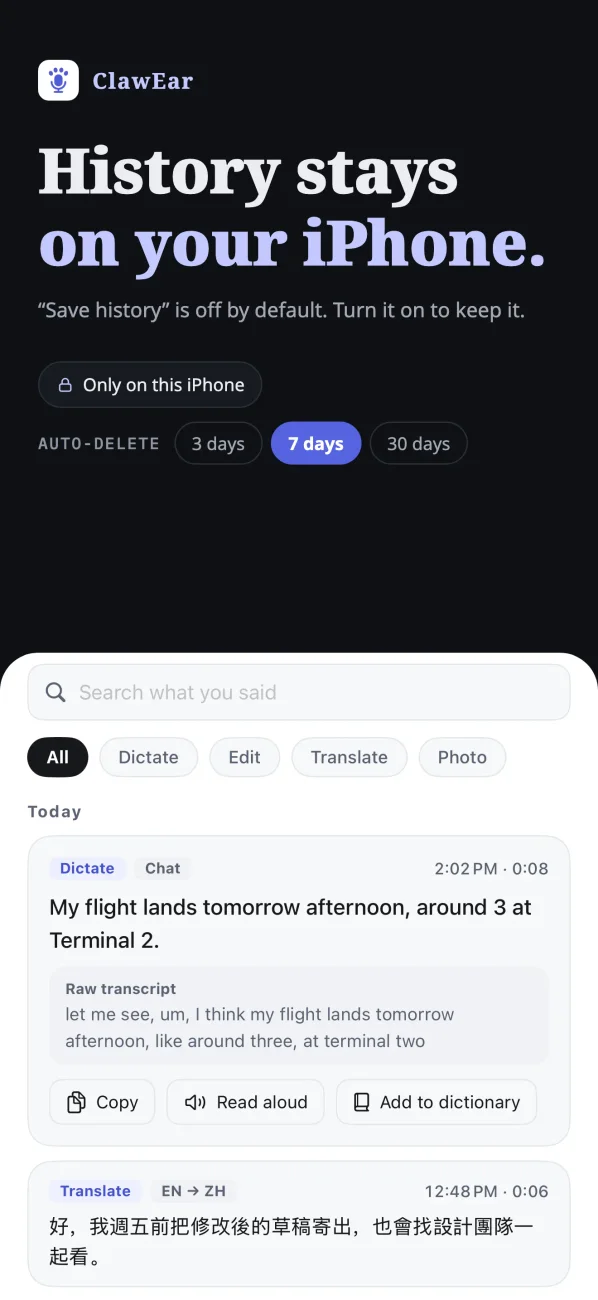
About
Talk instead of type, in any app.
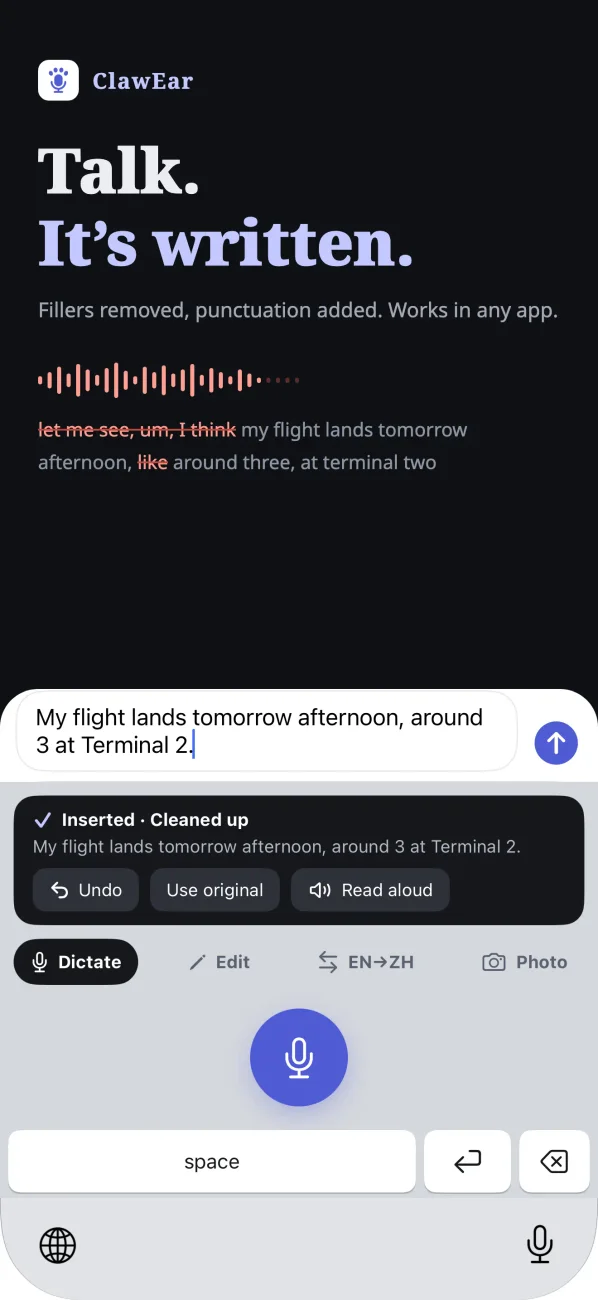
ClawEar is a voice keyboard. Tap the mic, say what you want to write, and ClawEar turns it into clean text ready to send: filler words like "um" and "you know" removed, punctuation added, and self-corrections resolved to what you meant. It works in chats, email, notes, and any other app with a text field.
SAY IT, SEND IT
• Talk the way you normally do. ClawEar keeps your words and tone, and cleans up the rest.
• "Tell him I'm running late" becomes the message itself: "I'm running late."
• Ask for what you need: "write a polite note asking for tomorrow off."
• Lists turn into bullet points when you're clearly listing things.
EDIT BY VOICE
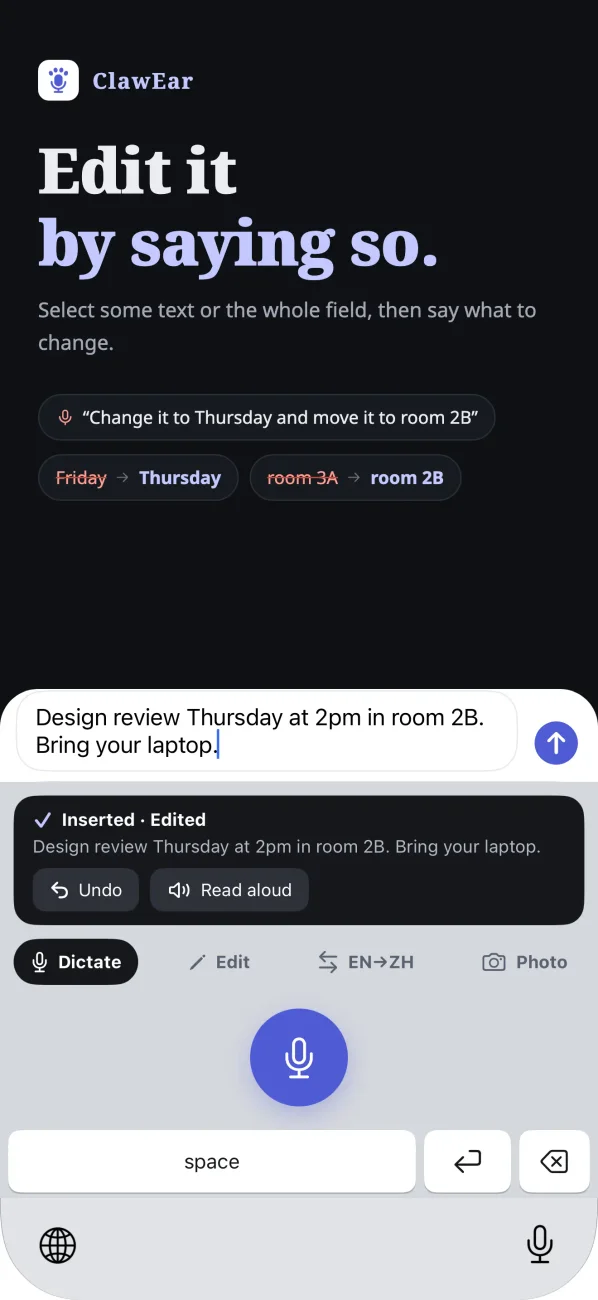
Select text, or edit the whole field, and just say what to change: "make it more polite," "change Friday to Monday," "add that I'll call later."
TRANSLATE AS YOU SPEAK
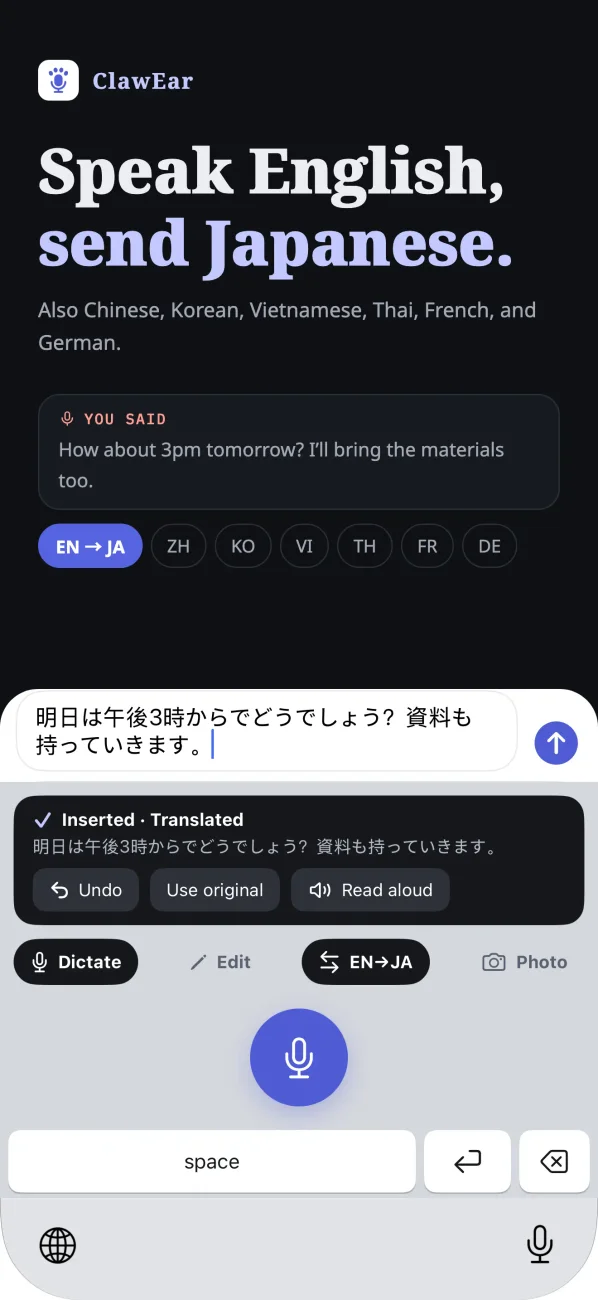
Speak English or Chinese and have it come out in another language: Traditional Chinese, English, Japanese, Korean, Vietnamese, Thai, French, or German.
PHOTO INPUT
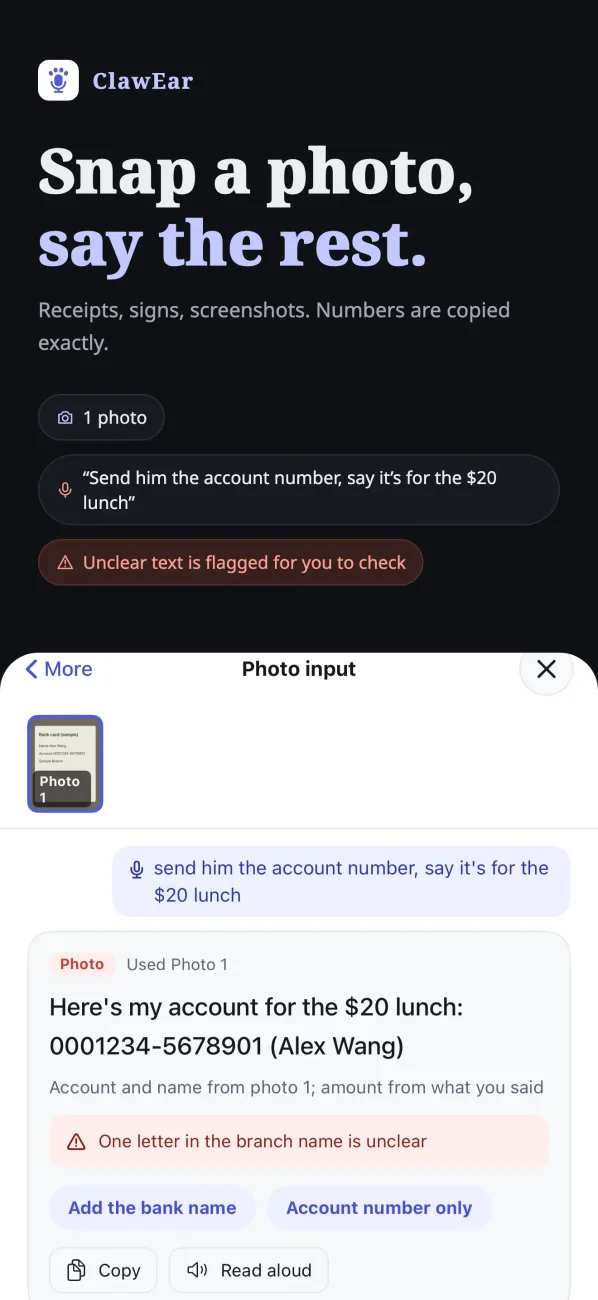
Snap a receipt, a sign, or a screenshot (up to 5 photos), then tell ClawEar what to do with it: "send him the account number" or "summarize this menu." Numbers are copied exactly, and anything unclear is flagged for you to check. Like voice, photos are processed with ClawEar Cloud and use the same credits: one photo is about 20 seconds of dictation.
HANDS-FREE
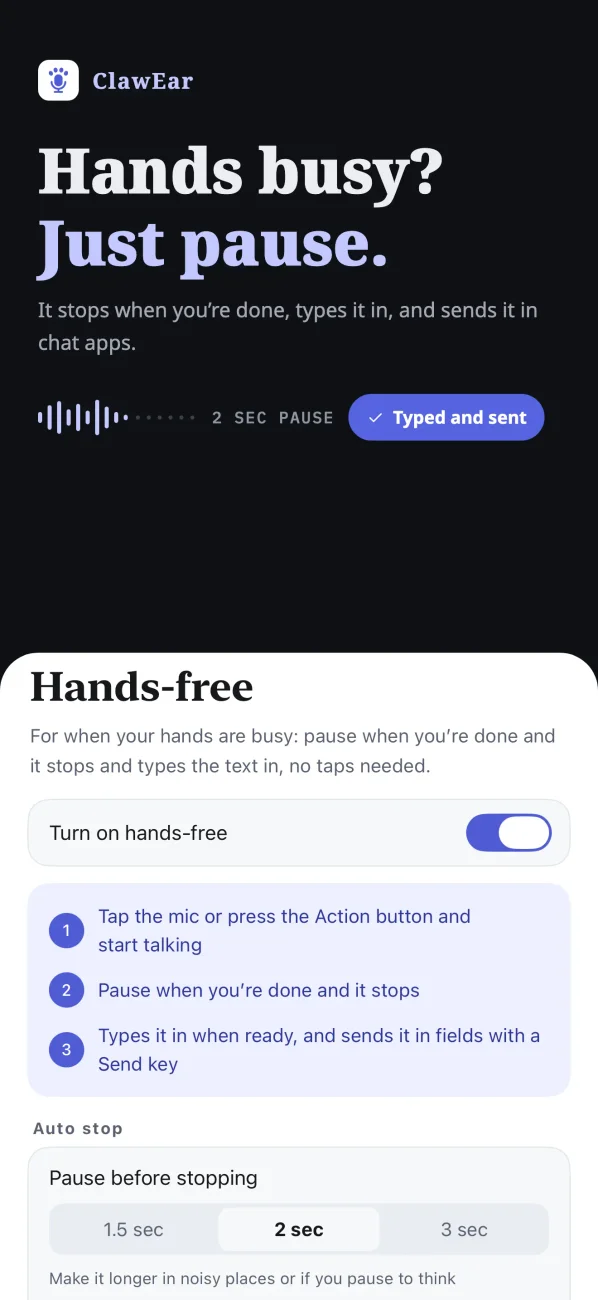
For when your hands are busy: pause when you're done and ClawEar stops, types the text in, and sends it in chat apps.
YOUR WORDS, YOUR RULES
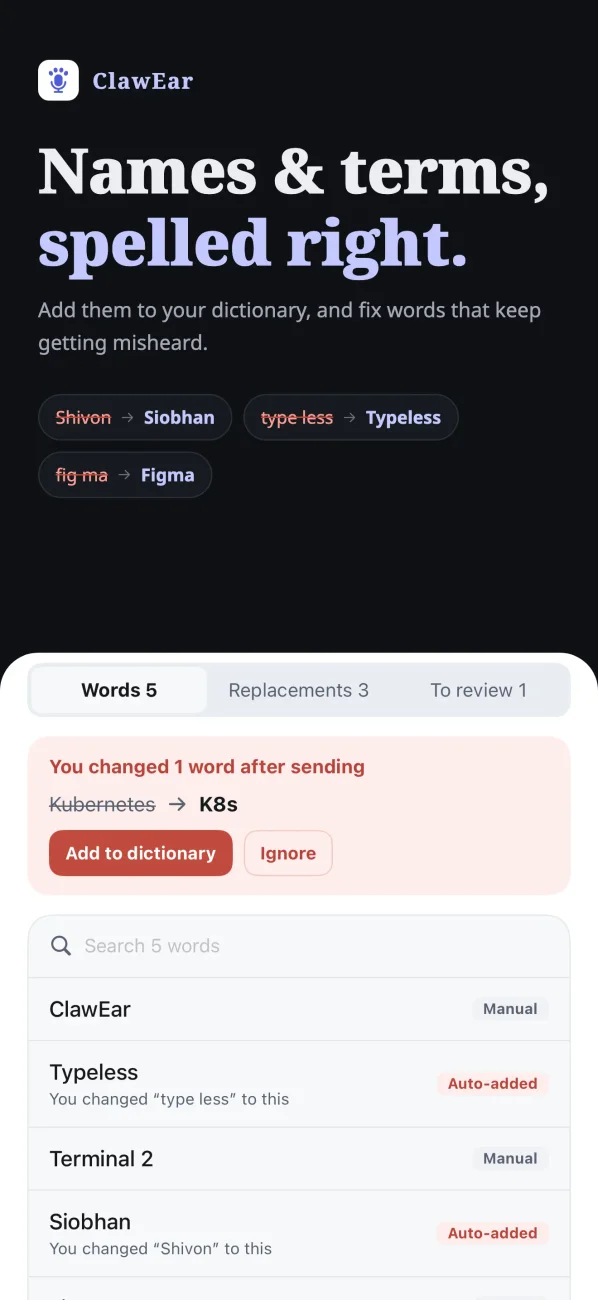
• Dictionary: add names, brands, and terms so they're recognized correctly, and set up replacements for words that keep getting misheard.
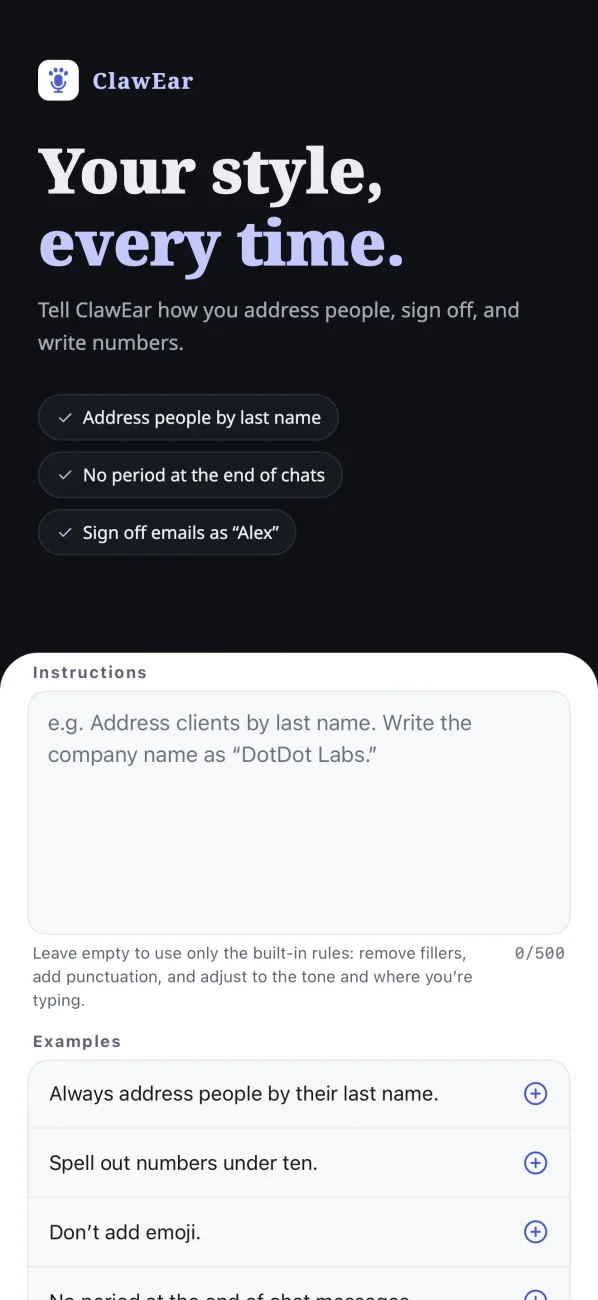
• Custom instructions: tell ClawEar how you like to write, like how to address people or how to sign off.
• Tone: casual, natural, or formal.
PRIVACY
• Recording happens only when you tap the mic. While a voice session is on standby, the microphone isn't used.
• Recordings are deleted as soon as they're processed.
• ClawEar Cloud is used by default: recordings, text, and photos pass through our servers to a provider for processing. Except for surveys and Issues & wishes posts you choose to submit, we never store your recordings, photos, or text.
• You can switch to on-device, where recognition and cleanup happen entirely on your device.
• History is off by default. If you turn it on, it stays only on your device and is deleted automatically after 3, 7, or 30 days.
PLANS
• Free: unlimited on-device recognition and cleanup, plus monthly credits for about 20 minutes of cloud dictation.
• Pro: monthly credits for about 300 minutes of cloud dictation. Out of credits? It switches to on-device at no extra charge. New subscribers can try it free for 7 days, with credits for about 60 minutes of cloud dictation.
• Credit packs: a one-time purchase of credits for about 100 or 300 minutes of cloud dictation, no subscription needed. Purchased credits never expire and are used after this period's credits.
On-device cleanup requires a device that supports Apple Intelligence. The keyboard needs Full Access so it can receive text from the ClawEar app; it never sends what you type anywhere.
SUBSCRIPTIONS
ClawEar Pro is an auto-renewing subscription, billed monthly or yearly. Payment is charged to your Apple Account when you confirm the purchase. The subscription renews automatically unless auto-renew is turned off at least 24 hours before the end of the current period. You can manage or cancel it in your App Store account settings.
Terms of Use: https://clawear.dimanyen.com/en/terms
Privacy Policy: https://clawear.dimanyen.com/en/privacy
What’s new
Version 1.3 · Oct 22, 2026
• New credit packs: buy more credits when you run low. Purchased credits never expire.
• New Issues & wishes: report issues or make wishes from the home screen, with images if you like.
• Clearer steps for adding the keyboard, plus other small improvements.
App privacy
What SHENG HAO YEN declares on the App Store about how this app handles data.
-
Data linked to you
May be collected and linked to your identity.
- Purchases
- Identifiers
- Usage data
- Diagnostics
-
Data not linked to you
May be collected but is not linked to your identity.
- User content
- Diagnostics
Privacy practices may vary, for example with the features you use or your age.
Information
- Seller
- SHENG HAO YEN
- Category
- Productivity
- Version
- 1.3
- Updated
- Oct 22, 2026
- Released
- Oct 14, 2026
- Size
- 9.0 MB
- Requires
- iOS 18.0 or later
- Age rating
- 4+
- In-app purchases
- Yes
- Languages
- Traditional Chinese, Japanese, English, Korean
- Copyright
- © 2026 安爪打聽 ClawEar
You might also like
-
 UTUVO TypeSpeak, and it types for you
-
 PartCycleProductivity
-
 KeepNest: Screenshot OrganizerAI Sorts Your Links & Notes
-
 Floato: Pickup CodesAI, recap, share, bills
-
 TypeTalkMBTI Communication Translator
-
 OSGKeyboard - Agentic KeyboardAgent of Speech to writing
-
 台語語音轉文字 - 臺語逐字稿 台語逐字稿 - 台語STTProductivity
-
 ByeType VoiceProductivity
-
 Spokn: Expenses & RemindersOrganize life with your voice
-
 多元計程車時薪Productivity